

Ecommerce PPC is all about paying for clicks to drive the right kind of traffic straight to your Shopify store. Think of it as placing your products directly in front of people who are actively searching for what you sell on platforms like Google, Microsoft, and Meta. For Shopify merchants, it's one of the fastest ways to ring the sales bell and start scaling.
Building Your Ecommerce PPC Foundation
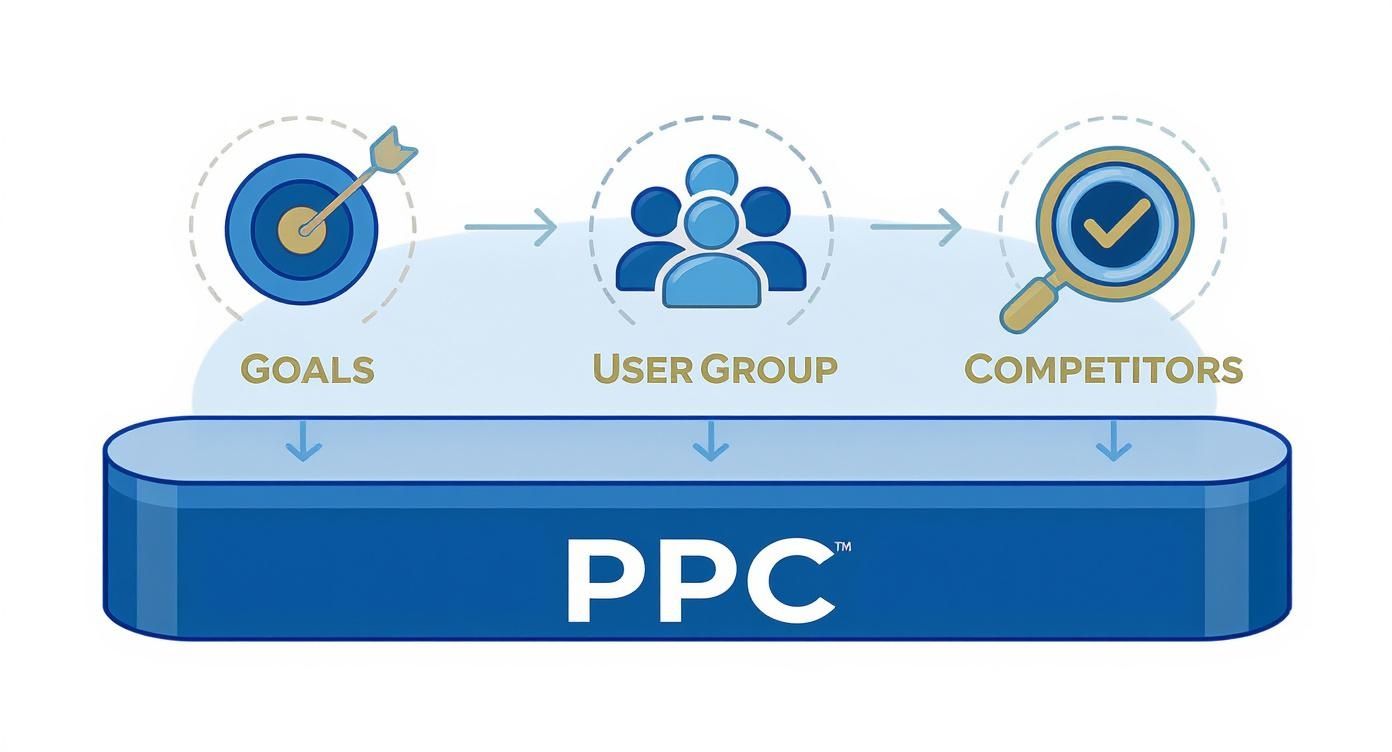
A winning PPC strategy doesn't start with launching ads. It starts with getting your house in order. Jumping straight into campaigns without a solid plan is like building a house on sand—it looks fine for a minute, then the first sign of pressure brings it all down. Before a single penny of your budget is spent, you need to connect your ad strategy to real business goals, get inside your customer's head, and nail down the technical setup to track what’s working.
Getting this groundwork right means every campaign, ad group, and keyword has a purpose. It transforms your ad spend from a simple expense into a powerful investment.
Defining Clear Business Objectives
The first move is to get way more specific than just "I want more sales." While revenue is the endgame, your campaigns need precise, measurable targets to guide them. Are you trying to squeeze every last drop of profit from your ad spend? Are you on a mission to acquire new customers, even if it costs a bit more upfront? Or maybe you're launching in a new market and just need to get your name out there?
Your primary goals will likely fall into one of these buckets:
- Maximizing Return on Ad Spend (ROAS): This is a pure profitability play. For every $1 you spend on ads, you need a specific amount back in revenue (e.g., $4).
- Customer Acquisition Cost (CAC): Here, the focus is on bringing new customers into the fold for less than a certain price. Profit on the first sale might be lower, but you're building your customer base for the long term.
- Boosting Brand Awareness: This is about reach and eyeballs. You’ll use display and video ads to get your brand in front of a ton of people in your target demographic.
Having this clarity from the start dictates everything else, from which channels you use to how you bid. A campaign built for a 4:1 ROAS is managed completely differently than one with a $50 new customer acquisition target.
Developing Your Ideal Customer Profile
You can't sell anything if you don't know who you're selling to. An ideal customer profile (ICP) isn't a vague guess; it's a data-backed portrait of your perfect buyer. Spend some time digging into your Shopify analytics and Google Analytics. Look at who your best customers already are—their demographics, interests, and buying habits.
Start asking the important questions:
- What problem does my product solve for them? What’s their pain point?
- Where are they hanging out online? Are they scrolling Instagram, searching on Google, or active in niche forums?
- What kind of message gets them to click? Do they respond to discounts, benefit-driven copy, or social proof?
This exercise is invaluable. It helps you write ad copy that feels like it’s speaking directly to them and shows you exactly where you need to be advertising. For a deeper dive into how to apply this to your paid advertising, check out this excellent guide on PPC for ecommerce.
Setting Up Flawless Conversion Tracking
Without rock-solid tracking, you're just throwing money at the wall and hoping something sticks. This is, without a doubt, the most critical technical step. It is completely non-negotiable. You absolutely have to know which ads are making you money and which are burning through your budget.
This screenshot from Google Analytics 4 shows how you can define specific conversion events—the actions you care about, like a completed purchase or someone adding a product to their cart.
Setting these up correctly means you can account for every dollar spent and get the real data you need to make smart optimization decisions.
Key Takeaway: Your foundational tracking setup must include Google Analytics 4 (GA4) with enhanced ecommerce tracking, the Meta Pixel with Conversions API (CAPI) for more reliable server-side data, and Google Ads conversion tracking. This trifecta creates a resilient system that captures sales data accurately, even with modern browser privacy restrictions.
Optimizing Your Product Feed for Maximum Impact
Think of your product feed as the engine driving your ecommerce PPC campaigns. This is especially true for Shopping ads on platforms like Google, Microsoft, and Meta. It's not just a list of products; it's a direct line of communication between your Shopify store and the ad platforms’ algorithms. A clean, detailed, and accurate feed tells them exactly what you sell, who to show it to, and why your product is the right choice.
Trying to run ads with a messy product feed is like trying to win a race with a sputtering engine. You’ll hit roadblocks like constant product disapprovals, struggle for visibility on high-intent searches, and end up wasting a huge chunk of your ad budget.
Nailing the Core Attributes
There are a few data points in your feed that are completely non-negotiable. Ad platforms rely on these to categorize your products and match them to what people are searching for. Get these wrong, and your products will either get rejected or completely buried.
Here's your essential checklist:
- Product Title: This is your most powerful tool. It needs to be descriptive, packed with the right keywords, and structured logically. Get inside your customer's head—include the brand, product type, key features, and material.
- High-Quality Images: Your main product image should always be on a clean, white background. Don't stop there. Use all the available image slots to showcase different angles, lifestyle shots, and close-up details. This is your digital window display.
- Product Identifiers (GTINs): For most new products, Global Trade Item Numbers (like UPCs) are mandatory. Google uses GTINs to know exactly what you’re selling, stack it up against competitors, and serve your ads more effectively.
- Detailed Descriptions: Don't just phone it in. Use this space to answer common questions before they're asked, highlight what makes your product special, and sprinkle in relevant secondary keywords.
Crafting High-Converting Product Titles
Your product title is your ad's headline. It does all the heavy lifting to get that first click. A generic title like "Men's T-Shirt" is a complete waste of an opportunity. A powerful, algorithm-friendly title gives both shoppers and the platform the context they need.
I've found this formula works wonders:
Brand + Product Type + Key Attributes (Size, Color, Material)
For instance, instead of just "Running Shoes," a much better title is:
"Nike Air Zoom Pegasus 40 Men's Road Running Shoes Blue Size 11"
This structure immediately tells the shopper if it’s a match, qualifying your clicks before you even pay for them. It also helps your ad show up for those super-specific, long-tail searches that have much higher purchase intent.
Pro Tip: Front-load your most important keywords. On mobile, people often only see the first 65 characters of your title. Make sure the most compelling info is right at the beginning to stop their scroll.
Maintaining Flawless Data Accuracy
Accuracy builds trust—with your customers and with the ad platforms. When the data in your feed doesn't match what's on your Shopify store, you'll get hit with ad disapprovals and create a frustrating experience for shoppers. That kills conversion rates.
Pay obsessive attention to these three areas:
- Pricing: The price in your feed must exactly match the price on your landing page. No exceptions.
- Availability: If a product goes out of stock, your feed needs to reflect
out_of_stockinstantly. - Shipping Information: Be crystal clear and precise about your shipping costs and delivery times. This is a huge factor in the final purchase decision.
Keeping this data perfectly in sync is the foundation of effective ecommerce catalog management and helps you avoid the kind of friction that leads to abandoned carts. A good Shopify app for feed management can automate these updates, which will save you a ton of time and prevent costly mistakes.
Structuring Profitable Ecommerce PPC Campaigns
A solid campaign structure is the bedrock of any successful PPC account. It’s what separates the pros who consistently get results from those who are just throwing money at the wall and hoping something sticks. Think of it as your account’s blueprint—it dictates where your budget flows, who sees your ads, and how easily you can scale what’s working.
Without a logical structure, you’re flying blind. You end up with a tangled mess of campaigns and ad groups, making it nearly impossible to figure out which products are winners and which are just draining your budget. Good organization brings clarity, letting you make smart, strategic decisions instead of just guessing.

Modern ad platforms like Google Ads are built around clear objectives. A clean account structure makes it so much easier to align your campaigns with your actual business goals, like driving sales or generating leads, and not just clicks.
Strategic Models for Google Ads
When it comes to structuring your Google Ads for a Shopify store, there’s no one-size-fits-all answer. The best approach really depends on what you sell, your profit margins, and your overall goals. The main idea is to slice up your product catalog in a way that gives you meaningful control over your bids and budget.
Here are a few proven structures I’ve used time and time again:
- By Product Category: This is the most straightforward and common method. If you sell clothing, you’d create separate campaigns for "T-Shirts," "Hoodies," and "Hats." It’s simple, effective, and lets you set different performance targets for each category.
- By Profit Margin: This one’s a bit more advanced but incredibly powerful. Group your products into campaigns based on their margins—think High, Medium, and Low. This allows you to bid much more aggressively on your most profitable items, maximizing your return.
- By Brand: If you’re a reseller or have your own house brand alongside others, this is a must. People often search directly for brand names, and this structure lets you capture that high-intent traffic and tailor your messaging perfectly.
From there, you get even more granular with your ad groups. A "T-Shirts" campaign might have ad groups like "Men's Graphic Tees," "Women's V-Neck Tees," and "Plain Cotton Tees." Each ad group gets its own tightly themed keywords and ad copy.
Key Takeaway: The whole point of segmenting your campaigns is to gain control. When you separate products logically, you can put your money where it counts, speak directly to specific customers, and make smarter decisions based on clean performance data.
A Cohesive Multi-Campaign Approach
Your Google Ads campaigns should never exist in a vacuum. A truly effective strategy layers different campaign types to engage customers at every stage of their buying journey.
For a typical Shopify store, a strong, integrated setup might look like this:
- Standard Shopping: Reserve this for your best-sellers or high-margin products. It gives you the granular control you need over individual product bids and, crucially, the ability to add negative keywords.
- Performance Max (PMax): Use PMax to cast a wider net across all of Google's properties. The key here is to feed it high-quality audience signals, like your past customer lists, and let Google’s automation find new buyers for you.
- Dynamic Search Ads (DSA): This is your secret weapon for capturing all those long-tail keyword searches you’d never think of. DSA scans your website and automatically creates ads for relevant queries, filling in the gaps in your keyword coverage.
- Brand Search: This is non-negotiable. You absolutely must have a campaign bidding on your own brand name. It’s cheap, high-converting traffic, and it protects you from competitors trying to poach your customers.
This layered approach ensures you’re both capturing existing demand and generating new interest. It's a cornerstone of any resilient multi-channel marketing strategy that aims for consistent, long-term growth.
Funnel-Based Structure for Meta Ads
Over on platforms like Meta (Facebook and Instagram), the game is different. Campaign structure is less about product categories and more about guiding a user through a journey. You need to think in terms of a funnel.
A classic, effective funnel structure looks like this:
- Top of Funnel (TOFU): This is all about prospecting. You’re reaching out to cold audiences who’ve likely never heard of you. Think broad interests, lookalike audiences, and general demographics. The goal is simply to introduce your brand.
- Middle of Funnel (MOFU): Here, you’re retargeting people who’ve shown some interest but haven’t bought yet. This includes website visitors, people who have watched your videos, or those who have engaged with your Instagram profile.
- Bottom of Funnel (BOFU): This is where you seal the deal. These campaigns target high-intent users, like people who abandoned their cart or started the checkout process. Your ads here should be direct, with a clear call to action and maybe a compelling offer.
This funnel-based thinking ensures you’re sending the right message to the right person at the right time. As you get more advanced, you’ll want to continuously test your ads, and this guide on Setting Up a Creative Testing Campaign on Meta is a great place to learn the ropes.
The sheer scale of the industry tells you why this matters. In 2024 alone, paid search spending in the US is expected to reach a staggering $124.59 billion. With that much money on the line, a sloppy, disorganized account simply won’t cut it.
Getting Your Bids, Budgets, and Creative Right
Okay, your campaign structures are solid and your product feeds are dialed in. Now for the fun part—actually managing the campaigns day-to-day. This is where you’ll be pulling the levers on your bids, budgets, and ad creative to turn all that planning into real profit.
Getting this mix right is definitely part art, part science. You need to understand how the platform's automation works, but you also need a gut feel for what actually makes a customer stop scrolling and click.
It really all begins with your bidding strategy. Think of it as giving Google or Meta direct instructions on how to spend your money in the ad auction. This one decision has a massive ripple effect on your campaign’s performance and how well you can scale later on.
Choosing the Right Bidding Strategy
For most Shopify stores, the main debate is between automated and manual bidding. While old-school manual CPC (Cost-Per-Click) gives you a ton of control, the machine learning behind today’s automated strategies is just too good to ignore. Honestly, it's usually the smarter choice, especially if you have a decent amount of conversion data.
Here’s a quick rundown of the options you’ll use most often:
- Target ROAS (Return on Ad Spend): This is the holy grail for most ecommerce brands. You’re telling Google your profitability target—for example, you want $4 in sales for every $1 you spend on ads. The algorithm then does the heavy lifting, adjusting bids in real-time to hit that number. You’ll need at least 15-20 conversions in the past 30 days for this to work well.
- Maximize Conversions: Use this when you’re just starting out or launching a new product and don't have enough data for Target ROAS. The goal is pure volume: get as many sales as you can within your budget. It’s a fantastic way to feed the algorithm the data it needs to get smart.
- Enhanced CPC (eCPC): Think of this as a hybrid strategy. You set your manual bids, but you give Google permission to raise or lower them if it thinks a click is more or less likely to lead to a sale. It’s a nice middle ground between total control and full automation.
My Advice: I almost always start new campaigns on Maximize Conversions. Let it run, get the data flowing, and figure out your baseline performance. Once you have a steady stream of sales and know your break-even point, flip the switch to Target ROAS and start focusing on profitable scaling.
A Practical Way to Set Your Budgets
Budgeting doesn't need to be a complex formula. The main goal is to spend just enough to get meaningful data without putting too much cash on the line right away. A classic mistake I see is setting a daily budget that's way too low. When that happens, the ad platforms can get stuck in a "learning phase" forever and never build any real momentum.
Here's a simple way to think about it: work backward from your goals. Let's say your target CPA (Cost Per Acquisition) is $25. A good starting point for your daily budget would be at least 2-3 times that number, so around $50-$75 per day for that specific campaign. This gives the platform enough runway to find you a few customers each day.
Once your campaigns are live, be ready to move your money around. Don't get emotionally attached to a campaign that isn't working. I review performance weekly and am constantly shifting spend away from the losers and doubling down on the winners—the campaigns, ad groups, and products that are bringing in the best return.
Crafting Ad Creative That Actually Sells
In a crowded Instagram feed or a sea of Google Shopping results, your ad has maybe three seconds to grab someone's attention. Your copy and your images are your digital storefront, and they have to work hard to earn that click. The best ecommerce ads are always benefit-driven, trustworthy, and visually impossible to ignore.
Here are a few tips I always give my clients for creating ads that drive sales:
- Talk Benefits, Not Just Features: "Waterproof Hiking Boots" is a feature. "Conquer Any Trail with Dry, Comfortable Feet" is a benefit. See the difference? Always focus on what your customer gets out of it.
- Show Off Your Social Proof: Nothing builds trust faster than seeing other people rave about your product. Weave customer reviews, star ratings, and little quotes directly into your ad copy. A simple line like "Join 10,000+ Happy Customers" can be incredibly effective.
- Invest in High-Quality Visuals: This is non-negotiable, especially for platforms like Instagram, Facebook, and TikTok. Your product shots need to be crisp and professional. But don’t stop there. Mix in user-generated content (UGC) and short videos showing your product being used by a real person. That authentic, "in-the-wild" feel connects with people and drives more sales than a polished studio shot ever could.
Once your campaigns are live, the real work begins. The initial launch is just step one; the true art of ecommerce PPC is turning that early momentum into reliable, long-term profit.
This means you have to stop looking at vanity metrics like clicks and impressions and start focusing on the numbers that actually move the needle for your business. It's all about figuring out what's working and then pouring fuel on that fire, intelligently.
Your entire analysis should hinge on a few core KPIs that tell you the real story of your profitability.
Focus on the Metrics That Actually Matter
It's incredibly easy to get lost in the ocean of data inside your ad accounts. To keep your head above water, anchor everything you do to these three pillars of ecommerce success.
- Return on Ad Spend (ROAS): This is the bottom line. For every dollar you put into ads, how many dollars in revenue are you getting back? A 4:1 ROAS ($4 revenue for every $1 spent) is a common industry benchmark, but your own target will depend entirely on your product margins.
- Customer Acquisition Cost (CAC): This one is simple: how much does it cost you to get a new customer through the door? If your average order value is $50 but it costs you $60 to acquire each customer, you're on a fast track to going out of business. You have to know this number.
- Customer Lifetime Value (LTV): This is where you play the long game. LTV is all about the total amount of money a customer is likely to spend with you over their entire relationship with your brand. A strong LTV means you can afford a higher CAC upfront, because you know you'll make it back (and then some) on their second, third, and fourth purchase.
Drilling down into these core numbers will give you a much clearer picture of your account's health. For a more detailed breakdown, check out our guide on the most important ecommerce performance metrics.
Key Takeaway: Stop obsessing over Click-Through Rate (CTR) and Cost-Per-Click (CPC) by themselves. They’re diagnostic tools, not performance indicators. A sky-high CTR means nothing if none of that traffic converts, and a super low CPC is worthless if it's just driving window shoppers to your site. Always bring it back to ROAS, CAC, and LTV.
To help you get a handle on what to track, here’s a quick reference table with the most important PPC metrics, what they mean, and what a "good" number generally looks like.
Key Ecommerce PPC Metrics and Benchmarks
| Metric | What It Measures | Good Benchmark | How to Improve |
|---|---|---|---|
| Return on Ad Spend (ROAS) | Revenue generated per dollar spent on ads. | 4:1 or higher (highly dependent on margins) | Improve conversion rate, increase AOV, or lower ad costs. |
| Customer Acquisition Cost (CAC) | The average cost to acquire one new customer. | Lower than your LTV and Average Order Value. | Improve targeting, ad creative, and landing page conversion rates. |
| Conversion Rate (CVR) | The percentage of ad clicks that result in a sale. | 1-3% is a common average for ecommerce. | Optimize landing pages, improve ad-to-page relevance, simplify checkout. |
| Click-Through Rate (CTR) | The percentage of people who see your ad and click on it. | 2%+ on Search, 1%+ on Social/Display. | Write better ad copy, use more compelling images/videos. |
| Cost Per Click (CPC) | The average amount you pay for each click on your ad. | Varies wildly by industry, but aim for efficiency. | Improve Quality Score (Google), test different bidding strategies. |
| Average Order Value (AOV) | The average dollar amount a customer spends per transaction. | As high as possible relative to your CAC. | Offer product bundles, free shipping thresholds, post-purchase upsells. |
Remember, these benchmarks are just a starting point. Your specific goals will depend on your industry, product margins, and overall business strategy.
A Systematic Approach to A/B Testing
In ecommerce, you’re either testing and improving, or you're falling behind. The best way to make consistent gains is through methodical A/B testing—changing one single variable at a time to see what your audience truly responds to. This data-driven mindset takes the guesswork out of optimization.
You should be testing the elements that have the biggest potential impact on your results:
- Ad Creative: This is a big one. Pit different images, videos, headlines, and body copy against each other. Does a lifestyle shot of your product in action beat a clean studio photo? Does a headline screaming "50% Off" outperform one that highlights a unique product benefit? You won't know until you test.
- Landing Pages: Getting the click is only half the battle. Once they're on your site, you need to convince them to buy. Test everything on your product pages: the main hero image, your product description, the color and text of your "Add to Cart" button, even where you place customer reviews.
- Audience Targeting: Especially on platforms like Meta, you should always be testing new audiences. Run a lookalike audience built from your best customers against an audience built around specific interests. Let the data tell you which one delivers a better ROAS.
This relentless testing is how you stay competitive. With the global retail ecommerce market expected to hit $7.95 trillion by 2027, every brand is fighting for a piece of the pie. The data shows it's worth the effort; brands that commit to rigorous A/B testing can see their conversion rates jump by as much as 49%. You can find more digital marketing statistics on insivia.com.
How to Scale Your Budget Without Breaking Your Campaigns
So you've found a winning ad set or campaign. The natural impulse is to crank the budget to the moon and watch the sales roll in. But if you do it too fast, you'll often destroy the very thing that was working so well.
A huge, sudden budget increase can throw the ad platform's algorithm for a loop, forcing it back into the learning phase. It can also cause your ROAS to tank as the system starts showing your ads to a broader, less-qualified audience.
Instead, scale methodically. A good rule of thumb is to increase the daily budget of a proven campaign by no more than 20% every 48-72 hours. This slow-and-steady approach gives the algorithm time to adjust and find new customers at the new spending level without shocking the system.
As you slowly increase the budget, watch your core metrics like a hawk. If you see your CAC start to climb or your ROAS begin to dip, pull back on the spending and reassess. This measured strategy is the key to growing your revenue without torching the profitability you worked so hard to achieve.
Answering Your Biggest Ecommerce PPC Questions
Let's be honest—when you're first getting into paid ads for your Shopify store, the questions can feel endless. How much do I spend? What results should I expect? Which platform is best? It's easy to get lost in the weeds.
Instead of generic advice, let's tackle these common hurdles with some straight talk and practical answers.
How Much Should I Spend on PPC for My Ecommerce Store?
This is the classic "how long is a piece of string?" question. There's no magic number. Your ad budget is tied directly to your revenue goals, your profit margins, and how fast you're trying to grow.
Forget the generic advice about spending 10-20% of your marketing budget. A much smarter way to think about this is to work backward from what you want to achieve. Figure out your monthly revenue goal, then use your store's average order value and conversion rate to estimate how many sales you'll need from ads to hit that number. Suddenly, you have a data-backed starting point.
Here’s a practical plan for getting started:
- Commit to a Test Budget: Set aside a fixed amount for the first 1-3 months. Think of this as an investment in data, not an immediate play for profit.
- Find Your Winners: Pay close attention to what's working. Which campaigns, products, or audiences are actually delivering a positive Return on Ad Spend (ROAS)?
- Reinvest the Profits: Once you've identified what works, you can start scaling with confidence by funneling the profits from those winning campaigns right back into your ad spend.
What Is a Good ROAS for Ecommerce?
A "good" ROAS is any number that makes your business money. Simple as that. The industry often throws around 4:1 ROAS ($4 back for every $1 spent) as a benchmark, but that number can be dangerously misleading.
If you have sky-high profit margins, a 3:1 ROAS could be fantastic. But if your margins are razor-thin, even a 5:1 ROAS might mean you're actually losing money on every sale.
The only number that matters is your break-even ROAS. This is your floor—the point where you’re not making or losing money. Anything above it is profit.
You can figure this out with a simple formula: Break-Even ROAS = 1 / Profit Margin. If you sell a product for $100 and your profit is $40, your margin is 40% (or 0.4). Your break-even ROAS is 1 divided by 0.4, which is 2.5. To make a profit, your target ROAS must be higher than 2.5.
Which Is Better for Ecommerce: Google Ads or Meta Ads?
This isn't a cage match. You don't have to pick one. The best ecommerce strategies use Google and Meta together, letting each platform do what it does best. They play different, but equally critical, roles in a customer's journey.
- Google Ads is for capturing existing demand. Someone goes to Google because they're actively looking for something. That search for "waterproof hiking boots" is a massive signal of buying intent. Google Search and Shopping campaigns are incredible for getting your product in front of these ready-to-buy shoppers.
- Meta Ads (Facebook & Instagram) is for creating new demand. On social media, you can get your products in front of people who fit your ideal customer profile but aren't actively shopping. It’s perfect for discovery, building brand awareness, and introducing people to products they didn't even know they needed.
A winning playbook often uses Meta to introduce the brand and then uses Google to close the deal when that same person later searches for a solution. Using both for retargeting is non-negotiable—it’s how you bring people back to your site to finally click "buy."
How Long Does It Take for PPC to Become Profitable?
Patience is the name of the game here. While you can get traffic on day one, consistent profitability doesn't happen overnight. It’s crucial to have realistic expectations from the start.
Plan for the first 30-90 days to be a learning phase. The ad platforms are gathering data, and you’re testing everything—audiences, creative, landing pages. Your results will likely be all over the place during this time, and that's completely normal.
You'll typically start to see stable, predictable profitability emerge after about 3-6 months of consistent work. Those first few months are an investment. You're paying to learn what your customers respond to. The biggest mistake you can make is giving up too early, right before you strike gold.
Ready to stop guessing and start growing? The team at E-commerce Dev Group specializes in building and optimizing high-performance Shopify stores that are built to convert. Let's build a store that turns your ad spend into profit.
