

Before you even think about fancy designs or running your first ad, there are a few crucial decisions you have to make. Getting this foundational stage right is what separates the stores that thrive from the ones that fizzle out. It's all about building a solid plan before you start building the store itself.
Your Foundation for a Profitable Online Store
I’ve seen too many entrepreneurs get excited, jump straight into choosing a theme, and then wonder why they aren't making sales. The real work happens long before you write a single product description. This planning phase is where you make the calls that will shape everything from your marketing copy to your shipping policies.
Rushing this part is the most common—and costly—mistake you can make. It's tempting to skip ahead, but being methodical now will save you countless headaches later.
And the opportunity is massive. The global ecommerce market is absolutely booming, with retail sales expected to reach an incredible $7.4 trillion by 2025. But with that growth comes a ton of competition. A strong foundation is what will help you stand out and connect with the right people from day one.
Find Your Niche and Target Audience
The first question isn't "what should I sell?" but rather, "who am I selling to?" If you try to be everything to everyone, you end up being nothing to anyone. The key is to find a specific niche—a focused slice of a larger market.
Don't just sell "outdoor equipment." Sell "sustainably-made hiking gear for women." See the difference?
To really nail this down, create a buyer persona. This is essentially a fictional character who represents your perfect customer. Go deeper than just their age and location. Think about:
- Hobbies and Interests: What do they love to do? What YouTube channels do they watch or blogs do they read?
- Pain Points: What problem are they facing that your product can solve?
- Values and Beliefs: Do they care more about luxury, affordability, or eco-friendly materials?
When you understand these details, you can write copy and create marketing that feels like you're speaking directly to them. You're not just selling an item; you're providing a solution to a community that will feel like you truly get them.
Choose Your Business Model
Next up, you need to decide how you'll actually get your products to your customers. This is a huge decision that impacts your startup costs, daily workload, and potential profit. Each model has its pros and cons, so pick one that fits your budget and lifestyle.
- Make Your Own Products: This gives you maximum control over quality and branding. It’s perfect for artisans, crafters, or anyone with a truly unique idea.
- Dropshipping: With this model, you partner with a supplier who handles all the inventory and shipping for you. It's a fantastic low-risk way to get started since you don't have to buy stock upfront.
- Wholesale/Reselling: Here, you buy products in bulk from a manufacturer and resell them. You get control over your inventory and can build your own brand around existing products.
My Two Cents: Your business model isn't just a logistical choice—it defines your day-to-day life as a store owner. A dropshipping store can be launched quickly, but a handmade product line often builds a much more passionate and loyal following.
Craft a Memorable Brand Identity
Your brand is so much more than a logo and some colors. It's the entire vibe of your store. It's the feeling someone gets when they land on your homepage, read your emails, or unbox one of your packages. A strong brand builds trust, which turns first-time shoppers into repeat customers who tell their friends about you.
Start by figuring out your "why." Why does your business exist, besides making money? What's the mission? Let that answer guide your brand’s voice, your visuals, and your company values.
Thinking ahead is also part of this. From the very beginning, you should be developing an effective ecommerce growth strategy that can grow with you. By getting these core pieces right from the start, you're not just launching a store; you're building a business that's meant to last.
Choosing the Right Ecommerce Platform
Picking your ecommerce platform is like choosing the foundation for your house. Get it right, and everything else you build on top will be solid. This decision isn't just about features on a pricing page; it’s about what you’ll be working with day-in and day-out to run your business.
Think about your own situation. Are you a one-person show just starting, needing something that simply works without any technical headaches? Or are you comfortable tinkering with code and want total control over every little detail? The answer to that question is your first big clue.
A new store owner selling handmade soaps has completely different needs than a multi-million dollar brand with thousands of products and a dedicated IT team. Your goal is to find the platform that fits you now but also has room for you to grow later.
Hosted vs. Self-Hosted Platforms
The first real decision you need to make is whether to go with a hosted or a self-hosted platform. Honestly, understanding this difference will save you a world of pain down the road.
Hosted platforms, like Shopify or BigCommerce, are all-in-one solutions. You pay a monthly fee, and they handle the software, hosting, security, and support. Think of it like leasing a retail space in a premium mall. They take care of the building, security, and maintenance, so you can just focus on selling your products.
On the other side, you have self-hosted platforms like WooCommerce (which is a plugin for WordPress). The software itself is free, but you're on the hook for everything else. You have to find your own web hosting, install the software, handle all security updates, and fix anything that breaks. It’s like owning your own building—you have total freedom, but you're also the one getting a call at 3 AM when the plumbing bursts.
Key Takeaway: For most people starting out, a hosted platform like Shopify is the fastest and most reliable path. That monthly fee buys you peace of mind, knowing your site is secure, fast, and supported 24/7. It's an investment that pays for itself.
Comparing the Top Contenders
So, let's look at the big players. There’s no single "best" platform, only the one that’s best for your business.
- Shopify: This is the king of user-friendliness. If you want to get a beautiful store online quickly without touching a line of code, this is your best bet. Its app store is also massive, so you can add just about any feature you can dream up.
- WooCommerce: If you want ultimate control and customization, WooCommerce is the answer. Because it's built on WordPress, the sky's the limit for design and function—if you have the technical skills (or the budget to hire someone who does).
- BigCommerce: This is a powerhouse built for growth. It includes more features right out of the box compared to Shopify, which means you might not need to rely on as many third-party apps. It really shines for stores with large, complex inventories.
Want to see how they really stack up head-to-head on pricing, features, and more? Our detailed ecommerce platform comparison guide breaks it all down for you. And if you're thinking about using affiliates to grow, you might find this guide to Build a Successful Affiliate Marketing on WooCommerce Platform really useful for that specific setup.
Your First Steps with Shopify
Since so many new sellers start with Shopify, let's talk about getting it set up. The whole process is designed to be quick and intuitive.
The image below gives you a nice visual overview of the design process you'll be following once your account is live.
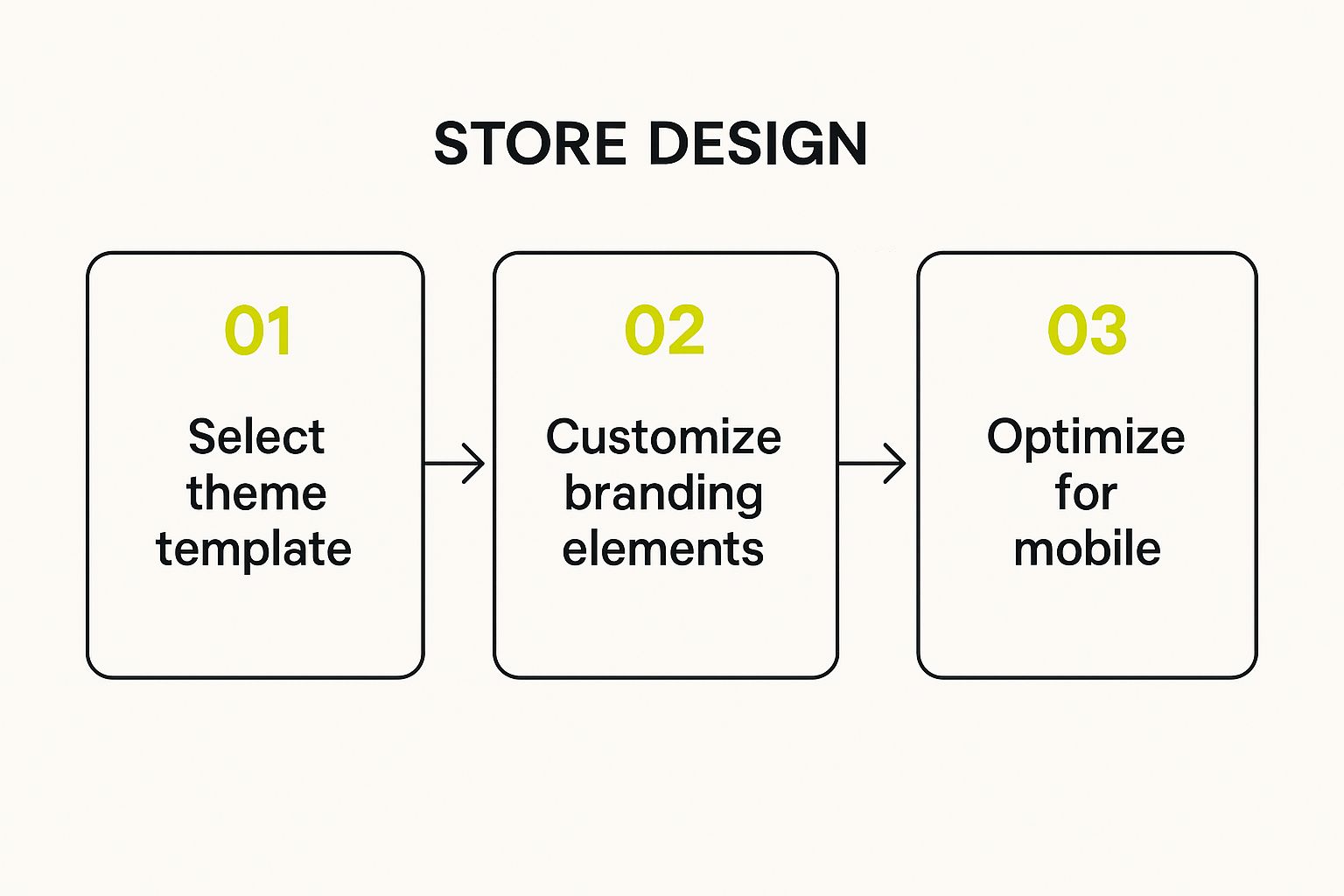
As you can see, it boils down to picking a theme, making it your own with your brand's colors and logos, and making sure it all works perfectly on mobile phones.
Once you’ve signed up, you’ll be greeted by the Shopify dashboard. This is your command center.
This is where you'll run your entire business—from adding products and managing orders to tracking your sales data. Shopify provides a handy setup guide to walk you through the first few tasks. Don't get overwhelmed; just focus on one thing at a time.
The most important things to tackle first are your payment, shipping, and tax settings. Get those configured correctly, and you'll be ready to make your first sale.
Designing a Store That Converts Visitors
It’s one thing to have a beautiful online store, but it’s another thing entirely to have one that actually turns visitors into paying customers. This is where smart, thoughtful design makes all the difference.
Your digital storefront needs to do more than just look pretty. It has a job to do: guide shoppers smoothly from the moment they land on your site to the final checkout confirmation. Every design choice you make—from your theme to the color of your "Buy Now" button—has a direct line to your sales numbers.
Think of your store's design as your best salesperson, working 24/7 to create an experience that keeps people engaged and encourages them to buy.
Choosing Your Store Theme
Your theme is the visual skeleton of your entire store. It sets the stage for everything else, dictating the layout, colors, fonts, and the overall vibe. When you’re building on a platform like Shopify, you'll find a massive library of themes, both free and paid.
Free themes are a brilliant starting point. They're well-built, fully supported by the platform, and cover all the essentials for a new store. You can get a clean, professional look without spending a dime, which is a huge advantage when you're just getting off the ground.
Premium themes, which usually come with a one-time fee, pack a bigger punch. They often include more advanced features, deeper customization options, and more unique designs. If you need special functionality like a "quick view" for products or a built-in lookbook, a premium theme is probably a worthy investment.
Pro Tip: Don't get stuck in "analysis paralysis" here. Start with a clean, simple free theme that feels right for your brand. You can always upgrade to a premium theme later as your business grows and you have a clearer idea of what you need.
Customizing Your Brand Identity
Once you've picked a theme, it’s time to make it yours. This is where you breathe your brand’s personality into the template. Luckily, most theme editors are user-friendly, drag-and-drop tools that let you tweak the important stuff without needing to know any code.
Here's what to tackle first:
- Logo: Get your logo uploaded, and make sure it's a high-resolution version. It's your brand's signature, so it should be clearly visible in the header.
- Brand Colors: Ditch the default color palette and plug in your own. Use your primary brand color for key elements like call-to-action buttons to create a cohesive, professional look.
- Typography: Pick one or two fonts that are easy on the eyes and match your brand's style. A luxury brand might go for a classic serif font, while a store selling modern tech gadgets would likely choose a clean sans-serif.
These simple tweaks are what transform a generic template into a custom-branded storefront that builds trust and helps customers remember you.
Focusing on User Experience and Conversion
A store that’s easy to use is a store that sells. It’s that simple. Good user experience (UX) is all about making the shopping journey intuitive and painless.
One of the most critical pieces of the puzzle is mobile performance. With over 45% of web traffic now coming from mobile devices, your store must look and work perfectly on a smartphone. No exceptions.
Navigation is another huge one. Your menus should be simple and make sense. Customers need to find what they're looking for in just a few clicks. Use clear, direct labels like "Shop All T-Shirts" instead of something vague like "Products."
Finally, spend some time crafting compelling call-to-action (CTA) buttons. We’re talking about your "Add to Cart" or "Buy Now" buttons. They need to pop. Use a color that stands out from the rest of the page and write text that tells the user exactly what happens when they click. A well-designed CTA can single-handedly boost your conversion rate.
If you want to see what great design looks like in the wild, check out some of the best ecommerce website design examples for inspiration. Blending a strong brand identity with a user-first design approach is the secret sauce for building an online store that doesn't just get visitors, but actually makes sales.
Creating Product Listings That Actually Sell
https://www.youtube.com/embed/CGqOmVqeB64
Alright, let's get down to business. Your product pages are where the sale is won or lost. Think of it as the digital version of a customer picking an item off a shelf, feeling the material, and deciding if it’s going home with them. Getting this part right isn't just important—it's everything.
A killer product listing does more than just show what you sell; it tells a story. It makes a connection. We're going to walk through both the technical setup in Shopify and the creative spark needed to make your products fly off the virtual shelves.
This is more than just data entry. It’s about crafting a compelling sales pitch for every single thing you sell.
The Mechanics of Adding a Product
First, let's cover the nuts and bolts. When you go to add a new product in your Shopify admin, you'll see a pretty straightforward form: title, description, images, price, and so on. It looks simple, but every single field has a job to do.
Your product title needs to be crystal clear. Put yourself in your customer's shoes—what words would they use to find this? Be specific. "Handmade Full-Grain Leather Tote Bag" is infinitely better than just "Tote Bag." It tells a story and hits keywords all at once.
Next up, your product images. These are your single most powerful sales tool, period. Since shoppers can't touch or feel your products, your photos have to do all the heavy lifting.
- Go for High-Quality Shots: Blurry or dark photos look amateur, and nobody wants to buy from an amateur. You don't need a pro studio; a modern smartphone and some good natural light can produce amazing results.
- Show Every Angle: Let people see the front, back, sides, and zoom in on any unique details. Leave no stone unturned.
- Use Lifestyle Photos: Show your product being used in a real-world setting. If you sell a backpack, get a shot of someone hiking with it. This helps customers picture themselves already owning and loving your product.
Finally, don't forget product variants. If your item comes in different sizes, colors, or materials, set them up properly. This keeps your shop tidy and saves customers the headache of clicking through a dozen different listings to find the exact one they want.
Writing Descriptions That Connect and Convert
Now for the fun part: writing product descriptions that actually persuade people to buy. This is where you shift from talking about features to highlighting benefits. A feature is what your product is (e.g., "12 oz ceramic mug"). A benefit is what it does for the customer.
Don’t just state the facts. Instead of "12 oz ceramic," try something like, "The perfect size to wrap your hands around, keeping your morning coffee piping hot while you ease into the day." You're not just selling a mug; you're selling a better morning routine.
A Formula I Swear By: Kick things off with a relatable story or a common problem. Then, introduce your product as the hero—the solution. Finish with a clean, scannable list of bullet points covering the key specs for those who just want the details.
This approach hooks them emotionally first, then gives them the logical reasons to justify the purchase. To really nail this, check out our guide on SEO for product descriptions, which will help you write for both people and search engines.
Smart Pricing and Product Organization
How you price your products says a lot about your brand. This isn't just about covering costs and making a profit; it’s about positioning yourself in the market. Sure, look at what your competitors are doing, but don’t blindly copy them. Your price should reflect your unique quality, your brand story, and the customers you're trying to attract.
Once your products are priced, it's time to organize them into collections. Think of these as the aisles in a physical store. They guide your customers and make shopping a breeze. You can create collections based on anything:
- Product type (e.g., "T-Shirts," "Hoodies")
- Specific audiences (e.g., "Gifts for Dad," "For the Home Chef")
- Seasonal themes (e.g., "The Summer Collection," "Holiday Essentials")
Well-organized collections make your store far less intimidating to browse, which encourages shoppers to stick around longer and, hopefully, buy more. This is crucial in a market where global ecommerce sales are projected to hit over $6.4 trillion in 2025. To get your piece of the pie, your store needs to be incredibly user-friendly. For more on this, you can discover more insights about these ecommerce trends and see how they can shape your own strategy.
Your Launch Plan for Attracting First Customers
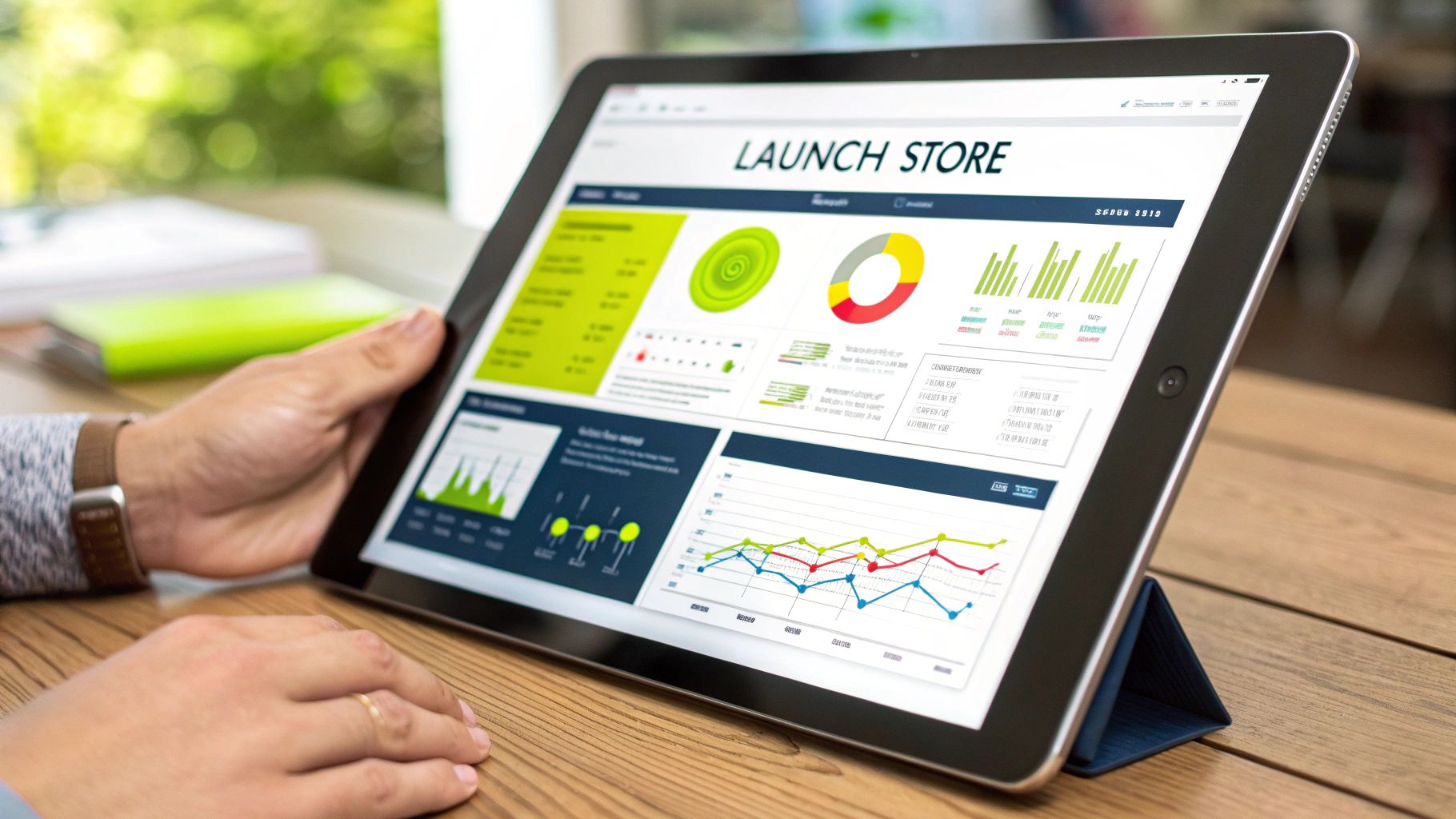
Hitting that "launch" button feels incredible, but let's be real—it's not the finish line. It’s the starting gun. This is where the real fun of building a customer base begins. A great launch isn't about luck; it's about having a solid, actionable plan to create that first wave of momentum.
The goal here isn't to get a million visitors on day one. It's much simpler: secure those crucial first sales, get some real feedback from actual customers, and prove to yourself that this idea has legs. This game plan will help you do just that.
Your Pre-Launch Technical Checklist
Before you even think about telling the world your store is open, there are a couple of non-negotiable tech steps you need to nail down. Getting these right from the start will save you from massive headaches and missed opportunities down the road.
First, set up Google Analytics. I can't stress this enough. Think of it as your store's dashboard for understanding how people behave on your site. It shows you where they came from, what pages they're lingering on, and where they're dropping off. Flying blind is not an option in e-commerce, so this is an absolute must-have from day one.
Next up is some basic on-page SEO. Don't let the acronym scare you; this is simpler than it sounds. For your most important pages—like your homepage and top product collections—just make sure you have:
- A clear page title: This is what shows up in the browser tab and Google search results. Make it descriptive and pop your main keyword in there.
- A compelling meta description: This is that little blurb under your title in search results. Your job here is to write something that makes people want to click.
These small tweaks are signals to search engines that help them understand what your store is all about. It gives you a fighting chance to be discovered organically over time.
Crafting a Compelling Launch Offer
You need to give people a reason to buy from you now, not later. A strong introductory offer is the perfect way to create a little urgency and reward your very first supporters. It’s your way of saying, "Hey, thanks for being here at the very beginning."
This doesn't mean you have to slash your prices and destroy your profit margins. A great launch offer can come in many forms.
Key Insight: Your launch offer isn't just about making a sale; it's about starting a relationship. It's a special incentive for the first people who believe in your brand, turning them from curious visitors into your first loyal customers.
Try one of these proven strategies:
- Percentage Discount: A simple 15% or 20% off is a classic for a reason. Everyone gets it, and it’s instantly appealing.
- Free Gift with Purchase: This can make the order feel more valuable. Just pick a low-cost but desirable item that complements what you sell.
- Free Shipping: High shipping costs are one of the biggest reasons people abandon their carts. Removing that barrier is an incredibly powerful motivator.
Whichever you choose, make sure it's a limited-time deal. Phrases like "For our first week only" or "For the first 100 customers" create the scarcity you need to nudge people to take action.
Spreading the Word Without Being Spammy
Alright, time to tell people about your brand-new store. Your initial marketing should be a smart mix of tapping into your existing network and reaching out to new faces.
Start with the people you know—friends, family, and colleagues. But do it with a personal touch. Don't just blast a generic link on your Facebook page. Instead, send personalized messages explaining what you've built and why you're so excited. Ask for their support, whether that’s making a purchase or just sharing your store with someone they think would love it.
At the same time, start building your presence on one or two social media platforms where your ideal customers actually spend their time. Don't try to be everywhere at once. Focus on creating genuinely interesting content on the channels that matter for your niche. Post those beautiful product photos, share your brand story, and announce your special launch offer.
The e-commerce market is huge, and it's worth knowing the scale of the opportunity. In North America alone, the market is expected to hit a massive $10.2 trillion by 2025, with the United States accounting for over 80% of that. This just shows the immense potential waiting for new stores that can connect with their audience. If you want to go deeper, you can explore more research about the ecommerce market to see how these trends can shape your strategy.
Common Questions About Building an Online Store
Even with a perfect plan in hand, jumping into e-commerce for the first time will always kick up a few questions. Feeling a little lost in the details is completely normal. Let’s walk through some of the most common questions I get from people just like you, so you can move forward with confidence.
Think of this as your quick-and-dirty FAQ for getting your business off the ground. These are the real-world things that come up when you’re finally ready to get serious.
What’s This Actually Going to Cost Me?
This is the big one, and the honest answer is: it depends. The good news is you don’t need a fortune to get started. If you're going the DIY route with a platform like Shopify, you can realistically get your store live for as little as $30–$40 per month for their basic plan. Add another $15 per year for a custom domain name, and you're in business.
Of course, that's the bare-bones budget. It assumes you're using a free theme and handling all the content yourself. From there, costs can climb.
- Premium Themes: These are a one-time purchase, usually setting you back anywhere from $150 to $350.
- Paid Apps: To add extra functionality, you might need apps that run from $10 to over $100 per month, depending on what they do.
- Professional Help: Hiring someone for product photography or a killer logo design will add to your initial outlay.
For a well-equipped but self-managed Shopify store, a realistic first-year budget often lands somewhere between $500 and $2,000. This should cover your platform fees, a couple of essential apps, and leave a little cash for your first marketing push.
Do I Need to Register My Business to Sell Online?
For the most part, yes. To operate legally and stay on the right side of the tax man, you'll need to register your business. This is also a non-negotiable step for opening a business bank account and getting set up with payment processors like Shopify Payments or PayPal.
For new e-commerce sellers, two structures are most common:
- Sole Proprietorship: This is the simplest to set up. It means you and your business are one and the same, legally. Taxes are simple, but there's no separation between your personal and business assets.
- LLC (Limited Liability Company): This creates a legal wall between you and your business. It’s a huge advantage because it protects your personal assets (like your house or car) if the business ever runs into legal trouble.
My Strongest Advice: Rules for business registration change depending on your city, state, and country. Before you do anything else, talk to a local business advisor or lawyer. It's a small investment to make sure you're set up correctly from day one.
What's the Easiest E-commerce Platform for a Total Beginner?
If you're just starting out and the thought of code makes you break out in a cold sweat, an all-in-one hosted platform is your best bet. For a true beginner, Shopify is almost always the smoothest path forward.
Shopify’s biggest selling point is that it handles all the technical nightmares for you—web hosting, security (SSL certificates), payment gateways, you name it. You never have to worry about your server going down in the middle of a sale or your site being vulnerable to attacks. That peace of mind lets you focus on what actually grows your business: your products and your marketing.
On the other hand, you have platforms like WooCommerce. It's incredibly powerful, but it comes with a much steeper learning curve. It's self-hosted, which means you are responsible for finding and paying for hosting, performing updates, and fixing things when they break. While that gives you more control, it also comes with a lot more headaches that can easily overwhelm a new store owner.
Choosing a platform that matches your skill level right now is one of the smartest decisions you can make. It sets you up for a much less stressful journey as you learn the ropes of building a successful online store.
Ready to build a store that not only looks amazing but is actually engineered for growth? The team at E-commerce Dev Group specializes in creating high-performance Shopify stores that convert. Let us help you build the online store of your dreams.
