

Before we can talk about fixing a high bounce rate, we need to be crystal clear on what it actually is. Simply put, a bounce happens when someone lands on a page of your site and leaves without doing anything else. No clicks, no form fills, no navigation. They just hit the back button or close the tab.
Your job is to figure out why they're leaving so quickly. Lowering your bounce rate really comes down to three core things: improving the user experience, making sure your content is relevant, and getting your page speed up to snuff.
What Bounce Rate Is Really Telling You
Your bounce rate isn't just another vanity metric in Google Analytics. It’s a direct, unfiltered piece of feedback on how well your website delivers on its promises. Think of it as your digital handshake—a weak one means people aren't sticking around to hear what you have to say.
When someone lands on your page and immediately leaves, it's a clear signal that there's a disconnect. What they expected to find wasn't there. This single number tells you a story about your site's health and whether it’s actually doing its job.
A high bounce rate is usually a symptom of a deeper problem. I've seen it time and time again. The culprits are almost always one of these:
- Bad User Experience (UX): Is your site a maze? Are pop-ups immediately annoying your visitors? A confusing layout is one of the fastest ways to get someone to leave.
- Irrelevant Content: If your Google Ad promises "50% Off Running Shoes" but the landing page is just a generic homepage, you've broken a promise. Visitors feel misled and will bail instantly.
- Slow Site Performance: This is a huge one. In 2024, nobody waits for a slow-loading page. Every extra second it takes for your page to appear is costing you visitors.
- Poor Mobile Design: With most traffic coming from phones, a site that looks terrible or is hard to use on a smaller screen is a non-starter.
The Real Cost of a High Bounce Rate
Every person who bounces is a lost opportunity. That’s a potential customer, a lead, or a new subscriber walking out the door.
This is especially painful if you're running paid ads. A high bounce rate means you are literally throwing money away, sending good, qualified traffic to a page that just isn't converting. The link between engagement and revenue is undeniable. As bounce rates go up, conversion rates almost always go down.
A bounce isn’t just a lost pageview; it’s a lost customer. It tells you that your digital front door is failing to welcome visitors inside.
Fixing your bounce rate is a critical first step. It's often the foundation you need to build on before you can effectively improve website conversion rates.
So, What’s a “Good” Bounce Rate?
This is where context is king. A "good" bounce rate isn't a universal number; it changes completely depending on your industry and the type of website you have.
For example, a blog might have a 70% bounce rate and be totally fine with it. Someone could land on an article, find the exact answer they were looking for, and leave satisfied. Mission accomplished.
But for an e-commerce store, a 70% bounce rate would be a five-alarm fire. You want people to browse multiple products, add items to their cart, and check out. An e-commerce site should be aiming for a bounce rate somewhere between 20% and 45%.
To help you gauge where you stand, here are some typical bounce rate benchmarks across different industries.
Bounce Rate Benchmarks by Industry
| Industry | Average Bounce Rate (%) | Target Bounce Rate (%) |
|---|---|---|
| E-commerce & Retail | 20% – 45% | < 35% |
| B2B / SaaS | 25% – 55% | < 40% |
| Lead Generation | 30% – 55% | < 45% |
| Landing Pages | 60% – 90% | < 70% |
| Blogs / Content Sites | 65% – 90% | < 75% |
| Real Estate | 15% – 35% | < 25% |
Understanding where your site fits in helps you set realistic goals. Instead of chasing an arbitrary number, you can aim for a target that makes sense for your specific business and audience.
Finding Out Why Your Visitors Are Really Leaving
Before you jump into a full-scale redesign or start rewriting all your content, you need to put on your detective hat. Guessing what’s wrong is a fast track to wasting a ton of time and money. If you want to actually lower your bounce rate, you first have to figure out the real reasons people are hitting the back button. And that means digging into the data.
Your first port of call should be Google Analytics. It's an absolute goldmine for spotting where the leaks are in your website. Instead of getting hung up on your site's overall bounce rate, zero in on the specific pages that have the highest bounce rates. This is how you focus your energy where it’ll make the biggest difference.
Think about it: is it one particular blog post, a product category page, or your homepage that's causing people to leave? A high bounce rate on a single blog post could just mean the content isn't what the user was looking for. But a high bounce rate on your homepage? That might point to a much bigger issue with your site’s navigation or how you're presenting your value.
Pinpointing Problem Pages and Traffic Sources
Once you've got a list of underperforming pages, the next move is to see where the traffic to those pages is coming from. Head over to the Acquisition reports in Google Analytics and filter by one of your problem pages. You'll probably start to see some interesting patterns emerge.
- Paid Social Ads: Is traffic from that new Facebook campaign bouncing? The ad copy might be making a promise your landing page can't keep.
- Organic Search: Visitors finding you through Google might be leaving because your content doesn't actually answer the question they typed into the search bar.
- Referral Traffic: A link from another site could be sending you visitors who just aren't your target audience in the first place.
This infographic lays out the core performance metrics you need to watch, kicking off with page speed—something that’s absolutely critical for keeping visitors on your site.
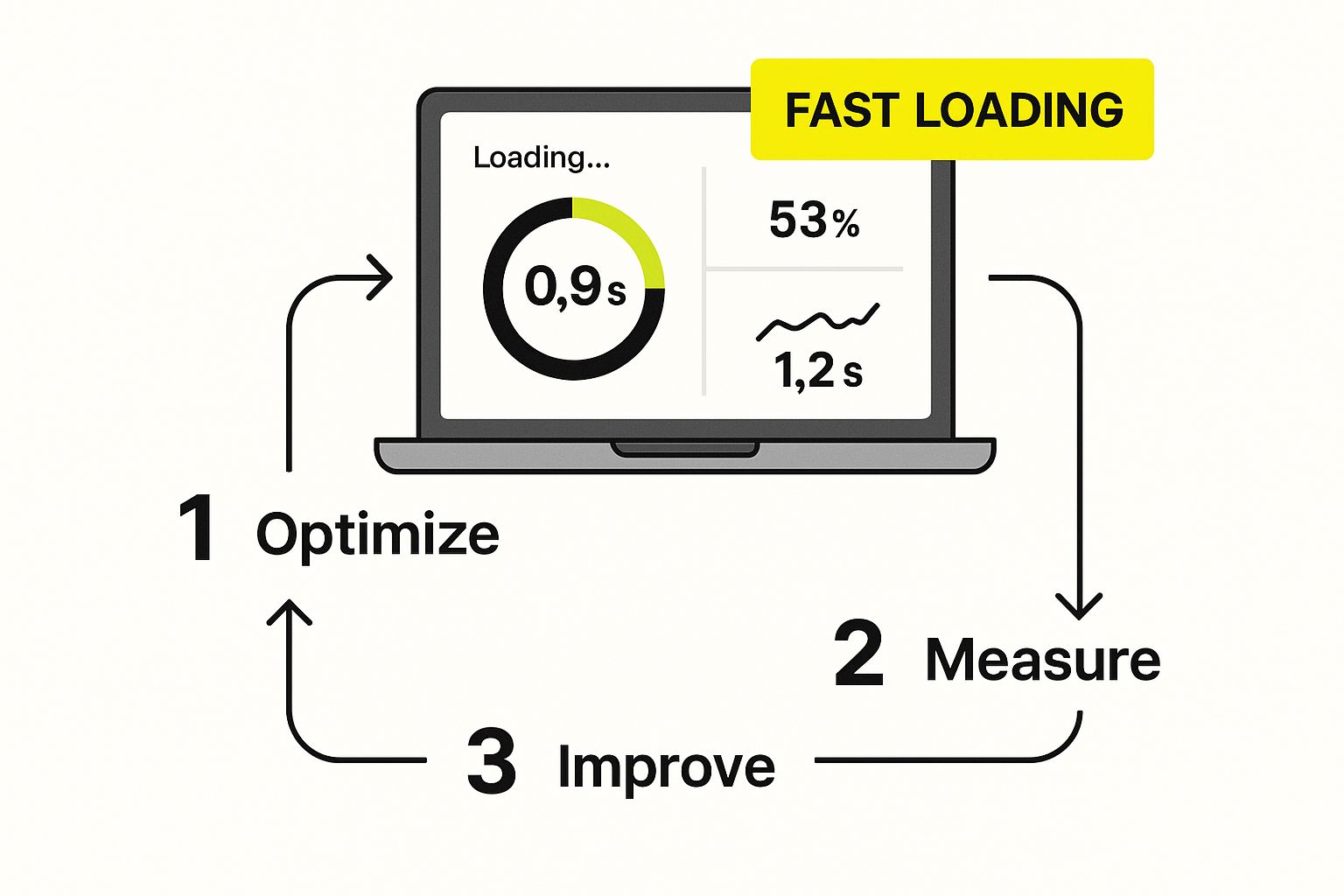
As you can see, a great user journey starts with a fast, responsive website. It’s the foundation for everything else.
Following the User's Footsteps
Another incredibly useful tool in Google Analytics is the Behavior Flow report. It literally maps out the journey visitors take on your site, showing you where they arrive, the pages they click through, and—crucially—where they give up and leave.
Seeing a huge drop-off from your homepage tells a completely different story than seeing someone go from a product page to your shipping policy page before bouncing. The first case suggests a bad first impression. The second one? It's a pretty big clue that your shipping costs are scaring people away.
By analyzing the user journey, you stop asking "Why is my bounce rate high?" and start asking, "Why are people from this source leaving that page?" This is how you find insights you can actually act on.
When you bring all this analysis together, you get a clear, data-driven picture of what's not working. You can pinpoint whether the problem is technical (like slow load times), a content issue (a mismatch with user intent), or just a confusing experience on mobile. This diagnostic work is the absolute first step before you can start rolling out fixes that will genuinely reduce your website bounce rate.
Crafting a User-Friendly Navigation Experience

Think of a confusing website like a store with no signs or aisles. It’s frustrating, and it's a guaranteed way to send people walking right back out the door. If visitors can't find what they’re looking for in just a few seconds, they won't stick around to figure it out. They’ll just leave.
This is where intuitive navigation becomes your secret weapon against a high bounce rate. The whole idea is to create a seamless, logical path that guides users where they need to go, almost without them having to think. You want to make discovery effortless.
Simplify Your Main Menu
Your main navigation menu is the roadmap for your entire site. The biggest mistake I see is people overloading it with dozens of links, which just overwhelms visitors. Instead, you need to strip it back to the absolute essentials.
What are the most important actions you want someone to take? If you run an e-commerce store, that’s probably things like "Shop," "New Arrivals," and "Contact." Every single item in your menu should serve a clear purpose and point to a high-value page.
A visitor should be able to understand what your website offers just by glancing at your navigation menu for a few seconds. Clarity trumps cleverness every single time.
This principle goes way beyond your menu. Improving your site's overall structure is a huge part of creating a better user experience. To dive deeper into this, check out our guide on e-commerce user experience best practices.
Design for Every Device
These days, assuming your visitors are sitting at a desktop is a costly mistake. A massive chunk of your traffic is coming from mobile devices, so your site’s navigation has to work flawlessly on a small screen. A clunky, hard-to-use mobile menu is a bounce rate disaster waiting to happen.
Your design absolutely must be responsive, adapting perfectly to any screen size. Buttons need to be large enough for a thumb to tap easily, and menus should be simple to open and browse. It's fascinating how much bounce rates can differ across platforms. For example, Reboot Online found that Twitter.com had a 25% lower bounce rate on desktops than on mobile, which really drives home how critical platform-specific optimization is.
Guide Users with Smart Internal Linking
Beyond your main menu, the way you link between pages within your content plays a huge role in keeping people engaged. Internal links are like signposts, gently guiding users to other relevant articles, products, or resources on your site.
When you're writing a blog post, always look for natural opportunities to link to other content you’ve created. This tactic does two things: it keeps people on your site longer, and it helps search engines understand the structure and context of your pages.
Here are a few simple ways to put this into practice:
- Contextual Links: Weave links into the body of your text by linking specific keywords or phrases to other relevant pages.
- Related Content Sections: Add a "You might also like" or "Read Next" section at the end of your articles.
- Pillar Pages: Build comprehensive guides on core topics that link out to more detailed, specific articles.
By building a strong web of internal links, you turn a single page visit into a multi-page journey, effectively stopping the bounce before it even starts.
Make Your Content More Readable and Engaging

You could have the most brilliant, deeply researched content in your industry, but if it’s just a giant wall of text, people are going to leave. It's that simple. An intimidating layout is a huge, often overlooked reason visitors click the back button.
Let's face it: modern readers are skimmers. They’re hunting for quick answers and the most important bits of information. Your job is to format your content to cater to this behavior, making it look inviting instead of like a textbook.
Break Up That Wall of Text
If you do only one thing, make your paragraphs shorter. Long, dense blocks of text are a nightmare to read on any screen, but they're especially bad on a phone. Keep your paragraphs to just 1-3 sentences.
This one change instantly creates more white space on the page, giving the reader's eyes a chance to breathe. It makes your entire article feel more approachable and less like a chore.
Research from the Missouri University of Science and Technology revealed that users spend an average of just 5.59 seconds looking at a website’s written content. You have an incredibly small window to capture their interest, and scannable formatting is your best shot.
By structuring your content for skimmers, you make it far more likely they'll find what they're looking for and decide to stick around for the deeper dive.
Guide the Reader's Eye with Smart Formatting
Beyond just shortening paragraphs, you need to use a mix of formatting elements to turn a boring page into an engaging one. These visual cues act like signposts, pulling the user’s eye toward the most valuable information and breaking up the visual monotony.
Try weaving these elements into your content to boost readability:
- Clear Subheadings: Use descriptive H2s and H3s to break your article into logical, bite-sized sections. This lets readers jump straight to the parts that matter most to them.
- Bullet Points & Numbered Lists: These are perfect for turning a clunky sentence or a list of items into something clean and easy to scan. Use them for features, steps, or key takeaways.
- Bold Text: Don't be shy with the bold font. Strategically bolding important stats, keywords, or phrases ensures your main points pop off the page, even for the fastest skimmers.
- Meaningful Images & Graphics: Relevant, high-quality images, charts, and infographics can explain a complex idea in a split second and add some much-needed visual flavor.
At the end of the day, your ability to keep visitors on the page comes down to knowing how to create engaging content that truly connects with your audience. When you focus just as much on presentation as you do on the words themselves, you create an experience that encourages people to explore, not exit.
Make Your Site Faster—Your Visitors Will Thank You
Nothing kills a visitor's interest faster than a slow-loading website. We live in a world of instant everything, and that patience (or lack thereof) extends to our browsing habits. If your page is still chugging along after a few seconds, most people are already gone. They’ve hit the back button and moved on.
A slow site isn’t just an annoyance; it’s a signal of a poor user experience. It's one of the most common—and thankfully, most fixable—reasons for a high bounce rate.
First things first, you need to know where you stand. You can get a quick, free analysis from a tool like Google PageSpeed Insights. It’ll score your site’s performance and give you a punch list of what’s slowing things down.
Quick Wins for a Quicker Website
Once you have your report, you can start tackling the issues. You don't need to be a coding wizard to make a real difference.
Here are a few high-impact areas to look at:
- Shrink Your Images: This is almost always the biggest offender. Huge image files take forever to load. Use compression tools to reduce their file size without making them look pixelated. This one change alone can work wonders.
- Use Browser Caching: Caching is like giving a return visitor's browser a memory. It stores parts of your site, like logos and scripts, so they don't have to be re-downloaded every single time. The result? A much faster experience for repeat visitors.
- Minify Your Code: Think of this as decluttering your CSS and JavaScript files. Minification removes all the extra spaces, comments, and characters that humans need but browsers don't. Lighter code loads faster.
A Google study found that when a page’s load time creeps from one to three seconds, the chance of a visitor bouncing increases by 32%. At five seconds, it jumps to a staggering 90%. Speed isn't a bonus feature; it's a fundamental requirement.
For online stores, this is non-negotiable. If you're on Shopify, there are specific strategies you can implement to improve your Shopify site speed and prevent shoppers from leaving before they even see your products.
It's also helpful to know what's "normal" for your industry. Some sectors just have higher bounce rates. According to data on website traffic statistics from VWO.com, the food and drink industry sees an average bounce rate of 65.52%, likely because people pop in for a recipe and leave. News sites aren't far behind at 56.52% as readers often consume a single article.
Knowing these benchmarks helps you set realistic goals. But no matter your industry, a faster site always gives you an edge.
Got Questions About Bounce Rate? We've Got Answers
https://www.youtube.com/embed/SaaDLcC0ahM
Even after laying out a game plan, a few common questions always seem to come up when we talk about bounce rates. Getting these sorted out will help you tackle the issue with more confidence. Let's dig into what people usually ask.
What Is a Good Bounce Rate, Anyway?
This is the million-dollar question, but the answer isn't a single number. What’s considered "good" really depends on your industry and what a specific page is supposed to do.
For an e-commerce store, you're hoping people stick around and browse. So, a bounce rate somewhere between 20% and 45% is a healthy target. You want them to click on products, add things to their cart, and explore.
On the other hand, a blog post might have a bounce rate of 60-80%, and that can be perfectly fine. Someone might land on your page, find the answer they were looking for, and leave happy. They got what they needed! The key is to look at your industry's benchmarks and, more importantly, watch your own numbers over time. If you see a sudden jump, that's your cue to investigate.
Does a High Bounce Rate Actually Hurt My SEO?
Google is pretty tight-lipped about their exact ranking formula, but a high bounce rate is definitely an indirect red flag for them. It tells search engines that visitors aren't finding what they expected on your page.
If people are constantly clicking away, it suggests your content isn't a great match for their search or the user experience is poor. Over time, Google may start to favor competitors who are doing a better job of keeping users engaged. So while it's not a direct penalty, a lower bounce rate is always a good thing for your SEO in the long run.
Think of it this way: a high bounce rate tells search engines your page might not be the best answer to a user's question. This can absolutely influence how visible your site is in search results over the long run.
This is closely related to another critical e-commerce metric: cart abandonment. The same friction points that cause a visitor to bounce can also convince them to ditch a full shopping cart. Learning how to reduce cart abandonment often reveals user experience fixes that improve engagement across your entire site.
How Long Until I See My Bounce Rate Drop?
How quickly you'll see results really boils down to two things: how much traffic your site gets and how big of a change you made.
If you have a high-traffic site, you might see a meaningful shift in your bounce rate in just a week or two. For sites with less traffic, it's going to take longer to collect enough data to see a clear pattern—think a month or more.
A good rule of thumb is to make your changes, then give it at least two to four weeks before you dive back into your analytics. That gives you enough time to gather solid data and confidently measure the impact of your work.
At E-commerce Dev Group, we specialize in fine-tuning every part of your Shopify store to keep customers engaged and boost your sales. Get a free consultation today and let's start turning those bounces into buyers.
