


Elevate Your Online Store with Top UX Practices
This listicle delivers eight ecommerce user experience best practices to boost your online store's performance in 2025. Learn how to create a seamless and enjoyable shopping journey that increases conversions and cultivates customer loyalty. Implementing these ecommerce user experience best practices, from streamlined checkouts and mobile-first design to personalized shopping and clear product information, is crucial for success. Discover how to captivate your audience and drive growth. Let's get started.
1. Streamlined Checkout Process
A streamlined checkout process is crucial for any successful ecommerce business. It minimizes the steps required for customers to complete a purchase, directly impacting your bottom line by reducing cart abandonment. By removing friction points and creating a smooth, intuitive path from product selection to order confirmation, you create a more enjoyable and efficient experience for your customers, encouraging them to finalize their purchase. This translates to higher conversion rates, increased revenue, and improved customer satisfaction. This best practice focuses on creating a seamless transition from browsing to buying.
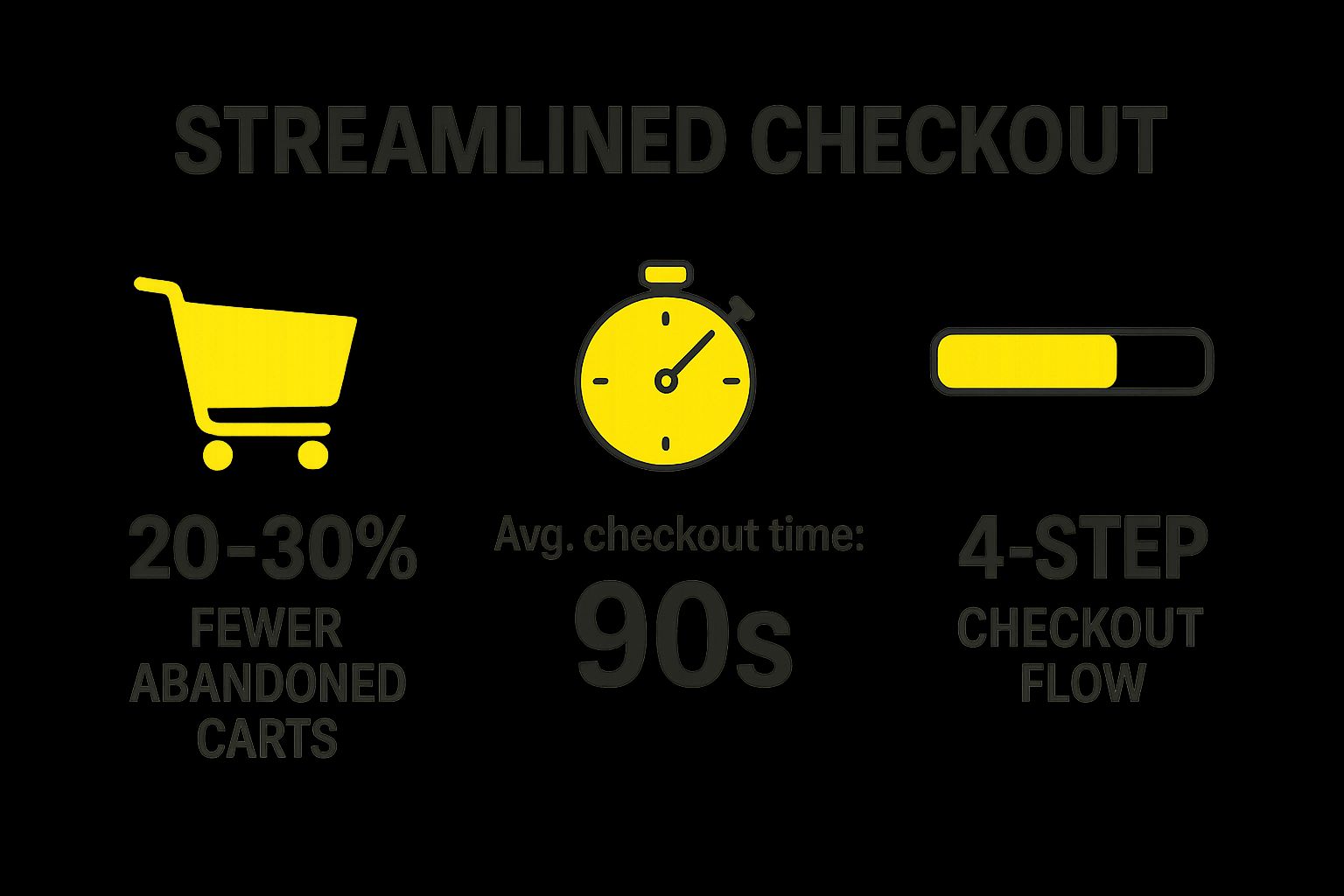
The infographic above visualizes key statistics related to cart abandonment and the impact of a streamlined checkout. A staggering 69.8% of online shopping carts are abandoned, costing e-commerce businesses trillions of dollars annually. However, optimized checkouts can recover up to 26% of lost sales. This underscores the importance of a frictionless checkout experience in converting potential customers into paying ones. Improving your checkout process can significantly reduce this abandonment rate and reclaim lost revenue.
Features of a streamlined checkout process include a one-page or minimal-step checkout flow, progress indicators showing completion stages, guest checkout options, multiple payment methods, address auto-completion, and saved payment and shipping information. These features all contribute to a smoother, more convenient experience for the customer.
Examples of successful implementation:
- Amazon's 1-Click ordering system: This patented system allows customers to purchase items with a single click, eliminating the need to navigate through a traditional checkout process. (While the patent has expired, Amazon's implementation remains a benchmark).
- Shopify's accelerated checkout options: Shopify offers various accelerated checkout options like Shop Pay, which securely stores customer information for faster purchases on any Shopify store.
- Apple's Express Checkout with Apple Pay integration: Apple leverages its devices and payment system to offer a seamless and secure checkout experience.
- ASOS's saved payment and delivery information system: ASOS simplifies repeat purchases by allowing customers to save their payment and delivery information, significantly speeding up the checkout process.
Pros:
- Reduces cart abandonment rates (can decrease by 20-30%)
- Increases conversion rates
- Improves customer satisfaction
- Reduces customer service inquiries related to checkout problems
Cons:
- May require significant development resources to implement properly
- Needs regular testing and optimization
- Balance needed between security measures and convenience
Tips for Optimizing Your Checkout Process:
- Test your checkout flow regularly with real users: Gather user feedback and identify pain points in your checkout process through user testing.
- Minimize form fields: Only ask for essential information to reduce friction and completion time.
- Show shipping costs early in the process: Transparency in shipping costs prevents surprises and reduces cart abandonment at later stages.
- Implement smart error handling that guides users: Provide clear and helpful error messages that assist users in correcting mistakes, rather than simply displaying generic error codes.
- Allow customers to edit cart contents during checkout: Offer flexibility to adjust quantities or remove items within the checkout flow, enhancing convenience.
- Implement address validation in real-time: Minimize errors and ensure accurate delivery information with real-time address validation.
Why This Deserves a Place in the List:
A streamlined checkout process is a foundational element of ecommerce user experience best practices. It directly impacts conversion rates and customer satisfaction, making it a critical area of focus for any online business. For Shopify merchants, business owners, and e-commerce managers, optimizing the checkout experience is a key driver of growth and profitability. By implementing these best practices, businesses can create a more enjoyable and efficient shopping experience, leading to increased customer loyalty and revenue. This is especially true for those targeting enterprise clients or using Shopify Plus, where a smooth and professional checkout process is essential.
2. Mobile-First Design Approach
In today's ecommerce landscape, mobile devices are king. Over 70% of ecommerce traffic comes from mobile, making a mobile-first design approach not just a best practice, but a necessity for success. This approach prioritizes designing the entire shopping experience for mobile devices first, and then adapting it for larger screens like desktops. This ensures a seamless and enjoyable experience for the majority of your customers, ultimately boosting conversions and customer satisfaction. For established Shopify merchants, business owners, and e-commerce managers, adopting this mindset is crucial for staying competitive and capturing the growing mobile market. This is especially relevant for enterprise clients seeking Shopify Plus solutions and existing Shopify Plus users, as they often manage high volumes of traffic and need to ensure optimal performance across all devices.
So how does it work? Instead of shrinking down a desktop design, you start by building the core user interface and functionality for smaller screens and touch interfaces. This forces you to prioritize the most critical elements of your store, resulting in a cleaner, more streamlined experience. Then, as you scale up to larger screens, you progressively enhance the design with additional features and content.
Features of Mobile-First Design:
- Responsive Design: Your site automatically adjusts its layout and content to fit different screen sizes.
- Touch-Friendly Interface: Buttons, links, and other interactive elements are large enough and spaced appropriately for easy tapping. Think thumb-friendly action buttons placed strategically for ease of use.
- Streamlined Navigation: Simple menus and clear calls to action help users easily find what they’re looking for on smaller screens.
- Optimized Product Images: Images are compressed and delivered efficiently to ensure fast loading speeds on mobile connections.
- Mobile-Specific Payment Integrations: Seamlessly integrate with mobile wallets like Apple Pay and Google Pay for a frictionless checkout experience.
Pros:
- Captures the Growing Mobile Shopping Audience: Reach the majority of online shoppers where they are.
- Improves SEO: Google uses mobile-first indexing, meaning your mobile site is the primary version for ranking.
- Reduces Bounce Rates on Mobile Devices: A better user experience leads to fewer frustrated customers leaving your site.
- Creates a Consistent Experience Across Devices: While prioritizing mobile, it ultimately delivers a smooth experience everywhere.
- Future-Proofs the Shopping Experience: As mobile usage continues to grow, your store will be ready.
Cons:
- May Require Redesigning Existing Desktop-First Sites: If you have an older site, a significant overhaul might be necessary.
- Limited Screen Space Means Prioritizing Content Carefully: You need to be strategic about what information is displayed on mobile.
- Can Be Challenging to Maintain Feature Parity Across Devices: Ensuring all features function seamlessly on both mobile and desktop can be complex.
- May Increase Initial Development Time: Building for mobile first can sometimes require a more thoughtful initial design phase.
Examples of Successful Implementation:
- Etsy: Offers a highly responsive mobile experience that makes browsing and buying handmade goods a breeze.
- ASOS: Seamlessly integrates their mobile app and mobile site for a consistent shopping experience.
- Sephora: Enhances the mobile experience with innovative features like AR try-on.
- Walmart: Provides a mobile app with in-store integration for features like inventory checking and click-and-collect.
Actionable Tips for Implementing a Mobile-First Approach:
- Design with touch targets at least 44×44 pixels: This ensures buttons are easily tappable with a finger.
- Implement predictive search for easier mobile navigation: Help users quickly find what they’re looking for.
- Use progressive disclosure to manage limited screen space: Show only the most essential information initially, revealing more as needed.
- Optimize images for faster mobile loading: Compress images without sacrificing quality.
- Test on multiple devices and connection speeds: Ensure your store works flawlessly across different mobile platforms and network conditions.
- Consider developing a Progressive Web App (PWA) for an enhanced mobile experience: PWAs offer app-like functionality within a browser, improving engagement and performance.
Learn more about Mobile-First Design Approach
For marketing and brand managers, adopting a mobile-first strategy is crucial for effectively reaching and engaging your target audience. By prioritizing the mobile experience, you ensure your brand message and product offerings are presented in an optimal format for the largest segment of online shoppers. This approach aligns perfectly with ecommerce user experience best practices, driving higher conversion rates and fostering customer loyalty. By understanding the pros and cons and implementing the tips provided, you can create a winning mobile-first strategy for your Shopify store.
3. Personalized Shopping Experience
In today's competitive ecommerce landscape, offering a generic online experience simply won't cut it. Customers expect a tailored journey that caters to their individual needs and preferences. This is where personalized shopping experiences come in, representing a crucial ecommerce user experience best practice for driving engagement, conversions, and loyalty. Personalization modifies the user experience based on various data points, including browsing history, purchase patterns, demographics, and stated preferences, creating a more relevant and engaging shopping journey. This approach is particularly important for established Shopify merchants, business owners, e-commerce managers, and marketing professionals seeking to optimize their online stores and cater to the expectations of today’s savvy online shoppers.
How it Works:
Personalization engines analyze user data to predict what products or content a customer is most likely to be interested in. This allows for the dynamic delivery of targeted content, offers, and recommendations. Imagine a customer frequently browsing running shoes on your Shopify store. A personalized experience might showcase new running shoe arrivals, related accessories like socks or hydration packs, and even offer a personalized discount code on their next athletic wear purchase.
Features that Drive Personalization:
- Personalized Product Recommendations: Suggesting items based on past browsing behavior, purchase history, and similar customer profiles ("Customers who bought this also bought…").
- Recently Viewed Items Tracking: Displaying recently viewed products to encourage customers to return to items they previously considered.
- Customized Email Marketing: Sending targeted email campaigns with product recommendations, exclusive offers, and personalized content.
- Personalized Landing Pages: Creating unique landing pages for different customer segments, featuring tailored messaging and product selections.
- Behavior-Based Offers and Discounts: Offering dynamic discounts and promotions based on real-time user behavior and purchase intent.
- Location-Based Personalization: Tailoring content and offers based on a customer's geographic location (e.g., showcasing seasonal items relevant to their climate).
- Customer Segmentation Capabilities: Grouping customers based on shared characteristics and tailoring experiences to each segment.
Benefits of Personalized Shopping Experiences:
- Increased Average Order Value (AOV): Research indicates that personalization can boost AOV by 10-30%.
- Improved Conversion Rates: By showing relevant products, customers are more likely to make a purchase.
- Enhanced Customer Loyalty and Retention: Personalized experiences foster a stronger connection with customers, encouraging repeat business.
- More Engaging Shopping Experience: Tailored content keeps customers interested and invested in their shopping journey.
- Reduced Time Spent Searching for Products: Personalized recommendations help customers quickly find what they're looking for.
Examples of Successful Implementation:
- Amazon: "Recommended for You" and "Customers who bought this also bought" are prime examples of effective product recommendations.
- Netflix: While not strictly ecommerce, Netflix's personalized content recommendations are a powerful demonstration of how personalization enhances user experience and drives engagement. This concept can be applied to product discovery on your Shopify store.
- Spotify: The "Discover Weekly" playlist, adapted by some fashion retailers, showcases how personalized recommendations can introduce customers to new products they might love.
- Stitch Fix: This company built its entire business model around personalized styling recommendations based on customer preferences.
Tips for Implementing Personalization:
- Start Simple: Begin with basic personalization features like "recently viewed products" before moving on to more complex strategies.
- A/B Test: Continuously measure the effectiveness of different personalization features through A/B testing.
- Transparency is Key: Be upfront about data collection practices and how you use personalization. This builds trust with your customers.
- Human Touch: Combine algorithmic recommendations with human curation for a more nuanced and effective approach.
- User Control: Allow users to edit their preferences and control the level of personalization they receive.
- Cross-Device Personalization: Ensure a consistent personalized experience across all devices (desktop, mobile, tablet).
Why This Deserves Its Place in the List:
Personalized shopping experiences are no longer a "nice-to-have" but a "must-have" for ecommerce success. In a world of increasing competition and rising customer expectations, personalization provides a powerful way to differentiate your Shopify store, build stronger customer relationships, and drive business growth. By leveraging the tools and strategies outlined above, you can create a truly tailored shopping experience that resonates with your target audience and maximizes your ROI. This is especially vital for Shopify Plus users and enterprise clients who need to manage large customer bases and complex product catalogs. By implementing robust personalization strategies, these businesses can significantly enhance customer engagement, boost conversions, and ultimately drive revenue growth.
4. High-Quality Product Visualization
High-quality product visualization is a crucial ecommerce user experience best practice because it bridges the gap between online shopping and the tactile experience customers crave. By providing rich, interactive visuals, you empower customers to explore products in detail, fostering confidence and driving sales. This approach compensates for the inability to physically interact with products, ultimately leading to a more satisfying and informed purchase decision. This is particularly critical for established Shopify merchants, business owners, e-commerce managers, and marketing professionals looking to optimize their online stores for increased conversions and customer satisfaction.

High-quality product visualization encompasses various techniques, including:
- Multiple high-resolution images from various angles: Showcase the product's details and craftsmanship.
- Zoom functionality: Allow customers to inspect textures and fine details.
- 360-degree product rotation: Offer a comprehensive view of the product.
- Product videos: Demonstrate the item's functionality and usage in real-life scenarios.
- Augmented reality (AR) features: Enable customers to virtually "try on" or place products in their own environment.
- Contextual imagery: Present the product in realistic settings to help customers envision its use.
- User-generated content: Leverage authentic customer photos and videos to build trust and social proof.
Why High-Quality Product Visualization Deserves Its Place in the List:
In the competitive ecommerce landscape, high-quality product visualization is no longer a luxury but a necessity. Its demonstrable impact on key metrics like conversion rates and return rates makes it a cornerstone of any successful ecommerce strategy. For Shopify Plus users and enterprise clients, investing in advanced visualization techniques can be a significant differentiator.
Pros:
- Reduces product return rates: AR features can decrease returns by up to 40%, saving businesses significant costs.
- Increases customer confidence: Detailed visuals empower informed purchase decisions.
- Improves conversion rates: High-quality images can increase conversions by as much as 30%.
- Decreases pre-purchase questions: Clear visuals preemptively answer common product inquiries.
- Creates more engaging shopping experiences: Interactive visuals captivate customers and encourage longer browsing sessions.
Cons:
- Page load times: Unoptimized images can negatively impact website performance.
- Resource intensive: Creating high-quality visual assets requires time, equipment, and expertise.
- Specialized development: AR and 3D features often require specialized development resources.
- Maintaining consistency: Ensuring consistent quality across a large product catalog can be challenging.
Examples of Successful Implementation:
- IKEA's Place AR app: Allows customers to visualize furniture in their homes before purchasing.
- Warby Parker's virtual try-on: Enables customers to try on eyeglasses virtually.
- Sephora's Virtual Artist tool: Facilitates makeup visualization and product selection.
- Amazon's 'View in Your Room' AR feature: Lets customers see how products fit in their space.
Actionable Tips for Implementation:
- Standardize photography guidelines: Maintain visual consistency across your product catalog.
- Optimize images for web: Compress images without sacrificing quality to improve page load times.
- Include scale references: Provide context and help customers understand product dimensions.
- Show products in context: Use lifestyle imagery to demonstrate real-world applications.
- Implement lazy loading: Prioritize loading above-the-fold content to enhance page performance.
- Consider 3D modeling: Create interactive 3D models for complex products.
Popularized By:
- Apple: Known for its meticulous product photography standards.
- IKEA: A pioneer in AR visualization for home furnishings.
- Shopify: Provides tools and resources for 3D and AR product visualization.
5. Intuitive Site Navigation and Search
Intuitive site navigation and search are crucial for a positive ecommerce user experience. This best practice ensures customers can quickly and easily find the products they're looking for, whether they know exactly what they want or are just browsing. A seamless product discovery experience directly impacts conversions and customer satisfaction, solidifying its place as a core ecommerce user experience best practice. For established Shopify merchants, business owners, and e-commerce managers, optimizing navigation and search is a key lever for growth.
This involves combining several key features: a logical and hierarchical category structure, predictive search with autocomplete, natural language processing for search queries, robust filtering and sorting options, breadcrumb navigation, a persistent search bar, mobile-optimized navigation patterns, and visual navigation aids like icons and thumbnails. These elements work together to support both directed searching and exploratory browsing behaviors. Think of it as providing a clear roadmap for your customers, no matter their shopping style.
Examples of Successful Implementation:
- Amazon: Their advanced faceted search and filtering system allows users to narrow down product results by numerous criteria like price, brand, size, and customer ratings.
- Etsy: Etsy's category organization combined with visual browsing makes it easy to discover unique handmade and vintage items.
- Home Depot: Their guided selling approach simplifies complex purchases by asking questions about the project and recommending relevant products.
- Sephora: Sephora’s multi-parameter filtering system helps customers find the perfect beauty products based on skin tone, hair type, and desired benefits.
- Best Buy: Best Buy's guided navigation for electronics helps customers navigate through complex technical specifications.
Actionable Tips for Implementation:
- User Testing: Conduct user testing to validate your navigation structure and identify any pain points.
- Search Query Analysis: Analyze search queries to identify common patterns, unmet needs, and potential gaps in your product offerings.
- Error Tolerance: Implement error tolerance in your search functionality to account for typos, misspellings, and synonyms.
- Analytics: Use analytics to identify navigation pain points and areas for improvement.
- Visual Navigation: Consider visual navigation, using images and icons, for visually-oriented products like apparel or home decor.
- 'No Results' Pages: Optimize 'no results' pages to offer helpful alternatives, related products, or suggestions for refining the search.
- Custom Category Landing Pages: Create custom category landing pages for popular searches to improve relevance and user experience.
Pros and Cons:
Pros:
- Reduces time-to-purchase for determined shoppers.
- Facilitates product discovery for browsing customers.
- Decreases bounce rates from search results pages.
- Improves overall user satisfaction.
- Supports both desktop and mobile shopping behaviors.
Cons:
- Can be complex to implement effectively for large catalogs.
- Requires ongoing optimization and maintenance.
- Must balance comprehensiveness with simplicity.
- May require significant investment in search technology.
Learn more about Intuitive Site Navigation and Search
For Shopify Plus users and enterprise clients, investing in advanced search technologies like Elasticsearch or Algolia can significantly enhance the customer experience. These solutions offer powerful features such as natural language processing and personalized search results. By understanding and implementing these ecommerce user experience best practices, businesses can create a more enjoyable and effective shopping experience for their customers, ultimately driving sales and fostering loyalty. The insights from resources like Nielsen Norman Group and Baymard Institute's research on ecommerce navigation patterns further emphasize the importance of intuitive navigation and search for online success.
6. Transparent Pricing and Shipping Information
Transparent pricing and shipping information is crucial for a positive ecommerce user experience. This means clearly displaying all costs associated with a purchase early in the shopping journey. Being upfront about product prices, shipping costs, taxes, any additional fees, and estimated delivery timeframes builds trust and significantly reduces cart abandonment – a major pain point for online businesses. No one likes unpleasant surprises at checkout, and unexpected costs are a leading cause of abandoned carts. By providing this transparency, you're setting clear expectations and allowing customers to make informed decisions before they invest time in the purchasing process.

This best practice deserves its place on this list because it directly addresses a major ecommerce challenge: cart abandonment. Studies show that unexpected costs are responsible for nearly half of all abandoned carts (49%). By implementing transparent pricing, you're directly tackling this issue and improving your bottom line. This approach fosters customer trust and loyalty, leading to increased conversions and repeat business.
Key features of transparent pricing and shipping include visible pricing on product listing pages, readily available shipping cost calculators, tax calculations before checkout, clear display of any additional fees, and upfront shipping time estimates. Clearly indicating free shipping thresholds, if applicable, is also essential, as is providing detailed international shipping and customs information for international customers.
Pros:
- Significantly reduces cart abandonment: Addressing the primary cause of 49% of abandonments.
- Builds customer trust and credibility: Fosters loyalty and repeat business.
- Reduces customer service inquiries about costs: Frees up your team's time.
- Creates a more satisfying shopping experience: Enhances overall customer satisfaction.
- Encourages larger orders when free shipping thresholds are clear: Incentivizes increased spending.
Cons:
- Complex to implement for stores with variable shipping rates: Requires robust integration with shipping carrier APIs.
- May highlight higher shipping costs compared to competitors: Requires strategic pricing considerations.
- Requires integration with shipping carrier APIs for accurate estimates: Technical implementation can be challenging.
- May require tax calculation tools for multi-jurisdictional sales: Adds complexity for businesses selling across different regions.
Examples of successful implementation:
- Zappos: Known for pioneering free shipping and returns with clear and easy-to-understand policies.
- Amazon: Amazon Prime's shipping with clear delivery date display sets a high standard for transparency.
- Everlane: Employs a transparent pricing model, showing the costs and markups involved in their products.
- Target: Clearly indicates free shipping thresholds, encouraging larger purchases.
- ASOS: Presents upfront delivery costs and options, allowing customers to choose their preferred method.
Actionable Tips for Implementation:
- Display shipping costs on product pages whenever possible: Avoid surprises later in the checkout process.
- Implement shipping calculators early in the shopping process: Empower customers to make informed decisions.
- Consider offering flat-rate shipping for simplicity: Easier to manage and understand for both you and your customers.
- Clearly communicate free shipping thresholds throughout the site: Use banners, announcements, and clear messaging in the cart.
- Show estimated delivery dates rather than just shipping speeds: Provides more concrete and helpful information.
- Be transparent about inventory and backorder situations: Manage expectations and avoid customer frustration.
- Provide detailed information for international shipping: Include customs duties, taxes, and any other applicable fees.
For established Shopify merchants, business owners, e-commerce managers, and marketing professionals, transparent pricing is not just a best practice, it's a necessity. In the competitive ecommerce landscape, building trust and providing a seamless shopping experience is paramount. By adopting these strategies, you can optimize your store for conversions, reduce cart abandonment, and cultivate a loyal customer base.
7. Seamless Omnichannel Experience
A seamless omnichannel experience is crucial for modern ecommerce success, earning its spot as a top user experience best practice. It's about connecting all your customer touchpoints – your website, mobile app, physical stores (if you have them), social media platforms, online marketplaces like Amazon or Etsy, and even your customer service channels – into one unified, cohesive customer journey. This approach recognizes that in today's world, customers interact with brands across multiple channels and devices, often within a single purchase. Imagine someone browsing your products on their phone during their commute, adding items to their cart, then completing the purchase on their laptop later that evening, or checking in-store availability before heading down to pick it up. That's the reality of omnichannel, and it's why it's so essential for optimizing ecommerce user experience.
How it Works:
A true omnichannel strategy goes beyond simply having a presence on multiple platforms. It's about creating a synchronized experience. This means:
- Consistent Branding and Messaging: Your brand identity, voice, and promotions should be consistent no matter where a customer interacts with you.
- Synchronized Shopping Carts: Items added to a cart on one device should be accessible on all others.
- BOPIS (Buy Online, Pick Up In-Store): Offering this popular option provides customers with flexibility and convenience.
- In-Store Digital Tools: Equip physical locations with tools that connect to online accounts, allowing for personalized recommendations and seamless checkout.
- Cross-Channel Inventory Visibility: Customers should be able to see real-time product availability, whether they're browsing online or in-store.
- Unified Customer Profiles: Build a single, comprehensive view of each customer, gathering data from all touchpoints.
- Consistent Pricing and Promotions: Ensure pricing and promotions are aligned across all channels to avoid customer confusion and frustration.
Examples of Success:
Several major brands excel at providing a seamless omnichannel experience:
- Target: Integrates its app with the in-store experience, offering features like store maps, item location, and mobile checkout.
- Sephora: The Beauty Insider program allows customers to earn and redeem rewards across all channels, online and in-store.
- Starbucks: Mobile ordering and pre-payment streamlined with physical store pickup is a prime example of omnichannel convenience.
- Nike: Leverages its app to enhance the in-store experience with features like exclusive product access and personalized recommendations.
- Nordstrom: Maintains a highly integrated inventory system, allowing customers to see online and in-store stock in real time.
Actionable Tips for Shopify Merchants:
- Start with Unified Accounts: Allow customers to log in with the same credentials across your website, app, and any other platforms.
- Implement a PIM (Product Information Management) System: This ensures consistent and accurate product information across all channels.
- Create Cross-Functional Teams: Break down silos between your online and offline teams to foster collaboration and a unified approach.
- Focus on High-Value Omnichannel Journeys First: Prioritize the most common customer journeys, like browsing online and purchasing in-store.
- Use Unique Identifiers: Implement a loyalty program to track cross-channel behavior and personalize the experience.
- Train In-Store Staff on Digital Capabilities: Empower your staff to assist customers with online orders, returns, and other digital services.
- Develop APIs: Connect disparate systems (e.g., CRM, POS, inventory management) to share data and enable seamless transitions between channels.
Pros and Cons:
Pros:
- Increased Customer Lifetime Value: Omnichannel customers tend to spend significantly more.
- Improved Customer Retention and Loyalty: A seamless experience fosters stronger customer relationships.
- Competitive Advantage: Omnichannel convenience sets you apart from competitors.
- Valuable Cross-Channel Data: Gather rich insights into customer behavior.
- Personalized Marketing Opportunities: Tailor marketing messages based on individual customer journeys.
Cons:
- Significant Technological Infrastructure: Implementing a true omnichannel strategy requires robust technology.
- Complexity: Managing multiple systems and touchpoints can be challenging.
- Organizational Alignment: Requires close collaboration between different teams.
- Cost: Comprehensive deployment can be expensive.
- Sophisticated Data Management: Handling large amounts of customer data requires careful planning and execution.
Why Omnichannel Matters for Ecommerce User Experience Best Practices:
In the age of the connected consumer, a seamless omnichannel experience is no longer a luxury—it's a necessity. By providing a consistent, convenient, and personalized experience across all touchpoints, you can build stronger customer relationships, drive sales, and gain a competitive edge in the crowded ecommerce landscape. For established Shopify merchants and enterprise clients, embracing the omnichannel approach is paramount for sustainable growth and meeting evolving customer expectations. Taking these steps will improve your ecommerce user experience significantly and set you up for long-term success.
8. Customer Reviews and Social Proof
Customer reviews and social proof are essential ecommerce user experience best practices because they directly address a fundamental challenge of online shopping: the lack of physical interaction with products. In the absence of being able to touch, feel, and try before they buy, potential customers rely heavily on the experiences of others to inform their purchase decisions. By leveraging authentic user feedback, ratings, testimonials, and other forms of social validation, you can build trust, boost conversions, and enhance your overall ecommerce user experience. This is crucial for any online business, and especially important for established Shopify merchants, business owners, e-commerce managers, marketing professionals, and enterprise clients seeking Shopify Plus solutions.
How does it work? Essentially, you're creating a system where the positive experiences of your existing customers become powerful marketing tools for attracting new ones. Think of it as word-of-mouth marketing amplified for the digital age. Displaying verified customer reviews and ratings alongside your products allows potential buyers to see what others thought about their purchase. This can significantly influence their decision-making process, particularly for those hesitant about buying online.
Features of effective customer review integrations:
- Verified customer reviews and ratings: Clearly distinguish between reviews from verified buyers and those from unverified sources.
- Product rating summaries and distributions: Display average ratings and show the distribution of ratings (e.g., how many 5-star, 4-star reviews, etc.).
- Review filtering and sorting capabilities: Allow users to filter reviews by rating, date, keyword, or other criteria.
- User-generated photos and videos: Encourage customers to share visual content of their purchases.
- Q&A sections on product pages: Facilitate direct interaction between potential buyers and existing customers or your customer support team.
- Social media integration showing product mentions: Showcase positive mentions from social media platforms.
- Real-time indicators showing product popularity: Display indicators like "X people are viewing this product now" or "Y people have purchased this product recently."
- Expert endorsements or certifications where applicable: Leverage relevant expert opinions to further build credibility.
Pros of incorporating customer reviews and social proof:
- Increases conversion rates: Products with reviews have a 270% higher conversion rate, a significant advantage for any Shopify merchant.
- Builds credibility and trust with new customers: Transparency and authenticity fostered by genuine reviews build trust.
- Provides valuable product feedback for merchants: Reviews can highlight areas for product improvement or customer service enhancements.
- Reduces returns by setting appropriate expectations: Honest reviews help customers understand the product's strengths and limitations, leading to more informed purchases and fewer returns.
- Creates user-generated content that improves SEO: Fresh, relevant content from reviews improves search engine optimization.
- Helps customers make more informed purchase decisions: Access to multiple perspectives allows for more thoughtful purchases.
Cons of incorporating customer reviews and social proof:
- Requires active management to prevent fake or malicious reviews: Monitoring and moderation are necessary to maintain the integrity of the system.
- Negative reviews can impact sales if not handled properly: Constructively addressing negative reviews is crucial.
- Can be difficult to generate initial reviews for new products: Strategies like post-purchase email requests and incentives can help.
- May require moderation resources for inappropriate content: Allocating resources for content moderation is essential.
Examples of successful implementation:
- Amazon: Their comprehensive review system with verified purchases sets the standard.
- Sephora: The Beauty Insider community reviews with customer photos offer valuable insights.
- Airbnb: Their dual review system builds trust between hosts and guests.
- Glossier: They actively build products based on customer feedback, showcasing the power of user input.
- REI: Combines expert and customer reviews for a well-rounded perspective.
Actionable Tips:
- Send post-purchase emails to solicit reviews.
- Offer incentives for leaving honest reviews (not just positive ones).
- Implement review verification to build credibility.
- Respond to negative reviews constructively and professionally.
- Include user-generated photos and videos to enhance authenticity.
- Use review snippets on product listing pages to capture attention.
- Integrate Q&A features to address common concerns proactively.
- Include sorting and filtering options for reviews to improve user experience.
Learn more about Customer Reviews and Social Proof
The evolution of platforms like Yotpo and Bazaarvoice, alongside the rise of influencer marketing and authentic user content, has solidified the importance of social proof in ecommerce. By implementing these best practices, you can harness the power of customer reviews to build a thriving online business, improve your site's user experience, and ultimately, increase your bottom line. This is a cornerstone of success for any ecommerce operation, particularly for those utilizing Shopify and Shopify Plus.
8 Key Ecommerce UX Best Practices Comparison
| Best Practice | Implementation Complexity 🔄 | Resource Requirements ⚡ | Expected Outcomes 📊 | Ideal Use Cases 💡 | Key Advantages ⭐ |
|---|---|---|---|---|---|
| Streamlined Checkout Process | Medium-High | Medium-High | ↓ Cart abandonment by 20-30%, ↑ conversion rates | E-commerce sites aiming to reduce drop-offs | Faster checkout, higher satisfaction, fewer support queries |
| Mobile-First Design Approach | Medium | Medium | ↑ Mobile traffic capture, ↓ bounce rates | Businesses with large mobile user base | Better SEO, consistent UX across devices, future-proofing |
| Personalized Shopping Experience | High | High | ↑ AOV by 10-30%, ↑ loyalty and engagement | Platforms with rich customer data collection | Tailored experiences, higher conversions, customer retention |
| High-Quality Product Visualization | High | High | ↓ Returns by up to 40%, ↑ conversions by ~30% | Products requiring detailed inspection | Increased confidence, reduced questions, engaging visuals |
| Intuitive Site Navigation and Search | High | Medium-High | ↓ Time-to-purchase, ↓ bounce rates | Large catalogs or diverse product ranges | Faster discovery, improved satisfaction, supports browsing & searching |
| Transparent Pricing and Shipping Information | Medium | Medium | ↓ Cart abandonment (due to costs), ↑ trust | All e-commerce stores | Builds trust, reduces surprise costs, encourages larger orders |
| Seamless Omnichannel Experience | Very High | Very High | ↑ Customer lifetime value by 4-10%, ↑ retention | Brands with physical and digital presence | Unified experience, cross-channel data, competitive edge |
| Customer Reviews and Social Proof | Medium | Medium | ↑ Conversion rates by 270%, ↓ returns | All e-commerce sites | Builds trust, credible feedback, SEO benefits |
Level Up Your Ecommerce Game with E-commerce Dev Group
From streamlined checkouts and mobile-first design to personalized experiences and leveraging social proof, implementing these ecommerce user experience best practices is crucial for online success. Mastering these core elements has a direct impact on your bottom line, driving conversions, boosting customer loyalty, and ultimately, increasing your revenue. Remember, the key takeaways here are to prioritize the customer journey, optimize for mobile, and personalize whenever possible. These efforts contribute to a seamless and engaging online shopping experience that keeps customers coming back for more.
To delve deeper into optimizing every facet of your ecommerce website, from marketing strategies to inventory management, you might find this resource helpful: Essential Ecommerce Website Best Practices: A Complete Guide to Online Store Success. This guide from Wand Websites offers a comprehensive look at building a thriving online business.
In the competitive world of ecommerce, providing exceptional user experiences isn’t just a good idea—it’s a necessity. By focusing on these best practices, you're investing in the future of your business and building a brand that resonates with your target audience.
Ready to transform your Shopify store and deliver an unparalleled user experience? E-commerce Dev Group specializes in crafting exceptional ecommerce experiences, translating these best practices into tangible results for your business. Connect with E-commerce Dev Group today to explore how we can help you optimize your user experience and achieve your ecommerce goals.
