

Before you can even dream of hitting the first page of Google, you need to get the basics right. Think of it as laying the foundation for a house—skip this part, and everything else you build on top will be shaky. For your Shopify store, this foundation is all about making sure Google can find, understand, and trust your site.
These first few steps are non-negotiable. Getting them right from day one will save you a world of headaches later and set the stage for all your other SEO efforts to actually pay off.
Hook Up Your Most Important Tools
First things first: you need to connect your store to Google's free, powerhouse tools. These are your eyes and ears, telling you exactly how your store is performing and where you can improve.
- Google Search Console: This is your direct line to Google. It’s where you’ll see which keywords people are using to find you, spot any technical errors holding you back, and submit your sitemap. It’s absolutely essential.
- Google Analytics: While Search Console shows you how people find your store, Analytics tells you what they do once they get there. You'll track traffic, see which pages are most popular, and understand your customers' journey.
Shopify makes it pretty simple to integrate these. Don't put it off—this is a one-and-done task that provides immense value forever.
Expert Tip: Don't just look at this data; act on it. Use Analytics to find your most-visited product pages and then use Search Console to see if you can optimize them for even more keywords. It's a powerful feedback loop.
Make Sure Google Can Find Your Pages
Once your tracking is in place, you need to hand Google a roadmap to your site. This roadmap is called a sitemap.
Luckily, Shopify automatically creates one for you. Your only job is to take that sitemap and submit it to Google Search Console. All you have to do is add /sitemap.xml to the end of your store’s domain name to find it.
Submitting your sitemap tells Google, "Hey, here are all my important pages—come check them out!" This helps get your products, collections, and blog posts indexed much faster.
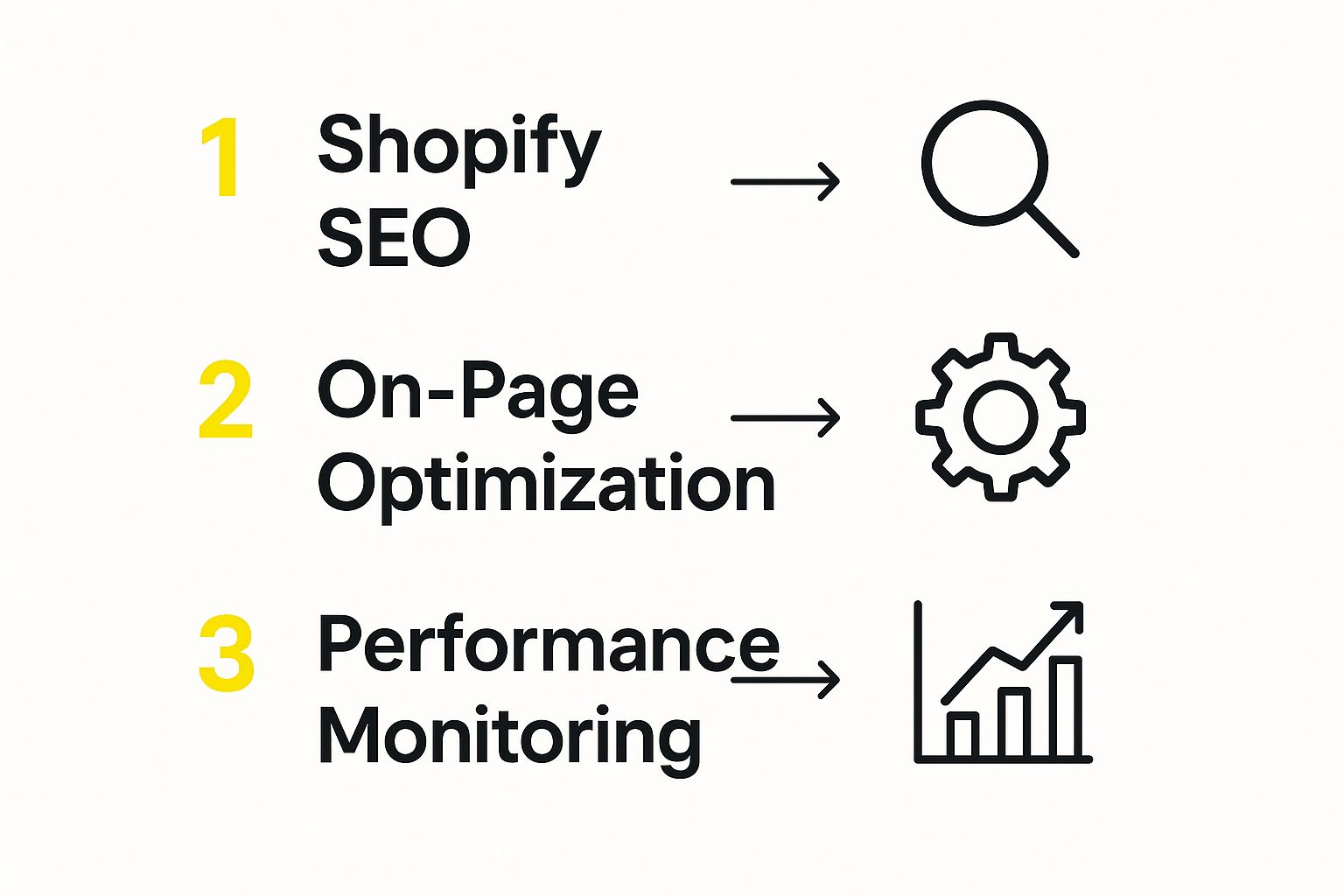
As you can see, SEO isn't a one-off project; it's a cycle. You do your research, you make your changes, and then you monitor the results to start the process all over again.
With over 4.4 million live Shopify stores out there, just having a great product isn't enough. A solid technical SEO setup is what gets you seen. This is especially true on mobile, where a huge chunk of sales happen. A slow, clunky mobile site will sink your sales faster than anything.
Shopify SEO Initial Setup Checklist
To make sure you've covered all your bases, here’s a quick checklist of the must-do tasks for any new store.
| Setup Task | Why It's Important | Status |
|---|---|---|
| Connect Google Analytics | Tracks user behavior and provides audience insights. | ☐ |
| Set Up Google Search Console | Monitors search performance and technical site health. | ☐ |
| Submit Sitemap | Helps Google find and index all your site's pages quickly. | ☐ |
| Check Mobile-Friendliness | Crucial for user experience and a key Google ranking factor. | ☐ |
| Verify Custom Domain | Establishes your store's brand and ownership with search engines. | ☐ |
Nailing these fundamentals ensures that when you start investing time in creating content or optimizing product pages, your efforts won't go to waste. For a more detailed guide, check out our comprehensive Shopify SEO checklist that dives deeper into each of these initial steps.
Getting On-Page SEO Right for Products and Collections
When it comes to SEO, your on-page efforts are where you’ll see the most direct impact. This is your chance to show Google exactly what your product and collection pages are all about and, more importantly, why they belong at the top of the search results. It’s not about just jamming keywords onto a page; it’s about creating an experience that both shoppers and search engines will love.
It all starts with getting inside your customer’s head. What are they actually typing into Google? Is it something specific like "vegan leather crossbody bags," or are they searching more broadly for "sustainable handbag brands"? Each search tells a different story about what the customer wants, and your pages need to provide the perfect answer.
Crafting Titles and Meta Descriptions That Win Clicks
Think of your page title and meta description as your front-line sales pitch in the Google search results. This is often the very first thing a potential customer sees from your brand. Nail this, and you’ll earn their click over your competitors.
Here's how I approach it based on page type:
For Product Pages: Get straight to the point. Lead with your most important keywords. I find a simple formula works wonders: Product Name | Key Benefit | Your Brand.
- Okay: The Wanderer Backpack | Waterproof & Anti-Theft | Summit Gear
- Much Better: The Wanderer: Waterproof Anti-Theft Backpack | Summit Gear
For Collection Pages: Zoom out a bit. Your keywords should reflect the entire category. Think about the phrases people use when they aren't looking for one specific item.
- Okay: Women's Running Shoes Collection | Peak Performance
- Much Better: Lightweight Running Shoes for Women | Peak Performance
Your meta description is your next shot to convince them. While it's not a direct ranking factor, a killer description can seriously boost your click-through rate. Use this space to call out things like free shipping, highlight a unique feature, or create a little urgency. Just be sure to keep it under 160 characters so it doesn't get awkwardly cut off.
Writing Product Descriptions for People, Not Just Robots
One of the biggest mistakes I see store owners make is just pasting in the manufacturer's generic product description. This is a huge red flag for duplicate content and a completely missed opportunity to actually sell your product. Your descriptions have to pull double duty: they need to persuade a real person to buy while also feeding search engines the right signals.
Of course, there's an art to this. For a really deep dive into the subject, there are some fantastic guides on writing compelling product descriptions that can help you turn browsers into buyers.
Remember, nobody wants to read a giant wall of text. Make your descriptions easy to scan.
- Stick to short, punchy paragraphs.
- Use bullet points for specs and key features.
- Break up the text with subheadings like "Details," "Materials," or "Sizing."
This simple formatting makes the page much friendlier for your customers and helps Google quickly understand the most important details about your product.
My Two Cents: Your product page is more than just a listing—it’s a dedicated landing page. Give it the same attention you'd give your homepage. Write unique copy that speaks directly to your ideal customer’s problems and desires, and make sure it’s structured clearly.
The Hidden Power of Image Alt Text
Image SEO is so often overlooked, but it can be a goldmine for traffic. Google Images is a massive search engine on its own, and if you optimize your images correctly, you can pull in a surprising number of highly qualified visitors.
The secret? Descriptive alt text. Alt text (or alternative text) is what shows up if an image can’t load. Even more importantly, it's what search engines read to figure out what an image is about.
Here’s the simple formula for great alt text:
- Be specific: Don’t just write "handbag." Try "woman carrying a large black leather tote bag."
- Use keywords naturally: If the product is a "handmade ceramic coffee mug," include those words.
- Don’t overdo it: "mug coffee cup ceramic handmade gift blue" is just spammy. Write for a human.
Taking a few extra seconds to optimize your images adds another powerful layer of relevance to your product pages. It’s a quick win that signals to Google that your page is a complete and valuable resource.
Solving Common Technical SEO Issues on Shopify
Let's be honest: "technical SEO" can sound a little scary. The good news is that Shopify handles a lot of the heavy lifting right out of the box. But that doesn't mean you can just set it and forget it.
Think of your Shopify store like a high-performance car. The engineers did a brilliant job, but you still need to check the oil and make sure the tire pressure is right. A few common technical hiccups can hold you back, and knowing how to fix them is what separates the pros from the amateurs.
Tackling the Duplicate Content Problem
One of the most common snags I see on Shopify stores is duplicate content. This is a classic SEO problem where the same (or nearly identical) content shows up on different URLs. When this happens, Google gets confused. It doesn't know which page is the real one, so it might split your ranking power between them or just guess. Neither is good for your store.
Where does this pop up on Shopify?
- Product Variants: You have a best-selling t-shirt in five different colors. Shopify might create a separate URL for each color, all with the exact same product description.
- Collection Filters: A customer sorts your "Best Sellers" collection by price. Shopify often generates a brand-new URL (like
/collections/your-collection?sort_by=price-ascending), creating another version of the same page.
Thankfully, Shopify has a built-in fix: the canonical tag. It's a small bit of code that tells search engines, "Hey, these pages look the same, but this one is the master copy you should pay attention to."
While this automatic feature is a lifesaver, it’s not foolproof. I always recommend checking that these tags are working as intended. A quick check is a key part of any solid e-commerce SEO audit. If you want to dive deeper, our guide on how to audit your e-commerce store's SEO is a great place to start.
Prioritizing Site Speed and Core Web Vitals
Site speed isn't just a techy metric; it’s a massive part of your customer's experience. A slow site is a frustrating site, and Google takes that seriously. It even has a set of performance metrics called Core Web Vitals to measure it.
These vitals focus on three main things:
- Loading Performance (LCP): How fast does the most important content on your page load?
- Interactivity (INP): When someone clicks a button, how quickly does the page react?
- Visual Stability (CLS): Does the layout jump around while the page is loading? (We’ve all been annoyed by this!)
A fast theme helps, but the apps you install are often the biggest culprits for a slow store. Be ruthless. Before installing a new app, ask yourself if the feature is truly worth the potential drag on your site's speed.
A one-second delay in page load time can lead to a 7% reduction in conversions. For a store doing $100,000 in sales, that's a $7,000 loss from something as simple as a poorly coded app. Always test your site speed before and after installing new apps.
Using Structured Data for Rich Snippets
Structured data (you’ll also hear it called schema markup) is code you add to your website to give search engines more context about your content. When Google understands your page better, it often rewards you with rich snippets.
These are the flashy, enhanced search results you see with extra info like star ratings, pricing, and stock status. They make your listing pop and can seriously boost your click-through rate.
For any Shopify store, these are the must-haves:
- Product Schema: To show price, availability, and reviews right in the search results.
- Review Schema: To pull in those valuable aggregate star ratings.
Many modern Shopify themes and popular review apps (like Judge.me or Yotpo) add this markup for you. But you should always double-check your work with Google's Rich Results Test tool to make sure it’s implemented correctly. With over 2.1 million daily active users on Shopify, you need every advantage you can get to stand out from the crowd.
Building Authority with Content and Links
Getting your technical SEO house in order is a fantastic start, but it won't land you on page one of Google by itself. To really climb the rankings, you need to build authority. Think of authority as Google's way of gauging how trustworthy and knowledgeable your store is. The two pillars for building it are top-notch content and genuine backlinks.
This isn't just about selling; it's about becoming the go-to resource in your niche. When you consistently create value, both potential customers and search engines start to pay attention. That’s when you’ll see the rewards in higher rankings and a loyal following.
Turn Your Shopify Blog into a Customer Magnet
Your Shopify blog is probably the most powerful, and most overlooked, tool you have for SEO. Your product pages are great for targeting people ready to buy—what we call commercial keywords like "buy leather boots." But your blog? That's your secret weapon for capturing informational keywords.
These are the questions your ideal customers are Googling before they even think about buying.
Someone in the market for hiking boots isn't just searching for a product. They're probably asking questions like:
- "how to break in new hiking boots"
- "best waterproof materials for boots"
- "what to look for in a good hiking boot"
When you create blog posts that answer these questions directly, you meet potential customers at the very start of their journey. You position your brand as a helpful expert, building trust long before you ever ask for a credit card. It’s a core piece of any solid https://scaleshopify.com/2025/05/03/ecommerce-content-strategy/.
This strategy elevates your store from a simple product catalog to a genuinely useful resource. You'll start pulling in traffic that your product-focused competitors are completely missing out on.
Modern Link Building for Ecommerce Stores
Backlinks—links pointing to your site from other websites—are essentially votes of confidence in Google's eyes. The more high-quality, relevant sites that link to you, the more authority you build. But let’s be clear: this is about quality, not quantity. The old days of spammy link schemes are long gone.
Today's link building is all about earning links by creating value and building real relationships.
- Product Roundups: Find bloggers and online magazines in your niche that publish "best of" lists or holiday gift guides. Politely reach out and offer a product sample for them to consider. Getting featured in a popular roundup can send a wave of traffic and a powerful backlink your way.
- Influencer Collaborations: Connect with influencers who already seem to love products like yours. When they feature your store on their blog or social channels, that link comes with a built-in, engaged audience.
- Guest Posting: Offer to write a genuinely helpful article for a respected blog in your industry. This gets your expertise in front of a new audience and lets you place a link back to your site, usually in your author bio.
Key Insight: Honestly, the best links come when you're not even trying to get a link. Focus on creating something amazing—an in-depth guide, an original case study, or a free tool. When the content is that good, other sites will link to it because it makes them look good. Your content becomes a backlink magnet.
Of course, you need to know if all this effort is paying off. Understanding how to approach measuring content marketing ROI is critical for figuring out what's working so you can do more of it.
A Real-World Example in Action
Let's say you sell high-end, artisanal coffee beans. Instead of just optimizing your product pages, you decide to create a definitive blog post: "The Ultimate Guide to Pour-Over Coffee."
This isn't just a 500-word blurb. You go all out. Your guide covers:
- The story behind the pour-over method.
- A side-by-side comparison of different brewers (like a Hario V60 vs. a Chemex).
- A step-by-step brewing tutorial with great photos and maybe even a short video.
- Pro tips on getting the grind size and water temperature just right.
Suddenly, this one article becomes a massive asset. Coffee lovers share it on Reddit and Twitter. Other coffee bloggers link to it as the best guide for beginners. Just like that, you've earned valuable backlinks without sending a single outreach email.
The best part? You can naturally link from this guide to your own products, suggesting which of your single-origin beans are perfect for the pour-over method. You've captured an audience early on, given them tremendous value, built authority, and gently guided them toward a purchase. This is how you win the long game of Shopify SEO.
Time to Level Up: Advanced SEO Strategies for Shopify Growth
https://www.youtube.com/embed/2XsoKvArFjo
Once you’ve nailed the basics of Shopify SEO, it’s time to really pull ahead of the competition. This is where we move beyond the foundational stuff and into the strategies that create serious, long-term growth.
These aren't just one-off tricks. They are powerful tactics that can open up entirely new markets, grab more attention in search results, and make sure your hard work pays off for years to come. Think of it as going from just playing the SEO game to truly mastering it.
Go Global with International SEO
If you’re already shipping to customers in different countries, you need an SEO strategy that speaks their language—and I mean that literally. International SEO is all about signaling to search engines which countries you’re targeting so they can serve the right version of your store to the right people.
Thankfully, Shopify has made this much easier with Shopify Markets. This feature lets you create localized storefronts for specific countries or regions. You can set local currencies, translate your content, and use country-specific domains, which is a game-changer.
The magic behind this is a bit of code called the hreflang tag. It tells Google, "Hey, this page is for French speakers in France," while another page is for "English speakers in the USA." Shopify Markets handles a lot of the heavy lifting here, but knowing what hreflang does is crucial if you ever need to troubleshoot.
My Two Cents: Don't just translate—localize. A word-for-word translation often feels clumsy and misses cultural nuances. You need to adapt your messaging, your images, and even your product selection to connect with shoppers in each market. It's the difference between a sale and a bounce.
Dominate the SERPs with Video SEO
Video isn't just a nice-to-have anymore; it’s an SEO powerhouse. Google absolutely loves video content and often features video thumbnails right in the search results. Securing one of those spots gives you a massive visibility boost and a serious edge.
The strategy is actually pretty straightforward:
- Make Helpful Videos: Create product demos, how-to guides, or customer stories that genuinely help people.
- Optimize on YouTube: Upload your video to YouTube with a keyword-rich title, a detailed description (with a link back to your product page!), and relevant tags.
- Embed on Your Site: Place that optimized YouTube video on the relevant product or collection page in your store.
This creates a fantastic feedback loop. The video on your Shopify page keeps visitors engaged longer, sending positive signals to Google. At the same time, your optimized YouTube video can rank on its own, driving traffic from the world's second-largest search engine directly to you.
As you dive deeper, you might find that generative search optimization tools can give you a leg up. They're great for brainstorming video topics or quickly drafting compelling descriptions, saving you a ton of time.
Play the Long Game with Regular SEO Audits
SEO is never "one and done." Search engine algorithms change, your competitors are always up to something, and your own site evolves every time you add a new product. Regular SEO audits are your way of staying ahead of problems and spotting fresh opportunities.
An effective audit doesn't have to be a massive, week-long project. Just focus on a few key areas every quarter:
- Technical Check-Up: Run a site crawl with a tool like Ahrefs or Screaming Frog. Look for broken links, redirect chains, or any new duplicate content issues that have cropped up.
- On-Page Review: Take a look at your top pages. Are the titles and meta descriptions still effective? Could you add new, relevant keywords to freshen things up?
- Content Gap Analysis: See what your competitors are ranking for that you aren't. This is a goldmine for new blog post ideas and content guides.
To manage all this, having the right tools in your arsenal is key. Here's a quick breakdown of some of the essentials I recommend to Shopify store owners.
Key Shopify SEO Tools Comparison
| Tool Category | Recommended Tools | Primary Use Case |
|---|---|---|
| All-in-One Platforms | Ahrefs, Semrush | Keyword research, competitor analysis, backlink tracking, site audits. |
| Technical SEO Crawlers | Screaming Frog | Finding broken links, redirect issues, duplicate content, and other on-site technical problems. |
| Shopify-Specific Apps | Plug in SEO, Yoast SEO for Shopify | Simplifying on-page SEO tasks, automating schema markup, and providing Shopify-centric audits. |
| Keyword Research | Keywords Everywhere, AlsoAsked | Finding keyword ideas, search volume data, and understanding user intent directly in your browser. |
These regular check-ups prevent a small issue, like a broken link on a key product page, from snowballing into a major ranking problem. It keeps your strategy sharp and ensures the effort you put in today continues to drive revenue for the long haul.
Your Shopify SEO Questions, Answered
If you're diving into Shopify SEO, you've probably got a few questions. That's a good thing. Getting solid answers means you can put your energy where it'll make a real difference. Let's clear up some of the most common ones I hear from store owners.
How Long Does It Take for Shopify SEO to Work?
This is the big one, isn't it? Everyone wants to know when they'll see results. The honest answer is that SEO is a long game. While you might see some small wins from on-page tweaks in a few weeks, you should expect to wait 4 to 6 months before you see any meaningful, lasting growth in organic traffic.
Of course, that timeline isn't set in stone. A few things can speed it up or slow it down:
- How competitive is your niche? If you're selling a unique, artisan product, you'll likely see results faster than someone trying to rank for "women's t-shirts."
- What's your store's history? A brand-new domain starts from scratch, while an older, more established site has a head start in building trust with Google.
- Are you being consistent? Dipping your toes in SEO once and then forgetting about it won't work. Steady, ongoing effort is what moves the needle.
It really is like planting a tree. You give it water and sun, and you have to be patient before it provides any shade.
Are Shopify SEO Apps Necessary?
Necessary? No. Incredibly helpful? Absolutely. For a busy store owner, a good SEO app can automate tedious jobs like creating schema markup, finding broken links, or compressing images. They can be a lifesaver, especially when you're just starting out.
But a word of caution: don't just install every app you see. A bloated, slow site will kill your SEO efforts. Stick to well-reviewed, quality apps.
My advice: Use apps to handle the repetitive stuff, but don't let them replace your own understanding. When you know why you're doing something, you can use the tools much more effectively.
What Is the Biggest SEO Mistake on Shopify?
I see this one all the time: store owners completely ignore content marketing. They get so hyper-focused on their product and collection pages that they forget to build a blog.
This is a massive missed opportunity. Without helpful articles that answer your customers' questions, you're invisible to everyone who isn't ready to buy right now. A blog is your ticket to capturing that top-of-funnel traffic, building authority, earning backlinks, and becoming a trusted resource in your industry.
How Do I Handle Out of Stock Products?
Whatever you do, don't just delete the page! All the hard-earned ranking power and backlinks pointing to that URL will vanish, and visitors will hit a dead-end 404 error. That’s bad for users and bad for SEO.
Here’s the simple protocol:
- Temporarily Out of Stock: Leave the page as is. Add a clear message that it's unavailable and, even better, include an email sign-up form so people can be notified when it's back.
- Permanently Discontinued: This is where you use a 301 redirect. It permanently points the old URL to the next best thing—maybe a newer version of the product or its main category page. This passes along most of the SEO value and keeps your customers happy.
Ready to stop guessing and start seeing real growth? The experts at E-commerce Dev Group specialize in Shopify design, development, and the kind of SEO that moves the needle. Start your journey to better SEO today.
