

Choosing Between Shopify Vs Amazon
Deciding which path to take often comes down to a trade-off between brand control and immediate customer exposure. On Shopify, you shape every pixel of your storefront and own the data you collect. Meanwhile, Amazon hands you access to 2.2 billion monthly visitors—but with a more uniform seller experience.
Whether you’re launching a niche label or scaling a global operation, understanding these differences will guide your next move.
Quick Shopify Vs Amazon Overview
Below is a rapid breakdown of where each platform shines and the trade-offs to weigh.
- Fee Structures: Shopify’s subscription tiers versus Amazon’s variable referral and per-item fees
- Brand Control: custom domain, theme and checkout freedom on Shopify versus standardized listings on Amazon
- Audience Reach: owned traffic through SEO and ads on Shopify versus instant exposure to 2.2 billion shoppers on Amazon
- Fulfillment Options: Shopify Fulfillment Network or your choice of carrier versus FBA, FBM and Seller-Fulfilled Prime
“Shopify empowers you to build a distinct brand identity and capture customer insights. Amazon, by contrast, delivers unmatched scale and fulfillment convenience.”
Quick Shopify Vs Amazon Comparison
Here’s a side-by-side look at core criteria to help you match each platform’s strengths with your priorities.
| Criterion | Shopify | Amazon |
|---|---|---|
| Business Model | SaaS storefront | Marketplace retailer |
| Pricing | Fixed subscription, transaction fees | Variable referral, per-item fees |
| Branding | Full domain and theme control | Standardized listing templates |
| Traffic | SEO, paid ads, social channels | Built-in 2.2 billion-visitor audience |
| Fulfillment | Flexible network, multiple carriers | FBA, FBM, Seller-Fulfilled Prime |
This snapshot should clarify whether you value brand autonomy or immediate market access.
These two approaches—Shopify’s SaaS system and Amazon’s vast marketplace—cater to distinct merchant goals and customer segments. Discover more insights about these findings at Statrys.
You can also see how other platforms stack up in our ecommerce platform comparison.
For a deeper dive into which route fits your business, check this detailed .
Key Scenarios
-
Fully Branded Experience
Ideal on Shopify when you need a unique storefront and direct customer relationships. -
Rapid Scale With Minimal Setup
Amazon works best for sellers seeking instant reach and hands-off fulfillment. -
Hybrid Strategy
Combine a Shopify storefront with Amazon channels to balance brand control and volume.
Use these insights to pick the first step that aligns with your growth goals.
Business Models And Merchant Control
When weighing Shopify against Amazon, the biggest gap shows up in how they handle fees and who calls the shots. On Shopify, you’re signing up for a SaaS storefront complete with set subscription tiers and straightforward transaction rates. Over on Amazon, sellers join a vast marketplace where referral charges and per-item fees can fluctuate.
Subscription Plans And Referral Fees
Shopify’s lineup includes three subscriptions—$29 Basic, $79 Shopify, and $299 Advanced each month. Every plan bundles essentials like abandoned cart recovery and discounted payment processing rates. As you move up, transaction fees slide from 2.9% + 30¢ on Basic down to 2.4% + 30¢ on Advanced.
- Predictable pricing helps merchants project profit margins.
- Amazon referral fees vary by category, typically between 8% and 45%.
- Individual sellers pay an extra $0.99 fee per sale on top of those referral rates.
Meanwhile, Amazon’s scaling fee structure can quietly nibble at your margins as volume climbs.
GMV And Market Share Comparison
Before settling on a platform, it helps to see how each player stacks up in raw sales and growth. The table below highlights key metrics for Q4 2024 and market share in U.S. retail.
| Metric | Shopify | Amazon |
|---|---|---|
| GMV Q4 2024 | $94.5B | $123B |
| Annual Growth | 26% | Online GMV 7% / Third-party 9% |
| U.S. Retail Market Share | 29% platform | 37.6% total retail market |
In 2024, Shopify merchants represented over 12% of U.S. online retail sales, pushing fast expansion. On the flip side, Amazon led with 37.6% of overall retail, drawing more than 2.2 billion daily visits through its vast fulfillment network. Learn more about these findings on Doit Software.
Domain Ownership And Checkout Control
Owning your store on Shopify means you control the domain, checkout flow, and customer journey. You can swap themes, tweak scripts, and even hide platform branding for a fully white-labeled experience. On Amazon, sellers slot into a rigid template and channel shoppers through a fixed checkout path.
- Apply custom SSL certificates across any domain.
- Remove Shopify’s logo for a pure brand identity.
- Amazon enforces uniform listings, limiting visual differentiation.
In practice, Shopify allows you to build digital equity—each visit and sale adds value to your own website. Meanwhile, Amazon trades brand exclusivity for the lure of instant traffic.
Brand Protection And Program Benefits
If brand integrity is top of mind, digging into Amazon’s specialized programs pays off. The Amazon Brand Registry grants tools like A+ content, deep brand analytics, and proactive infringement alerts. These safeguards hinge on a registered trademark and proper enrollment.
Learn more about Amazon Brand Registry benefits.
Real Merchant Scenarios And Decision Guidance
Choosing between Shopify and Amazon often boils down to your product line and growth goals. For instance:
- Artisan makers with niche communities thrive on Shopify’s bespoke storefront and loyalty features.
- High-volume sellers lean into Amazon’s ready audience and Fulfilled By Amazon logistics.
- Hybrid brands list on both to balance independence with scale.
This framework helps match each platform’s strengths to your marketing resources and revenue targets.
Scalability And Equity Considerations
Over time, a standalone Shopify store can become a valuable asset—your site grows in worth alongside sales. By contrast, your Amazon shop’s fate rides the waves of fee changes and policy shifts. You might enjoy healthy margins today, only to see them narrow after tomorrow’s referral-rate update.
- Shopify updates and fees are clear and consistent.
- Amazon can alter commission rates with minimal notice.
- Owning customer data on Shopify fuels higher lifetime value and resale potential.
In the end, balancing Amazon’s immediate sales velocity with Shopify’s long-term brand equity will shape a more profitable e-commerce growth strategy.
Next, we’ll dive into traffic channels and customer ownership to map out how each platform attracts and retains shoppers.
Traffic Channels And Customer Ownership

How you bring visitors in and keep them engaged often determines whether your store thrives. When weighing Shopify vs Amazon, the difference in traffic strategies stands out immediately.
Shopify hands you a full suite of tools—organic SEO, paid ads, social selling integrations and email marketing. Amazon, by contrast, taps into an instant audience of 2.2 billion shoppers but locks down post-purchase outreach.
Key Traffic Channels
- Organic Search: Optimizing clean URLs and site speed on Shopify or mastering Amazon’s A9 algorithm
- Social Commerce: Selling through Instagram and Facebook Shops versus Amazon Live streams
- Paid Ads: Google Ads and dynamic remarketing on Shopify against Amazon Sponsored Products
- Email Marketing: First-party campaigns with Shopify apps or limited Amazon remarketing messages
Each channel needs its own playbook. You’ll find Shopify’s fast loading times and straightforward site structure help you climb search rankings over the long haul.
Organic Search And Paid Acquisition
On Shopify, SEO plugins guide you through crafting sharp title tags, meta descriptions and internal links. Amazon’s A9 rewards brisk sales velocity and competitive pricing, so you’ll fine-tune bids on Sponsored Products to win the Buy Box.
You can re-engage visitors on Shopify with tools like Klaviyo, building loyalty one email at a time.
- Apply strategic bid strategies in Amazon PPC to stay ahead of competitors
- Use your Shopify blog to capture long-tail keywords and nurture organic traffic
Remember, Amazon sellers can only email buyers for order confirmations and delivery updates.
Retaining First Party Data
Shopify gives you full ownership of customer emails, order history and shopping preferences. That means you can slice and dice your list, then send pinpointed offers that boost repeat purchases.
“Merchants who capture first-party data on Shopify see 30% higher repeat revenue.”
Amazon, however, keeps buyer contact details under wraps, which can break your brand’s messaging flow.
- Use Shopify pop-ups to grow your email subscriber base
- Install Facebook and Google ad pixels for detailed retargeting
You can even sync segments from Shopify to ad platforms for razor-sharp audience targeting. For more on combining both worlds, check out our guide on linking Shopify to Amazon.
Over time, your traffic mix shifts toward audiences you actually own, laying the groundwork for sustainable growth. Steady expansion means leaning into Shopify for data control while keeping Amazon sales humming.
Actionable Tips For Customer Retention
- Offer exclusive discounts or early-access drops via Shopify email campaigns
- Deploy Amazon Coupons and Subscribe & Save to lock in repeat buyers
- Sync loyalty programs across both platforms for a seamless experience
Track your email open rates and ACoS to balance spend between channels. Compare customer LTV on Shopify versus Amazon to guide budget decisions.
Balancing Amazon’s immediate reach with Shopify’s data ownership fortifies your brand against marketplace shifts. Test different spend allocations each quarter to find the highest ROI. By capturing first-party data and blending platform audiences, you’ll drive volume today and loyalty tomorrow.
Fulfillment Options And Logistics
Getting orders out the door quickly and accurately directly impacts customer loyalty and your profit margin. You’re essentially choosing between three models: Fulfillment by Amazon, Fulfillment by Merchant, or the Shopify Fulfillment Network. Each option comes with its own cost structure, speed promises, and return processes.
- FBA taps into Amazon’s global warehouse network, billing you based on storage tiers and pick-and-pack rates.
- FBM hands you full control—your team or local 3PL packs, ships, and manages returns from your address.
- Shopify Fulfillment Network distributes inventory across regional centers while you negotiate custom shipping rates.
Comparing Fulfillment Methods
Fulfillment by Amazon handles stocking, packing, shipping and customer returns from its centers. You pay storage fees based on cubic volume and how long items sit on the shelf, plus a per-order fulfillment charge. Quick delivery windows (1–2 days with Prime) often translate to better conversion—but remember long-term storage can run as high as $2.40 per cubic foot.
On the flip side, Fulfillment by Merchant gives you total flexibility over packaging materials and carrier selection. This setup usually costs less for large, heavy, or slow-moving SKUs, but you’re on the hook for delays, mistakes, and processing returns in-house.
| Method | Warehousing Fees | Speed Guarantee | Return Workflow |
|---|---|---|---|
| FBA | Tiered, volume-based | 1–2 days (Prime) | Amazon manages returns |
| FBM | Your carrier rates | Varies by service | Handled by your team |
| Shopify Fulfillment Network | Flat regional pricing | 2–3 days standard | Built-in return portal |
Efficient logistics reduce order fallout and boost customer lifetime value by 15%.
Integrations And 3PL Strategies
Shopify’s open APIs connect seamlessly with carriers like FedEx, DHL, and USPS. With a few clicks, you can automate label printing, real-time tracking updates, and multi-channel inventory synchronization.
Amazon’s Multi-Channel Fulfillment broadens FBA’s reach to orders placed outside its marketplace—think your Shopify store, Etsy, or direct sales. You ship bulk inventory to Amazon, then let their network handle all outbound shipments.
- Compare regional 3PL partners to trim last-mile costs.
- Combine FBA for top sellers with FBM or a local 3PL for seasonal or bulky goods.
- Leverage Shopify order management tools to keep every channel in sync.
For a deeper dive into streamlining order workflows, check out our Shopify Order Management Software guide.
In the end, weighing in-house packing against outsourced fulfillment comes down to cost, speed, and brand presentation. The right mix will protect your margins and guarantee reliable delivery.
Real World Scenarios
A boutique skincare line leans on FBA to absorb the holiday rush. They saw a 20% reduction in shipping outlays and unlocked Prime delivery perks.
A custom furniture maker opts for a regional 3PL to sidestep hefty long-term storage fees. Inventory syncs via API, and they benefit from dimensional-weight discounts.
- The skincare team passed returns to Amazon, cutting refund processing by two days.
- The furniture seller automated stock levels and trimmed shipping costs with zone-based rates.
Meanwhile, a toy manufacturer splits orders: FBM for personalized gifts and Shopify Fulfillment for best-selling classics. That approach keeps packaging on-brand while maintaining Amazon’s speed for high-volume items.
Picking the right logistics blend in your Shopify vs. Amazon strategy depends on product complexity, order volume, and customer expectations. Regularly review your cost models and service levels to fine-tune your fulfillment plan over time.
SEO Discoverability And International Reach
Shopify’s framework is built around clean URLs, lightning-fast mobile loading, and flexible metadata that search engines love. You can plug in apps such as SEO Manager and Schema Pro to fine-tune on-page elements and stay ahead of algorithm changes.
Amazon, on the other hand, runs on the A9 algorithm. Success here hinges on sales momentum, competitive pricing, and frequent Buy Box wins. If you want faster visibility, you’ll likely lean on Sponsored Products campaigns, but keep in mind that ongoing budget adjustments are crucial.
Shopify’s SEO Toolbox:
- Custom title tags and meta descriptions
- Auto-generated sitemaps with structured data
- Mobile-first themes scoring 95+ in Lighthouse
Amazon’s SEO Signals:
- A9 relevance based on conversion rate
- Sponsored Products auction model
- Organic placement driven by sales velocity
Optimizing Onsite SEO
In Shopify stores, you dive right into HTML5 templates and Liquid tags to align page titles and headers with your target keywords. If you’d rather work in bulk, dedicated apps let you update alt text, redirect rules, and more to preserve link equity.
Consider a boutique that swapped URLs like /shop/item123 for /womens-dresses/silk-gown. The result? A 42% bump in organic traffic within a month, thanks to clearer keyword cues and improved click-through rates.
Amazon sellers focus on backend keyword fields and bid tweaks to capture high-intent searches. The trade-off is that you can’t rearrange your listing’s layout, so rich content options remain limited.
- Audit your Shopify store for orphan pages and repair broken links.
- Check Amazon’s Search Term report weekly to refine your bids.
- Track mobile performance on both platforms to avoid ranking drops.
“Organic growth on Shopify builds lasting equity, while Amazon’s PPC-driven spikes demand steady spend.”
Building Global Storefronts
Shopify makes it straightforward to sell in multiple currencies and languages. You can set up geolocation redirects, hreflang tags, and even regional domains (for example, store.co.uk) with custom SSL certificates to build local trust.
Amazon gives you instant access to 20+ marketplaces around the world. You simply enroll in FBA Export or use Amazon Global Selling to tap into their logistics network without building your own infrastructure.
| Feature | Shopify | Amazon |
|---|---|---|
| Multi-language Support | Native apps, custom themes | Centralized listings, limited text fields |
| Multi-currency Payments | Automatic conversion via app | Marketplace-specific pricing |
| Domain Localization | ccTLDs, subdomains, hreflang tags | Central control, localized storefronts |
| Time To Market | Days to configure | Minutes to launch |
| Shipping Integration | Flexible 3PL and regional carriers | FBA Export, Amazon Global Selling |
You can dive deeper into Shopify’s reach—10.32% of global market share, 4.8 million active stores, with 62% in the US and 28.8% of the top 1M sites on Shopify Plus. Read the full research about Shopify market share
Choosing between Shopify vs Amazon often comes down to your long-term goals. Opt for Shopify if you want precise SEO control and a branded experience. Lean on Amazon when immediate, cross-border scale is your priority.
In many cases, a hybrid setup offers the best of both: build your organic momentum on Shopify while tapping Amazon’s global reach. Measure your KPIs, iterate on what works, and tighten up your strategy for maximum impact.
Recommended Use Cases And Migration Strategies
Getting your channel mix right starts with a clear picture of your business. Independent artisans, SMB retailers, and enterprise brands all bring different goals, resources, and workflows to the table. Your revenue target and team bandwidth will steer you toward deep Shopify customization, Amazon’s plug-and-play reach, or a blended route.
Consider these rough profiles:
- Independent artisans with under 100 SKUs often chase brand storytelling and direct connections. Amazon can deliver instant scale, especially for niche or handmade goods.
- SMBs eyeing $500K to $5M in annual sales usually need branded experiences and first-party customer data—Shopify covers both.
- Enterprise players juggling thousands of SKUs lean on a hybrid model: Amazon FBA for volume orders, and Shopify Plus for curated, high-margin drops.
Real-world stories help clarify the decision. Check out the visual guide below.
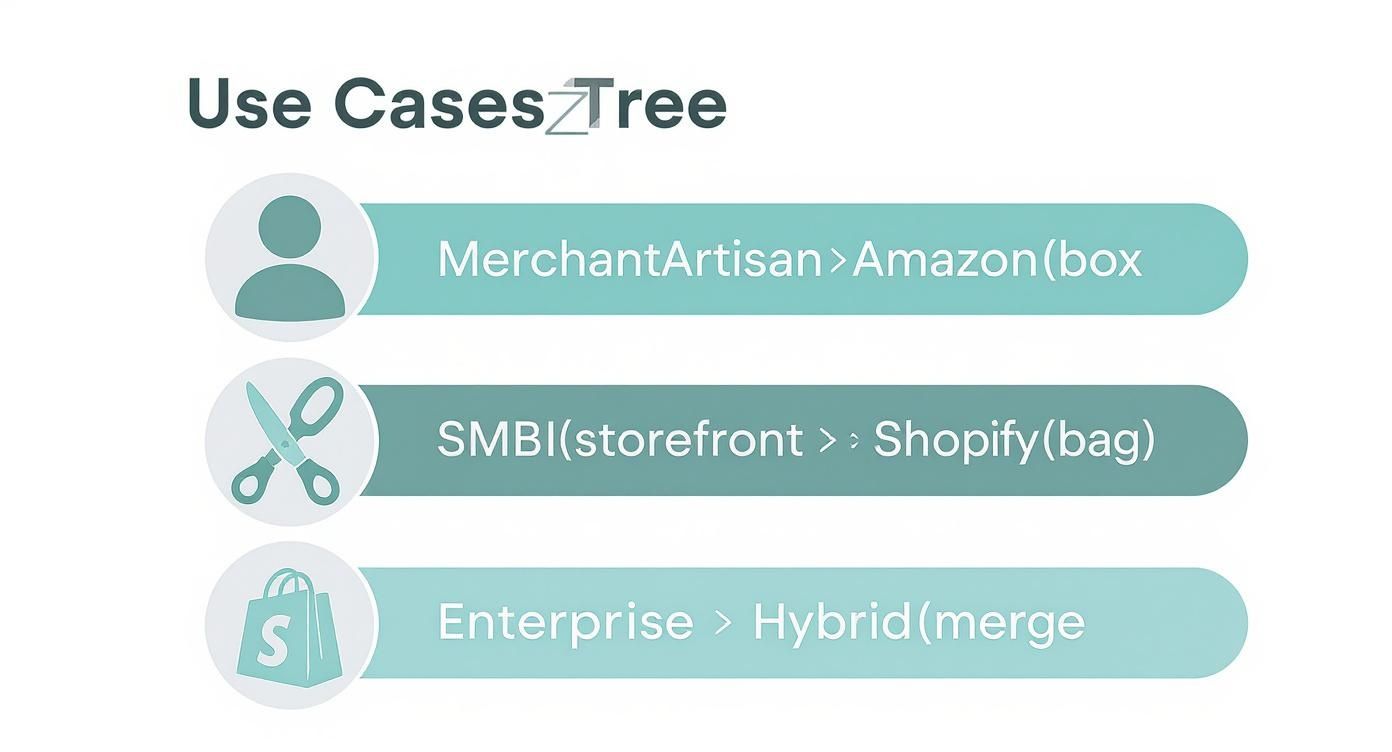
This diagram walks through how different merchant profiles align with Shopify, Amazon, or a combined strategy based on product mix and growth goals.
Use Cases For Merchant Profiles
Artisans with a tight community and fewer than 50 SKUs often see faster conversion on Amazon than building fresh traffic to a new Shopify store. Meanwhile, SMBs aiming for $500K to $5M in yearly revenue tap Shopify’s ecosystem—blogs, email flows, and social integrations—to nurture repeat business.
Enterprises can split traffic smartly. Run exclusive product launches on Shopify Plus to reward loyal fans, then send bulk orders through Amazon FBA for broader reach.
- Artisan Example: A ceramicist with 30 unique pieces opens an Amazon Handmade storefront to reach 15M monthly craft shoppers. Later, they migrate top performers to Shopify for better margins.
- SMB Example: A wellness brand builds a Shopify blog and email automation, capturing 25% of its traffic organically and realizing a 3x return on ad spend.
- Enterprise Example: An electronics manufacturer holds flash sales on Shopify Plus for VIP customers, while offloading clearance items via Amazon FBA to clear inventory fast.
“A hybrid approach can lift total revenue by 30% by combining organic growth with marketplace reach.”
Step By Step Migration Roadmap
Moving from Amazon to Shopify takes careful planning to keep stock levels stable and SEO intact. Here’s a practical roadmap:
- Export Products: Download your listings from Amazon Seller Central via reports or API into CSV.
- Map SKUs And Attributes: Match Amazon ASINs to Shopify SKUs, then enrich each with detailed titles, descriptions, and images.
- Sync Inventory: Choose an integration like the E-commerce Dev Group connector to keep stock levels in harmony.
- Integrate Order Management: Connect your Shopify orders to Amazon FBA using Shopify’s multi-channel fulfillment or a custom API solution.
- Enable Shop App And FBA: Activate the Shopify Shop channel and configure FBA settings so checkout feels seamless.
- Test Purchase Flow: Run test orders to verify shipping, taxes, and webhook notifications before flipping the switch.
Once products live on Shopify, tackle these SEO essentials:
- Audit and tag existing Amazon backlinks for UTM tracking.
- Set up 301 redirects for retired ASIN URLs to avoid 404 errors.
- Install Google Analytics and Facebook Pixel to track post-migration performance.
Checklist For Dual Platform Success
- Maintain Brand Consistency: Align themes, logos, and tone on both Shopify and Amazon storefronts.
- Optimize Operational Workflows: Automate alerts for low stock, returns, and delivery delays.
- Expand Revenue Streams: Schedule regular promotions on each channel to test uplift.
- Monitor KPIs: Compare ACoS, average order value, and repeat purchase rates weekly by platform.
- Secure Customer Data: Stay GDPR and CCPA compliant when syncing first-party info from Shopify.
- Train Your Team: Provide clear guides on Shopify Admin and Amazon Seller Central processes to eliminate errors.
Gather feedback, tweak your settings, and you’ll be set to harness Shopify’s brand power and Amazon’s reach without leaving sales on the table.
FAQ
When you compare Shopify with Amazon, the most striking contrast is billing predictability. Shopify starts at $29/month, plus transaction fees and optional app charges, making it easy to plan your expenses. Amazon, on the other hand, layers on referral fees (ranging from 8%–45%), storage costs, and per-item charges that shift with your product mix.
For merchants who need tight budget control, Shopify’s flat tiers are a clear winner. But if you’re moving high volume and want to tap into a 2.2 billion-visitor audience, Amazon’s variable fee structure can pay off.
| Fee Component | Shopify | Amazon |
|---|---|---|
| Subscription | Starting at $29/mo | N/A |
| Transaction Fee | Standard percentage + per-order fee | Referral: 8%–45% |
| Storage Costs | None | Variable, based on time & volume |
| Per-Item Charges | None | Category-based fees |
This clarity on Shopify makes profit forecasting straightforward, while Amazon’s costs rise and fall with your sales cycle and seasonal spikes.
On Shopify, you own the first-party data. That means you can deploy pop-ups, gated content or integrate Klaviyo to capture emails and segment customers.
Amazon limits communication to order details and shipping updates. If you want more contact, drive traffic through external ads or use Brand Referral links back to your Shopify store. Don’t forget to add GDPR-compliant consent forms on your signup pages.
Retaining emails on Shopify can boost repeat purchases by 30%.
Hybrid Strategy With FBA
You can combine the best of both worlds by running your Shopify store but using Fulfillment by Amazon (FBA) behind the scenes. Once you switch on Multi-Channel Fulfillment in Seller Central and connect it to Shopify, Amazon handles pick, pack and ship—while you keep your own branded storefront.
Steps to set up:
- Enable FBA in Shopify under Settings → Fulfillment
- Install a connector app and link your Seller Central account
- Align SKUs and configure stock-reorder thresholds
- Run a few test orders to verify tax, shipping rates and notifications
This approach preserves your custom checkout experience and taps into Amazon’s logistics muscle, reducing errors and shipping headaches.
Migration And SEO Checklist
Before you flip the switch, use this checklist to bring products over smoothly and protect your search visibility.
- Export listings from Seller Central (ASIN, titles, descriptions)
- Match ASINs to Shopify SKUs; enrich product details and specs
- Sync inventory via your chosen connector for live stock updates
- Create 301 redirects from old Amazon URLs to your new Shopify pages
- Refresh metadata: page titles, meta descriptions and image alt text
Partner: E-commerce Dev Group
