

If you're serious about scaling your Shopify store, integrating with ShipStation is less of an option and more of a necessity. While Shopify's built-in tools are great when you're starting out, this integration is the engine that powers real growth. It's how you automate complex shipping workflows, find better carrier rates, and pull all your multi-channel orders into one clean dashboard.
Why This Integration Unlocks Growth
Every growing Shopify merchant hits the same wall: fulfillment. The hours spent manually keying in orders, hunting for the best shipping rates, and printing labels one by one just don't scale. Shopify Shipping is a fantastic launchpad, but connecting ShipStation turns your fulfillment process from a daily chore into a strategic asset.
The real shift is moving from basic label printing to full-blown shipping management. You're no longer stuck inside a single platform's limitations. Instead, you get a dedicated command center built from the ground up for high-volume logistics.
For a quick breakdown, here’s how the two stack up for a growing business.
Shopify Shipping vs. ShipStation at a Glance
This table offers a quick comparison to help you decide which tool fits your current business needs, highlighting the key operational differences.
| Feature | Shopify Shipping | ShipStation |
|---|---|---|
| Best For | Startups and small businesses shipping directly from Shopify. | Growing businesses, high-volume shippers, and multi-channel sellers. |
| Carrier Options | Good, but limited to carriers with direct Shopify integration (e.g., USPS, UPS, DHL). | Extensive, with 100+ carrier integrations globally. More options often mean better rates. |
| Multi-Channel | Manages Shopify orders only. | Centralizes orders from Shopify, Amazon, eBay, marketplaces, and more. |
| Automation | Basic automation for package types and shipping presets. | Advanced automation rules based on weight, destination, SKU, order value, and more. |
| Cost | Included with your Shopify plan (you only pay for postage). | Monthly subscription fee based on shipping volume, plus postage costs. |
Ultimately, Shopify Shipping is perfect for getting started, but ShipStation is where you go to build a scalable, efficient fulfillment machine.
A Central Command Center for Multi-Channel Sales
ShipStation is one of the most popular shipping solutions in the Shopify App Store for a reason, especially for stores juggling high order volumes or selling across multiple platforms. It pulls orders from Shopify, Amazon, Etsy, or anywhere else you sell into a single, unified dashboard. From there, you can print labels in bulk, track everything, and see all your carrier options side-by-side.
This multi-channel power is a game-changer. Imagine selling on Shopify, Amazon, and eBay. Without a tool like ShipStation, you're stuck managing three separate fulfillment queues. With it, every order lands in one place, and your powerful automation rules apply to all of them equally. No more chaos.
From Manual Clicks to Automated Workflows
The real magic of the ShipStation and Shopify integration is its ability to take repetitive decisions off your plate. You can build simple "if-then" rules that do the heavy lifting for you.
For example, you can set up rules to automatically:
- Assign Carriers: Always select the cheapest carrier for any domestic order under five pounds.
- Tag & Flag Orders: Put a "manual review" flag on any international order containing a specific, fragile SKU.
- Apply Services: Instantly add shipping insurance to any order over $200 without a single click.
By setting up these smart rules, you're not just saving a few minutes here and there. You're building a reliable, scalable system that minimizes human error and keeps your fulfillment consistent, even as you grow. This frees up your team to focus on things that actually move the needle, like customer service and marketing.
This kind of advanced automation is possible because of the solid connection between the two platforms. To get a better sense of how connecting different software transforms a business, you can check out these API integration examples and see how seamless data flow makes everything work better.
Getting Your Shopify and ShipStation Accounts Talking
Alright, let's get down to the first, most crucial step: connecting ShipStation and Shopify. This is where you lay the foundation for a much more efficient fulfillment process. The whole point is to stop manually copying and pasting order details and create a central command center for all your shipping.
Your journey starts in the Shopify App Store. You'll need to find and install the official ShipStation app. Think of this app as the secure bridge that allows your storefront and your shipping software to communicate seamlessly.
This infographic gives you a bird's-eye view of how orders will flow once you're set up.
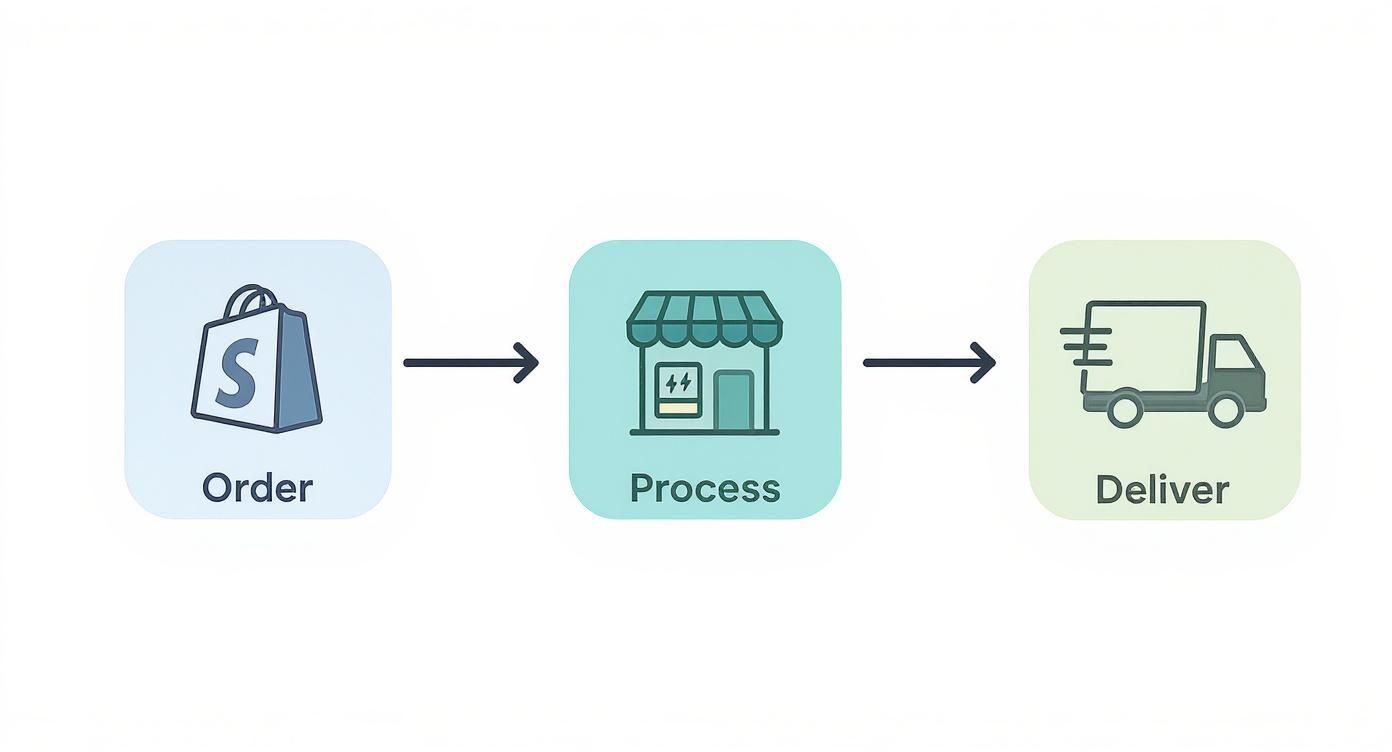
As you can see, it's a clean handoff: a customer buys from your Shopify store, the order pops up in ShipStation, and you ship it out. Simple, automated, and hands-off.
Making the Connection Official
After you add the app, Shopify will ask you to authorize it. This is a standard security step. You're essentially giving ShipStation permission to access your order, product, and customer information. It’s like giving your new warehouse manager a key so they can start processing orders as they arrive.
Once you grant permission, you’ll be automatically sent over to your ShipStation account to wrap things up. ShipStation will kick off its first sync, pulling in your recent orders from Shopify. Don't worry if this takes a few minutes—it's busy importing your product catalog and order history to get everything in sync. This initial pull is a one-time thing that prepares the system for all the real-time updates to come.
A Few Key Settings to Tweak Immediately
Now that the accounts are linked, you'll want to dial in a few settings right away. Getting these initial configurations right will save you a world of trouble later on. Trust me, spending five minutes on this now prevents hours of fixing mismatched orders down the line.
Here's what you should tackle first:
- Map Your Locations: If you ship from more than one place (like a warehouse and a retail store), you need to tell ShipStation how your Shopify Locations match up with your physical ship-from locations. This is non-negotiable for accurate inventory and routing.
- Brand Your Stuff: Head into the settings and upload your company logo. This makes sure your brand is front and center on packing slips and shipping notification emails, keeping everything looking professional and consistent for your customers.
- Set Your Order Status Rules: Decide how order statuses in Shopify should be handled in ShipStation. For example, a common setup is to tell ShipStation to only import orders that are marked as 'Paid' in Shopify. This prevents un-paid or pending orders from cluttering your shipping queue.
A Quick Tip from Experience: One thing that trips up a lot of B2B sellers is how ShipStation handles unpaid orders. By default, it won't import them. If you work with wholesale clients on terms like Net 30, you'll need to manually mark those orders as 'Paid' in Shopify to get them to show up in ShipStation for fulfillment. It’s a quirk of the system, but something you need to build into your workflow.
Building Your First Shipping Automation Rules
Alright, you’ve connected Shopify and ShipStation. Now for the fun part—making the magic happen with automation. This is where you’ll really see the payoff. Instead of manually clicking through every order, you’re about to build a smart fulfillment engine that does the heavy lifting for you.
Think of it this way: every repetitive task you do, from picking a shipping service to adding insurance, can be turned into a rule. This isn't just about saving a few seconds per order; it’s about building a system that can handle a Black Friday rush without you breaking a sweat. Your goal is to let the system manage the routine so your team can focus on the exceptions.
Creating Rules for Common Scenarios
Let’s get practical with a couple of real-world examples. Say you ship both domestically and internationally. Choosing the right carrier and service for every international order is a classic time-sink and a place where mistakes happen.
So, let's build a rule for it. You can tell ShipStation: "If an order's destination is outside the United States AND the total weight is under two pounds, automatically apply USPS First-Class Package International Service."
Boom. Just like that, you’ve automated a huge chunk of your orders. You set the logic once, and ShipStation takes care of the rest every single time a matching order pops in from Shopify. No more manual selection.
Using Product and Order Data for Smarter Shipping
This gets even more powerful when you start using product-specific details. Let’s imagine you sell a fragile glass vase that needs special care. The last thing you want is for it to be shipped like a t-shirt.
You can create a rule tied directly to that product’s SKU.
- Criteria: If an order contains SKU "GLS-VS-001".
- Action 1: Apply an order tag called "Fragile".
- Action 2: Assign the shipment to UPS Ground.
- Action 3: Add shipping insurance for the order's total value.
Now, every time someone buys that vase, ShipStation automatically flags it, assigns your go-to carrier for delicate items, and insures it. This all happens instantly in the background, making your process consistent and much safer.
The trick is to think through your most common fulfillment decisions and turn them into simple "if-then" rules. This systemizes your shipping logic and ensures every order gets handled the right way, even when you're swamped with sales.
The impact here is huge. Just look at Barton Watch Bands—they saw their shipment volume grow by over 400% year-over-year after getting their ShipStation and Shopify setup dialed in. You can read more about their experience on the Shopify integration on Shipstation.com. That kind of growth is only manageable when automation is handling the repetitive work.
Expanding Your Automation Capabilities
While ShipStation's rules are killer for everything shipping, you can push automation even further across your business. For more complex workflows that reach beyond fulfillment, it's worth looking at other tools.
To learn how to automate tasks like inventory management or customer segmentation right inside Shopify, check out our guide on the Shopify Flow automation features explained. It's the perfect complement to ShipStation's logistics power.
Mastering Your Daily Fulfillment Workflow
Once you’ve got your automation rules dialed in, the real work begins. Your day-to-day focus shifts from setup to pure execution, and this is where the ShipStation and Shopify duo really starts to pay off. It turns what can be a frantic scramble into a smooth, predictable process. The mission is simple: get orders out the door, fast and right.
Your new home base is the ShipStation dashboard. Forget flipping between tabs and screens in Shopify; all your orders sitting in "Awaiting Shipment" are now pulled into one clean, manageable queue.
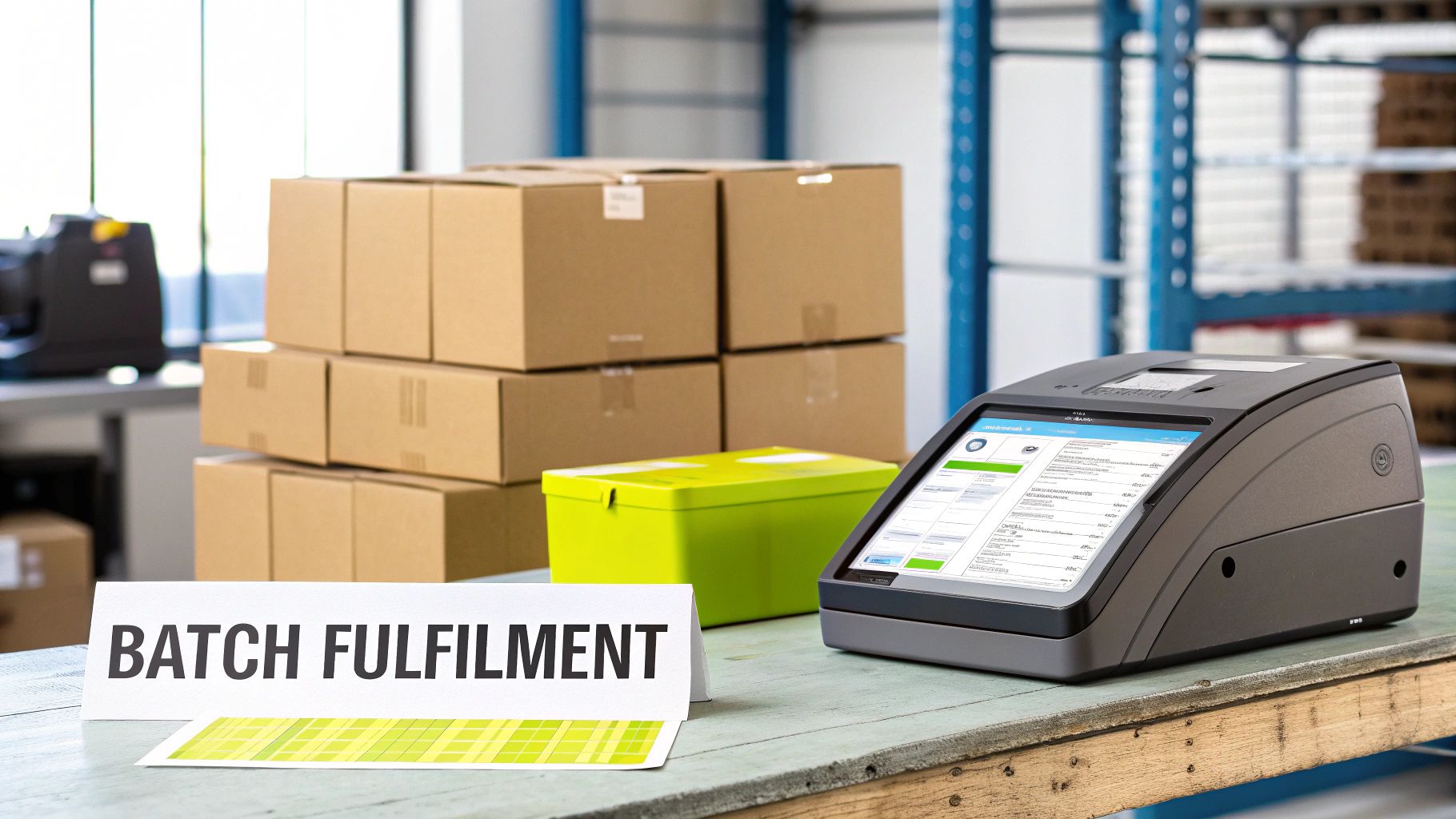
This single screen is where you'll find your biggest efficiency wins. You can see everything you need—customer info, order contents, shipping method—all in one place.
Batching and Printing Labels at Scale
The biggest time-saver, hands down, is batch processing. If you have a hundred orders staring at you, clicking "print" on each one is a nightmare. ShipStation lets you grab dozens, or even hundreds, of orders at once and print all the labels in a single go.
Picture this: you have 75 orders all set to ship via USPS Ground Advantage. Instead of tackling them one by one, you just filter for those orders, select them all, and click "Create Labels." Done. The system spits out everything you need in seconds.
To make the packing process just as fast, you can also print a consolidated pick list. This is a game-changer. It pulls all the items from your batch onto a single list, showing your warehouse team exactly how many of each SKU they need to grab. This one document can easily cut picking time by more than half.
Your daily rhythm should be: filter your queue for a specific group of orders (e.g., all domestic standard shipments), create a pick list for that batch, pack the items, and then print all the labels at once. This assembly-line approach minimizes errors and maximizes speed.
Advanced Order Management Techniques
Of course, not every order is a simple pack-and-ship. You'll run into customers who place two separate orders back-to-back or situations where an item is on backorder. The good news is that the ShipStation and Shopify connection is built to handle these curveballs.
- Combining Orders: Spot two orders heading to the same customer? You can merge them right inside ShipStation. This saves you a few bucks on postage and gives the customer a much better experience.
- Splitting Shipments: If an item is out of stock, don't hold up the whole order. Just split it. Ship what you have now, and ShipStation will automatically create a new, separate order for the backordered items, keeping it in the "Awaiting Shipment" queue until the stock arrives.
This kind of flexibility is what keeps your operations from grinding to a halt. If you're dealing with a lot of complex orders, it's worth exploring different kinds of Shopify order management software to see what other strategies you can add to your toolkit.
The Automated Information Loop
Here’s the best part: the communication back to Shopify is completely automatic. The moment you print a shipping label in ShipStation, it triggers two critical updates without you lifting a finger:
- The order is instantly marked as "Fulfilled" in your Shopify admin.
- The tracking number is pushed directly into that Shopify order's details.
This final step is what closes the loop. It triggers Shopify’s own shipping confirmation email to your customer, tracking link and all. You don't have to copy, paste, or click anything else. The customer is kept in the loop, and your team can move on to the next batch. It just works.
Advanced Strategies to Optimize and Scale
Once you've got your daily shipping routine down to a science, it's time to start thinking bigger. The real power of combining ShipStation and Shopify isn't just about getting packages out the door; it's about using the tools to get smarter, leaner, and more profitable as you grow.
The first habit to build is treating every single shipment as a chance to save money. Get familiar with ShipStation’s rate calculator. Before you click "print," you can see real-time rates from all your carriers side-by-side. Is USPS a dollar cheaper for that 2 lb box to Texas? Ship it. Those little wins add up fast, freeing up cash you can pour back into marketing or inventory.
Navigating International Shipping
Expanding your store to a global audience is exciting, but international shipping can feel like a minefield of customs forms and regulations. This is where a dedicated platform like ShipStation really proves its worth, taking the guesswork out of the process. It helps you generate and send customs documentation electronically, which dramatically cuts down on the kind of manual mistakes that leave packages stuck at the border for weeks.
When you bring Shopify Markets into the mix, things get even smoother. You can set up localized pricing and handle duties directly in your Shopify checkout, giving international customers a transparent buying experience. Meanwhile, ShipStation works quietly in the background to manage the complex fulfillment and compliance requirements. For a deeper dive, check out our complete guide on Shopify international shipping.
If your store sells products with specific shipping rules (like perishables, alcohol, or other regulated items), things can get even more complicated. In these cases, it's worth exploring how leveraging automated shipping compliance to simplify and grow can protect your business and keep things moving.
Using Data to Drive Decisions
You can't improve what you don't measure. ShipStation’s reporting suite is the key to unlocking major insights about your fulfillment operation. Forget guesswork; now you have hard data on carrier performance, shipping costs, and delivery speeds.
This data is gold. Use it to answer critical questions: Who's the most reliable carrier for West Coast deliveries? Why did our average shipping cost jump 5% last month? Are we wasting money on expedited shipping when it's not necessary?
This information gives you real leverage. You can go to your carrier reps with concrete numbers to negotiate better rates. You can also fine-tune your automation rules with surgical precision, ensuring you're always making the most cost-effective choice.
ShipStation’s reporting tools can help you generate reports to find these cost-saving opportunities. Below is an example of what a simple carrier analysis might look like.
Sample Shipping Cost Analysis Report
| Carrier | Total Shipments | Average Cost per Shipment | Average Delivery Time (Days) |
|---|---|---|---|
| USPS | 1,250 | $8.75 | 3.2 |
| UPS | 820 | $12.50 | 2.5 |
| FedEx | 430 | $11.95 | 2.8 |
| DHL Express | 150 | $25.40 | 1.5 |
Looking at this data, you might notice that while UPS is faster on average, USPS is significantly cheaper. This could prompt you to set up a new automation rule that defaults all non-urgent domestic packages under 5 lbs to USPS, potentially saving thousands over a quarter.
While Shopify Shipping is fantastic for its built-in discounts, ShipStation is built for brands that need to see the bigger picture across multiple channels and carriers. With plans starting around $29.99 for up to 500 shipments, it's an investment in efficiency that pays for itself.
If you're weighing the options, Shopify has a great breakdown of Shipstation vs Shopify Shipping on Shopify.com. By digging into your own shipping data, you can turn fulfillment from a necessary expense into a powerful competitive edge.
Common Questions About the Integration
When you're bringing together two powerhouses like ShipStation and Shopify, it's natural to have a few questions. I've seen the same ones pop up time and time again with clients. Getting these sorted out early on will save you headaches and make sure your workflow is solid from day one.
Let's dive into some of the most common things people ask.
Does ShipStation update tracking info in Shopify?
This is probably the number one question, and the answer is a resounding yes. The moment you create a shipping label in ShipStation, it automatically pushes that tracking number back to Shopify.
This action also marks the order as "Fulfilled" in your Shopify admin. That's the trigger for Shopify to send its shipping confirmation email to your customer, complete with the tracking link. It’s a seamless loop that keeps your customers in the know without any extra work on your end.
Can I use both Shopify Shipping and ShipStation at the same time?
You can, but I strongly advise against it. Trying to print labels from two different systems is a recipe for disaster. It's easy to lose track, ship an order twice, or miss one entirely.
The whole point of using ShipStation is to centralize your fulfillment. Pick one system to be your "source of truth" for shipping. For any store that's serious about scaling, that system should be ShipStation. It's built for automation, batch processing, and managing multiple carriers far more effectively than Shopify's native tool.
How are Shopify order tags handled?
This is where the integration really shines. ShipStation not only sees your Shopify order tags but lets you use them to drive powerful automation rules. This is perfect for creating custom fulfillment workflows.
Here’s a practical example I've set up for clients:
- An order comes in with the tag "VIP-Customer" in Shopify.
- A rule in ShipStation automatically spots this tag and assigns the order to UPS 2nd Day Air service, no questions asked.
You can set this up for anything—expedited processing for specific products, assigning certain carriers for fragile items, or even adding a special packing slip for first-time buyers. It’s all automated.
What does the integration actually cost?
Here’s some good news: there are no extra fees to connect the two platforms. The integration itself is completely free.
Your costs are simply your ShipStation monthly subscription (which depends on your shipping volume) and the postage you buy for your labels. The ShipStation app on the Shopify App Store is free to install, so there are no hidden charges for making the connection.
Ready to build a more powerful, scalable Shopify store? The experts at E-commerce Dev Group specialize in custom development, theme optimization, and seamless app integrations to help you grow. Get in touch with us today to see how we can help.
