


Thinking about moving your store from Magento to Shopify? It’s a common move, and for good reason. At its core, a migration from Magento to Shopify is about transferring all your crucial store data—products, customers, orders, you name it—over to the Shopify platform. But it's rarely just a technical exercise. Most businesses make this switch to escape high maintenance costs, boost site performance, and get a much more user-friendly system, letting them focus on growing the business instead of just keeping the lights on.
Why Businesses Are Making the Switch from Magento to Shopify
The decision to leave Magento isn't usually about one missing feature. It's a strategic choice to ditch technical headaches and open up new avenues for growth. I’ve seen countless businesses pour a surprising amount of time and money into simply maintaining their Magento site, which pulls focus from what really matters: marketing, sales, and talking to customers.
Shopify offers a completely different approach by taking care of the technical side of things for you. Since it's a fully hosted platform, all the server maintenance, security patches, and software updates happen automatically. This simple difference can fundamentally change how you run your business.
Before we dive deeper, let's look at a quick side-by-side comparison.
Magento vs Shopify At a Glance
This table breaks down the fundamental differences between the two platforms, highlighting why a business might choose one over the other based on their needs for control, ease of use, and cost structure.
| Aspect | Magento | Shopify |
|---|---|---|
| Hosting | Self-hosted (you manage it) | Fully hosted (Shopify manages it) |
| Technical Skill | Requires developers for setup & maintenance | User-friendly, no coding needed for basics |
| Maintenance | Manual updates, security patches, PCI compliance | Automatic updates and security included |
| Cost Structure | Unpredictable; includes hosting, developer fees, extensions | Predictable monthly subscription fee |
| Ease of Use | Complex admin panel with a steep learning curve | Intuitive and simple-to-use interface |
| Customization | Nearly unlimited, but requires coding | Highly customizable through themes and apps |
Ultimately, the choice comes down to whether you want to manage the technology yourself or have a platform that handles it so you can focus on commerce.
The Real Cost of Technical Maintenance
With Magento, especially the open-source version, you're the one in the driver's seat for everything. You have to find your own hosting, make sure you're PCI compliant, and roll out every security update yourself. This almost always means having a developer or an agency on retainer, which can lead to unpredictable and often steep operational costs. What looks like a minor bug fix can easily become a thousand-dollar project.
Shopify just works differently. You pay a predictable monthly fee, and in return, you get a secure, compliant, and stable platform. This frees up your budget to be spent on things that actually make you money, like marketing campaigns or new product development.
The biggest win isn't just saving money on a developer. It's about getting back all the mental energy you used to spend worrying about technical problems. You get to stop managing a software project and start running an e-commerce business again.
Getting an Edge on Performance and Conversions
Site speed is another huge reason for the switch. Magento's power and flexibility are great, but if it's not perfectly optimized, it can be slow. And slow load times kill conversions. Shopify, on the other hand, is built from the ground up for speed, and its infrastructure delivers fast performance right out of the box.
This isn't just a "nice-to-have"—it has a real, measurable impact on your bottom line. I worked with a mid-sized health and wellness brand that saw a 30% increase in conversion rates after their migration, simply due to faster page loads. In fact, studies show Shopify’s streamlined checkout alone can boost conversions by an average of 25-30% while cutting down bounce rates. You can read more about this Shopify migration case study and see the kind of impact it can have.
An Ecosystem Built for Selling
Finally, the Shopify App Store is a massive advantage. Magento has its Marketplace with plenty of extensions, but Shopify’s app ecosystem is famous for how easy it is to use and how smoothly everything integrates. You can add powerful tools for everything from loyalty programs to sophisticated analytics with just a few clicks, no developer needed.
This kind of agility lets you adapt to market trends and customer feedback on the fly, setting you up for sustainable growth long after the migration is done.
Scoping Your Migration Timeline and Budget
Let's get real about what it takes to move from Magento to Shopify. A successful migration all comes down to a solid, realistic plan. If you go in without a clear scope for your timeline and budget, you're setting yourself up for nasty surprises, unexpected delays, and costs that can quickly spiral out of control. Getting this part right, right from the start, is the most important thing you can do.
The biggest factor that will shape your project is the complexity of your current Magento store. There’s a world of difference between a simple shop with a few hundred products and standard features versus an enterprise-level beast with tens of thousands of SKUs, complex customer groups, and a decade of order history.
This infographic gives you a great visual breakdown of why so many merchants make this move, zeroing in on the positive impact on cost, performance, and, most importantly, conversions.
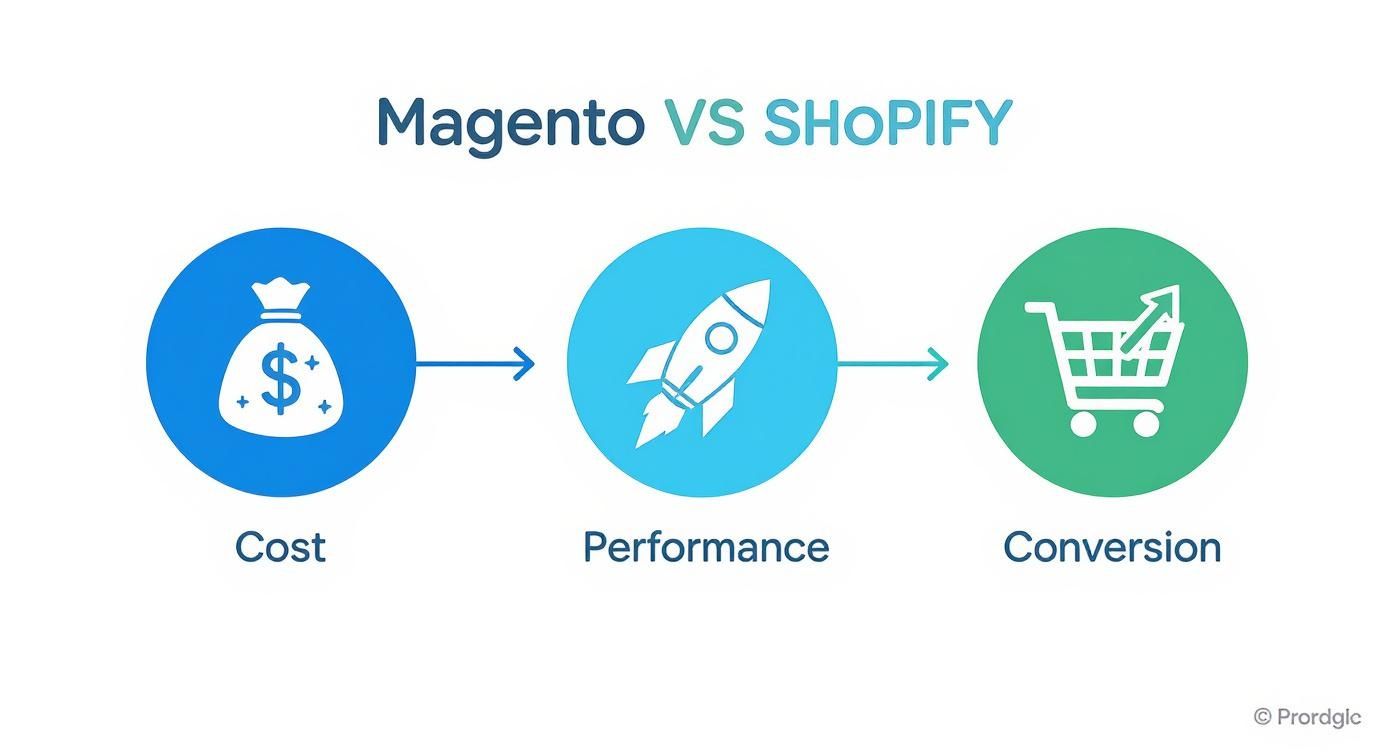
As you can see, it’s a strategic move. When you cut down on operational overhead and speed up your site, you almost always see a direct lift in conversion rates. It creates a powerful growth cycle.
Estimating Your Migration Timeline
To nail down a realistic timeline, you have to be honest about your store’s current state. For smaller stores with under 1,000 products, you can often get the migration done in about 1-2 weeks. If you're in the medium range, say 1,000 to 10,000 products, you should probably budget for 2-4 weeks. For larger, more complex stores, it’s not uncommon for the process to take 4-8 weeks from start to finish.
Of course, these are just ballpark figures. Several things will push you to the shorter or longer end of that spectrum:
- Data Volume: How many products, customers, and orders are we talking about? The more data, the more time it takes.
- Custom Features: Did you have a lot of custom-coded functionality on Magento? You'll need to find Shopify apps to replace it or build it from scratch.
- Theme Development: Are you picking a theme from the Shopify theme store, or do you need a completely custom design? A custom build will add significant time.
- Third-Party Integrations: Think about your ERP, CRM, or 3PL provider. Each one needs to be disconnected and reconnected to Shopify.
A detailed project plan is your best friend here. If you need help structuring your project, our guide on ecommerce project management is a great place to start.
Building a Realistic Budget
Just like your timeline, your budget is tied directly to the project's scope. The costs can vary wildly, so it’s crucial to understand what you're paying for.
For a small to medium-sized business, a typical migration project might land somewhere between $500 and $5,000. On the other hand, enterprise-level migrations often start at $10,000 and can easily climb to $50,000 or more, especially with heavy customization and massive amounts of data.
This isn't just an expense—it's an investment. Your migration budget covers more than just moving data; it's funding your store's future by improving design, functionality, and performance for years to come.
So, where does the money actually go? Here's a typical breakdown:
| Cost Component | Description | Typical Cost Range |
|---|---|---|
| Migration Service/App | Using a tool or agency to handle the core data transfer. | $200 – $2,000+ |
| Theme Purchase/Dev | Buying a premium Shopify theme or hiring for custom design. | $180 – $20,000+ |
| Shopify App Subscriptions | Monthly fees for apps that replace Magento features. | $50 – $500+/month |
| Developer/Agency Fees | Hiring experts for a full-service, hands-off migration. | $3,000 – $50,000+ |
| SEO & Content Work | Setting up 301 redirects, moving blog posts, and an SEO audit. | $500 – $5,000 |
A word of caution: if a quote seems too good to be true, it probably is. A cheap, rushed migration almost always means corners were cut, usually on critical things like SEO redirects or data validation. Those shortcuts will create much bigger, more expensive problems for you down the road. Plan your budget carefully, and you’ll set yourself up for a smooth and successful launch on your new platform.
Handling Your Data and Content Migration
The heart of any successful migration from Magento to Shopify is moving your data. This is where all your products, customer histories, and order records make the journey to their new home on Shopify. Getting this right is non-negotiable—it’s what ensures you don’t skip a beat in your business operations and keeps your customers happy. It sounds like a massive job, but you can break it down into smaller, manageable chunks.

Before you touch a single file, the very first thing you need to do is a full backup of your Magento store. Think of it as your safety net. Grab a complete copy of your database, files, and all your media. Seriously, don't proceed until this is done. It’s the one thing that will save you if anything goes sideways.
Choosing Your Migration Method
With your backup safely tucked away, it's time to figure out how you're going to get everything from point A to point B. There’s no single "best" way to do it; the right approach really depends on your team's technical skills, your budget, and just how complex your store is.
You've got three main paths to choose from:
- Third-Party Migration Apps: This is the go-to for most merchants, and for good reason. Tools like LitExtension or Matrixify were built for this exact task. They walk you through the process, automatically map Magento data fields to their Shopify counterparts, and cut down on the risk of human error.
- Manual CSV Export and Import: Feeling hands-on? Both platforms let you move data using CSV files. This method gives you total control to clean up or reformat data before you import it. But be warned: it’s time-consuming and technically tricky, making it a better fit for smaller stores with simple data.
- Hiring an Agency or Developer: If your store is highly customized or you have a massive amount of data, bringing in the pros is a smart move. A specialized agency can handle everything from custom scripts to checking all the data after the move, making sure nothing gets lost in translation.
For the majority of businesses I've seen, a dedicated migration app hits that sweet spot between control, cost, and getting the job done efficiently.
Migrating Core eCommerce Data
Let's get into the nitty-gritty. Your core data—products, customers, and orders—is what keeps your business running. Each piece needs to be handled with care.
Product Data
This is usually the most complicated part of the puzzle. You aren't just moving product names and prices; you're dealing with a whole web of connected information.
Be sure to account for all these details:
- Basic Information: Name, SKU, full description, price, and manufacturer.
- Inventory: Your stock levels and how you manage them.
- SEO Data: Meta titles, meta descriptions, and URL keys are crucial to bring over.
- Variants: Things like sizes and colors. What Magento calls "configurable products" will simply become product variants in Shopify.
- Images: Don't forget the main product photo and all the shots in your gallery.
If you're pulling in complex supplier feeds, you'll find that effective product feed management for Shopify SEO is essential for making sure your products actually get seen once you're on the new platform.
Customer and Order History
Your customer and order data is gold. It’s what lets you maintain those hard-won relationships. Moving this information means customers can still access their accounts and see what they’ve bought from you in the past.
A heads-up on something really important: for security reasons, customer passwords cannot be migrated. Once you're live on Shopify, you’ll have to invite your existing customers to create a new password. It’s a standard security step, and it’s for their protection.
Your order data is just as vital. It holds the order ID, date, status, and what was purchased. Keeping this history is a must for handling customer service requests, returns, and just understanding your business. For a deeper dive, our detailed guide on Shopify data migration covers more advanced strategies.
Moving Beyond Products and Orders
A store is more than just a catalog. Think about your blog posts or those CMS pages like your "About Us" or "Contact Us" sections. This is the content that gives your brand its personality.
While some migration tools might grab this content, you’ll often find it needs a manual touch—a good old copy-and-paste. Honestly, this is a great chance to review and freshen up that content anyway. Make sure it still sounds like you. By carefully planning how you'll move every piece of your digital storefront, you're setting yourself up for a much smoother launch on Shopify.
Rebuilding Your Storefront and Functionality
Getting your data moved over is a huge milestone, but it's only half the story. The real magic of moving from Magento to Shopify happens now—this is your chance to rethink your entire customer experience from the ground up. You can finally ditch that clunky old design, simplify how people find products, and build a storefront that doesn't just look amazing but is actually built to sell.

First things first: you can’t just bring your Magento theme with you. They’re built on completely different technologies (PHP for Magento, Liquid for Shopify). This means you’ll need a fresh start with a new theme, giving you two main paths forward: picking a pre-built theme or hiring someone to build one from scratch.
Selecting Your New Shopify Theme
For the vast majority of businesses, grabbing a theme from the Shopify Theme Store is the smartest move. It’s faster, way more affordable, and you can trust that every theme has already been vetted by Shopify for quality, speed, and mobile-friendliness. They’re loaded with features you can customize to fit your brand, often without touching a single line of code.
A custom-built theme, on the other hand, gives you total creative freedom but comes with a hefty price tag and a much longer timeline. This route is typically reserved for big, established brands with very specific design needs that just can’t be met by an existing template.
When you're weighing your options, think about these key factors:
- Budget: A top-notch pre-built theme will set you back around $350 (one-time). A custom build? Expect to pay anywhere from $5,000 to $50,000+.
- Timeline: You can get a pre-built theme looking good and ready to go in a few hours. Custom development is a multi-week, or even multi-month, project.
- Features: Does the theme already have what you need, like a mega menu or sophisticated product filtering? Bolting on features later with apps can get messy and slow your site down.
If you’re trying to replicate a complex design you had on Magento, it requires a lot of careful thought. For a deeper dive, check out our guide on how to migrate a Shopify theme to a new store, which has some great tips on that process.
Mapping Magento Extensions to Shopify Apps
One of the most crucial parts of this transition is figuring out how to replace your Magento extensions. Your store probably depends on a handful of them for everything from customer loyalty programs to advanced on-site search. The goal here is to find the right equivalents in the Shopify App Store.
Before you do anything else, make a list. Seriously, open up a spreadsheet and list every single Magento extension you use. For each one, write down what it does and decide how critical it is. This simple audit will keep you from launching without a vital piece of your business puzzle.
Don’t get trapped in a one-for-one mindset. This is a golden opportunity to simplify. You’ll often find that a single, well-made Shopify app can replace two or three of your old Magento extensions, cutting down on both complexity and your monthly subscription bills.
With your inventory in hand, it’s time to go shopping in the Shopify App Store. Look for apps with great reviews that solve your core problems. Here are a few common swaps I see:
- Subscriptions: If you were using Amasty Subscriptions, you'll likely be looking at apps like Recharge or Bold Subscriptions on Shopify.
- Loyalty Programs: Moving from a Mirasvit or Aheadworks extension? Check out Smile.io or Yotpo for fantastic loyalty and referral features.
- Advanced Search: For a truly powerful search experience, Klevu and Searchanise are popular choices that offer a big upgrade from typical Magento search.
Configuring Your Store’s Core Functions
Okay, you’ve picked a theme and found your new apps. The final stretch is building out the fundamental structure of your store. This is all about setting up your navigation so it makes sense, organizing products into collections, and making sure customers can actually pay you.
Start with your product collections. In Shopify, "collections" are what Magento called "categories." You can create them manually by hand-picking products, or you can set up automated collections that use rules—like tags, price, or vendor—to pull in the right products automatically.
Next up, build your site's navigation. This means your main menu and the links in your footer. The goal is clarity and simplicity. You want to make it ridiculously easy for shoppers to find what they're looking for. A confusing menu is a fast track to a high bounce rate.
Finally, get your payment gateways configured. Shopify Payments is usually the simplest option, but you can also integrate dozens of others like PayPal, Stripe, and Amazon Pay. Whatever you choose, be sure to run a few test orders through the entire checkout process. Catching friction points now will save you a world of headaches after you go live.
Preserving Your SEO During the Switch
https://www.youtube.com/embed/lcBdn3540KY
One of the biggest anxieties I see with any platform change is the fear of watching years of hard-earned search rankings just… disappear. A botched migration from Magento to Shopify can absolutely tank your organic traffic. But if you're careful and strategic, you can not only protect your SEO but actually set your new store up for even better performance down the road.
This isn't just about preventing a traffic dip. It's about giving Google a clear roadmap so it understands your new site structure and properly credits you for all the authority your old site built up. The goal is to create a transition so smooth that both your customers and search engine crawlers land exactly where they should, without ever hitting a dead end.
The Cornerstone of SEO Preservation: 301 Redirects
If there's one thing you cannot get wrong, it's your 301 redirects. This is the single most critical task for preserving your SEO.
Think of a 301 redirect like filing a permanent change-of-address form with the post office. It tells search engines, "Hey, this page moved for good, and here's the new spot." It also passes most of the old page's authority—what we call "link equity"—over to the new one.
Without them, anyone clicking an old link from a search result, another website, or a social media post will slam into a 404 "Page Not Found" error. That's a terrible user experience, and it's a massive red flag to Google that your site is broken. Your rankings can suffer, and quickly.
Your redirect plan has to be meticulous. You need to map every single important URL from your old Magento store to its new home on Shopify.
- Product Pages: These are your money-makers. Every last one needs a direct, one-to-one redirect.
- Category Pages: These drive tons of traffic. Map them to their new Shopify collections.
- CMS Pages: Don't forget your "About Us," "Contact," and any policy pages.
- Blog Posts: If you're bringing your blog over, every article needs its own redirect.
Don't cut corners here. A comprehensive redirect map is your insurance policy against lost traffic. I've seen businesses lose up to 50% of their organic traffic in the first month post-migration simply because they rushed this step.
Migrating Your On-Page SEO Elements
Redirects get the traffic to the right place, but what about the content on those pages? To keep things consistent for search engines, you also need to bring over your on-page SEO elements.
This means transferring your meta titles and meta descriptions from Magento. These are the little text snippets that show up in search results, and they're hugely important for convincing people to click. You can usually export this data from Magento as a CSV and import it straight into Shopify, which helps ensure your search listings don't change overnight.
You also need to pay close attention to your URL structure, because Magento and Shopify handle these differently by default. It's a good idea to optimize Shopify's permalink structure for SEO to keep things as consistent as possible for search crawlers.
Finalizing Your Technical SEO Setup
With your redirects mapped and on-page elements ready to go, there are just a few final technical SEO tasks to button up before you go live. These are the final signals you send to Google that your new site is ready for its close-up.
Key Technical SEO Tasks
- Set Up Google Analytics: Get your Google Analytics tracking code installed on your new Shopify store right away. You’ll want to be able to monitor traffic from day one to spot any potential issues.
- Verify with Google Search Console: Add and verify your new Shopify store as a new property in Google Search Console. This is your direct line to Google for monitoring site health.
- Submit Your New Sitemap: The moment your site goes live, submit your new Shopify sitemap.xml file through Search Console. This gives Google a nudge to come crawl your new site, which helps get your new URLs indexed much faster.
Tackling these steps methodically gives you a solid SEO preservation plan. This isn't just a technical checklist; it's the foundation that ensures your migration from Magento to Shopify is a launchpad for growth, not a setback.
Final Checks: Your Pre-Launch and Post-Launch Game Plan
Alright, you're in the home stretch. Moving from Magento to Shopify is a huge undertaking, and this is where all that hard work really gets put to the test. This isn't the time to rush; it's the time to be methodical. Having a solid checklist for what to do right before and right after you launch is your best defense against those "Oh no!" moments.
Think of the pre-launch phase as your final dress rehearsal. The goal here is to be your own toughest critic. You need to find and squash every potential bug and hiccup before your customers have a chance to. This goes way beyond just making sure the site looks pretty—it’s about ensuring it’s a well-oiled machine from top to bottom.
Final Pre-Launch Checks
Before you even think about pointing your domain to Shopify, your team needs to get in there and try to break things. Seriously. This is all about quality assurance and walking through every possible customer journey you can imagine.
Your pre-launch testing should hit these key areas:
- The Checkout Funnel: Place a bunch of test orders. Use different payment methods, like PayPal and a credit card. Do the shipping rates show up correctly for different addresses? Do your discount codes actually work? And most importantly, do the order confirmation emails fire off like they're supposed to?
- Mobile Experience: It’s no secret that a huge chunk of your sales will come from phones. Grab your iPhone, an Android, and a tablet. Test everything. Do the images resize properly? Is the text easy to read without pinching and zooming? Are the buttons big enough for clumsy thumbs?
- App Functionality: Go through every single app you installed. Is your loyalty program tracking points? Is your subscription app handshaking correctly with customer accounts? Make sure all those third-party tools are playing nicely with your theme and the checkout process.
- Site Speed: Don't just guess if your site is fast—know it. Use a tool like Google PageSpeed Insights to get a real performance score. Slow-loading pages are conversion killers, so if you see opportunities for optimization, tackle them now.
I can't stress this enough: do not skip this phase. I’ve seen stores get excited and launch, only to find out their payment gateway wasn't configured properly. They lost thousands in sales in the first few hours. It’s worth taking an extra day or two to be absolutely certain everything is locked in.
Your Post-Launch Action Plan
Flipping the switch isn't the finish line—it's the starting gun. The first 24-72 hours are critical. This is when you monitor everything like a hawk, listen for feedback, and prove to your customers that the move was a great decision. A proactive plan for the days following your launch will help you keep the momentum going and quickly put out any small fires.
The moment your Shopify store is live, your job shifts from building to monitoring. You want to catch minor hiccups before they turn into major headaches and make sure your customers feel supported through the change.
Essential Post-Launch Tasks
You've launched. Pop the champagne, but don't check out just yet. Here’s what you should be doing immediately to set yourself up for long-term success.
- Hunt Down 404 Errors: Open up Google Search Console and keep a close eye on any "Not Found" errors. Even with a perfect redirect strategy, a few broken links can always slip through the cracks. Fixing these fast is crucial for both SEO and keeping your customers from getting frustrated.
- Stare at Your Analytics: Keep your analytics dashboard open in a tab. Are you seeing any scary dips in traffic? Has your conversion rate fallen off a cliff? Is your bounce rate suddenly through the roof? This data is your earliest warning sign that something might be wrong.
- Announce the Big Move: It’s time to tell everyone! Send out an email campaign to your customer list. Show off the new design, talk about the faster checkout, and maybe even offer a small "welcome to our new store" discount. This is a great way to drive a wave of initial traffic and sales.
- Ask for Feedback: Your customers will notice things you won't. Make it easy for them to tell you what they think. A simple survey or a "Feedback" link in your site's footer can give you invaluable, real-world insights on what to improve next.
Following a clear pre- and post-launch plan turns a potentially chaotic migration into a controlled, successful project. This is how you build a solid foundation for growth on your new Shopify platform.
Got Questions About Your Magento to Shopify Move?
It's only natural to have a few questions swirling around when you're planning a big project like moving your store from Magento to Shopify. You're not just changing platforms; you're moving your entire business. Let's walk through some of the most common concerns we hear from merchants just like you.
Getting these things straight from the start will give you the peace of mind to push forward confidently.
Will I Tank My SEO Rankings?
This is easily the biggest worry for most store owners. The short answer? No, you won't—as long as you're careful. A solid strategy is all it takes to protect your hard-earned search engine rankings.
The most critical piece of this puzzle is implementing 301 redirects. Think of them as permanent forwarding addresses for every single one of your old Magento URLs. This tells Google and other search engines exactly where each page has moved, ensuring you pass along the majority of your link authority.
Of course, it doesn't stop there. You'll also want to bring over your meta titles and descriptions. Once you go live, submit your new sitemap to Google Search Console right away. It's possible to see a small, temporary dip in traffic while the search engines get reacquainted with your site, but a thoughtful SEO plan keeps this to a minimum and sets you up for long-term success.
What Happens to All My Customer Data and Order History?
Good news here. Your customer data—names, emails, shipping addresses—can absolutely be migrated to Shopify. The same goes for your order history, which is essential for everything from customer support to analyzing sales trends. You can use specialized migration apps or even custom scripts to pull this data across, so you don't lose that valuable historical context.
There's one important catch: customer passwords. For security reasons, passwords are encrypted and can't be moved from one platform to another. This is actually a good thing! Once your new Shopify store is live, you'll simply need to ask your customers to create a new password. It's a standard security step that everyone understands.
Can I Just Use My Magento Theme on Shopify?
Unfortunately, this is a hard no. The two platforms are built on entirely different technologies. Magento runs on PHP, while Shopify themes are built with a language called Liquid. They're like apples and oranges; you can't just plug a Magento theme into Shopify and expect it to work.
Think of this as an opportunity. You can either pick a beautiful new theme from the Shopify Theme Store or hire a developer to build a custom design that captures the spirit of your old site. Many merchants use the migration as a chance to refresh their brand, improve the mobile shopping experience, and create a cleaner, more modern user interface.
How Do I Replace My Magento Extensions?
Just like themes, your Magento extensions won't carry over. Your first step should be to audit your current setup. Make a list of every extension you use and, more importantly, what it does for your business.
Once you have that list, you can dive into the Shopify App Store. You’ll be surprised at how many great alternatives you can find for things like loyalty programs, advanced product filtering, or subscription management. For any truly unique, custom-coded features, you might need to chat with a Shopify developer to rebuild that functionality on the new platform.
A smooth migration is the first step toward unlocking new growth. The expert team at E-commerce Dev Group lives and breathes Magento to Shopify migrations, handling everything from your data and SEO to your store's functionality with total precision. Let us help you make the switch without the headaches.
