


The Shopify Data Migration Foundation
Migrating your online store to Shopify is a big opportunity to improve your business. But a successful Shopify data migration takes more than just moving files. It requires a solid foundation built on careful planning and execution. This preparation greatly impacts your store's performance after launch, affecting everything from the customer experience to your search engine rankings.
Key Data Elements in a Shopify Migration
Several crucial data elements need careful handling during a Shopify migration. Your product catalog, the core of your e-commerce operation, needs accurate transfer, especially if you have complex product variations.
Customer histories, including order data and personal information, are essential for maintaining business as usual and personalized marketing.
Beyond these core components, other important data like blog posts, pages, and discount codes must be considered for a smooth transition.
Planning and Resource Allocation for a Successful Migration
Understanding the typical timeline and resource requirements is crucial. Shopify data migration usually takes less than three months for most businesses moving from other e-commerce platforms. Businesses export vital store data, often using formats like CSV or XML. Learn more about Shopify migration. This streamlined timeframe minimizes downtime and allows businesses to quickly benefit from Shopify's features.
Proper resource allocation is also essential. This means choosing the team members or external experts who will handle the migration and giving them the right tools and training.
Strategic Decisions to Prevent Migration Headaches
Successfully moving to Shopify involves strategic decisions from the beginning. Deciding whether to handle the migration in-house or outsource to a specialized agency is a critical first step.
This choice depends on factors like your internal technical skills, budget, and the complexity of your current store data. Choosing the right migration tools and apps is another key decision. These tools can automate many tasks, but selecting the right one for your needs is essential for preventing problems.
Finally, clear communication between everyone involved ensures a smooth migration and keeps everyone informed of any issues or updates.

Your Step-by-Step Shopify Data Migration Blueprint
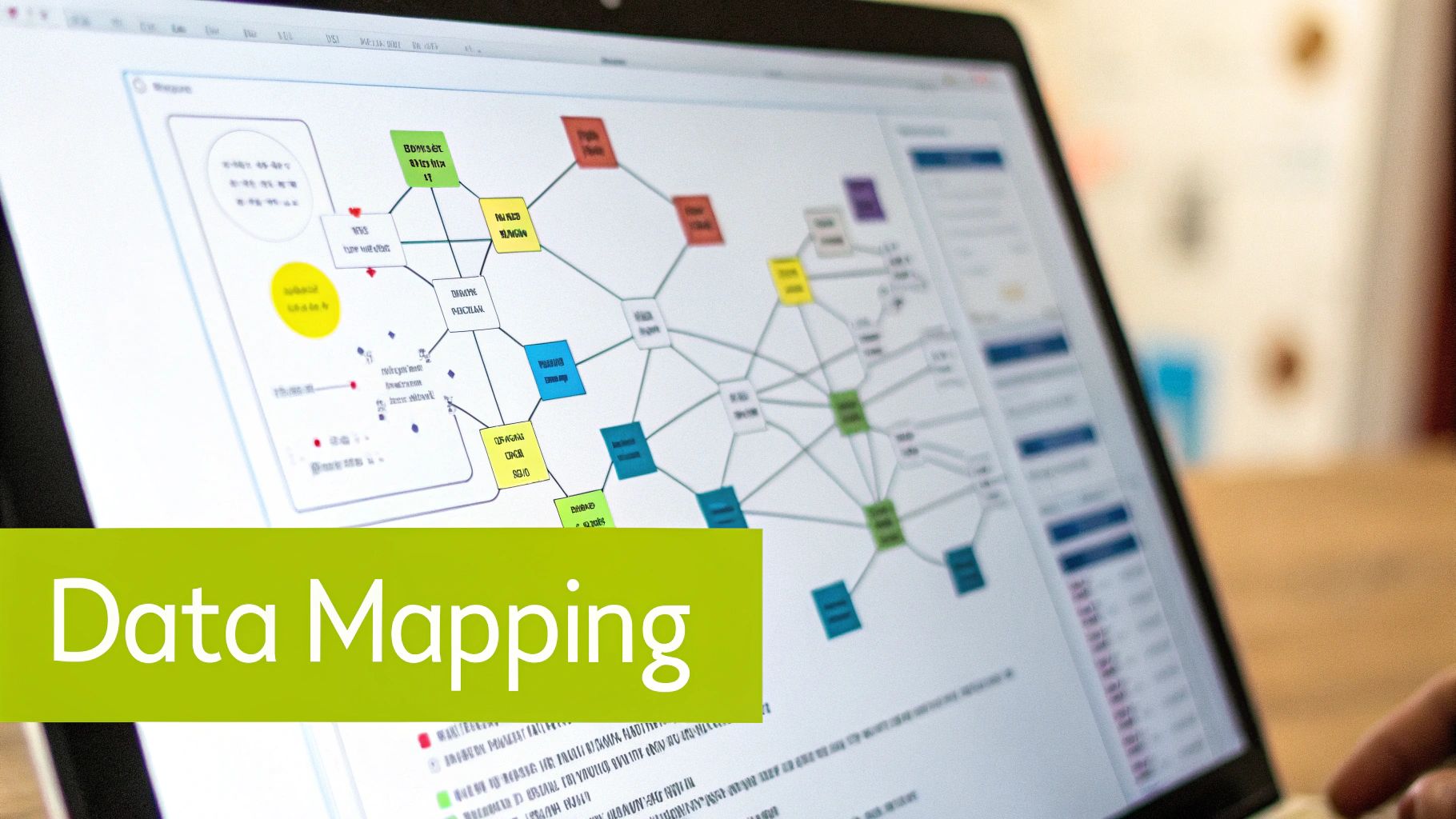
Migrating your e-commerce platform can feel like a daunting task. This section provides a practical roadmap for your entire Shopify data migration journey. We'll walk through each crucial phase, from the initial assessment and audit to implementation and verification. This blueprint is informed by insights from Shopify migration specialists and real-world merchant experiences.
Phase 1: Platform Assessment and Data Audit
Before moving any data, understanding your existing platform and the data you're migrating to Shopify is crucial. This involves a thorough inventory of your data, including products, customers, orders, and content. It's like preparing for a move; you need to know what you have before packing. For further reading on Shopify sitemaps, check out this helpful resource: How to master your Shopify sitemap.
- Identify Data Sources: Locate all the places where your e-commerce data currently resides.
- Data Mapping: Determine how your current data fields match up with Shopify's data structure. It's a process of ensuring consistent meaning across platforms.
- Data Cleansing: Find and fix any errors or inconsistencies in your existing data. This prevents problems during the migration.
This initial assessment and audit phase sets the stage for a smooth migration process. It ensures that you have a clear picture of your current data landscape and how it needs to be prepared for Shopify.
Phase 2: Implementation and Data Transformation
This phase is where the actual data transfer to Shopify happens. Choosing the right tools and methods is crucial here. Understanding platform integration is also key. ecommerce platform integration offers more information on this topic.
- Choose Your Migration Method: Select from Shopify's native importer, a third-party app, or a professional migration service. Consider your budget and specific needs when making this decision.
- Data Transformation: Convert your data into a format that Shopify can use. This may involve reformatting spreadsheets or using specialized software.
- Pilot Migration: Test the process by migrating a small sample of your data. This will help identify and resolve any potential issues before the full migration.
A careful implementation process minimizes disruption and ensures your data is accurately transferred to your new Shopify store.
Phase 3: Verification and Optimization
After migration, verifying accuracy and optimizing your new Shopify store is vital. This isn't just a checklist; it's about making sure your business operates effectively on the new platform.
- Data Validation: Carefully check that all data has been transferred correctly and is working as expected. This includes reviewing product information, customer accounts, order histories, and other key data points.
- SEO Optimization: Preserve your search engine rankings by implementing 301 redirects from your old site to your new Shopify store. This informs search engines of the new location of your content.
- Performance Testing: Test your Shopify store under various traffic conditions to ensure quick loading times and smooth functionality. This will prevent slowdowns and crashes.
The verification and optimization phase ensures your store performs optimally and provides a seamless customer experience.
To better illustrate the Shopify data migration workflow, consider the following table:
Shopify Data Migration Workflow
A step-by-step breakdown of the migration process with estimated time requirements and key considerations at each stage.
| Migration Stage | Estimated Time | Key Activities | Common Challenges | Success Criteria |
|---|---|---|---|---|
| Platform Assessment & Data Audit | 1-2 weeks | Identify data sources, data mapping, data cleansing | Inconsistent data, incomplete records | Accurate data map, clean and consistent data |
| Implementation & Data Transformation | 1-4 weeks | Choose migration method, data transformation, pilot migration | Data formatting issues, integration complexities | Successful pilot migration, complete data transfer |
| Verification & Optimization | 1-2 weeks | Data validation, SEO Optimization, performance testing | Broken links, slow loading times | Accurate data validation, functional 301 redirects, optimal store performance |
This table provides a practical overview of the Shopify migration process. By understanding each stage and addressing potential challenges, you can ensure a smooth and successful transition to your new Shopify platform.
A Practical Example: Migrating Product Data
Migrating a complex product catalog with multiple variants can be challenging. Accurate variant mapping in Shopify is key. For example, when selling t-shirts with different sizes and colors, each variation must be correctly represented in your Shopify product listings. Successful merchants often use automated tools or scripting to manage this complex mapping, saving time and reducing errors. This ensures a smooth customer experience and prevents order fulfillment problems. This structured approach enables efficient Shopify data migration, minimizing disruptions to your business.
Conquering Shopify Data Migration Challenges
Migrating your online store to Shopify can open up exciting new possibilities for your business. However, like any major move, it's important to be prepared for potential bumps in the road. Addressing these challenges head-on is key for a smooth and successful Shopify data migration. Let's explore some common hurdles and practical solutions based on real-world experiences.
Navigating Complex Data Mapping Scenarios
One of the first challenges you'll likely encounter is data mapping. This is the process of matching your existing data fields with the corresponding fields in Shopify. Think of it as translating your data from one language to another. You need to ensure the information stays accurate and consistent across both platforms. For example, your current platform might store customer phone numbers in a single field, while Shopify separates them into country code, area code, and number. These differences require careful mapping to avoid losing or corrupting valuable data.
Preserving SEO Equity During Platform Changes
When switching platforms, maintaining your hard-earned search engine rankings is essential. This requires setting up 301 redirects, which tell search engines that your content has a new home. Incorrect redirects can lead to a significant drop in traffic and search visibility. Carefully mapping each old URL to its corresponding new Shopify URL ensures a smooth transition for both users and search engines, preserving your SEO ranking signals.
Handling Massive Data Volumes
For larger stores with extensive product catalogs and customer databases, migrating high volumes of data can be a complex undertaking. This can strain resources and lead to frustrating timeout errors. Strategies like data chunking, which divides the data into smaller, more manageable pieces for transfer, are crucial here. Utilizing efficient migration tools designed to handle large datasets can also help minimize disruptions and ensure a smoother process.
Technical Hurdles: Passwords, Order History, and Product Variants
Specific technical challenges often arise during migration, particularly around sensitive information like customer passwords. Shopify handles passwords differently than many other platforms, usually requiring a secure reset process for customers after the migration. Communicating this change clearly to your customer base is essential to maintain trust and minimize confusion. Preserving complete order history is also crucial for maintaining excellent customer service and informed business decisions. Product variants, especially for items with many options, demand precise mapping to avoid creating discrepancies in your Shopify inventory.
Shopify data migration involves numerous intricate steps, and common challenges can impact the success of the transition if not managed effectively. One major challenge is ensuring data accuracy during the transfer, as data loss can occur due to errors or incompatible formats. Roughly 30-40% of migrations encounter minor data inconsistencies. Explore this topic further. These risks are magnified for larger businesses.

Preemptive Strategies for Data Integrity and Business Continuity
Proactive planning is the best approach to safeguarding your business during a Shopify migration. Thoroughly cleaning your data before migration, removing duplicates and inconsistencies, can prevent issues during the transfer process. Backing up your existing data provides a safety net in case of unexpected problems. Developing a detailed migration plan that outlines each step and assigns responsibilities ensures a structured and organized approach. Check out our guide on sitemap structure. Finally, testing the migration process on a smaller scale allows you to identify and address potential issues before the full data transfer. By addressing these challenges proactively, you'll ensure a smooth migration, protect your valuable data, and maintain business continuity.
Selecting Your Ideal Shopify Data Migration Tools

After planning your Shopify data migration, choosing the right tools is crucial. This section evaluates available options, from Shopify's built-in tools to third-party apps and professional services. Each option has pros and cons, so making an informed decision based on your store's needs and budget is essential.
Native Shopify Solutions: The Shopify Importer
Shopify offers a free, built-in importer tool for basic data migration. This is a good starting point for smaller stores with simple data structures. You can import CSV files for products, customers, and other key data.
However, the native importer has limitations. It can struggle with complex data relationships and large datasets, potentially causing errors or timeouts.
Third-Party Apps: Expanding Your Migration Capabilities
For more complex migrations, third-party apps offer enhanced features and automation. These apps handle large data volumes, manage complex product variations, and even preserve SEO elements like URL redirects.
Matrixify offers flexibility for diverse store sizes and data needs. Some apps, like Transporter, are designed for Shopify Plus merchants. Remember, third-party apps come with a cost. Evaluate their pricing and features to ensure they align with your requirements.
Professional Migration Services: Expertise for Complex Projects
If your store has a complex setup or massive amounts of data, professional migration services can be a valuable investment. Experts handle the entire migration process, from planning and data cleansing to verification and optimization. This frees up your team to focus on other business tasks.
Experienced professionals can anticipate potential issues and implement solutions quickly, minimizing disruptions. However, professional services are the most expensive option. Weigh the cost against the benefits of reduced risk and faster migration times.
Choosing the Right Path: In-House vs. Expert Assistance
Deciding between in-house migration or hiring experts depends on several factors. Assess your team's technical skills and available time. Consider your data's complexity and the potential risks.
A small store with a simple product catalog might successfully migrate in-house using Shopify's importer. A larger store with extensive data and complex integrations could benefit from third-party apps or professional help. Consider the true cost of migration. Factor in not only the price of tools or services but also your team's time and the potential costs of errors or delays. Sometimes, the higher upfront cost of professional help saves money in the long run.
To help you choose the right migration solution, we’ve compiled a comparison table highlighting the key differences between various options.
Shopify Migration Tools Comparison
The table below provides an in-depth comparison of popular migration tools and services, highlighting their features, pricing, and ideal use cases.
| Migration Tool/Service | Price Range | Best For | Key Features | Limitations | User Rating |
|---|---|---|---|---|---|
| Shopify Importer | Free | Small stores, simple data | Basic data import, CSV file support | Limited functionality, can struggle with large datasets | N/A |
| Matrixify | Varies based on store size | Diverse store sizes, large datasets | Bulk import/export, variant mapping, SEO features | Cost can vary | 4.8/5 |
| Transporter | Shopify Plus only | Large stores, complex data | Automated migration, data validation | Only for Shopify Plus merchants | N/A |
| Professional Services | Varies based on project scope | Complex migrations, enterprise-level stores | Full-service migration, expert support | Higher cost | Varies |
As you can see, each tool offers a different set of features and pricing. Choosing the right tool depends on your specific needs and budget.
By carefully evaluating these options, you can choose the best Shopify data migration tools for your needs, setting the stage for a successful transition to your new Shopify store.
Data Transformation Strategies That Protect Your Business
Choosing the right tools for your Shopify migration is essential. However, meticulous data preparation is the real key to a smooth transition. This means cleaning, transforming, and preparing your data before importing it into your new Shopify store. This proactive approach prevents common migration issues and protects your valuable data.
Auditing Your Existing Store Data: A Critical First Step
Think of your data as the foundation of your online store. A weak foundation leads to instability. Similarly, flawed data can jeopardize your entire migration. Start by auditing your existing store data. This process involves identifying data sources, mapping fields, and cleaning up inconsistencies.
- Identify Data Sources: Locate all your e-commerce data. This might include databases, spreadsheets, or third-party platforms like Google Sheets.
- Data Mapping: Match your current data fields to Shopify's structure. This ensures your data makes sense after it’s moved.
- Data Cleansing: Correct inaccuracies, remove duplicates, and fill in missing information. Cleaning your data now saves you major headaches later.
This thorough audit provides a comprehensive view of your current data, highlighting potential problems early on.
Standardizing Data Formats for Smooth Import
Shopify has specific data format requirements. Matching these requirements ensures a smooth import. Using the wrong format will lead to errors. For further information on sitemaps, check out this resource: How to master your Shopify sitemap. Standardizing your data beforehand simplifies the entire import process.
- Format Consistency: Maintain consistent formatting for dates, numbers, and other data types. This helps Shopify interpret your data correctly.
- Data Validation: Use validation rules to ensure accuracy. This might include verifying email addresses or checking product SKUs.
- Data Transformation: Convert your data to Shopify's preferred formats, such as CSV or XML. You can do this with spreadsheets or scripting tools.
Addressing these formatting issues upfront prevents frustrating import errors and preserves your data's integrity.
Specialized Approaches for Different Data Types
Different data types need special handling. For instance, product catalogs with complex attributes require careful attention. Product variants, like sizes and colors, need accurate mapping to avoid inventory problems. Customer data, especially sensitive information, requires extra care for privacy and compliance.
- Product Catalogs: Focus on variant mapping and attribute structure. Ensure each product variation is correctly represented in Shopify.
- Customer Records: Protect customer privacy and comply with data regulations. Handle sensitive information, like passwords and payment details, securely.
- Order History: Preserve complete order history, including transactions and shipping details. This data is essential for customer service and business analysis.
These specialized approaches safeguard your business data and create a seamless experience for your customers. By following these data transformation strategies, you'll ensure a smooth Shopify migration and a successful online store.
Beyond Migration: Verification and Store Optimization
Your Shopify data migration isn't over once the data is transferred. The real benefits come when you verify your data and optimize your store for performance and conversions. This step is essential to ensure your business runs smoothly on the new platform.
Verification: Ensuring Data Integrity
After the data transfer, it's critical to systematically verify everything migrated correctly. This involves thorough testing and validation of all key business data.
-
Product Information: Carefully check product details, descriptions, images, pricing, and inventory. Accuracy here is crucial for customer satisfaction and fulfilling orders. For example, ensure product images from your old platform display correctly in your new Shopify store.
-
Customer Accounts: Validate customer data, including contact information, addresses, order history, and loyalty program details. This maintains customer trust and prevents service issues.
-
Order Histories: Confirm all past order data transferred correctly, including dates, amounts, and shipping information. This is important for accurate reporting and accounting.
-
Content Pages: Review all website pages, blog posts, and other content to ensure formatting, links, and functionality are correct. This guarantees your website content aligns with your brand and message.
Optimization: Maximizing Your Shopify Store
After verification, concentrate on optimizing your new store to take full advantage of Shopify's features. This includes SEO strategies, theme customization, and performance improvements.
-
URL Redirects: Set up 301 redirects from your old website to your new Shopify store for each corresponding page. This maintains your search engine rankings and avoids broken links. Think of it like forwarding your mail; you want customers to find your new location.
-
Theme Customization: Adjust your Shopify theme to match your brand and enhance the customer experience. Shopify offers a variety of customizable themes that allow you to tailor the store's design and functions to your needs.
-
Performance Enhancements: Improve your store's speed and performance. Faster loading times lead to higher conversion rates because customers stay engaged and complete purchases. Tools like Shopify's built-in speed analysis can help you identify areas for improvement, such as image sizes or app conflicts.
Also, consider how to use Shopify's features to improve your business operations. For instance, explore Shopify apps for email marketing, analytics, and customer relationship management (CRM) to streamline processes and grow your business.
Beyond the technical side of optimization, focus on creating a positive customer experience. This might involve personalized product recommendations, a simplified checkout, and proactive customer support. By optimizing performance and user experience, your new Shopify store can become a powerful tool for growth.
Ready to improve your Shopify store? E-commerce Dev Group offers expert Shopify design, development, and support, from migration and optimization to ongoing maintenance. Let E-commerce Dev Group help you maximize your Shopify success.
