


Thinking about switching from BigCommerce to Shopify? You're in good company. I've seen countless growing brands make this move, and it's almost always driven by a need for more flexibility, a simpler interface, and access to Shopify's incredible app ecosystem. This isn't just a platform swap; it's a strategic move to set your business up for what's next.
Why Smart Brands Migrate from BigCommerce to Shopify
Replatforming an entire online store is a big deal. It's not just a tech project; it's a major business decision. For the thousands of merchants who jump from BigCommerce, the "why" usually boils down to a few key advantages. They're looking to future-proof their operations and grab the tools they need to outpace the competition.

This guide breaks down the whole process into manageable steps. My goal is to turn what feels like a massive undertaking into a clear-cut upgrade for your business, making the decision to migrate from BigCommerce to Shopify a confident step forward, not a leap of faith.
The Power of a Thriving App Ecosystem
One of the biggest draws is the Shopify App Store. It's massive. While BigCommerce includes a lot of features right out of the box—which sounds great at first—it can actually be pretty limiting when you want to do something your way. Shopify's philosophy is different. It provides the core engine and lets you build a custom tech stack with best-in-class apps for everything else.
Here’s an analogy I often use with clients:
BigCommerce is like a pre-furnished house. It’s got everything you need to live, but you’re mostly stuck with their furniture. Shopify gives you the plot of land and connects you to the world's best architects and builders so you can create your dream home from the ground up.
That freedom is everything. It means you can pivot quickly, test new ideas, and stay ahead of trends. Want to launch a sophisticated loyalty program, a slick subscription service, or a powerful marketing automation flow? There are amazing apps for that, ready to go.
Here’s a quick comparison of key features that often influence the decision to migrate from BigCommerce to Shopify, highlighting areas where Shopify typically excels for growing businesses.
| Feature | BigCommerce | Shopify |
|---|---|---|
| App Marketplace | Smaller selection of apps; many core features are built-in and less flexible. | Massive ecosystem with over 8,000+ apps for endless customization and functionality. |
| Ease of Use | Can have a steeper learning curve, with more technical jargon in the backend. | Renowned for its intuitive dashboard and user-friendly interface, ideal for all skill levels. |
| Scalability | Solid, but can have forced plan upgrades based on sales volume. | Proven to handle extreme traffic (like BFCM) for the world's largest brands without issue. |
| Theme & Design | Good selection of themes, but customization can be more complex for non-devs. | A vast library of modern, mobile-first themes with highly intuitive visual editors. |
| POS System | Offers integrations with third-party POS systems. | Offers its own fully integrated, powerful Shopify POS for seamless online/offline retail. |
Ultimately, Shopify's a-la-carte model gives you the control to build an ecommerce machine perfectly suited to your brand's unique needs, rather than fitting your brand into a pre-built box.
Scalability and Market Dominance
Picture this: your product goes viral on TikTok, or you absolutely crush it on Black Friday. The last thing you want is for your website to go down under the pressure. Shopify is famous for its rock-solid infrastructure that handles massive traffic surges without a hiccup. For ambitious brands, that kind of reliability is non-negotiable.
The market data also paints a very clear picture of where the momentum is.
- Market Share Disparity: As of 2025, BigCommerce powers around 41,221 live stores. That's a respectable number, but it's dwarfed by Shopify's staggering 2.54 million.
- Merchant Churn: In a recent 90-day window, BigCommerce saw a net loss of merchants, and Shopify was the top destination, picking up 242 of those stores. You can dig into more ecommerce platform migration trends to see the data for yourself.
This isn't a fluke. It shows that brands focused on innovation, flexibility, and a strong support network are choosing Shopify for the long haul. When you migrate from BigCommerce to Shopify, you're not just getting a new platform; you're investing in a trajectory for growth, backed by the community and tools you need to lead your market.
Building Your Pre-Migration Blueprint
A successful migration doesn’t just happen. It’s the result of a solid, thoughtful plan built long before you move a single product. Think of this phase as drawing up the architectural blueprint for your new digital storefront. Rushing or skipping this step is a surefire way to run into costly mistakes and frustrating delays later on.
The very first thing you need to do is a complete audit of your current BigCommerce store. This isn't just a quick glance. It’s a deep dive into every asset you've built up over the years—your content, customer data, app stack, and any custom features you absolutely can't live without.
Cataloging Your Digital Assets
Get started by creating a master inventory of everything that makes your store run. This process gives you a crystal-clear picture of what needs to be moved, what you can improve on Shopify, and frankly, what might be better left behind.
Your inventory list should cover a few key areas:
- Content and Media: Document all your product descriptions, collection pages, blog posts, images, and videos. Don't forget essential static pages like your "About Us" or return policy.
- Core Data: This is the lifeblood of your operation. You need a handle on your full customer list, complete order history, and every last product detail—SKUs, variants, pricing, and inventory levels.
- Apps and Integrations: Make a list of every single BigCommerce app you use. Jot down what each one does for your business, from loyalty programs to advanced shipping calculators. This is critical for finding Shopify equivalents.
Once you have this master list, you can start mapping everything out. For every feature in BigCommerce, you need a plan for where it will live in Shopify. Sometimes it's a simple swap, but often it means finding a new app or taking a slightly different approach. As you put this plan together, familiarizing yourself with ecommerce replatforming best practices can save you a world of headaches.
Setting Realistic Timelines and Budgets
One of the first questions I always get is, "How long will this really take?" The honest answer: it completely depends on your store's complexity.
The migration timeline from BigCommerce to Shopify can vary wildly. A small store with under 1,000 products might only take 1 to 2 weeks. For medium-to-large stores, you're looking at a more realistic 2 to 4 weeks. Enterprise-level businesses with heavy customizations and over 10,000 SKUs? That could easily stretch from 8 to 12 weeks or even longer.
A migration budget is so much more than just the Shopify subscription fee. You have to factor in the cost of a premium theme, new app subscriptions, and potentially hiring a developer for custom features. Overlooking these expenses is a classic, and costly, mistake.
Your budget needs to be comprehensive. Make sure you account for these common costs:
- New Shopify Theme: A quality premium theme will typically run you between $250 and $400.
- App Subscriptions: Many of the best Shopify apps come with a monthly fee.
- Migration Service: Using a dedicated app or agency can range from a few hundred to several thousand dollars, depending on your needs.
- Development Help: Always set aside a budget for a Shopify developer, just in case you need custom functionality.
Defining Your Migration Goals
Finally, take a step back and ask the most important question: "Why are we really doing this?" A platform change should always be a strategic upgrade, not just a sideways move. You need to define clear, measurable goals for what you want your new Shopify store to achieve.
Are you aiming to boost conversion rates with a slicker mobile experience? Do you want to streamline your fulfillment process with Shopify Flow automations? Maybe the main goal is to finally expand internationally using Shopify Markets.
Having these objectives clearly defined from the start will guide every single decision you make. For a detailed breakdown of every item to consider, check out our comprehensive Shopify migration checklist. It’s an essential resource to ensure no detail gets missed.
This blueprint transforms a daunting project into a manageable, strategic upgrade that’s set up for success from day one.
Getting Your Data from BigCommerce to Shopify
Alright, with your plan locked in, it's time to get your hands dirty with the technical part: moving all your data. This is where all that careful planning really starts to shine. We're talking about transferring your products, customers, and order history from BigCommerce over to Shopify, and thankfully, you won't be doing it by hand.
The whole point here is to move everything over without breaking it. A mismatched product variant or a lost order history can cause instant headaches for both you and your customers. So, let's walk through how to do this using the tools that the pros rely on.
This infographic breaks down the key prep stages—auditing what you have, choosing how to move it, and cleaning it up—that set the stage for a successful migration.
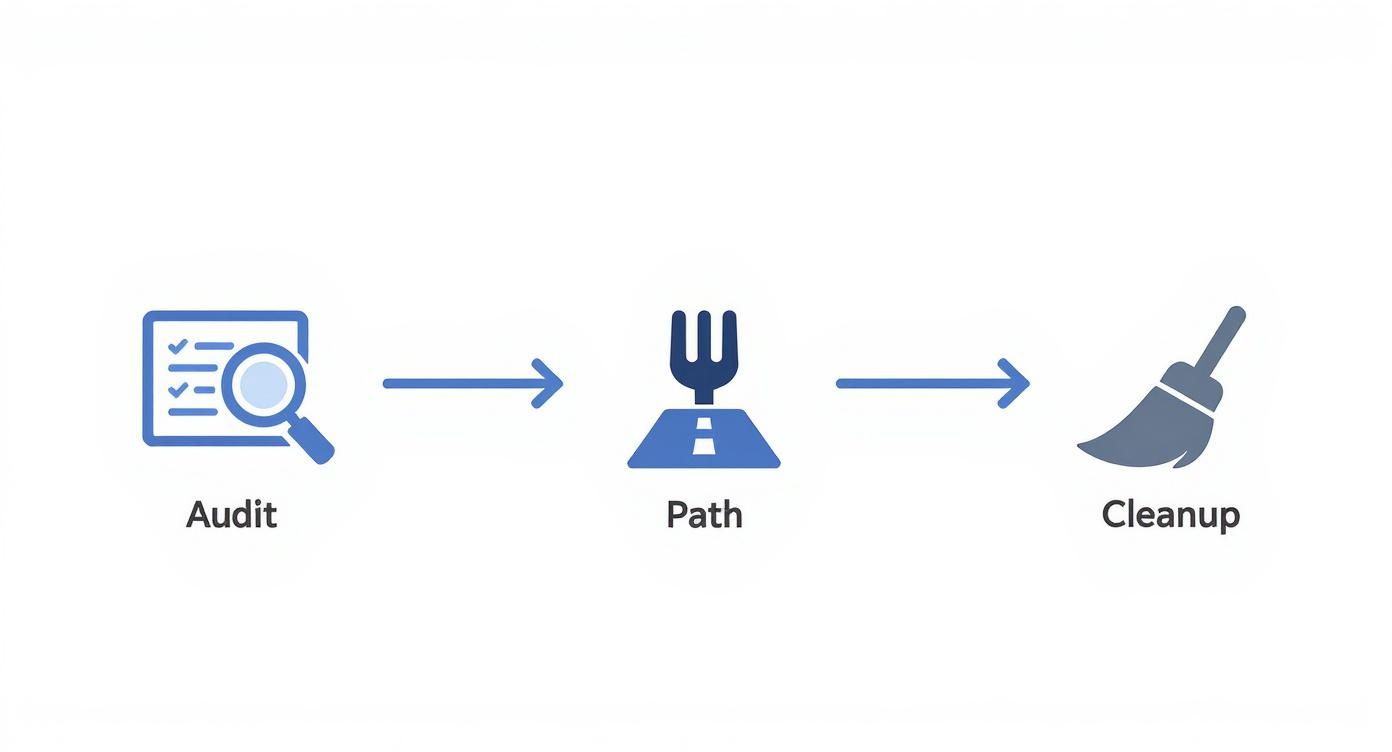
As you can see, a smooth transfer is less about the tool you use and more about the prep work you do beforehand.
Choosing Your Migration Tool
For almost everyone, using an automated migration app is the way to go. It's the most reliable and budget-friendly option. These tools are built to act as a bridge, intelligently mapping your BigCommerce data fields to the right spots in Shopify. Three of the most trusted names out there are LitExtension, Cart2Cart, and Matrixify.
While each app looks a little different, they all follow the same basic steps:
- Connect Your Stores: First, you’ll install the app on your Shopify store. Then, you'll provide your BigCommerce API details to create a secure link between the two platforms.
- Pick What to Move: You get a checklist of everything you can migrate. This includes products, customers, orders, and even things like blog posts. You choose exactly what you need.
- Start the Transfer: With a click, the app gets to work, pulling all the selected data from BigCommerce and populating it in your new Shopify store.
These tools are purpose-built, so they understand the little differences in how each platform organizes data. If you want to dive deeper into the nuts and bolts of a safe transfer, it’s worth reading up on data migration best practices.
A Closer Look at Matrixify
While most apps use a simple, step-by-step wizard, Matrixify (which you might know by its old name, Excelify) takes a different approach. It’s a powerhouse tool that works through spreadsheets, giving you an incredible level of control. It's the go-to for agencies and merchants who need to do some serious data cleanup during the move.
With Matrixify, you can export your data from BigCommerce into a CSV or Excel file, tweak it in their specific template, and then import it cleanly into Shopify. This is perfect for fixing messy product titles, bulk-updating SEO descriptions, or mapping unique custom fields before anything even lands in your new store.
Navigating Common Data Hurdles
Because no two platforms are exactly the same, you’re bound to hit a few snags where data doesn't translate perfectly. Knowing what these are ahead of time will save you a ton of stress.
-
Product Variants: BigCommerce calls them "Product Options," while Shopify calls them "Variants." Your migration app should handle this translation, but you absolutely need to spot-check a few of your more complicated products afterward. Make sure all the sizes, colors, and other options carried over correctly.
-
Customer Passwords: This is a big one. For security reasons, customer passwords cannot be migrated. They are encrypted on BigCommerce's side, and no one can access them. You can move the customer accounts—their names, emails, and order history—but every single customer will have to set a new password on Shopify. The standard fix is to use an app like Bulk Account Inviter to send an email blast asking customers to "reactivate" their accounts once you go live.
-
Gift Cards: Active gift cards from BigCommerce usually can't be moved over directly. The common workaround is to export a list of all active cards and their balances, then manually create new ones in Shopify and email the new codes to your customers.
-
Order History: While your order history will transfer, sometimes the link between a customer and their past orders can be a bit fragile. It's critical to check that when a customer logs into their new account, their full purchase history is there waiting for them.
Pro Tip: Always run a small demo migration first. Most of these apps offer a free or cheap demo that moves just a handful of products and orders. This is the single best way to catch any potential mapping problems before you commit to moving thousands of records.
The data transfer is the heart of your project to move from BigCommerce to Shopify. Taking the time to pick the right tool and plan for these common issues is what ensures your new store launches on a solid foundation of clean and accurate data. For more detailed strategies on handling your data, check out our guide on https://scaleshopify.com/2025/04/22/shopify-data-migration/.
Now that your data is safely in Shopify, the fun part begins. This is where you get to build a storefront that's not just a copy of your old one, but a serious upgrade. Think of this as your chance to create a faster, sleeker, and more intuitive experience for your customers using Shopify's incredible design tools and app ecosystem.
The look and feel of your new store all comes down to its theme. You'll find a ton of great options in the Shopify theme store, both free and paid, and the right choice isn't just about the price. Free themes are fantastic if you have a simple product catalog; they're fast, well-supported directly by Shopify, and get the job done beautifully.
But if you're aiming to create a really distinct brand experience, a premium theme is often worth the investment. They typically run between $200 and $400 and unlock a much deeper level of design control and built-in features, giving you a real competitive edge. Whichever route you go, make sure it’s a mobile-first design. That’s non-negotiable, since most of your customers are probably shopping on their phones.
Finding Your New App Stack
One of the biggest worries I hear from merchants moving from BigCommerce is about losing familiar built-in features. My advice? Don't sweat it. For pretty much anything BigCommerce did, Shopify's app ecosystem has a more powerful and specialized tool to do it better. The trick is to map your old functions to new, top-rated Shopify apps.
You're essentially trading a jack-of-all-trades for a team of world-class specialists. This move gives you best-in-class performance for every single part of your business.
Here’s a quick rundown of common features you’ll need to replace, along with some of my go-to app recommendations:
- Loyalty & Rewards: Ditch the basic points systems. Apps like LoyaltyLion or Yotpo let you build sophisticated, tiered reward programs that actually drive repeat purchases.
- Product Reviews: Social proof is everything. With an app like Judge.me or Loox, you can start collecting photo and video reviews, which I've seen boost conversion rates in a big way.
- Subscriptions: If you rely on recurring revenue, a dedicated subscription app is a must. Recharge is the undisputed leader here, giving you powerful tools to manage your subscribers and fight churn.
- B2B/Wholesale: For brands with a wholesale business, Shopify Plus has an amazing B2B suite built right in. If you're on a standard Shopify plan, an app like Wholesale Gorilla will give you all the tiered pricing and B2B ordering features you need.
The goal isn't just to find replacements; it's to find upgrades. I've seen countless store owners discover that specialized Shopify apps give them way more marketing power than the all-in-one features they left behind. That's the real magic of the Shopify ecosystem.
Configuring Your Core Business Settings
Before you get too far into the design, it’s time to dial in the engine of your store. We're talking about the mission-critical settings in your Shopify admin that control how you get paid, ship products, and handle taxes. Nailing these details now is key to a smooth launch and headache-free operations later.
Setting Up Payments
Your first stop should be Shopify Payments. Activating it is a breeze and it immediately lets you accept all major credit cards. The real prize here, though, is access to Shop Pay, an accelerated checkout that millions of shoppers use. Its one-click payment experience can give your conversion rate a serious, immediate boost.
Configuring Shipping Rules
This is a good time to revisit the shipping strategy you had on BigCommerce. Shopify’s shipping settings are incredibly flexible, allowing you to create granular zones and rates based on things like product weight or order value.
- Define Your Shipping Zones: Start by setting up zones for every single region you ship to, whether it’s your city, your country, or international markets.
- Set Your Rates: Now, choose your strategy. Are you going with simple flat-rate shipping? Offering a free shipping threshold (like free shipping on orders over $75)? Or do you want to use live carrier-calculated rates?
- Add Package Dimensions: Don't skip this step! Saving your default box sizes in Shopify helps you get much more accurate shipping quotes at checkout, which prevents you from over or under-charging customers.
Managing Taxes
Taxes can feel overwhelming, but Shopify really does simplify things. For most merchants in places like the US, Canada, and the EU, Shopify can automatically calculate and collect sales tax based on your business address and your customer's location. Just make sure your address is correct and specify any other regions where you have a tax nexus. This automated system is a massive time-saver.
Protecting Your SEO Rankings During the Move
You've likely poured years of effort into building up your domain authority and clawing your way up the search engine rankings. The absolute last thing you want is for this migration to torch all that hard work. I've seen it happen; a sloppy SEO transition can absolutely tank a site's traffic overnight.
This makes protecting your SEO one of the most vital steps when you migrate from BigCommerce to Shopify.

Think of this not as one single task, but as a series of connected steps. You're essentially giving search engines like Google a clear roadmap of what’s changed and where to find your new pages. If you skip this, you’re looking at broken links, plummeting rankings, and a nosedive in organic traffic that can take months—if not longer—to recover from.
Mastering the Art of the 301 Redirect
The heart and soul of any SEO-safe migration is the 301 redirect. It’s basically a permanent change-of-address form for your webpages. A 301 tells search engines and user browsers that a page has moved for good, passing most of that hard-earned "link equity" (or "SEO juice") from the old URL to the new one. This is non-negotiable.
Your mission is to map out a 301 redirect for every single important page on your BigCommerce site.
- Product pages are your absolute top priority.
- Category pages (which Shopify calls collections) are next on the list.
- All blog posts and articles must be accounted for.
- Key informational pages like "About Us" or "Contact Us" can't be forgotten either.
It's just like setting up mail forwarding when you move. If you don't, your mail gets lost and people can't find you. Without redirects, your customers and Google get hit with a 404 "Page Not Found" error, which is a real ranking killer.
Implementing Your Redirect Strategy
The process is methodical but totally manageable. First, you need a complete list of all your current BigCommerce URLs. While you can often export this, I find using a web scraping tool like Screaming Frog to crawl your own site is far more thorough and reliable.
With your list of old URLs in hand, you need to find the corresponding new Shopify URL for each one. Their structures are different, so mapping this out carefully in a spreadsheet is crucial.
| BigCommerce URL Structure (Example) | Shopify URL Structure (Example) |
|---|---|
yourstore.com/product-name/ |
yourstore.com/products/product-name |
yourstore.com/category-name/ |
yourstore.com/collections/category-name |
yourstore.com/blog/post-title/ |
yourstore.com/blogs/news/post-title |
Once your mapping spreadsheet is complete and double-checked, you'll use Shopify's built-in "URL Redirects" feature. For any store with more than a few dozen pages, you'll want to upload a CSV file for a bulk import. Trust me, it’s a massive time-saver.
A common mistake is focusing only on product and collection pages. If you have a popular blog, redirecting every single article is just as critical for preserving the authority those posts have built over time.
Your Final SEO Pre-Launch Checklist
Redirects are the biggest piece of the puzzle, but they aren't the only one. Before you flip the switch and go live, run through this final checklist to make sure you've covered all your SEO bases.
- Migrate Metadata: Did your carefully crafted title tags and meta descriptions make the trip? Check your products, collections, and pages. This information is huge for your click-through rate from search results.
- Set Up Google Tools: Install Google Analytics on your new Shopify store. Make sure you use the same property ID to keep your historical data flowing. Crucially, you also need to add and verify your new Shopify domain as a new property in Google Search Console.
- Submit Your New Sitemap: The moment your site is live, find your new XML sitemap (it's usually at
yourstore.com/sitemap.xml) and submit it to Google Search Console. This is like sending Google an engraved invitation to come crawl your new site.
After launch, conducting a full Shopify SEO audit is an essential next step to identify any missed opportunities and ensure your new store is fully optimized for search. When you treat SEO as a core pillar of your migration plan from day one, you ensure your move to Shopify is a genuine upgrade, not a self-inflicted setback.
Your Final Launch and Post-Migration Checklist
You’ve made it to the home stretch. Your products are migrated, the theme looks great, and all your SEO redirects are queued up. This final phase is what really separates a smooth, professional launch from a frantic one filled with last-minute scrambles.
Before you even think about pointing your domain to its new home, you need to put your new Shopify store through a serious stress test. I mean it—you have to become your most demanding customer and try to break things. This isn't just about a quick click-through; it's a deep-dive quality check to make sure the customer experience is seamless from the second you go live.
The Ultimate Pre-Launch Testing Gauntlet
The absolute best way to catch problems is to act like a real customer. The goal here is to place several test orders using a live payment gateway. Don't skip this.
Here’s a quick rundown of what your testing should cover:
- A Single Product Purchase: This is your most common scenario, so make sure it's perfect.
- A Multi-Item Cart: Does everything add up? Check that cart totals, taxes, and shipping rates calculate correctly when multiple products are involved.
- Applying a Discount Code: Test both percentage-based and fixed-amount coupons to ensure they apply as expected at checkout.
- Testing Customer Accounts: Log in with one of your migrated customer accounts. Can you see the order history? Are the saved addresses there?
This hands-on testing is priceless. You’ll uncover hiccups that are completely invisible from the admin panel, like a confusing checkout flow or an unexpected payment gateway error.
The moment of launch is the absolute worst time to find out your payment processor is misconfigured. A few detailed test orders can save you from a flood of abandoned carts and frustrated customer emails on day one.
Flipping the Switch and Monitoring Performance
Alright, once you're confident everything is running like a well-oiled machine, it's time for the main event: pointing your domain to Shopify. This is the step that officially makes your new store the live version everyone sees.
After the domain switch propagates, your role shifts from builder to watchtower. You need to keep a close eye on your analytics and be ready for the first wave of customer feedback.
- Google Analytics Real-Time View: As soon as you launch, pull up your real-time analytics. Seeing that live traffic hit your new site is the first sign that your tracking code is installed and firing correctly.
- Google Search Console: Keep a tab open on Search Console. You'll want to watch for any new crawl errors that might pop up as Google starts to index the new site structure.
- Customer Feedback Channels: Monitor your email, social media DMs, and live chat like a hawk. Be prepared to jump on any issues or confusion customers might have as they navigate the new storefront for the first time.
This vigilant post-launch monitoring is what turns a good migration into a great one, setting you up for solid growth from the get-go.
Got Questions? We've Got Answers
Thinking about making the jump from BigCommerce to Shopify? It's a big move, and you've probably got a few questions buzzing around. Let's tackle some of the most common ones we hear from merchants just like you.
So, How Long Does This Whole Migration Thing Take?
Honestly, it really depends on the size and complexity of your store. There's no one-size-fits-all answer.
If you have a fairly small shop—say, under 1,000 products—you could be up and running on Shopify in as little as 1-2 weeks. For most medium to large stores, a more realistic timeline is 2-4 weeks.
Now, if you're an enterprise-level brand with tons of custom code, complex integrations, and a massive catalog, you'll want to budget more time. These projects can often take 8-12 weeks, sometimes even longer. The key to a smooth process, no matter the size, is solid upfront planning.
Am I Going to Wreck My SEO Rankings?
This is probably the biggest fear for any established store, and it's a valid one. But the good news is, you can absolutely protect your hard-earned search rankings. It just requires a careful, deliberate strategy.
The most critical piece of the puzzle is setting up 301 redirects. Think of these as a permanent change of address for Google. Every single URL from your old BigCommerce site needs to point directly to its new home on Shopify. This prevents those dreaded 404 "page not found" errors that kill traffic.
Of course, you'll also need to migrate all your meta titles and descriptions to keep your on-page SEO consistent.
A classic mistake we see all the time is merchants only redirecting their main product and category pages. They completely forget about their blog. If you have years of content driving organic traffic, failing to redirect those posts can seriously tank your authority.
Can I Bring My Customer Passwords Over?
For security reasons, this is a firm no. Customer passwords are encrypted, and you can't (and shouldn't) be able to access them. It's just not possible to move them from one platform to another.
So, what's the standard workaround? You migrate all the customer accounts and their complete order histories. Then, right after your new Shopify store goes live, you use an app like Bulk Account Inviter to send a welcome email to your entire customer list. This email prompts them to click a link, create a new password, and officially activate their account on the new site.
Ready to make the move? The expert team at E-commerce Dev Group specializes in seamless, SEO-friendly migrations from BigCommerce to Shopify. Get in touch today to discuss your project.
