


Think of a Shopify SEO audit as a vital health check for your online store. It's the only way to systematically uncover the technical glitches, content gaps, and user experience hiccups that are quietly holding you back from showing up in search results. It’s the essential first move in building a solid foundation for organic traffic that actually converts into sales.
Why Your Store Needs a Shopify SEO Audit
Let's be real. As a Shopify store owner, your brain is probably overflowing with product sourcing, inventory management, and marketing campaigns. It’s completely normal for something like search engine optimization to get pushed to the side, especially with the common belief that Shopify just handles it all automatically.
That assumption, however, can be a silent killer for your growth.
You might not think much of a slow-loading page or some messy product tags, but these "minor" issues add up. Over time, they can seriously sabotage your organic traffic and bleed potential revenue. You could have the most incredible products on the market, but if Google can't easily find, understand, and rank your pages, you're practically invisible to a huge chunk of your target audience.
The Audit as a Growth Playbook
Instead of seeing an audit as a dry, technical task, think of it as a strategic growth plan for your business. It's an objective look at your store from a search engine's perspective, pointing a spotlight directly on your biggest opportunities.
A thorough audit gives you a clear, actionable roadmap by digging into a few critical areas. A 2025 analysis shows any worthwhile audit has to look at on-page elements like titles and descriptions, site speed (a confirmed Google ranking factor), and how well your store works on mobile—especially since over 60% of all web traffic now comes from phones. You can find out more about what a modern audit involves by checking out this guide: https://scaleshopify.com/shopify-store-audits/
The real magic of an audit is that it turns vague problems into a concrete to-do list. You stop guessing why sales are flat and get a prioritized set of fixes that can directly boost your bottom line.
Your Initial Shopify SEO Health Check
This first look gives you a quick sense of where to focus for the biggest impact. The table below breaks down the main areas of a Shopify SEO audit and shows how fixing common problems can lead to real results.
| Audit Area | Common Problem | Potential Impact of Fixing |
|---|---|---|
| Technical SEO | Broken links, duplicate content, poor site structure. | Improved crawlability for search engines, better user experience. |
| On-Page SEO | Missing meta titles/descriptions, unoptimized product pages. | Higher click-through rates from search, better keyword rankings. |
| Content | Thin or generic product descriptions, no blog content. | Attracts more qualified traffic, builds brand authority. |
| Performance | Slow page load speeds, large uncompressed images. | Reduced bounce rates, higher conversion rates, better mobile rankings. |
Uncovering these issues is the first step toward making significant, lasting improvements to your store's performance.
To get the full picture, it helps to understand how these pieces fit into the broader world of e-commerce. This guide on 10 Ecommerce SEO Best Practices lays out some foundational strategies that every successful online store needs.
Ultimately, a good audit helps you answer some tough but crucial questions:
- Are search engines actually crawling and indexing my most important pages?
- Is my site speed frustrating mobile shoppers and costing me sales?
- Is my content speaking the same language as my ideal customers?
Running a Shopify SEO audit is about taking back control of your organic growth. It ensures all the passion and hard work you pour into your products gets the visibility it deserves.
Auditing Your Technical SEO Foundation
Let’s talk about the technical side of SEO. I know, the word "technical" can be a bit intimidating, but stick with me. Think of it as the foundation of your house. If the foundation has cracks, it doesn't matter how great the furniture and paint look—the whole structure is at risk.
For your Shopify store, technical SEO is that invisible framework. If Google can't easily find, crawl, and understand your pages, all the time you spend on beautiful product photos and compelling descriptions won't move the needle. A Shopify SEO audit starts by checking these nuts and bolts to make sure your store is open for business to search engines.
Are Search Engines Finding Your Pages? Checking Crawlability and Indexing
Your first stop is always Google Search Console (GSC). It's a free tool that's basically a direct line to Google, telling you exactly how it sees your website. Inside GSC, head to the Indexing section and click on the "Pages" report. This is your command center.
Here, you'll see a clear picture of which pages are indexed (showing up in Google) and which aren't. You need to pay close attention to the reasons why.
- "Crawled – currently not indexed": This is a big one. It means Google found your page but decided it wasn't good enough to show in search results. I often see this with pages that have thin or duplicate content.
- "Discovered – currently not indexed": Google knows this page exists, maybe from a link, but hasn't bothered to crawl it yet. This can be a red flag for a weak internal linking structure or Google deciding your site isn't a priority.
- "Not found (404)": These are just broken links. A few are totally normal, but a long list of them hurts the user experience and eats up your "crawl budget"—the finite amount of resources Google dedicates to crawling your store.
Fixing these issues is critical. It’s what makes sure your most important product and collection pages are actually eligible to appear in search results in the first place.
The Shopify Duplicate Content Trap
I love Shopify, but out of the box, it can create a real mess with duplicate content if you aren't paying attention. This happens when the exact same content lives on multiple different URLs.
A classic example is how Shopify handles product tags and collections. The same exact product might be found at URLs like these:
/collections/all/products/your-product/collections/best-sellers/products/your-product/products/your-product
To a search engine, that looks like three identical pages. This splits your SEO power and confuses Google about which page to rank. The solution is something called a canonical tag. It's a simple snippet of code that points to the one "master" version of the page you want Google to index.
Thankfully, most modern Shopify themes handle this automatically now. But you absolutely must check.
Pro Tip: I always tell clients to double-check this themselves. Use a free browser extension like Detailed SEO, or just right-click on a product page, select "View Page Source," and search for
rel="canonical". The URL you find there should be the clean, primary one (like/products/your-product).
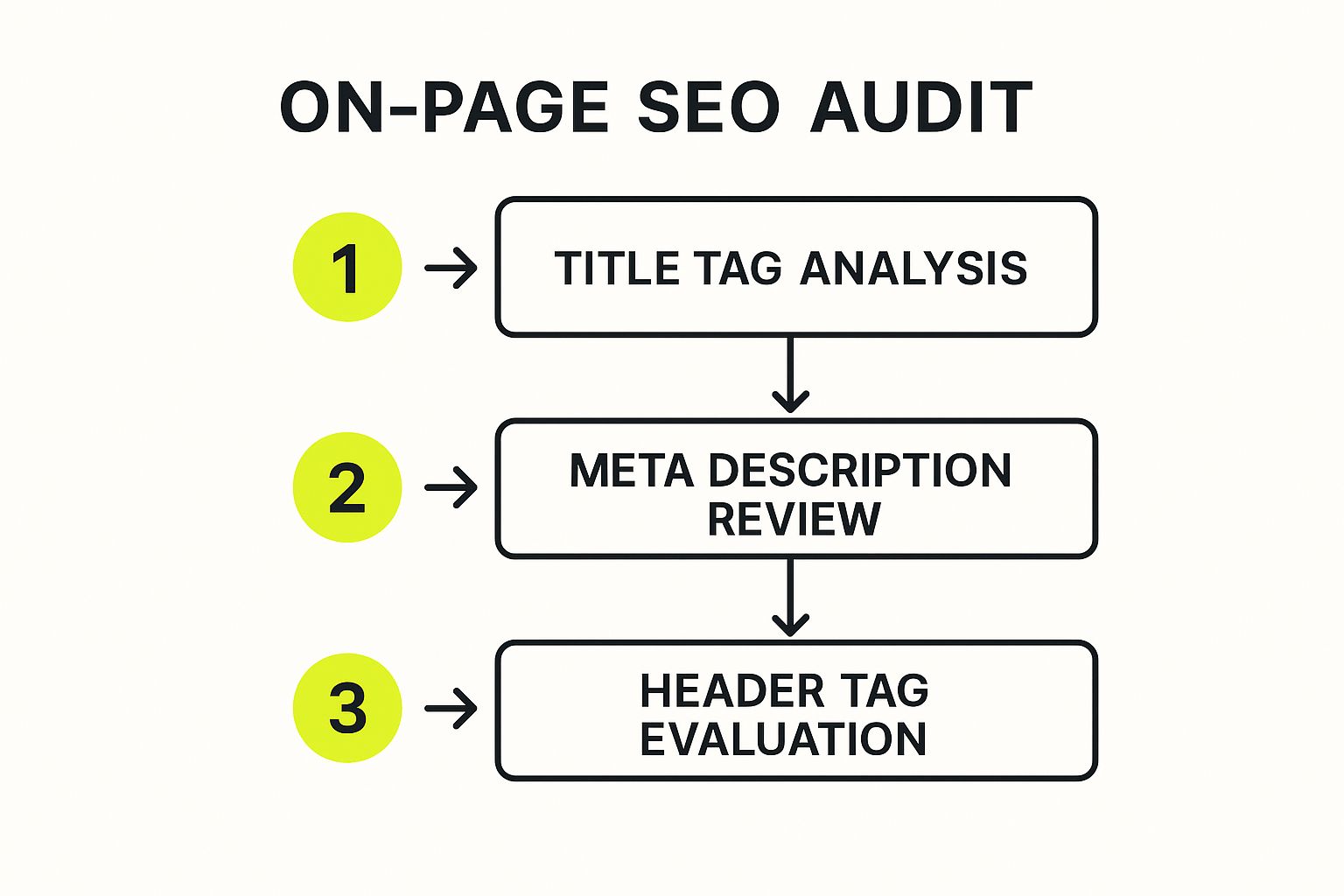
As you can see, getting the technical stuff right—like canonicals—ensures your on-page work on titles and content is concentrated on a single, powerful URL.
Guiding Google: Your Sitemap and Robots.txt File
Two other crucial files act as guides for search engines: your sitemap and your robots.txt file. Think of the sitemap as a map of your store and robots.txt as a set of "Staff Only" signs.
Your Sitemap: Shopify automatically creates a sitemap.xml file for you, which you can find at yourstore.com/sitemap.xml. During an audit, your job is simple: confirm this sitemap has been submitted to Google Search Console and give it a quick spot-check. Make sure your most important product and collection pages are actually listed. Sometimes apps or theme changes can accidentally exclude them.
Your Robots.txt File: This little file, located at yourstore.com/robots.txt, tells search engine bots which parts of your site they shouldn't crawl. Usually, you want them to stay out of cart, checkout, and admin pages. The default Shopify file is generally fine, but I've seen apps add custom rules that accidentally block important resources, like CSS or JavaScript files that Google needs to see how your site looks.
Getting these foundational elements right is a non-negotiable first step. If you want a more structured way to tackle this, a good technical SEO audit checklist can be a lifesaver, making sure you don't miss any of these critical checks.
Optimizing On-Page and Content Performance
Alright, once you've sorted out the technical nuts and bolts of your site, it's time to dive into what your customers actually see and read. I'm talking about your product pages, collection pages, and blog posts. This is where your Shopify SEO audit goes from a backstage check-up to the main event. Great on-page SEO is what connects a person's search to your product.
I see so many store owners make the same mistake: they just copy and paste the generic descriptions from their suppliers or write what they think sounds good. Your content has to pull double duty. It needs to speak Google's language with the right keywords, but it also has to convince a real person to hit that "Add to Cart" button.
Go Beyond Keywords and Get into Your Buyer's Head
The real goal here isn't just ranking for random keywords. It's about showing up for the searches that signal someone is ready to buy. This is where long-tail keywords are your secret weapon.
Sure, a term like "running shoes" is a huge target, but it's also insanely competitive. A search for "lightweight trail running shoes for wide feet," however? That’s someone who knows exactly what they need.
These hyper-specific phrases have less competition and convert like crazy. In fact, an incredible 70% of all e-commerce search traffic comes from these descriptive long-tail keywords. When I work with clients, focusing on these can boost their organic traffic by 30-50%.
The big mindset shift is moving from, "What keywords can I rank for?" to "What problem is my customer trying to solve?" The answer to that second question will point you directly to your most profitable keywords.
To uncover these gems, just think like your customer. What questions would they ask? What specific features would they be looking for? Tools like AnswerThePublic are a good start, but honestly, your own customer service emails and product reviews are often a goldmine.
Write Titles and Descriptions That Demand a Click
Your page title and meta description are your billboard on Google's search results page. They need to be sharp enough to grab attention and get the click, even if you’re not in the #1 spot.
Let's look at a quick example. Imagine you're selling a drone called the "AeroGlide."
- A Weak Title: AeroGlide Drone
- A Much Stronger Title: AeroGlide 4K Drone | 60-Min Flight Time & Auto-Tracking
See the difference? The second one is loaded with features that answer questions before the user even clicks. It’s got the model, key specs, and what makes it special.
The same goes for your meta description:
- A Weak Description: The AeroGlide Drone is a new drone with a camera. Buy yours today.
- A Strong Description: Capture stunning 4K video with the AeroGlide Drone. Enjoy an industry-leading 60-minute flight time, advanced auto-tracking, and obstacle avoidance. Free shipping included!
The strong example is all about benefits. It builds trust by getting specific and throws in an incentive. As part of your audit, pull up your top 10 product pages and look at them with this kind of critical eye. Are they earning the click?
Don't Forget Your Visuals and Page Layout
Every single image on your Shopify store is another chance to rank. Search engines can't "see" what's in a picture, so they depend on the alt text you provide.
- Bad Alt Text:
image123.jpg - Good Alt Text:
AeroGlide 4K Drone hovering over a mountain lake at sunset
That descriptive text helps your images show up in Google Images, which is another great source of traffic. It's also a must-have for accessibility.
Beyond your images, the structure of your page is key. Use headings (H2s and H3s) to break your product descriptions into scannable chunks. This isn't just good for users; it helps search engines understand the hierarchy of your information. For a deep dive into getting this right, a good On-Page SEO Checklist is an invaluable resource.
The Overlooked Power of Smart Internal Linking
Internal linking—simply linking from one page on your site to another—is one of the most underused SEO tactics I come across. It’s a shame, because it’s incredibly powerful.
Here’s why:
- It passes authority. A link from a popular blog post to a related product page sends a signal to Google that the product page is also important.
- It improves navigation. Linking between related products or from a guide to a collection page keeps people on your site longer, which is a great engagement signal.
- It helps Google find your pages. A solid internal linking structure ensures search engine crawlers can easily discover all the important content on your store.
For example, if you write a blog post on the "Top 5 Features to Look for in a Beginner Drone," you absolutely should be linking to your "AeroGlide 4K Drone" product page within that article. It's a natural, helpful link for both users and search engines. Making these on-page strategies a regular habit is a core part of long-term growth, which we cover more in our guide to Shopify SEO best practices.
Auditing Your Site Speed and Mobile Experience
https://www.youtube.com/embed/mqxImiV5JBs
In ecommerce, speed isn't a luxury; it's a core feature. Every fraction of a second a customer waits for your page to load is another chance for them to click away. A slow store directly leads to higher bounce rates, more abandoned carts, and, ultimately, lost sales. That's why site performance is a non-negotiable part of any serious Shopify SEO audit.
This isn’t just about keeping shoppers happy, either. Google has been very clear that page speed is a ranking signal, especially for mobile searches. If your store is sluggish, you're not just creating a clunky user experience—you're practically telling Google that your competitors should rank higher.
Decoding Your Core Web Vitals
To get a real, objective look at your store's speed, your first stop should be Google PageSpeed Insights. It's a free tool that analyzes your site and scores its performance based on Core Web Vitals. These are the three main metrics Google uses to measure what a real person actually experiences on your page.
Don't let the technical names throw you off. They're pretty straightforward:
- Largest Contentful Paint (LCP): This is all about loading speed. How long does it take for the biggest thing on the page—usually a hero banner or main product image—to show up? You're aiming for under 2.5 seconds.
- Interaction to Next Paint (INP): When someone clicks a button or taps on your page, how quickly does something happen? This measures responsiveness. A fast INP makes your site feel smooth and professional.
- Cumulative Layout Shift (CLS): Ever tried to click a button, only to have an image load and shove it down the page? That's CLS. It measures how much your page layout unexpectedly moves around as it loads.
These vitals give you a clear, data-driven picture of your site’s health. Improving a "poor" score here can directly lead to better rankings and a much smoother journey for your customers.
Hunting Down the Usual Suspects
When I find a slow Shopify store, the cause almost always boils down to a few usual suspects. Your job during an audit is to systematically check these areas to find the performance bottlenecks.
One of the biggest culprits, time and time again, is image size. Of course, you need crisp, high-resolution product photos. But if those images aren't compressed, they can be massive files that take an eternity to download. A single unoptimized image can easily add several seconds to your load time.
Another common problem is what I call "app bloat." Shopify apps are great for adding features, but every app you install adds more code (JavaScript and CSS) that has to load. I’ve audited stores with 30+ apps installed, many of which were barely being used, just slowing the site down and causing conflicts.
Pro Tip: As part of your audit, make a spreadsheet of every single app you have installed. List what it does and how critical it is. If you haven't touched an app in three months or can't justify its existence, uninstall it. Removing even a few unnecessary apps can give you an immediate speed boost.
Finally, your Shopify theme itself plays a huge role. Some older or poorly coded themes were just not built for today's performance standards. If you’ve squashed your image sizes and cleaned out your apps but your store is still slow, it might be time to think about moving to a faster, more modern theme.
The Mobile-First Reality Check
Let's be real: most of your customers are probably browsing on their phones. Your mobile experience can't be an afterthought; it has to be perfect. A proper mobile audit is more than just shrinking your browser window to see if it "looks okay."
You need to test the entire journey from a customer's perspective:
- Can you easily navigate the menu with your thumb?
- Are the product filter buttons big enough to tap without having to zoom in?
- Is the checkout process dead simple, with as few fields as possible and easy options like Apple Pay or Google Pay?
Any friction here will cost you sales. The only way to find these issues is to grab your phone and go through the entire purchase process yourself. This hands-on testing will uncover pain points that no automated tool can ever find.
For a deeper dive into a full-scale performance review, our guide on comprehensive Shopify performance optimization offers more advanced strategies. By prioritizing both speed and mobile usability, you're not just doing good SEO; you're building a store that people genuinely enjoy using.
Building Your Sustainable SEO Improvement Plan

Finishing a Shopify SEO audit feels good, but it's really just the starting line. A detailed report won't magically boost your rankings. The real work—and the real value—comes from turning those findings into a smart, consistent action plan. One big burst of activity might give you a temporary lift, but lasting success is built on a sustainable process.
The trick is to not get overwhelmed. Your audit probably unearthed a laundry list of issues, from tiny technical tweaks to huge content projects. If you try to do it all at once, you'll burn out. You have to be ruthless about prioritizing.
How to Prioritize Your SEO Fixes
I've found the best way to handle this is to sort every single task from your audit into a simple matrix based on its potential impact and the effort required. This gives you a clear visual roadmap of what to tackle first.
-
High-Impact, Low-Effort: These are your quick wins. Jump on these immediately. We’re talking about things like fixing critical crawl errors in Google Search Console, adding missing meta titles to your top-performing pages, or compressing a few huge images slowing down your homepage.
-
High-Impact, High-Effort: These are the big-ticket items that will really move the needle. Think of a complete rewrite of your core product descriptions or a technical overhaul of your site structure. These are major projects, so you'll need to schedule them out over the coming months.
-
Low-Impact, Low-Effort: These are the "nice-to-have" fixes. They're easy to do but won't dramatically change your rankings overnight. Fit these in whenever you have a bit of spare time between bigger tasks.
-
Low-Impact, High-Effort: Honestly? I'd push these to the very bottom of your list or even ignore them completely. Your time and resources are far too valuable to spend here.
This method turns a scary, massive checklist into a manageable workflow. You start by knocking out the quick wins, which gives you momentum and the motivation you need to tackle those larger, more involved projects down the road.
An audit isn’t a final exam; it’s a study guide. Its purpose is to direct your ongoing efforts toward the areas that matter most for growth, preventing you from wasting time on changes that won't make a difference.
Set Up a Continuous Monitoring System
SEO isn't a "set it and forget it" task. Your store is always evolving, your competitors are always making moves, and Google is always changing the rules. To stay on top of it all, you need a simple system for continuous monitoring. The best part is, the tools are free.
Get into the habit of checking in with Google Search Console (GSC) and Google Analytics 4 (GA4) every single week. In GSC, keep a close eye on the "Pages" report for new indexing errors and watch your click-through rates on important search queries. Over in GA4, monitor your organic traffic trends and see how users are engaging with your most valuable pages.
This regular check-in helps you establish a performance baseline for your site. When you spot a sudden traffic drop or a new spike in errors, you can jump on it right away before it snowballs into a serious problem. Stores that stick to this methodical process can see up to a 40% improvement in organic traffic over 12 months. What’s more, this proactive tracking can reduce unexpected ranking drops by as much as 50%. You can read more about the impact of structured SEO on Shopify to see the data for yourself.
By combining smart prioritization with diligent monitoring, you turn a one-off audit into a dynamic, ongoing strategy for growth. This is what separates the stores that get lucky from the ones that build lasting success.
Shopify SEO: Your Questions Answered
Even after going through a detailed audit process, it's natural to have some lingering questions. I get these all the time from store owners. Let's walk through some of the most common ones so you can move forward with confidence.
How Often Do I Really Need to Do a Shopify SEO Audit?
This is a big one, and the answer isn't just a one-time thing. Think of SEO like tuning a car, not just building it.
I always recommend a full-blown, top-to-bottom audit once a year. This gives you a comprehensive baseline to see what’s working and what isn’t over the long haul.
But you can't just set it and forget it for 12 months. That’s why I also push for smaller, more targeted health checks. A quarterly review is perfect for this. During these check-ins, focus on:
- Technical Health: Jump into Google Search Console and look for any new crawl errors or indexing problems. These can pop up unexpectedly.
- Key Page Performance: Keep a close eye on the organic traffic and keyword rankings for your money-making product and collection pages. Are they trending up or down?
And, of course, you should run a quick, targeted audit immediately after any major site change. This means things like launching a new theme, migrating from another platform, or doing a massive product import. A proactive check here can save you from a world of headaches down the road.
What Are the Best Free Tools for a Shopify SEO Audit?
You'd be surprised how much ground you can cover without spending a cent. A few tools are simply non-negotiable if you're serious about your store's SEO.
Your first stop should always be Google’s own tools. Google Search Console is your direct line of communication with the search engine, showing you exactly how it sees your site. Pair that with Google Analytics 4 to understand what people do after they arrive.
For a deep dive into site speed, Google’s PageSpeed Insights is the industry standard. It gives you a clear report card on your Core Web Vitals. When you need to get into the nitty-gritty of on-page elements like broken links or meta descriptions, the free version of Screaming Frog SEO Spider is a powerhouse. It crawls up to 500 URLs for free, which is plenty for most smaller stores to get a solid technical snapshot.
Can Shopify Apps Actually Hurt My SEO?
Yes, they absolutely can. While the Shopify App Store is full of amazing tools, they can be a double-edged sword for your site's performance. The main culprit? Code bloat. Every app you install adds more JavaScript and CSS, which can bog down your site and hurt your page load times—a huge factor for both search rankings and user experience.
Beyond just speed, some apps can create technical SEO messes, like generating duplicate content without you even knowing it.
A crucial part of your audit routine should be an honest review of every single app you have installed. Be ruthless. If you don't use it or it doesn't bring clear value, get rid of it.
For the apps you keep, try to figure out their performance hit. You can use PageSpeed Insights to test your site with an app temporarily disabled to see the impact. Always lean towards apps that are known for being lightweight and well-built.
What Is the Single Biggest SEO Mistake Shopify Owners Make?
I've seen it all, and the most common—and most damaging—mistake is easily relying on the generic product descriptions and titles provided by the manufacturer. It's a tempting shortcut when you're adding hundreds of products, but it's a killer for your SEO.
When you use the same description as every other store selling that product, you're creating a massive duplicate content issue for Google. Why should it rank your page over the ten others that say the exact same thing? Worse yet, those generic descriptions are never optimized for the specific, long-tail keywords that high-intent buyers actually search for.
Taking the time to write unique, compelling, and benefit-driven content for every product and collection page is one of the highest-impact SEO activities you can do. It's what will make you stand out from the crowd and attract shoppers who are ready to buy.
Ready to turn your audit findings into a high-performing Shopify store? The experts at E-commerce Dev Group specialize in custom Shopify design, development, and optimization. We build fast, reliable, and SEO-friendly stores that drive real growth. Let's build your success story together.
