

Landing in the spam folder is a punch to the gut for any e-commerce marketer. You pour time and creativity into the perfect campaign, only for it to disappear into a digital black hole. This isn't just bad luck—it's a clear sign that mailbox providers like Gmail and Outlook don't trust you yet.
Think of it like a credit score for your sending domain. Every single email you send either builds up your credibility or tears it down. To consistently hit the inbox, you have to prove you’re a legitimate sender who respects subscribers.
The Foundation of Email Trust
Improving your deliverability isn't about finding one secret hack. It's about building a solid foundation based on three core areas:
- Technical Authentication: This is your email’s digital passport. Protocols like SPF, DKIM, and DMARC prove to servers that you are who you claim to be, effectively shutting down impersonation and phishing attempts.
- Sender Reputation: This is the score mailbox providers give your domain and IP address. It’s directly impacted by your bounce rates, spam complaints, and whether you show up on any blocklists. A bad reputation is hard to shake.
- Audience Engagement: This might be the most important factor of all. When your subscribers consistently open, click, and reply to your emails, they’re sending powerful positive signals. Low engagement sends the exact opposite message.
To really nail your email deliverability, you have to tackle all three of these areas at once. The email world is unbelievably crowded. By 2025, it's estimated that over 347 billion emails will be sent every single day.
Despite the noise, email marketing still pulls in an incredible ROI of $42 for every $1 spent when you get it right. You can dive deeper into these email marketing statistics on Inboxally to see just how critical this channel remains.
This is why, in late 2023, Google and Yahoo rolled out much stricter requirements for bulk senders. They now demand stronger authentication and insist on keeping spam complaint rates incredibly low. The message is loud and clear: mailbox providers are raising the bar, and a comprehensive deliverability strategy is no longer optional.
Let's start with a quick overview of the most common issues we see and what it takes to fix them.
Quick Fixes for Common Deliverability Issues
Before we dive deep, here’s a high-level look at the typical problems e-commerce stores face. This table breaks down the issue, its likely cause, and the solution we’ll be covering in detail.
| Common Problem | Primary Cause | Quick Fix (Explained Later) |
|---|---|---|
| High Bounce Rates | Outdated or invalid email addresses. | Implement a regular list cleaning process to remove inactive subscribers. |
| Emails Go to Spam | Poor sender reputation or weak authentication. | Set up SPF, DKIM, and DMARC records and warm up your sending domain. |
| Low Open Rates | Unengaging subject lines or poor list segmentation. | A/B test subject lines and send targeted content to specific audience segments. |
| Getting Blocklisted | Sudden spikes in sending volume or high spam complaints. | Gradually increase sending volume and make unsubscribing easy and obvious. |
Think of this as your diagnostic cheat sheet. Now, let's get into the nitty-gritty of how to implement these fixes and build a bulletproof deliverability strategy from the ground up.
Get Your Technical House in Order
Think of inbox providers like Gmail, Outlook, and Yahoo as the bouncers at an exclusive club. Before your emails can even get in the door to wow your subscribers, they have to pass a strict ID check at the velvet rope. This is where email authentication comes in. It's the digital passport that proves your emails are legit and not some spammer trying to sneak in.
Nailing this technical foundation isn't optional—it's the absolute bedrock of good deliverability. If you skip it, you might as well attach a giant "I might be spam" sign to every campaign you send. Let's walk through the three key protocols you need to get right.
This whole process is about proving your identity, which is the very first hurdle your email has to clear, as you can see here.
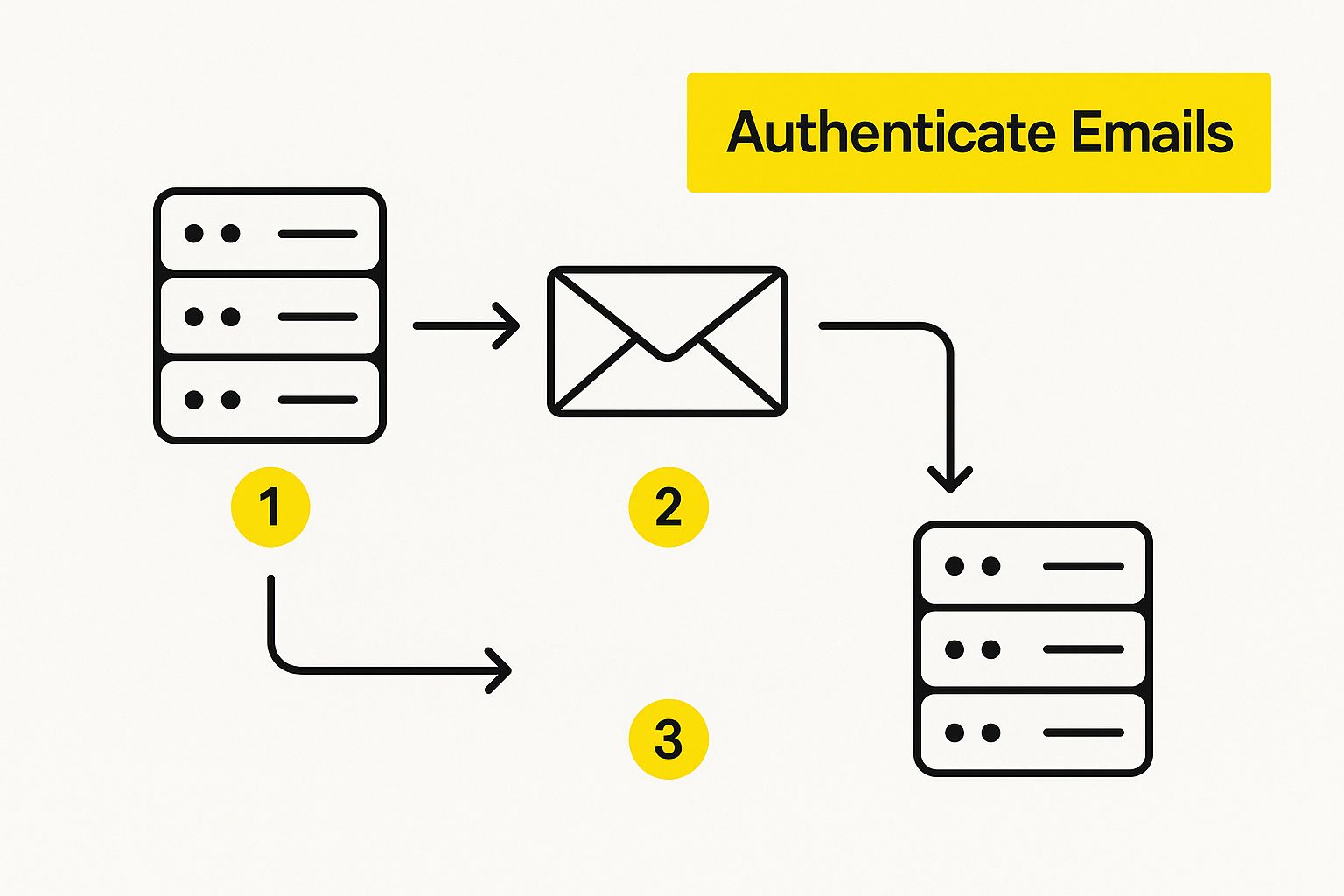
As this shows, authentication is that first checkpoint. Pass it, and you're on your way. Fail it, and the journey is over before it even begins.
SPF: The Approved Senders List
First up is the Sender Policy Framework (SPF). The easiest way to think about SPF is as an approved guest list for your domain. You simply add a special text record to your domain's DNS settings that lists all the servers and services authorized to send email on your behalf.
When one of your emails hits a receiving server, the server takes a quick look at your SPF record. Does the IP address that sent the email match one on your list? If yes, it passes the check. If not, it raises a red flag. It’s a straightforward but powerful way to stop phishers from spoofing your domain.
For instance, your email platform (like Klaviyo or Mailchimp) sends from its own IP addresses. By adding their SPF include to your record, you’re publicly telling the world, “Yep, these guys are with me. They have my permission.”
DKIM: The Tamper-Proof Seal
Next, you need to set up DomainKeys Identified Mail (DKIM). If SPF is the guest list, DKIM is like a high-tech, tamper-proof wax seal on your envelope. It adds a unique, encrypted digital signature to the header of every email you send.
This signature is created with a pair of cryptographic keys: a private key that stays secret on your sending server and a public key you publish in your DNS. The receiving server uses that public key to verify the signature. A successful DKIM check proves two critical things: that the email truly came from your domain and that it hasn't been altered one bit since it left your server.
It provides a much stronger layer of trust than SPF alone.
My Two Cents: Don't just set up one—you absolutely need both SPF and DKIM. They're designed to work together. I've seen brands struggle with inbox placement simply because they were missing one of these records. It’s an easy fix that makes a huge difference.
DMARC: The Security Guard Who Enforces the Rules
Finally, we bring it all together with Domain-based Message Authentication, Reporting, and Conformance (DMARC). DMARC sits on top of SPF and DKIM and tells receiving mail servers what to do if an email claiming to be from you fails those checks. It’s the rulebook that enforces your authentication.
But DMARC is more than just a bouncer. It's also an incredible intelligence-gathering tool. It sends you detailed reports about who is sending email from your domain, whether those emails are passing authentication, and which ones are failing. This visibility is priceless for spotting unauthorized senders and fixing deliverability problems.
You can set your DMARC policy to one of three levels:
- p=none: This is "monitoring mode." It tells servers to just report back on emails that fail, without taking any action. Always start here.
- p=quarantine: This policy tells servers to send any failing emails to the junk or spam folder. It’s the next logical step up.
- p=reject: This is the ultimate goal. It's a direct command to servers: "If an email fails authentication, block it completely. Don't even let it in."
Getting to a p=reject policy is the gold standard for email security. It sends a powerful signal to inbox providers that you're serious about protecting your brand and your subscribers from phishing. That trust is a massive factor in improving your deliverability for the long haul.
Keep Your Sender Reputation and List Health in Top Shape

Once your technical authentication is locked in, the real work begins. Now we need to talk about your sender reputation. Think of it as your brand's credit score with email providers like Gmail and Yahoo. They're always watching how people react to your emails, and that feedback directly impacts whether you land in the inbox or the spam folder.
A stellar reputation comes from one thing: trust. You earn it by consistently sending stuff people actually want to read. It’s not about having the biggest list; it’s about cultivating a healthy, engaged audience. This is where getting serious about list management becomes your secret weapon for killer email deliverability.
The Power of Proactive List Hygiene
Lots of folks think "list hygiene" just means zapping bounced email addresses. That's part of it, but it's really so much more. True list health means regularly pruning inactive contacts, validating new signups, and making sure everyone on your list genuinely wants to be there.
It all starts with getting the right people on your list in the first place. For a fantastic deep dive, check out this guide on building healthy email lists that will actually grow your business, not just your contact count.
My Two Cents: Your email list isn't a trophy to put on a shelf; it's a garden. You have to pull the weeds (unengaged subscribers) so your flowers (loyal customers) can grow. I'll take a small, engaged list over a huge, dead one any day of the week.
To help you stay on top of this, I've put together a simple action plan. Think of it as a routine check-up for your email list.
Email List Hygiene Action Plan
Here's a straightforward checklist to guide you through cleaning and maintaining your email list. Sticking to a regular schedule for these tasks is the key to maintaining high deliverability rates over the long term.
| Action Item | Frequency | Impact on Deliverability |
|---|---|---|
| Verify New Subscribers | Instantly (via double opt-in) | High |
| Run Re-Engagement Campaigns | Quarterly | High |
| Remove Unengaged Contacts | Quarterly or Bi-Annually | High |
| Monitor Bounce Rates | Every Campaign | Medium |
| Check Spam Complaint Rates | Every Campaign | High |
| Update Subscriber Preferences | Annually | Medium |
This isn't a one-and-done task. Consistent, proactive list management is what separates the brands that thrive in the inbox from those that get flagged as spam.
Put a Double Opt-In in Place
One of the best moves you can make for a high-quality list is using a double opt-in process. It’s simple: when someone signs up, they get a confirmation email and have to click a link to be officially added.
This one little step works wonders for your deliverability:
- It kills typos and fakes. No more bad email addresses or spam bots polluting your list from the get-go.
- It confirms real interest. You know for a fact that every single person on your list truly wants your emails. That leads to much better engagement later.
- It slashes spam complaints. People who actively confirm they want to hear from you are way less likely to get annoyed and hit the spam button.
Yes, it adds a tiny bit of friction to the signup process, but the long-term payoff of a clean, highly engaged list is massive.
Let Go of Your Unengaged Subscribers
I know it’s hard, but holding onto subscribers who haven't opened your emails in months is hurting you. These inactive contacts are a dead weight on your sender reputation, signaling to email providers that your content isn't hitting the mark.
This is why you need a sunset policy. It’s just a formal way of identifying and removing people who have stopped engaging.
Here’s how to get started:
- Define "Inactive." First, decide what that means for your brand. For most e-commerce stores, if someone hasn't opened or clicked an email in 90-120 days, it's a safe bet they've tuned out.
- Try to Win Them Back. Before you cut them loose, send a re-engagement campaign. Use a great offer or a simple "Are we breaking up?" email to get their attention.
- Say a Graceful Goodbye. If they don't bite, it's time to let them go. Don't delete them, but suppress them from all future marketing sends.
This practice immediately boosts your open rates and shows providers you're a responsible sender. Better yet, you can automate the whole thing. Our guide on Shopify marketing automation shows you exactly how to build these workflows.
Use Segmentation to Send What People Want
Blasting the same email to your entire list is a surefire way to get ignored. Segmentation is your solution. It’s all about dividing your audience into smaller, more specific groups and sending them content that’s hyper-relevant to them.
When your messages feel personal, people are far more likely to open, click, and buy. All that positive engagement is gold for your sender reputation.
Try segmenting your list by:
- Purchase history: Send them offers related to things they've bought before.
- Browsing behavior: Follow up on products they checked out but didn't buy.
- Engagement level: Give your VIPs exclusive perks and early access.
In 2025 and beyond, you should be aiming for an inbox placement rate of 95% or higher. It's tough, but doable. The numbers you absolutely must watch are your spam complaint rate (keep it under 0.1%) and your bounce rate (stay below 2%). Focusing on list health and relevance is how you meet—and beat—these high standards.
Create Content That Inboxes Actually Welcome

Okay, you’ve done the heavy lifting on the technical side and your email list is sparkling clean. That's a huge part of the deliverability puzzle. Now we get to the fun part: the email itself.
What you put inside your email—and how you build it—plays a massive role in whether you land in the primary inbox or get bounced to spam. You have to think like a spam filter. These algorithms are incredibly sophisticated now, checking everything from your code to your links to decide if you're legit. Getting this right means creating content that delights both your subscribers and these digital gatekeepers.
Balance Your Text and Images
One of the oldest tricks in the spammer's playbook was to send an email that was just one big image. This was a sneaky way to hide trigger words and shady links from filters that could only read text. Because of that history, inbox providers are still very suspicious of image-heavy emails.
While great product photos are non-negotiable for e-commerce, you have to strike a balance. A good rule of thumb is to aim for a ratio of roughly 80% text to 20% images. It’s not a hard-and-fast rule, but it's a solid guideline to keep you safe.
Here are a few practical habits to get into:
- Use Live Text: Never bake your headlines, CTAs, or prices into an image. Always use standard HTML text for the important stuff.
- Always Use ALT Text: Every single image needs descriptive alt text. It’s essential for accessibility, and it gives spam filters crucial context, which they view as a sign of a thoughtful sender.
- Test with "Images Off": A great gut check is to preview your email with images disabled. Can someone still understand the core message and find the main CTA? If the email is incomprehensible, you're relying too much on visuals.
This approach makes your email functional even if images don’t load, which is a better user experience and a powerful trust signal for providers.
Avoid Spam Trigger Words and Shady Tactics
The idea of a master list of "spam trigger words" that instantly gets you blacklisted is mostly a myth these days. Modern filters are way smarter than that; they look at context, your reputation, and how people engage with your emails.
That said, certain patterns can absolutely raise a red flag, especially if you have other issues.
It's less about avoiding specific words and more about avoiding spammy behavior. For example, sending an email with the subject "Free Gift!" to your most engaged VIP customers is probably fine. But sending a cold list an email with the subject "FREE GIFT NOW!!!!!!" is a one-way ticket to the junk folder.
Key Takeaway: Spam filters care more about intent and context than individual words. Avoid deceptive subject lines, excessive capitalization, and over-the-top urgency. Focus on providing genuine value, and the content will naturally avoid these pitfalls.
Mastering compelling copy that doesn't rely on clickbait is a core email marketing skill. For a deeper dive, check out our guide on how to write a newsletter that people are actually excited to open.
Keep Your Links Clean and Trustworthy
Every link in your email is under a microscope. Mailbox providers scrutinize each URL to build a profile of your trustworthiness. Get this wrong, and your deliverability will suffer.
Here’s a simple checklist to follow for every campaign:
- Avoid URL Shorteners: Services like Bitly are a favorite tool for spammers trying to hide malicious links. Always link directly to the full URL on your website.
- Link to Reputable Domains: Only link out to your own verified store or other highly trusted websites. Linking to a low-reputation domain can tarnish your own sender score by association.
- Ensure Consistency: The text of your link should match its destination. A link that says
yourstore.com/new-arrivalsbut points to a weird, unrelated domain is a classic phishing tactic that filters will catch immediately.
Prioritize Clean and Responsive HTML
Finally, the code behind your email really does matter. Sloppy, broken, or bloated HTML can cause major rendering issues in different email clients, which spam filters see as a sign of an unprofessional sender.
Your email's code should be clean, simple, and mobile-responsive. With most emails now opened on phones, a mobile-first design isn't just a "nice-to-have" for user experience—it's a deliverability signal. Inbox providers want to see that you're sending emails optimized for their users, and a perfectly rendered mobile email tells them you're doing just that.
How to Monitor Your Deliverability Over Time
Getting your emails to the inbox isn't a "set it and forget it" task. Think of it as keeping a garden—it needs constant attention to thrive. You have to keep a close eye on your performance, and thankfully, you don't have to guess. There are some fantastic tools and key metrics that act as your early-warning system.
By actively monitoring your reputation, you can catch problems like a sudden jump in spam complaints or a blocklist placement long before they do real damage. This is what separates the brands that consistently hit the inbox from those that are always struggling to get seen.
This vigilance is more important than ever. Over the last five years, the average inbox placement rate worldwide has been slowly creeping down. While Europe still sees a strong 91% of emails land in the inbox, the Asia-Pacific region only averages 78%. This just goes to show that great deliverability is about more than just a technical setup; it's about knowing how your emails are actually performing everywhere. If you want to dive deeper, you can explore more about these global email deliverability trends on Warmy.io.
Leverage Google Postmaster Tools
If you send emails to anyone with a Gmail account (and let's be honest, who doesn't?), then Google Postmaster Tools is an absolute must-have. It’s a free and incredibly powerful resource that gives you a direct look at how Google’s massive email ecosystem sees your sending domain. It’s like getting a peek behind the curtain at the world's biggest mailbox provider.
Once you get your domain verified, you unlock several dashboards that track mission-critical data:
- IP Reputation: A simple score from Bad to High that tells you the health of your sending IP.
- Domain Reputation: A similar score for your sending domain, which I'd argue is even more important these days.
- Spam Rate: This is the percentage of emails that actual Gmail users marked as spam. You want this number to be as close to zero as humanly possible.
- Authentication: A quick check showing what percentage of your mail passed SPF, DKIM, and DMARC.
This screenshot gives you a glimpse of the main dashboard, offering a quick, at-a-glance view of your reputation and any delivery errors.
A dashboard like this is your command center for understanding your relationship with Gmail. It lets you spot and diagnose issues fast.
Decode Your DMARC Reports
Remember setting up DMARC? Part of that process involves getting regular reports that detail who is sending email from your domain. On their own, these raw XML reports are a headache to read. But several third-party services can translate them into clean, easy-to-read dashboards.
These reports are your best line of defense against phishing and spoofing. They show you every single server—legitimate or not—that’s trying to send mail using your domain name. If you spot a source you don't recognize that's failing authentication, you can jump on it immediately. This visibility is essential for protecting your brand and ensuring only your authorized emails get delivered, which in turn strengthens your sender reputation.
Key Metrics to Watch in Your ESP
Your Email Service Provider's dashboard is another goldmine of information, but you have to know which numbers truly matter for deliverability. It's time to look past just opens and clicks and focus on the real health indicators.
The metrics inside your ESP are your first alert system for campaign-level insights. For a broader look at using data effectively, our guide to the Shopify analytics dashboard has some great principles that also apply here.
My Two Cents: Don't get hung up on open rates as your main deliverability metric. With Apple's Mail Privacy Protection hiding a lot of that data, it's just not reliable anymore. Instead, laser-focus on your spam complaint rate and bounce rate. These are direct, unfiltered signals from mailbox providers telling you exactly what they think of your list health and content.
For every single campaign you send, keep a close watch on these metrics:
- Bounce Rate: Your hard bounce rate—from permanently invalid addresses—should always be under 2%. If you see a sudden spike, you've got a list quality problem.
- Spam Complaint Rate: This is the big one. Your complaint rate needs to stay below 0.1%. Anything higher is a massive red flag for inbox providers like Gmail and Outlook.
- Unsubscribe Rate: While it's not a direct deliverability signal, a high unsubscribe rate is a clear sign that your content isn't hitting the mark with your audience.
By tracking these numbers over time, you'll establish a baseline for what "normal" looks like for your brand. That makes it incredibly easy to spot when a campaign is going off the rails and fix it before it causes lasting damage.
Got Questions About Email Deliverability? We've Got Answers.
As you start putting these strategies into action, you're bound to have some questions. It's totally normal. Let's tackle some of the most common ones I hear from e-commerce marketers, so you can move forward with confidence and get your campaigns seen.
What's the Real Difference Between Delivery and Deliverability?
People mix these two up all the time, but they're worlds apart. Getting this right is the first step in knowing how to improve email deliverability.
- Delivery is the simple part. It just means the receiving server said "Yep, got it!" and didn't bounce your email back.
- Deliverability is what actually matters. This is about where that email landed. Did it hit the primary inbox, or did it get shoved into the spam folder or buried in the promotions tab?
You can have a 100% delivery rate and still be failing miserably if all your emails are going straight to junk. Your true goal isn't just delivery; it's inbox placement.
Key Takeaway: Think of it this way: Delivery gets your mail to the post office. Deliverability gets it into the recipient's hands. Always focus on deliverability.
How Long Does It Really Take to Fix a Bad Sender Reputation?
I wish I had a magic wand for this one, but fixing a damaged sender reputation is a marathon, not a sprint. Rebuilding trust with giants like Gmail and Yahoo takes time and consistent good behavior.
Honestly, the timeline depends on the damage. If you landed on a minor blocklist, you might be in the clear within a few days. But if you have a long history of high spam complaints and poor engagement, you could be looking at several weeks, or even a couple of months, of hard work to turn things around.
Your comeback plan needs to be flawless: nail your domain authentication, be ruthless about cleaning your list, and only send content you know your audience will love. For a deeper dive into recovery tactics, the team at Outreach Today has a great guide on how to improve email deliverability.
Do I Actually Need a Dedicated IP Address?
This comes up a lot, especially for stores that are starting to see real growth. For most e-commerce businesses, the answer is a simple "no."
Sticking with a shared IP address is usually the smarter move, especially if you're sending under 100,000 emails a month. You're essentially pooling your reputation with other reputable senders, which creates a stable, positive foundation that benefits everyone.
A dedicated IP address, on the other hand, puts you on an island. You have total control, which sounds great, but it also means you have total responsibility. One bad send or a sudden, massive spike in volume can tank your reputation instantly, and there's no one else to blame. It's a pro tool for high-volume senders with perfectly dialed-in practices. Until that's you, a shared IP is your best friend.
Ready to stop worrying about deliverability and start focusing on growth? At E-commerce Dev Group, we build high-performing Shopify stores with rock-solid technical foundations designed to maximize your marketing ROI. Let's build a store that delivers.
