

Inventory is more than just stock on a shelf; it's cash waiting to be unlocked. The right inventory tracking method can be the difference between fulfilling orders seamlessly and losing customers to 'out of stock' notifications. In a competitive market, manual counts and guesswork just don't cut it anymore. Mismanaging your stock leads to overselling, excess holding costs, and missed sales opportunities, draining your profits and damaging your brand's reputation.
Before diving into specific tracking methods, it's essential to have a clear understanding of the broader concept. A solid grasp of the fundamentals can provide the context you need, and this guide on What Is Inventory Management offers a great starting point for any founder. Understanding the 'why' behind these systems makes choosing the right 'how' much simpler.
This guide will explore 8 distinct inventory tracking methods, moving from foundational techniques like spreadsheets to cutting-edge technology such as IoT and blockchain. We'll break down the pros, cons, and specific Shopify implementation steps for each one. Our goal is to give you the clarity needed to choose the perfect system to streamline your operations, reduce errors, and scale your e-commerce business effectively.
1. Barcode Scanning
Barcode scanning is one of the most established and widely used inventory tracking methods. It relies on a simple yet powerful system: a unique barcode (like a UPC or EAN) is assigned to each product. This barcode, a series of parallel lines, stores a specific identifier. When scanned by an optical reader, this identifier instantly pulls up the associated product information from your central inventory database.
This method transformed retail and logistics by replacing slow, error-prone manual entry. Think about your local grocery store. Every item is scanned at checkout, which not only calculates your bill but also updates the store's stock levels in real-time, signaling when it's time to reorder. Amazon's fulfillment centers also use barcode scanning as a foundational layer for receiving, stowing, and picking items, ensuring accuracy across millions of products.
When to Use Barcode Scanning
Barcode scanning is ideal for businesses with a moderate to high volume of physical products that require a balance of speed, accuracy, and affordability. It's a significant step up from manual spreadsheets without the higher investment required for systems like RFID. If you handle dozens or hundreds of SKUs and need to quickly process receiving, sales, and cycle counts, barcodes offer a reliable solution.
Key Insight: The primary benefit of barcode scanning is its ability to drastically reduce human error. Manual data entry has an error rate as high as 1 for every 300 characters, while barcode scanning errors are as rare as 1 in 36 trillion, depending on the code type.
To illustrate the key metrics of this method, this quick reference summary visualizes its adoption, capacity, and cost.
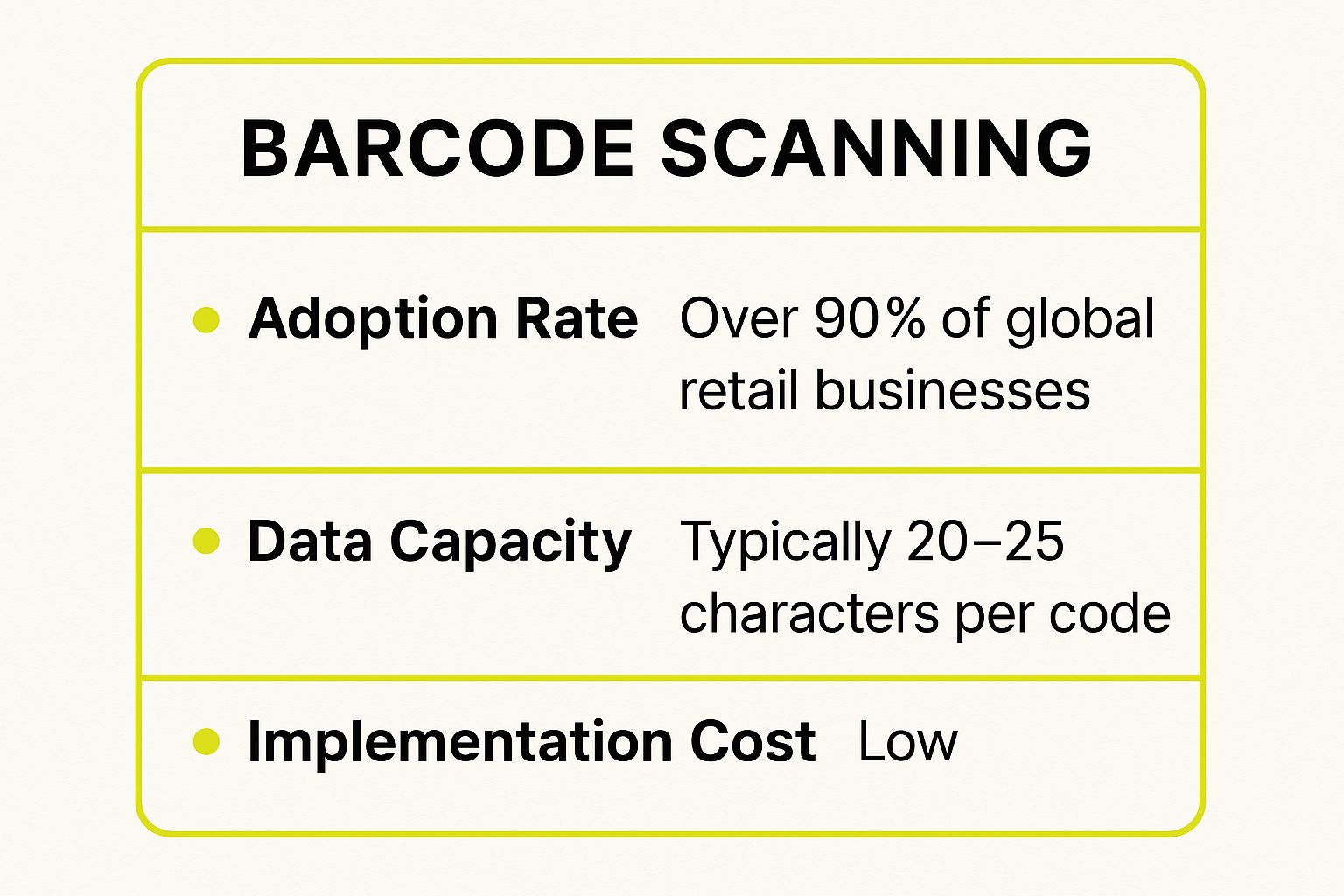
This data highlights why barcode scanning is a dominant choice: it's an accessible, low-cost technology that has become a near-universal standard in retail.
Implementation Tips for Shopify Merchants
Integrating barcode scanning into your Shopify workflow is straightforward and highly effective.
- Assign Barcodes: Use Shopify’s built-in functionality to add a barcode (UPC or GTIN) to each product variant in your product details. If your products don't have them, you can purchase official GTINs or use an app to generate unique internal barcodes.
- Invest in Quality Hardware: Purchase a compatible 2D barcode scanner. Shopify's own hardware store offers supported models that integrate seamlessly. Ensure you also have a quality label printer to produce clear, scannable barcodes.
- Leverage Shopify POS: For retail locations, the Shopify POS app turns your iPad or iPhone into a powerful scanning tool. Use it for checkout, receiving inventory transfers, and performing stock counts directly within the app.
- Train Your Team: Proper technique is crucial. Train staff to scan from the correct distance and angle, and establish a clear protocol for what to do if a barcode is damaged or unscannable, such as having a manual lookup procedure ready.
2. RFID (Radio Frequency Identification)
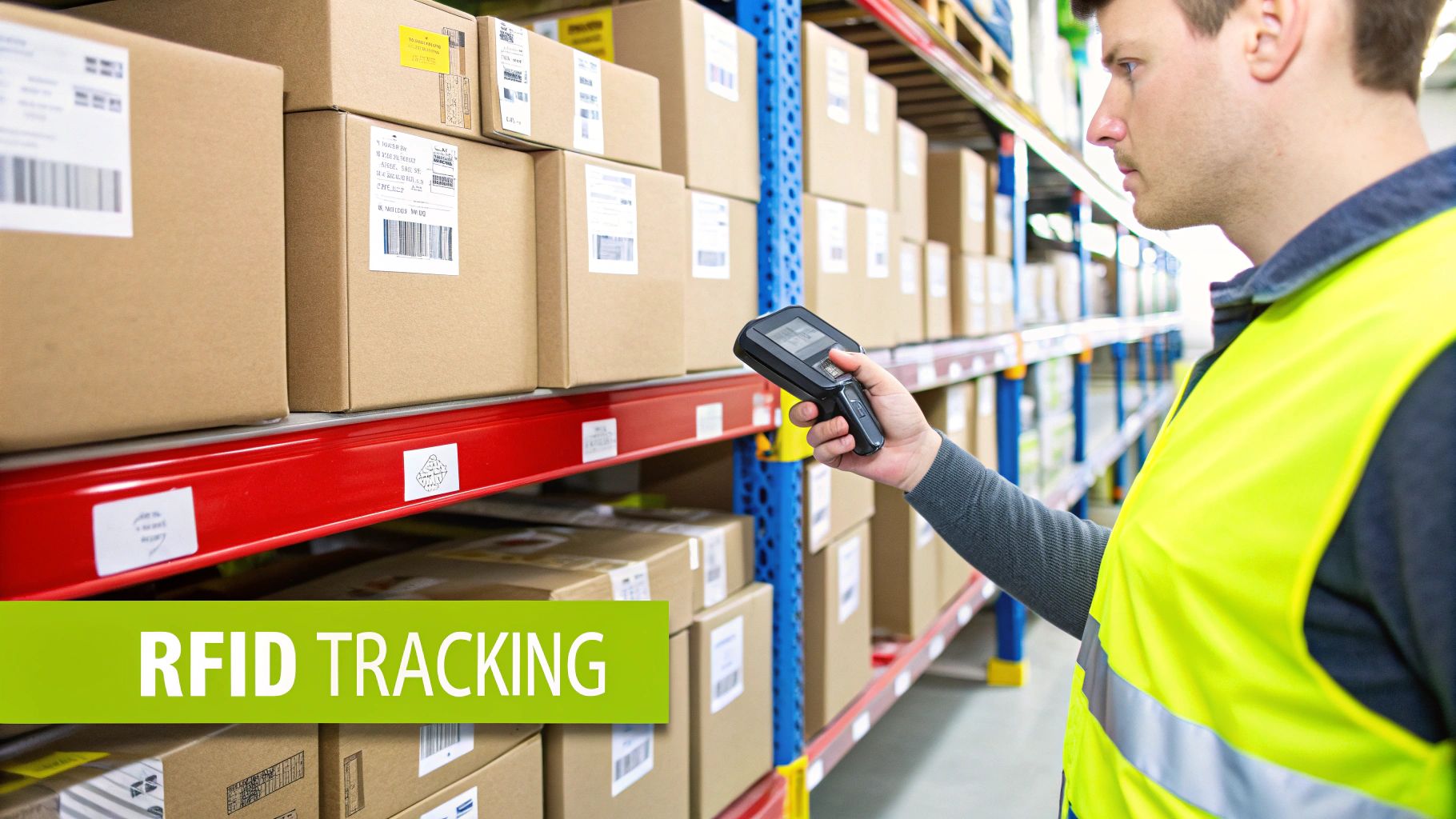
RFID (Radio Frequency Identification) is an advanced inventory tracking method that uses electromagnetic fields to automatically identify and track tags attached to objects. Unlike barcodes, RFID tags contain electronically stored information that can be read from several feet away without requiring a direct line-of-sight. An RFID reader sends out radio waves, and the tag responds with its unique identification data.
This technology allows for instantaneous and simultaneous scanning of hundreds of items. For example, apparel giant Zara uses RFID to track garments from the factory to the sales floor, enabling precise, real-time stock counts and reducing "out-of-stock" situations. Similarly, major retailers like Walmart leverage RFID in their supply chain to optimize inventory flow and improve accuracy.
When to Use RFID
RFID is best suited for businesses with high-value inventory or complex supply chains where speed, bulk-reading capabilities, and real-time visibility are critical. It's a significant investment, but it provides unparalleled efficiency for operations that need to track a massive volume of items quickly, such as large distribution centers, manufacturing facilities, or high-end retail. If your business is losing significant revenue due to stockouts, theft, or inefficient manual counts, RFID offers a powerful solution.
Key Insight: The game-changing feature of RFID is its "many-to-one" scanning capability. A single RFID reader can capture data from hundreds of tagged items per second, turning a cycle count that takes hours with barcodes into a task that takes just minutes.
To illustrate the key metrics of this method, this quick reference summary visualizes its adoption, capacity, and cost.
This data shows that while RFID is more expensive, its capacity for rapid, high-volume tracking makes it the superior choice for enterprise-level inventory management.
Implementation Tips for Shopify Merchants
Integrating RFID is a more complex undertaking, but it can provide a powerful competitive advantage for growing Shopify stores.
- Start with a Pilot Program: Before a full rollout, test RFID in a specific department or for a particular product line. This helps you identify challenges, measure ROI, and refine your processes on a smaller, more manageable scale.
- Choose the Right Tags and Readers: Select the appropriate RFID frequency (LF, HF, or UHF) based on your environment and needs. Consider tag placement on products to avoid interference from metals or liquids, which can disrupt radio signals.
- Integrate with Your Systems: Use a robust Shopify app or work with a developer to integrate your RFID reader data directly into your Shopify inventory and other systems like an ERP. This ensures data flows seamlessly across your business operations.
- Train Your Team on New Processes: RFID changes how inventory is handled. Provide thorough training for your staff on using the new equipment and understanding the updated workflows for receiving, counting, and managing stock.
3. QR Code Tracking
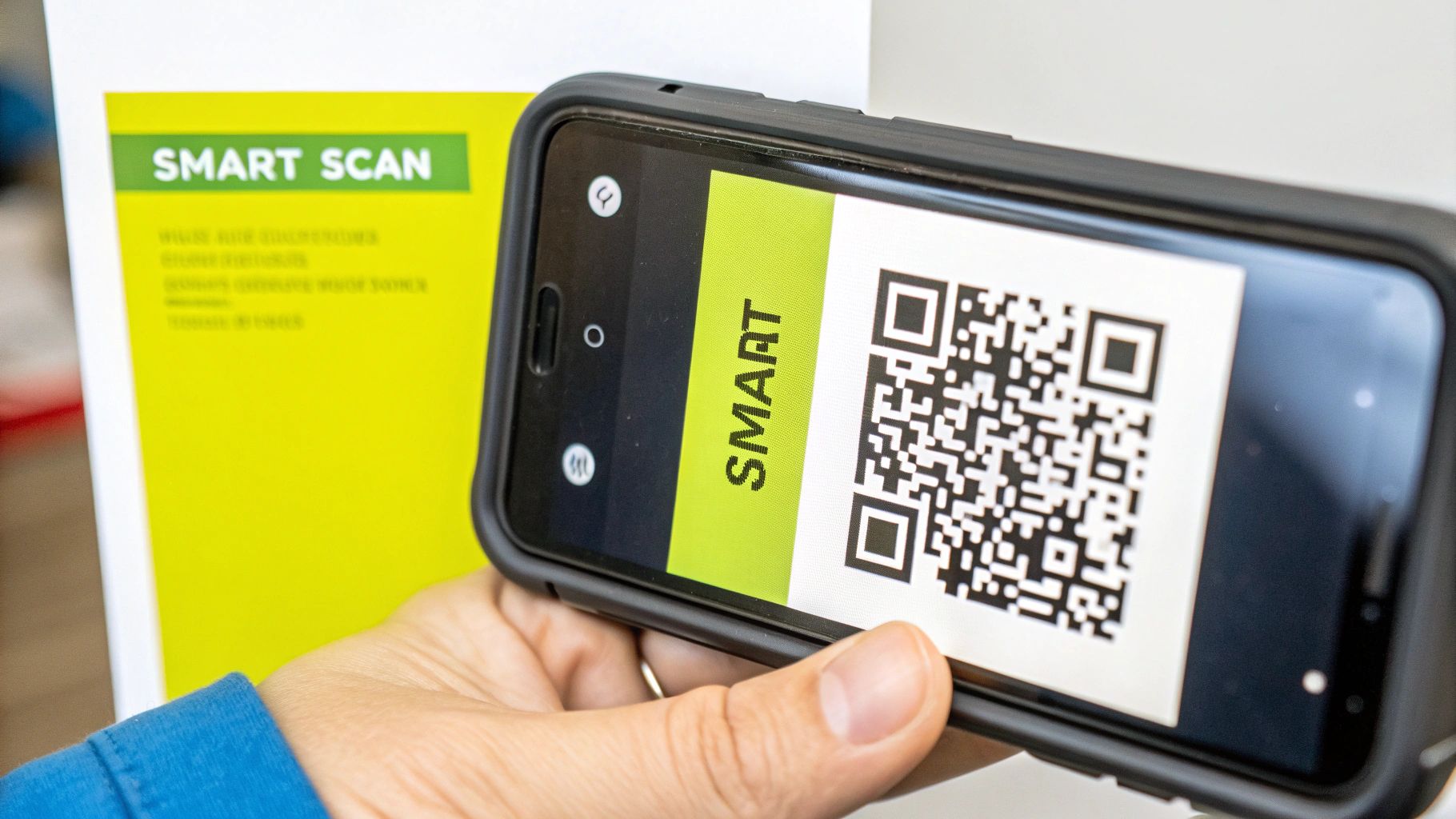
QR code tracking is an evolution of traditional barcoding, utilizing a two-dimensional matrix code that stores significantly more information. Unlike one-dimensional barcodes that hold a simple identifier, a QR code can contain data like serial numbers, batch numbers, website URLs, and manufacturing dates. This rich data capacity makes it a powerful tool among modern inventory tracking methods, scannable by nearly any smartphone camera or dedicated 2D scanner.
This technology has moved beyond its marketing origins to become a logistical powerhouse. In manufacturing, Toyota uses QR codes to track individual parts throughout the assembly line, ensuring precision and quality control. Similarly, pharmaceutical companies rely on them to embed critical lot and expiration data directly onto packaging, enhancing traceability and safety. The accessibility of scanning with a mobile device lowers the barrier to entry for advanced tracking.
When to Use QR Code Tracking
QR code tracking is ideal for businesses that need to store and access detailed information about individual items, not just identify them. It's perfect for managing products with expiration dates, warranty information, or complex assembly components. If you want to enhance customer engagement by linking physical products to digital content or need a low-cost system that leverages existing hardware like smartphones, QR codes are a versatile and effective solution.
Key Insight: The true power of QR codes lies in their ability to bridge the physical and digital worlds. A single scan can update inventory, provide a customer with a user manual, and register a product warranty, creating a multi-faceted interaction from one simple code.
When implementing QR code tracking, understanding how to analyze scan data is crucial for inventory management. For a comprehensive overview on this process, consider reading this guide to tracking QR code scans.
Implementation Tips for Shopify Merchants
Integrating QR codes can add a new layer of data and functionality to your Shopify store.
- Generate Dynamic Codes: Use a Shopify app like QR Code Generator Pro to create unique QR codes for products or even individual orders. You can link these codes to product pages, special landing pages, or PDF instruction manuals.
- Use for Internal Operations: Apply QR codes to your warehouse shelving, bins, and pallets. Staff can scan a location's QR code and then scan each product being placed there, streamlining put-away and picking processes without costly hardware.
- Enhance Product Packaging: Add a QR code to your product's packaging that links customers to a reorder page, a how-to video, or a warranty registration form. This adds value for the customer and provides you with valuable engagement data.
- Leverage Smartphones for Scanning: Equip your team with a mobile inventory management app that uses the smartphone camera for scanning. This eliminates the need for dedicated scanners, reducing hardware costs and making it easy for any team member to perform stock counts or process returns.
4. Spreadsheet-Based Tracking
Spreadsheet-based tracking is a foundational inventory management approach that uses software like Microsoft Excel or Google Sheets. It involves manually recording stock levels, sales, and new inventory arrivals in a digital ledger. Each product SKU has a row, with columns for data points like quantity on hand, cost, supplier, and reorder points.
This method is the digital evolution of pen-and-paper ledgers, offering greater calculation power and organization. For example, a small, home-based business selling handmade candles can use a simple Google Sheet to track wax, wicks, and jar supplies. As they sell finished products online, they manually deduct the items, giving them a clear, if basic, view of their stock levels without any upfront software costs.
When to Use Spreadsheet-Based Tracking
This method is best suited for startups, micro-businesses, or companies with a very small and manageable number of SKUs. If you handle fewer than 50 unique products and have low transaction volumes, a spreadsheet offers a cost-effective way to maintain control. It serves as a crucial first step in organizing inventory data before scaling to more complex inventory tracking methods.
Key Insight: The main advantage of spreadsheets is their accessibility and flexibility. You can customize them completely to your business needs without investing in specialized software, making them an ideal entry point for inventory management.
While basic, this method lays the groundwork for more advanced inventory management strategies. For a deeper look into how manual tracking fits into a broader plan, you can learn more about developing effective inventory management strategies on scaleshopify.com.
Implementation Tips for Shopify Merchants
Using spreadsheets alongside Shopify can help manage aspects of your business that don't fit into the platform's native tools, such as raw material tracking.
- Create Standardized Templates: Design a master template for your inventory sheets with clear columns for SKU, product name, quantity, cost, and supplier. Consistency is key to preventing confusion as your team grows.
- Use Data Validation: Set up rules in Excel or Google Sheets to prevent incorrect data entry. For example, you can create a dropdown list for suppliers or restrict quantity fields to numbers only, which minimizes human error.
- Implement Regular Backups: Your inventory spreadsheet is a critical business asset. Use cloud-based solutions like Google Drive or enable auto-save features in OneDrive to ensure you always have a recent backup and can restore previous versions if needed.
- Establish Clear Naming Conventions: Define a strict protocol for naming your files (e.g., "Inventory_Count_YYYY-MM-DD"). This simple habit makes it much easier to locate historical data for analysis and tax purposes.
5. IoT Sensor Networks
IoT sensor networks represent one of the most advanced inventory tracking methods, connecting physical items to the internet for real-time, automated monitoring. This system uses a network of sensors to track inventory levels, location, movement, and environmental conditions like temperature or humidity. These sensors continuously transmit data to a central platform, providing an unparalleled, live view of your entire supply chain.
This technology allows for truly autonomous inventory management. For instance, Maersk uses IoT sensors on its shipping containers to track location and internal conditions, ensuring cargo integrity across oceans. Similarly, Schneider Electric optimizes its warehouses with sensors that monitor stock levels and automate replenishment requests without any human intervention, creating a truly "smart" warehouse environment.
When to Use IoT Sensor Networks
IoT sensor networks are best suited for businesses with high-value, environmentally sensitive, or complex logistical needs. If you manage perishable goods (like food or pharmaceuticals), expensive equipment, or a vast and intricate supply chain, the real-time data from IoT can prevent spoilage, theft, and loss. It’s an investment for operations where the cost of a single inventory error is exceptionally high.
Key Insight: IoT goes beyond simple counting. It provides contextual data that answers not just "what" and "where," but also "how" and "why." A sensor can alert you that a product is at risk due to a temperature spike, allowing you to act before the inventory is lost.
Implementation Tips for Shopify Merchants
Integrating IoT for inventory management requires a strategic approach, but it can be highly beneficial for Shopify Plus merchants with complex operations.
- Start with a Pilot Program: Don't overhaul your entire system at once. Identify a critical area, such as a high-value product line or a specific warehouse zone, and launch a small-scale pilot project to test the technology and measure ROI.
- Choose the Right Sensors: Select sensors designed for your specific products and environment. Consider factors like battery life, connectivity range, and durability. For instance, you’ll need different sensors for tracking refrigerated goods versus heavy machinery.
- Ensure Network Connectivity: Your sensors are only as good as their connection. Ensure you have a robust and secure network (like Wi-Fi, LoRaWAN, or cellular) that can handle the data transmission from all your devices without failure points.
- Plan for Data Analysis: The volume of data from an IoT network can be overwhelming. Use an inventory management platform that can integrate with IoT data streams, translate raw numbers into actionable insights, and automate alerts or reordering processes.
6. Cloud-Based Inventory Management Systems
Cloud-based inventory management systems represent the modern evolution of inventory tracking methods, moving software off local servers and into the cloud. These Software-as-a-Service (SaaS) platforms provide a centralized hub for all inventory data, accessible from any device with an internet connection. Instead of purchasing software outright, businesses subscribe to a service that handles hosting, maintenance, and updates.
This approach offers real-time visibility across all sales channels, from your e-commerce store to physical retail locations. For example, a system like Cin7 or Fishbowl Inventory integrates with e-commerce platforms, POS systems, and accounting software. When an item is sold on Shopify, the inventory level is instantly updated everywhere, preventing overselling and ensuring accurate stock counts for financial reporting.
When to Use Cloud-Based Systems
Cloud-based inventory management is ideal for multi-channel retailers, growing businesses, and any company that needs real-time, location-independent access to stock data. If your team works remotely or you operate from multiple warehouses or storefronts, a cloud system is essential for maintaining a single source of truth. It's the logical next step for businesses that have outgrown spreadsheets and basic barcode systems.
Key Insight: The true power of cloud-based systems lies in their integration capabilities. They act as the central nervous system for your operations, connecting disparate parts of your business (sales, warehousing, accounting) into a cohesive, automated workflow that reduces manual work and provides powerful business intelligence.
Implementation Tips for Shopify Merchants
Integrating a dedicated cloud-based system with Shopify can supercharge your inventory management.
- Evaluate Integrations: Before committing, ensure the platform has a robust, native integration with Shopify. Check if it syncs product data, orders, and inventory levels in real-time. Look for compatibility with other essential tools you use, like your accounting software or 3PL partner.
- Plan Your Data Migration: Migrating product data, supplier information, and purchase orders can be complex. Work with the software provider to create a clear migration plan. Perform a test run with a small subset of your data to identify potential issues before a full-scale import.
- Test Mobile Functionality: If your team will be using the system in a warehouse or on a retail floor, thoroughly test its mobile app or web interface on devices like tablets and smartphones. Ensure tasks like receiving stock or performing cycle counts are fast and intuitive.
- Prioritize Real-Time Sync: For a seamless operation, it is crucial to find a solution that offers reliable, real-time synchronization. You can explore a curated list of the top 7 Shopify apps for real-time inventory sync to understand what leading solutions offer.
7. ERP-Integrated Inventory Systems
ERP (Enterprise Resource Planning) integrated inventory systems represent the most comprehensive approach to inventory tracking. Unlike standalone tools, an ERP system unifies inventory management with all other core business functions, including finance, sales, procurement, and manufacturing, into a single, centralized database. When a sale is made, the system not only updates stock levels but also triggers actions in accounting, purchasing, and fulfillment simultaneously.
This holistic integration provides a single source of truth for the entire organization. For example, a global giant like Unilever uses an ERP to manage inventory across hundreds of brands and markets, ensuring that production planning is perfectly aligned with raw material availability and sales forecasts. Similarly, Boeing relies on its ERP to track millions of individual parts, from a single rivet to a full engine assembly, across a complex global supply chain.
When to Use ERP-Integrated Inventory Systems
ERP systems are designed for large-scale, complex operations that have outgrown siloed software. If your business manages multiple warehouses, international supply chains, or in-house manufacturing, an ERP is essential for maintaining visibility and control. It’s the ultimate solution for enterprises needing to connect inventory data directly to financial reporting, customer relationship management (CRM), and production schedules.
Key Insight: The power of an ERP lies in its ability to eliminate data silos. By creating a single, shared database for the entire company, it ensures that a decision made in one department, like a large sales order, is immediately visible and actionable for all other departments, from procurement to logistics.
This centralized approach enables end-to-end process automation and provides unparalleled business intelligence, making it one of the most powerful inventory tracking methods for scaling enterprises.
Implementation Tips for Shopify Merchants
Connecting Shopify to an ERP is a significant undertaking but transforms your operational capabilities. The goal is to create a seamless flow of data between your ecommerce storefront and your central business system.
- Conduct a Process Analysis: Before choosing an ERP, map out every business process, from order processing to returns management. Understanding your unique workflows is crucial for selecting a system that fits your needs and for a successful implementation.
- Prioritize a Phased Rollout: Implementing an entire ERP at once can be disruptive. Start by integrating core modules like inventory and order management first. Once those are stable, you can roll out additional functions like finance or CRM. Learn more about how to approach a Shopify integration with ERP to plan your strategy.
- Establish Data Governance: Define clear rules for who can enter, modify, and access data within the ERP. Strong governance prevents inconsistencies and ensures the data remains accurate and reliable for a single source of truth.
- Invest in User Training: An ERP is only as effective as the people who use it. Plan for comprehensive and ongoing training for your team to ensure they understand the new workflows and can leverage the system’s full potential.
8. Blockchain-Based Inventory Tracking
Blockchain-based inventory tracking is an emerging method that uses distributed ledger technology to create a secure, transparent, and unchangeable record of every product movement. Instead of a central database, transaction data is stored in chronological "blocks" across a decentralized network. Each transaction is verified by network participants, making the entire history of an item visible and virtually impossible to tamper with.
This technology provides unparalleled traceability. For example, Walmart uses a blockchain system to track the journey of produce like leafy greens from farm to store shelf in seconds, a process that previously took days. Similarly, De Beers tracks diamonds on its platform to guarantee their conflict-free origin, while Maersk and IBM's TradeLens uses blockchain to streamline global shipping logistics, enhancing trust and efficiency among all parties.
When to Use Blockchain-Based Inventory Tracking
This advanced method is best suited for businesses operating in complex supply chains where traceability, authenticity, and security are paramount. It is particularly valuable for industries dealing with high-value goods (like luxury items or pharmaceuticals), regulated products (like food or medical devices), or those with significant risks of counterfeiting. If your business needs to provide verifiable proof of origin or ensure compliance across multiple partners, blockchain offers a robust solution.
Key Insight: The core strength of blockchain in inventory management is its ability to create a "single source of truth." All partners in the supply chain, from manufacturer to retailer, view the same immutable ledger, drastically reducing disputes and eliminating data silos.
Implementation Tips for Shopify Merchants
While full-scale blockchain adoption can be complex, Shopify merchants can start exploring its benefits.
- Start with a Pilot: Begin with a small, focused pilot program on a single high-value product line. This allows you to test the technology and demonstrate its ROI before a wider rollout.
- Focus on High-Value Goods: Initially, apply blockchain tracking to products where authenticity and provenance are major selling points, such as artisanal goods, limited-edition items, or ethically sourced products.
- Collaborate with Partners: Blockchain’s value multiplies with network participation. Work with your key suppliers and logistics providers to build a shared ledger, ensuring everyone is aligned on the process and technology.
- Leverage Third-Party Apps: Explore apps on the Shopify App Store that integrate blockchain capabilities for product authentication or supply chain transparency, offering an easier entry point than building a system from scratch.
Inventory Tracking Methods Comparison
| Item | Implementation Complexity 🔄 | Resource Requirements ⚡ | Expected Outcomes 📊 | Ideal Use Cases 💡 | Key Advantages ⭐ |
|---|---|---|---|---|---|
| Barcode Scanning | Low – Mature, simple scanning setup | Low – Optical scanners, printed labels | Basic product identification, fast checkout | Retail checkout, basic inventory tracking | Low cost, fast scanning, widespread adoption |
| RFID (Radio Frequency Identification) | Medium–High – Specialized hardware, integration | Medium–High – RFID tags, readers, software | Real-time tracking, multi-item simultaneous reading | Apparel, supply chain optimization, high-value items | No line-of-sight, more data storage, automated counts |
| QR Code Tracking | Low–Medium – Printing and smartphone scanning | Low – QR code printing, smartphones/scanners | High data capacity, versatile scanning options | Manufacturing parts, mobile payments, pharma | High data capacity, smartphone compatible, cost-effective |
| Spreadsheet-Based Tracking | Low – Manual data entry and formula setup | Very Low – Only spreadsheet software | Manual tracking, basic reporting | Small shops, startups, simple inventory needs | Low cost, customizable, no special training needed |
| IoT Sensor Networks | High – Complex sensor networks and cloud integration | High – Sensors, connectivity, cloud services | Real-time monitoring, predictive analytics | Large warehouses, cold chain, supply chain monitoring | Continuous data, automation, scalable |
| Cloud-Based Inventory Systems | Medium – SaaS platform selection and integration | Medium – Subscription fees, internet access | Real-time visibility, automated processes | SMBs, multi-location retail, e-commerce | Remote access, scalable, automatic updates |
| ERP-Integrated Inventory Systems | High – Complex implementation, customization | High – ERP software, training, support | Full business integration, advanced analytics | Large enterprises, multi-department coordination | Comprehensive visibility, eliminates data silos |
| Blockchain-Based Inventory Tracking | Very High – Emerging tech, complex setup | High – Blockchain infrastructure, network | Immutable records, supply chain transparency | High-value goods, regulated products, traceability | Enhanced security, fraud reduction, transparency |
Choosing Your Path: From Manual Spreadsheets to Automated Systems
We've explored a wide range of inventory tracking methods, from the foundational simplicity of spreadsheets to the sophisticated, real-time power of IoT and blockchain. Your journey through these options reveals a critical truth: the "best" method is not a one-size-fits-all solution. It's the one that aligns perfectly with your business’s unique operational needs, scale, and future ambitions.
A startup managing a handful of SKUs might find that a meticulously organized spreadsheet is a cost-effective and practical starting point. However, as your Shopify store grows, the limitations of manual tracking, like human error and a lack of real-time data, will quickly become growth-inhibiting bottlenecks. This is the pivotal moment to transition to more robust systems.
From Pain Points to Perfect Solutions
Making the right choice begins with a clear diagnosis of your current challenges. Ask yourself these critical questions:
- Where are we losing efficiency? Are manual counts consuming too much staff time? Is reconciling stock across multiple channels a constant headache? Barcode or QR code systems can immediately address these issues by speeding up receiving, picking, and cycle counts.
- What data do we need for smarter decisions? If you're flying blind on stock levels, reorder points, and sales velocity, a cloud-based inventory management system is essential. It transforms raw data into actionable insights, helping you prevent stockouts and avoid costly overstock situations.
- How critical is accuracy and traceability? For businesses dealing with high-value items, perishables, or regulated products, the unparalleled accuracy of RFID or the immutable ledger of blockchain offers security and transparency that other methods simply can't match.
The Evolution of Your Inventory Strategy
Think of your inventory management strategy as an evolving asset, not a permanent fixture. The method that serves you today might not be adequate next year. The key to sustainable growth is recognizing when it's time to upgrade. Graduating from a spreadsheet to a dedicated inventory app or from a basic barcode scanner to a fully integrated ERP system is a sign of a healthy, scaling business.
This transition doesn't have to be a daunting technical hurdle. The goal is to implement a system that empowers your team, not burdens them. A well-chosen inventory tracking method will feel like a natural extension of your operations, providing the clarity and control needed to optimize cash flow, enhance customer satisfaction, and make strategic decisions with confidence. Ultimately, mastering your inventory means mastering a core component of your e-commerce success.
Ready to upgrade your inventory management but unsure where to start with complex integrations? The experts at E-commerce Dev Group specialize in custom Shopify development and can seamlessly integrate advanced inventory systems into your store. Visit E-commerce Dev Group to ensure your transition is smooth, efficient, and perfectly tailored to your business needs.
