


The New Commerce Backbone: Shopify Integration With ERP

In the fast-paced world of e-commerce, efficiency is key. Disconnected systems can create bottlenecks that slow down growth and limit how much your business can scale. Many businesses find the solution in integrating their Shopify storefront with an Enterprise Resource Planning (ERP) system. This integration creates a single, unified commerce ecosystem.
This unified system removes the hassle of manual data entry and offers a real-time overview of your entire business operation. It's a major change from having information scattered across different platforms to a centralized, interconnected approach.
Think of your Shopify store as the front of your business, where you interact with customers and make sales. Your ERP system is the back of the house, managing inventory, finances, and other essential functions. Integrating the two connects the front and back, making sure everyone has the same information and works together efficiently.
Key Benefits of Integration
Connecting Shopify with your ERP provides a range of advantages that directly affect your profits. Here are a few key benefits:
-
Improved Inventory Management: Real-time inventory syncing removes inaccuracies and prevents stockouts or overselling. Accurate product availability on your Shopify store leads to happier customers and fewer order cancellations.
-
Automated Order Fulfillment: Orders from Shopify automatically transfer to your ERP, starting the fulfillment process without any manual steps. This significantly cuts processing time and reduces errors.
-
Streamlined Financial Reporting: Integrating financial data gives you a complete picture of your business performance. No more manual reconciliation; you get accurate, up-to-the-minute financial information.
This move towards integrated systems is here to stay. It's quickly becoming the standard for thriving e-commerce businesses. Approximately 72% of companies have already integrated a SaaS commerce platform with their ERP systems.
Shopify itself recognized this growing need and launched its Global ERP Program in 2021. They partnered with major ERP providers like Microsoft Dynamics 365 Business Central and Oracle NetSuite, allowing direct integrations through the Shopify App Store. This makes integration simpler and ensures smooth data synchronization. Learn more about ERP integration with Shopify. This reinforces the importance of Shopify integration with ERP for a strong and scalable e-commerce business.
Addressing Common Pain Points
Growing e-commerce businesses often encounter obstacles. Shopify integration with ERP directly addresses many of these challenges. Inventory discrepancies, a frequent issue when managing stock across different systems, are practically eliminated.
Order fulfillment delays, which can frustrate customers, are greatly reduced with automation. The difficulties of producing accurate financial reports are simplified with a single, unified data flow. These improvements lead to a more efficient, adaptable, and profitable e-commerce operation.
Beyond the Hype: Real Business Gains From Integrated Systems

Connecting your Shopify store with your ERP isn't just a technical upgrade. It's a fundamental shift in how your business operates. This section explores the real-world benefits companies experience after integrating Shopify with their ERP. We'll move past the marketing jargon and focus on tangible outcomes.
Eliminating Data Silos and Creating a Single Source of Truth
One of the biggest advantages of integration is eliminating data silos. Imagine different teams relying on separate spreadsheets and databases. This often leads to inconsistencies and errors. Integration creates a single source of truth for all important business information.
This single source ensures everyone, from sales to accounting, works with the same accurate data. This improves collaboration and helps everyone make better decisions.
For example, a company might track inventory in its ERP system and sales data in Shopify. Reconciling these two without integration can be a major headache. An integrated system automatically syncs this data. This ensures accurate inventory counts on the Shopify store, preventing overselling and stockouts.
This accurate data flow is crucial for efficient operations and happy customers. A single source of truth also simplifies reporting and analysis, providing a clear picture of business performance. Accurate, real-time data synchronization between Shopify and ERP systems is vital for smooth ecommerce operations. This integration brings financial data together, giving you complete visibility into your supply chain and financial performance. Learn more about Shopify and ERP integration here.
Streamlining Operations and Improving Customer Experience
Integrating Shopify with an ERP is a form of broader ecommerce platform integration. Such integrations can significantly boost business growth. Integrating these systems dramatically improves operational efficiency.
Order processing times are drastically reduced through automation. When a customer places an order on Shopify, it automatically flows into the ERP. This starts the fulfillment process without any manual work. Inventory discrepancies, a common problem for growing businesses, are virtually eliminated thanks to real-time synchronization.
This increased efficiency leads to a better customer experience. Accurate inventory information means reliable delivery estimates and fewer order cancellations. Seamless returns, also powered by integrated systems, make customers even happier. This integration allows businesses to offer a smoother, more reliable shopping experience, building customer loyalty and encouraging repeat purchases.
Gaining a Competitive Edge Through Data-Driven Insights
Beyond operational improvements, Shopify integration with ERP delivers valuable data-driven insights. With a unified view of all business data, companies gain incredible visibility into their operations. You might be interested in: How to master Shopify integration This allows for improved forecasting, more informed decision-making, and the ability to quickly adjust to market changes.
Integration also unlocks the potential for powerful analytics. By analyzing combined data from both systems, businesses can spot trends, improve pricing, and personalize marketing. This ability to use data strategically sets integrated businesses apart. It positions them for continuous growth and success. These integrations give businesses real-time insights and deep analytics, essential tools for success in competitive markets.
The following table summarizes the positive impact of Shopify-ERP integration on key business metrics.
Business Impact of Shopify-ERP Integration
Comparison of key business metrics before and after implementation of Shopify-ERP integration
| Business Metric | Before Integration | After Integration | Typical Improvement |
|---|---|---|---|
| Order Processing Time | 24-72 hours | 4-24 hours | 50-75% |
| Inventory Accuracy | 80-90% | 95-99% | 5-19% |
| Order Fulfillment Errors | 1-5% | 0.1-1% | 90-99% |
| Customer Satisfaction (CSAT) | 70-80% | 85-95% | 15-25% |
| Revenue Growth | 5-10% | 10-20% | 5-10% |
As shown in the table above, integrating Shopify with your ERP system can significantly improve several critical aspects of your business, leading to greater efficiency, happier customers, and increased revenue.
Inside Shopify's Global ERP Program: What You Need to Know
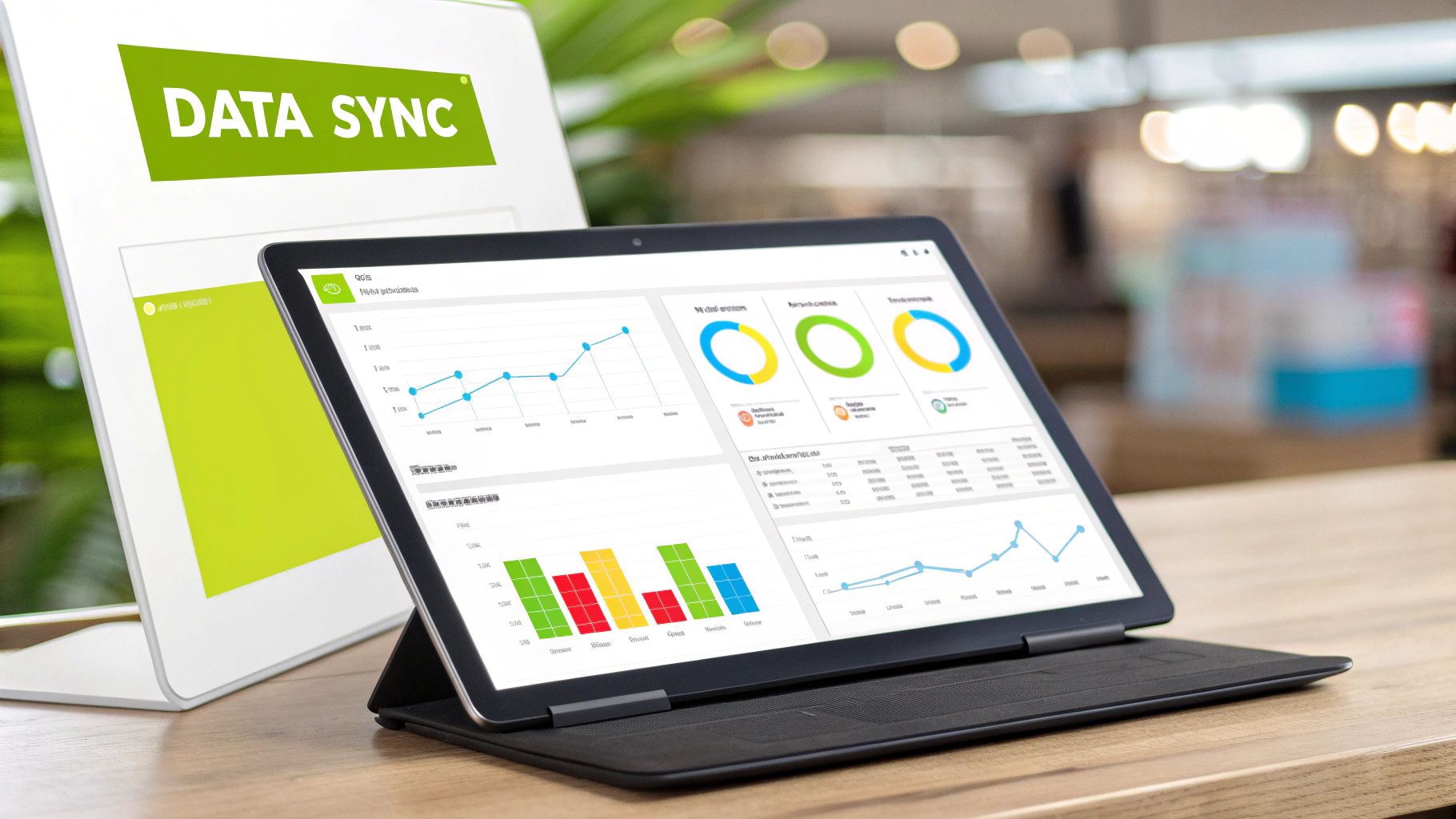
Shopify's Global ERP Program has simplified how merchants connect their online stores with back-end ERP systems. This program eliminates the need for complex middleware or costly custom development. This section explores the program and offers helpful information for businesses considering Shopify integration with ERP.
Certified Connections: A New Era of Integration
The Global ERP Program offers certified connections with leading ERP platforms. These include Microsoft Dynamics 365 Business Central, NetSuite, and Brightpearl. These pre-built integrations make implementation smoother and faster than traditional methods or third-party solutions. Merchants can quickly benefit from integration, avoiding significant technical obstacles.
These certified connectors are built with reliability and security in mind. This offers peace of mind for businesses handling sensitive data. Ongoing maintenance is also simplified, freeing up internal resources for other important tasks.
Since its 2021 launch, Shopify’s Global ERP Program has given merchants direct access to integrated ERP systems. They no longer need third-party intermediaries. This shift recognizes the need for businesses to quickly access real-time insights from interconnected systems to stay competitive. Explore this topic further.
Direct vs. Third-Party Integrations: Making the Right Choice
Choosing between direct, certified integrations and third-party options depends on your business needs. Direct integrations, like those in Shopify's Global ERP Program, often offer faster implementation and better security. They also typically include dedicated support from both Shopify and the ERP provider.
Third-party solutions may offer wider compatibility with various systems. They may also offer specialized features not found in direct integrations. Carefully evaluate your specific business needs and technical capabilities to make the best decision.
Planning Your Integration Journey: Timelines, Resources, and Budget
Integrating Shopify with your ERP requires careful planning. This includes setting clear objectives, assessing your current infrastructure, and allocating the right resources.
-
Timeline: Implementation time depends on your business complexity and the integration method you choose. Direct integrations through Shopify's program are usually faster to deploy than custom solutions.
-
Resources: Determine which internal team members and external consultants will be involved. Their skills and availability affect the timeline and budget.
-
Budget: Factor in the costs of software licenses, implementation services, and ongoing maintenance. Direct integrations can offer long-term cost savings, but they may have higher upfront costs.
By carefully considering these factors, merchants can effectively plan their Shopify integration with ERP. This minimizes disruption and maximizes their return on investment. More information about Shopify integration. This structured approach sets the stage for a successful integration that will help your business grow.
The Data Symphony: Critical Information Flows Between Systems

A successful connection between Shopify and your ERP relies on a complex exchange of information. This intricate process ensures your business operations run smoothly. Let's explore the vital data flows that make this connection work, creating a unified commerce experience.
Understanding the Bidirectional Data Flow
Data constantly moves between your Shopify store and your ERP system. This bidirectional flow is essential for efficient operations. For example, when a customer places an order on Shopify, that information is immediately sent to your ERP system. This triggers the fulfillment process. At the same time, inventory updates in your ERP are reflected on your Shopify store, showing accurate product availability.
Mastering Data Integrity: Who's in Charge?
Maintaining data integrity is crucial. This means defining which system acts as the "master record" for each type of data. Product information, like descriptions and variations, typically originates in the ERP. Shopify, on the other hand, usually manages customer-facing data like order details and shipping addresses. Clearly defining these roles prevents conflicts and keeps data consistent. You might be interested in: How to master Shopify integration
Synchronization Frequency: Finding the Right Rhythm
How often your systems synchronize depends on your business model. Synchronization frequency can range from real-time to daily updates. High-volume businesses benefit from near real-time synchronization. Smaller businesses might only need daily updates. The right balance ensures accurate data without overloading either system. A rapidly growing business, for instance, might sync inventory hourly to prevent stockouts during peak sales.
Tackling Common Integration Challenges
Integrating any two systems has its challenges. Accurately mapping product variants between Shopify and your ERP is essential for proper inventory and fulfillment. Managing custom fields, which often hold specific business data, also needs careful planning. Another challenge is ensuring consistent tax calculations across both platforms, especially for businesses in multiple tax jurisdictions. Robust data validation and experienced integration specialists can help address these challenges.
To illustrate the critical data points, let's look at the table below:
Essential Data Synchronization Points: Complete overview of critical data elements that should sync between Shopify and ERP systems
| Data Category | Specific Elements | Sync Direction | Update Frequency | Business Impact |
|---|---|---|---|---|
| Product Data | Name, Description, SKU, Price, Images, Variants | ERP to Shopify | Real-time/Daily | Accurate product listings, pricing consistency |
| Inventory Levels | Quantity on hand, Available to sell | ERP to Shopify | Hourly/Daily | Prevents overselling, accurate stock information |
| Order Information | Order number, Customer details, Shipping address, Items ordered | Shopify to ERP | Real-time | Triggers fulfillment process, accurate sales data |
| Customer Records | Name, Email, Billing address, Shipping address | Shopify to ERP | Real-time/Daily | Centralized customer data, personalized marketing |
| Pricing Updates | Price changes, Discounts, Promotions | ERP to Shopify | Real-time/Daily | Consistent pricing across channels, accurate sales reporting |
This table summarizes the key data that needs to flow between Shopify and an ERP for a well-integrated system. Understanding these elements is vital for success. By understanding these data flows and addressing potential challenges, businesses can maximize the benefits of Shopify integration with ERP. This creates a powerful system that drives efficiency and growth.
Blueprint for Success: Planning Your Integration Journey
Integrating Shopify with your ERP system is a significant undertaking. It's not something to be rushed. A well-defined plan is crucial for a smooth and successful integration. This section provides a strategic roadmap, incorporating expert advice and lessons learned from both successful and failed integrations.
Pre-Integration Checklist: Setting the Stage for Success
Before starting the technical integration, several crucial steps will set you up for success. Think of it like preparing for a road trip – you wouldn't leave without checking your car, packing your bags, and mapping your route.
-
Data Cleansing: Begin by cleaning and organizing your existing data in both Shopify and your ERP. This ensures you start with accurate and consistent information. For example, standardize product descriptions and customer data formatting.
-
Business Process Mapping: Clearly define your current business processes and how they will change after integration. Identify potential bottlenecks and plan how the integration will address them. This helps streamline operations and maximize efficiency.
-
Stakeholder Alignment: Get everyone on board. Ensure all stakeholders, from IT to sales and marketing, understand the integration’s goals and their roles. This fosters collaboration and a smoother transition.
Choosing the Right Integration Approach
No two businesses are alike. Different integration approaches exist, each with its pros and cons. The best method depends on your business complexity, resources, and technical expertise.
-
Direct Integration (Shopify’s Global ERP Program): Ideal for businesses using supported ERP systems like Microsoft Dynamics or NetSuite. This approach offers faster implementation and enhanced security.
-
Third-Party Integration Platforms: These platforms offer greater flexibility and can connect with a wider range of ERP systems. However, they may require more customization and ongoing maintenance.
-
Custom Integration: This approach offers the most control but demands significant technical resources and can be costly. This option is best for businesses with highly specialized needs.
Choosing the right approach ensures the integration aligns with your business goals and resources.
Establishing Realistic Timelines and Preparing Your Team
A successful implementation requires clear timelines and a prepared team. Establish realistic expectations for each phase of the project, from planning to testing and deployment. Adequate time for testing and troubleshooting avoids delays and ensures a smooth transition.
Preparing your team is just as important. Provide training on the new integrated system and address any concerns. This empowers your team to use the new system effectively and minimizes disruption. Additionally, create governance protocols to maintain data integrity. This ensures consistent data quality and prevents future issues. Check out this guide on How to master Shopify integration for more information.
Creating a Governance Structure for Long-Term Success
Once your Shopify integration with ERP is live, ongoing maintenance and oversight are critical. Establishing a clear governance structure ensures the integration continues to perform well and delivers value.
This involves defining roles and responsibilities for managing the integrated system. It also includes procedures for data updates, error handling, and ongoing monitoring. Regularly review the integration’s performance and make adjustments to optimize its efficiency. This proactive approach maintains data integrity and keeps your business adaptable.
Measuring The Impact: KPIs That Prove Integration Value
So, you've integrated your Shopify store with your ERP system. But how can you be sure it's actually working and providing a good return on your investment? This section goes beyond general claims and defines specific metrics for measuring the success of your Shopify integration with ERP. We'll explore Key Performance Indicators (KPIs) designed to track real improvements across your business.
Establishing A Baseline and Setting Realistic Targets
Before starting the integration process, it's important to establish a baseline. Measure your current performance in key areas like order processing time, inventory accuracy, and customer satisfaction. This gives you a starting point to compare the impact of your integration. Refer to the Documentation for help planning your integration.
Next, set realistic targets for improvement. Don't expect instant results. Instead, aim for gradual improvements that show real business value. For example, if your current order processing time is 48 hours, a realistic target might be to reduce it to 24 hours within the first three months after integration.
Key Performance Indicators for Shopify-ERP Integration
A good set of KPIs offers a complete picture of your integration's impact. Here are some key metrics to consider:
-
Operational Efficiency:
- Order Processing Time: Track the time it takes from order placement to shipment. A decrease shows improved efficiency.
- Fulfillment Error Rate: Keep an eye on the number of incorrect or incomplete shipments. A lower rate means fewer costly errors.
- Inventory Turnover Rate: Measure how quickly you sell and restock inventory. A higher rate usually indicates better inventory management.
-
Inventory Accuracy:
- Stockout Rate: Track how often a product is out of stock when a customer tries to buy it. Lowering this improves customer satisfaction.
- Oversold Rate: Measure how often you sell more than you have in stock. Minimizing this protects your brand and avoids cancellations.
- Cycle Counting Accuracy: This metric shows how closely your records match your actual inventory. Improved accuracy means fewer discrepancies.
-
Sales and Revenue Growth:
- Average Order Value (AOV): Monitor changes in the average amount spent per order. An increase might suggest better cross-selling or upselling.
- Sales Conversion Rate: Track the percentage of website visitors who make a purchase. A higher rate indicates a better online experience.
- Customer Lifetime Value (CLTV): Measure the total revenue from a single customer. An increase suggests improved customer retention.
-
Customer Satisfaction:
- Customer Satisfaction Score (CSAT): Survey customers about their experience. Higher scores show positive feedback and potential for repeat business.
- Net Promoter Score (NPS): Gauge customer loyalty by asking how likely they are to recommend you. Improved scores mean stronger relationships.
- Return Rate: Track the percentage of orders returned. A lower rate often points to better product quality and descriptions.
Building Executive Dashboards and Communicating ROI
To show the value of your Shopify integration with ERP, create dashboards that visualize these KPIs. These dashboards should be easy to understand and clearly highlight the integration's positive impact, allowing stakeholders to see the return on investment in real time.
For example, a dashboard could show the decrease in order processing time or the improvement in inventory accuracy. This visual representation makes it easier to communicate the integration's success and justify ongoing investment.
Continuous Monitoring and Optimization
Integration isn't a one-time task; it's an ongoing process. Continuously monitor your KPIs and look for ways to optimize your systems. As your business changes, so will your integration needs. Regular review and adjustments ensure your Shopify integration with ERP continues delivering maximum value.
Ready to grow your Shopify business with expert integration? E-commerce Dev Group helps Shopify merchants connect their stores with powerful ERP systems. Visit us today to learn more about optimizing your operations and achieving sustainable growth.
