

If your Shopify brand is starting to grow, you've probably realized that just tracking stock levels isn't cutting it anymore. The best inventory management software for Shopify doesn't just count—it automates and syncs your entire operation. While there are tons of apps out there, the ones that really make a difference tackle the big scaling headaches: multi-channel overselling, bad forecasting, and endless manual updates. These are the problems Shopify's native tools just aren't built to solve on their own.
Why Shopify's Basic Inventory Isn't Enough
As your business takes off, sticking with Shopify’s built-in inventory features is like trying to run a warehouse with a pen and paper. It's fine at the start, but it quickly becomes a huge bottleneck. The platform's standard tools are great for new businesses, but they just don't have the muscle to handle a complex, growing operation. You'll feel this pain the moment you hit your first real growth spurt.
Picture this: you're in the middle of a massive flash sale. Orders are flying in from your website, a pop-up shop using Shopify POS, and your Instagram page. Without a connected system, these channels are flying blind. You might accidentally sell that last medium-sized t-shirt three times over. Now you've got two unhappy customers and a logistical mess. This is where weak inventory management really hurts—in lost sales, a tarnished reputation, and hours of wasted time.
The Hidden Costs of Manual Management
Spending your days doing manual stock counts and trying to make sense of spreadsheets isn't just slow; it's risky. Every hour your team spends counting boxes is an hour they could have spent on marketing or developing new products. Plus, human error is unavoidable. It leads to expensive mistakes, like ordering a mountain of a slow-moving product while your bestseller is out of stock.
The real issue is not having a single source of truth. When your website, retail store, and social channels all have their own version of reality, you can't make smart decisions about purchasing, marketing, or fulfillment.
For a clothing brand managing dozens of products in multiple sizes and colors, this problem snowballs fast. It's nearly impossible to track every single variant by hand, which means your data is never accurate. Moving to a dedicated system is a must. We break down exactly why this matters in our guide on how real-time inventory sync improves Shopify stores, showing how automation can completely change your business.
When to Upgrade Your System
The need for a proper inventory management tool is more critical than ever, given Shopify's massive footprint in e-commerce. Globally, Shopify holds a 10.32% market share. Here in the United States, it powers a staggering 30% of all online stores. With over 4.4 million live stores on the platform, having the right tools to manage growth isn't just a good idea—it's essential for survival.
How to Choose the Right Inventory Software
Picking the right inventory management software for your Shopify store goes way beyond a simple feature comparison. You need to dig deeper and figure out what actually works for your day-to-day operations and where you plan to take your business. The best app is the one that fits your specific needs, not just one with the longest feature list.

Before you get wowed by a slick dashboard, make sure the basics are rock-solid. All the fancy charts in the world won't help if the data feeding them is slow or wrong. Your number one priority should be confirming the software offers true real-time syncing across every single place you sell—your Shopify site, your physical store's POS, and marketplaces like Amazon or Etsy. Even a few minutes of lag can cause you to oversell during a flash sale.
Assess Your Operational Complexity
With the fundamentals covered, it's time to match the features to how your business actually runs. There’s no point in paying for an enterprise-level system if you’re shipping everything out of a single warehouse. On the flip side, don't pick a bare-bones app if you have big plans for expansion.
Here are a few key things to think about:
- Multi-Warehouse Support: This is a dealbreaker if you use (or want to use) multiple warehouses or a 3PL. The software has to be able to track stock levels at each location and route orders intelligently to cut down on shipping times and costs.
- Kitting and Bundling: If you sell product sets, gift boxes, or other bundles, you need a system that can handle it properly. Look for tools that let you create "virtual" kits, where the individual component SKUs are tracked. This is what stops you from selling a bundle when one of its key parts is actually out of stock.
- Manufacturing and Raw Materials: For those who make their own products, inventory management gets a lot more complicated. You'll need software that can track your raw materials, create work orders, and accurately calculate your cost of goods sold (COGS). This is a specialized feature you won’t find in every app.
A classic mistake is getting caught up in what you need today. Your inventory software should solve your current headaches, but it also needs to have room for you to grow. If you're thinking about wholesaling or international expansion next year, make sure the platform you choose can handle it without forcing you into a painful migration later.
Evaluate Forecasting and Usability
This is where good software becomes great. The best tools don't just track what you have; they use your past sales data to predict future demand. This helps you avoid the cash-flow killers: stockouts on best-sellers and overstocking on items that aren't moving. For a deeper dive, check out our guide on advanced inventory management strategies to see how forecasting can really change how you buy inventory.
Finally, don't overlook the human element. An awkward, confusing interface will slow your team down and cause mistakes, no matter how powerful the features are. When you're in a free trial period, really pay attention to how it feels to use the platform. And don't be afraid to test out their customer support with a real question. A responsive, helpful support team can be a lifesaver when you run into trouble. Choosing the right partner is just as important as choosing the right features.
Comparing The Top Shopify Inventory Management Apps
Finding the right inventory management software for your Shopify store isn’t about picking the one with the most features. It's about finding the one that fits your business like a glove. The needs of a dropshipper are worlds apart from a brand selling on five different channels or a maker crafting products in-house.
Forget a generic list of pros and cons. We’re going to look at who each of these apps was truly built for and what specific, real-world problems they solve. This will help you see past the marketing buzz and figure out which platform can actually handle your day-to-day operations and scale with you.
Let's start with a bird's-eye view of how the leading contenders compare on key factors like price, features, and what other merchants think of them.
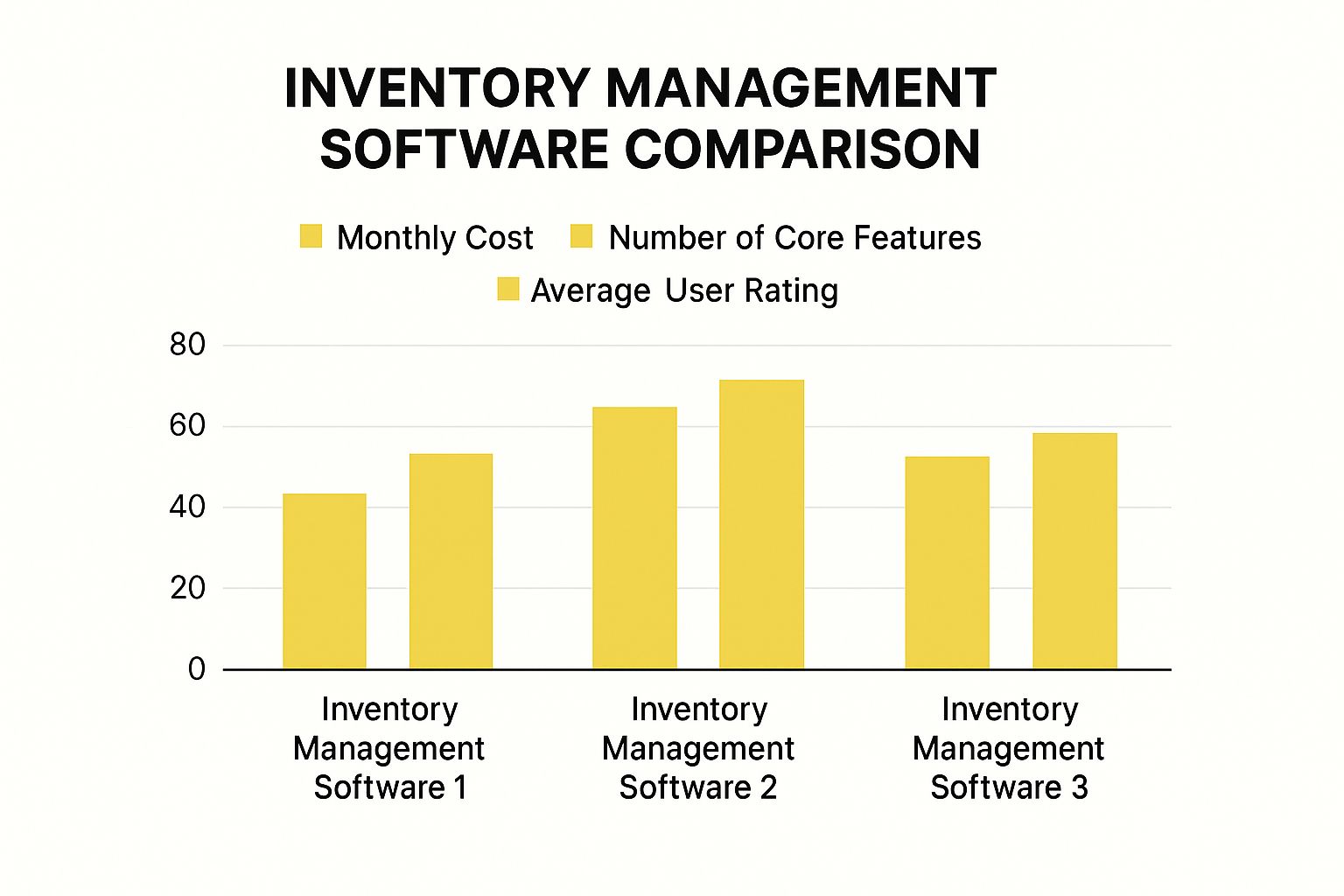
This gives you a quick snapshot of the trade-offs you'll be making—whether it's sacrificing some advanced features for a lower price point or investing in a more powerful system. Now, let’s dig into the details and see what makes each of these apps tick.
Cin7 Core: The Hub For Multi-Channel Retailers
If you're selling across multiple platforms—think Shopify, Amazon, eBay, and a brick-and-mortar store—you need a central command center. Cin7 Core (which you might remember as DEAR Systems) is exactly that. Its greatest strength is acting as the single source of truth for your inventory, syncing stock levels perfectly across every place you sell.
This completely prevents the overselling nightmare that can tank your brand's reputation, especially during a big sale. Picture this: a customer buys the last medium blue t-shirt from your Amazon store. Cin7 Core instantly updates the stock count on your Shopify site and in your retail POS system, making that shirt unavailable everywhere else in seconds. For any serious multi-channel seller, that kind of real-time accuracy isn't a luxury; it's a necessity.
But Cin7 Core goes way beyond just syncing stock. It’s built for complex operations.
- Integrated B2B Portal: Manage your wholesale business with custom pricing and unique catalogs, keeping it totally separate from your direct-to-consumer storefront.
- Light Manufacturing: If you assemble products or create bundles, Cin7 can track all your raw materials and finished goods, giving you a crystal-clear picture of your cost of goods sold (COGS).
- Warehouse Management (WMS): As you grow, you get tools like barcode scanning, optimized pick-and-pack workflows, and the ability to manage multiple warehouse locations.
The real differentiator for Cin7 Core is that it’s an all-in-one platform. It's less of an "inventory app" and more of a lightweight ERP, built to grow with you from your first sale on Amazon to managing a complex global supply chain.
This robust system is perfect for businesses that are scaling fast and need to get ahead of the operational chaos without jumping straight into a massive, enterprise-level ERP.
Katana: For The Makers and Small Manufacturers
When you make your own products, your inventory is a different beast entirely. You’re not just tracking what’s on the shelf; you’re juggling raw materials, works-in-progress (WIP), and production schedules. Katana was built from the ground up for this exact scenario, making it the best inventory management software for Shopify stores that manufacture their own goods.
Katana’s "live" manufacturing overview is a game-changer. It creates a direct link between your sales orders and your production floor. A new order comes in from Shopify, and Katana instantly checks if you have the finished product. If not, it checks your raw material stock. If you're running low on something, it flags it for reordering.
This solves a huge headache for makers. Let's say you run a small-batch candle company. An order for 50 lavender candles comes in. Katana immediately allocates the necessary wax, wicks, and essential oils from your inventory. If that order uses up the last of your lavender oil, the system automatically adds it to a purchase order. No more production delays because you forgot to reorder a key ingredient.
Katana’s focus on production includes:
- Visual Production Planning: A simple drag-and-drop board lets you prioritize manufacturing jobs based on deadlines and material availability.
- Bill of Materials (BOMs): You can easily create "recipes" for your products, so the system knows exactly which components and how much of each go into every item you make.
- Shop Floor Control: A dedicated app for your production team lets them track tasks and update manufacturing order statuses in real-time, giving you a clear view of what’s happening on the floor.
While Katana can handle sales on multiple channels, its heart and soul is in production. For any business that assembles, crafts, or builds its own products, it offers a level of clarity and control that generic inventory apps just can't touch.
Ordoro: For Dropshipping and Fulfillment Automation
Dropshippers have a unique inventory problem: they don’t actually have any. Success in dropshipping hinges on routing orders to the right suppliers quickly and keeping customers in the loop. Ordoro is designed to be the mission control for this exact workflow, specializing in order routing and fulfillment automation.
Ordoro is brilliant at connecting your sales channels to an unlimited number of suppliers. You can create advanced rules that automatically send an order to the right vendor based on SKU, customer location, or even which supplier has it in stock. For example, you could set a rule to send all t-shirt orders to Supplier A, but if they're out of stock, automatically reroute the order to Supplier B. This automation saves an incredible amount of manual work and prevents costly mistakes.
With Shopify powering 20.4% of the top one million e-commerce sites, and with about 2.6 million sites hosted in the U.S. alone, the competition is fierce. Efficient fulfillment is a major competitive advantage, and automation is the key.
Ordoro's true value lies in its vendor-focused toolkit. It offers features like vendor portals for your suppliers, automated purchase order creation, and performance tracking—tools built specifically for the dropshipping model, which many other inventory apps treat as an afterthought.
Ordoro also has strong shipping features, like discounted rates with major carriers and batch label printing. This makes it a great hybrid solution if you dropship some products and fulfill others from your own warehouse. If order management is just as critical to your business as inventory, our guide on Shopify order management software is worth a read.
It can also be helpful to look beyond Shopify-specific apps and explore the broader landscape of the top inventory management software for small businesses. This gives you a wider perspective to ensure the tool you choose aligns with your long-term goals.
Shopify Inventory Software Feature Comparison
To help you visualize how these tools stack up against each other, we've put together a quick comparison table. This isn't about declaring a "winner"—it's about helping you see at a glance which platform is designed for a business like yours.
| Software | Ideal Business Type | Real-Time Syncing | Kitting/Bundling | Forecasting | Pricing Model |
|---|---|---|---|---|---|
| Cin7 Core | Multi-channel retail, wholesale, light manufacturing | Yes (Advanced) | Yes (Advanced) | Yes | Tiered, based on order volume/users |
| Katana | Small- to medium-sized manufacturers & makers | Yes | Yes (BOM-based) | Yes (Material demand) | Tiered, based on features |
| Ordoro | Dropshipping, high-volume fulfillment, hybrid models | Yes (Supplier-focused) | Yes | No | Tiered, based on order volume |
Think of this table as a starting point. The "best" choice really depends on which column is most important to you. A manufacturer will prioritize BOM-based bundling, while a dropshipper will focus on supplier syncing and order volume pricing.
Finding the Right Software for Your Business Stage
There’s no single "best" inventory app. What works for a massive Shopify Plus merchant would be overkill for a solopreneur just starting out, and what a startup needs would cripple a growing business. The right tool depends entirely on where you are now and where you’re headed.
I’ve seen too many merchants get this wrong. They either overspend on a system they don't need or pick a cheap tool they outgrow in six months. To help you avoid that, I've broken down the options based on four common business stages, with recommendations tailored to each.
For Startups and Solopreneurs
When you're first getting your business off the ground, your most precious resources are time and money. Forget about finding a system loaded with every bell and whistle. Your real goal is to find a tool that handles the basics reliably without a massive price tag or a week-long training course.
At this early stage, you need something simple that just works. Look for these core features:
- Effortless Shopify Integration: It should connect to your store and sync your stock levels in just a few clicks. No complex setup required.
- Low Stock Alerts: Simple, automated emails or notifications are your best friend. They’ll stop you from accidentally overselling your first bestseller.
- Basic Reporting: You just need to see what’s selling and what’s collecting dust. This is all you need to make smart, early purchasing decisions.
Don't get tempted by fancy features like multi-warehouse management or advanced manufacturing. A clean, straightforward dashboard is infinitely more valuable right now than a dozen features you won't touch for another year.
For Retailers Selling on Multiple Channels
Once your brand starts showing up on Amazon, eBay, or even at a physical pop-up shop, your inventory needs get a lot more complicated. Suddenly, your biggest headache is keeping your stock count accurate everywhere. One sale on Amazon has to be reflected on Shopify instantly, or you risk overselling and disappointing a customer.
This is the point where you need a true multi-channel hub. The best inventory management software for Shopify here is one that offers flawless, real-time sync across every single sales channel. A delay of even a few minutes can be a disaster during a flash sale. The right app will pull all your orders into one central dashboard, giving you a single, unified view of your entire operation.
Your non-negotiable is a single source of truth for your inventory. The software has to be powerful enough to update stock levels everywhere, instantly, the moment a sale happens on any channel—online or in-person with Shopify POS.
For Brands with Complex Product Catalogs
If you sell products with lots of variations, or you create kits and bundles, your average inventory app just won't cut it. Think about it: if you sell a gift box with three separate items inside, your software needs to be smart enough to track the inventory of each individual component, not just the bundle itself. This is where you need advanced kitting and variant management.
You'll want a platform that lets you create "recipes" or what's known as a Bill of Materials (BOM). This is what ensures that when a kit sells, the stock levels for each piece inside are automatically and correctly reduced. It’s the key to preventing those awful situations where you sell a bundle only to realize you're out of one critical component, leading to shipping delays and frustrated customers.
For Shopify Plus Merchants
High-volume merchants on Shopify Plus are playing a different game entirely. Your inventory system needs to be more than a tracker; it needs to be a powerful engine for automation, analytics, and operational efficiency. You're handling thousands of orders, and you need deep insights to stay ahead.
These advanced capabilities are crucial, especially in competitive e-commerce markets. For example, Shopify holds a whopping 30% market share in the USA and 31% in Canada. It's also a major player in Europe, with a 24-27% market share in Germany. To compete at scale in these regions, a basic system just won't do. You can dig deeper into these numbers in this state of Shopify report.
At this level, your checklist should include:
- Advanced Automation: The ability to set custom rules for creating purchase orders, routing orders between warehouses, and handling other repetitive tasks automatically.
- Predictive Forecasting: Your software should analyze historical sales data to project future demand, helping you optimize cash flow and avoid stockouts.
- Deep Analytics: Go way beyond simple sales reports. You need to understand inventory turnover rates, profitability by SKU, and even supplier performance.
You've picked out the perfect inventory management app for your Shopify store. Great! But hold on—the real work is just beginning. Just buying the software doesn't solve your problems. How you set it up will determine whether it becomes your biggest asset or a costly headache.
A successful launch comes down to solid planning, clean data, and getting your team on board. Get these right, and you'll see the benefits right away.
Start With a Full Physical Stock Count
I know, I know—nobody wants to do a full physical stock count. It’s tedious. But this is the one step you absolutely cannot skip. It’s the only way to give your new system a clean, accurate starting point.
If you start with bad numbers, you’ll spend the next few months chasing phantom stock and fixing errors. That completely defeats the purpose of upgrading in the first place. You have to start with a perfectly accurate baseline.
Once you have your true counts, it's time to tackle your product data. Think of your product catalog as the blueprint for your entire inventory system. Migrating a mess only creates a more organized mess.
Get Your Product Data Ready for Migration
This is your chance to do some digital spring cleaning. Before you even think about importing anything, you need to get your product information standardized and complete. This is the part of the process most people underestimate, and it's where delays almost always happen.
Here’s a quick checklist to guide your data cleanup:
- Standardize Naming: Make sure all your product names, variants (like size and color), and SKUs follow the exact same format. Consistency is key.
- Delete Duplicates: Hunt down and eliminate any duplicate product listings. They throw off inventory counts and create confusion for everyone.
- Update Costs and Prices: Double-check that the cost of goods sold (COGS) and retail prices are up-to-date for every last item.
- Assign Barcodes: If you’re not using barcodes yet, now is the time. Assign a unique UPC or barcode to every single product variant.
A huge mistake I see all the time is underestimating how long data migration takes. It looks like a simple export-import task on paper, but it rarely is. Budget at least twice the time you think you'll need to deal with formatting quirks and validation errors.
Train Your Team and Run a Parallel Test
Your fancy new software is useless if your team doesn't know how to use it. Proper training isn't an optional add-on; it's a core part of the setup. Everyone who touches the system, from the warehouse floor to the customer service desk, needs to understand their role and the new workflows.
Set up actual training sessions and create simple cheat sheets they can reference later. It's also smart to configure user permissions from the get-go. Not everyone needs admin access. Limiting what people can see and do based on their job is a simple way to prevent expensive mistakes.
To get the most out of your new tool, you need to pair it with smart processes. It's worth learning the essential inventory management best practices that will support your software and make your whole operation run smoother.
Finally, here’s one of the safest things you can do: run your new system alongside your old one for a week or two. This is your safety net. You can process a few live orders through the new software and compare the results directly with your old, trusted method.
This parallel run lets you spot configuration mistakes or workflow gaps before you've fully cut over. If the numbers line up and things are running smoothly, you can confidently turn off the old system for good. You’ll know your new Shopify inventory software is truly ready to go.
Frequently Asked Questions
Picking the right inventory tool means thinking about features, cost, and where you want your business to go. To help you nail down those final details, here are some straight answers to the questions we hear most from merchants.
How Much Should I Expect To Pay?
There’s no one-size-fits-all answer here—pricing for inventory software can be all over the map. The cost really comes down to the size and complexity of your business.
Most of these platforms use a tiered subscription model, and the price you pay usually depends on a few key factors:
- Order Volume: How many orders you're processing each month.
- Number of Users: The number of people on your team who need access.
- SKU Count: How many unique products and variants you're managing.
- Included Features: Advanced tools like manufacturing or a B2B portal will almost always push you into a higher-tier plan.
For a smaller store that's starting to grow, you can expect to pay somewhere in the $50 to $200 per month range. If you're a more established business that needs to sync inventory across multiple channels or warehouses, you're likely looking at $400 to $1,000+ per month. The trick is to find a plan that fits your current order volume but gives you room to grow without a massive price jump.
Will This Software Manage Suppliers and Purchase Orders?
Absolutely. This is actually one of the biggest reasons to upgrade from Shopify’s built-in tools. A proper inventory management system connects your sales data directly to your suppliers, taking a ton of manual work off your plate.
Instead of staring at a spreadsheet trying to figure out when to reorder, the software uses your sales history and supplier lead times to automatically create purchase orders (POs) when you’re running low. This is a game-changer for keeping your best-sellers in stock.
The real win is having one system for both your sales and your purchasing. When you send out a PO and the shipment arrives, you just receive the items in the software. That instantly updates your stock levels in Shopify, closing the loop on the entire process.
Can I Use More Than One Inventory App with Shopify?
You technically can, but you really, really shouldn't. Using multiple inventory apps at the same time is a recipe for disaster. It creates what we call a "battle for the source of truth," where different apps are fighting to be the one in control of your stock levels.
This almost always leads to major data conflicts. One app might update a product’s quantity, and then a second later, another app overwrites it with old information. You end up with a complete mess—unreliable inventory counts, overselling, and the exact stockout problems you were trying to fix in the first place.
To keep your data clean and your operations running smoothly, you need one dedicated app to be the single source of truth for your inventory. Pick one system and stick with it.
Ready to finally ditch the spreadsheets and get a clear view of your entire operation? The team at E-commerce Dev Group specializes in integrating the best inventory management software for Shopify, creating a seamless setup that’s built for your specific needs. Visit us at scaleshopify.com to learn how we can help you scale with confidence.
