


If you've been on Shopify for a while, you know that customizing the checkout used to mean diving into a single, powerful file: checkout.liquid. For years, this was the go-to for Shopify Plus merchants who wanted to tailor every pixel of their checkout experience.
This approach gave developers incredible freedom. By directly editing the checkout.liquid file, you could inject custom HTML, CSS, and JavaScript to add unique branding, custom fields, or complex logic. The sky was the limit.
The Big Shift From Checkout.liquid to Extensibility

But that complete freedom came with some serious downsides.
The Problem With a Blank Canvas
Think of customizing checkout.liquid like building a custom wing on your house without any blueprints. You have total creative control, but you're also completely on your own. Any changes you made were totally disconnected from Shopify's core platform.
This created a never-ending maintenance headache. Every time Shopify rolled out an update—whether for security, performance, or new features—there was a very real risk it would shatter your custom code. Your checkout could suddenly break during a Black Friday sale, leading to lost sales and a frantic scramble to find a developer.
The old checkout.liquid method was plagued with issues:
- Breakdowns During Upgrades: Custom scripts were fragile and often broke after Shopify platform updates, forcing merchants into expensive, last-minute fixes.
- Security Risks: Injecting code directly could accidentally open up security holes, putting customer data and your PCI compliance in jeopardy.
- Slow-Loading Checkouts: Heavy or poorly written custom code could drag down your checkout speed, which is a known conversion killer.
- Sky-High Maintenance: The constant need to patch, test, and update these brittle customizations became a major drain on time and money.
A Smarter, More Stable Approach
Shopify knew this wasn't a sustainable path forward. Their answer is Shopify Checkout Extensibility, a complete rethinking of how customizations should work. Instead of risky, free-form code edits, Extensibility offers a secure, app-based framework.
It’s like switching from that freestyle home addition to using high-quality, pre-approved building kits. Every piece is designed to fit perfectly with the main structure, so you know your foundation will always be solid, secure, and ready for future improvements.
This is a major turning point. Shopify is officially retiring checkout.liquid customizations, with a hard deadline for migration set for August 28, 2025. Any Shopify Plus store still using checkout.liquid after that date will see their customizations disappear, reverting to a standard, unbranded checkout.
This move underscores Shopify's commitment to creating a platform that balances powerful flexibility with long-term reliability and scale. You can dig into the specifics of how this transition impacts tracking and analytics to get a fuller picture.
The new system gives developers a powerful toolkit—Checkout UI Extensions, Shopify Functions, and a Branding API—to build customizations that are fast, secure, and always compatible with the latest Shopify updates. It’s a shift from high-risk coding to a dependable, modular system built for growth.
Understanding the Core Components
To really get a handle on Shopify Checkout Extensibility, you need to know about its three foundational pillars. Think of them as specialized tools in a workshop—each one has a specific job, but they all work together to build a smooth, branded, and high-converting checkout. These components are Checkout UI Extensions, Shopify Functions, and the Branding API.
On their own, they each solve a particular problem. But together, they create a powerful and stable framework that replaces the old, risky ways of customizing your checkout. Let's break down what each one does.
This diagram shows how these components directly fuel key business goals like better conversion rates, more customization, and a higher average order value.
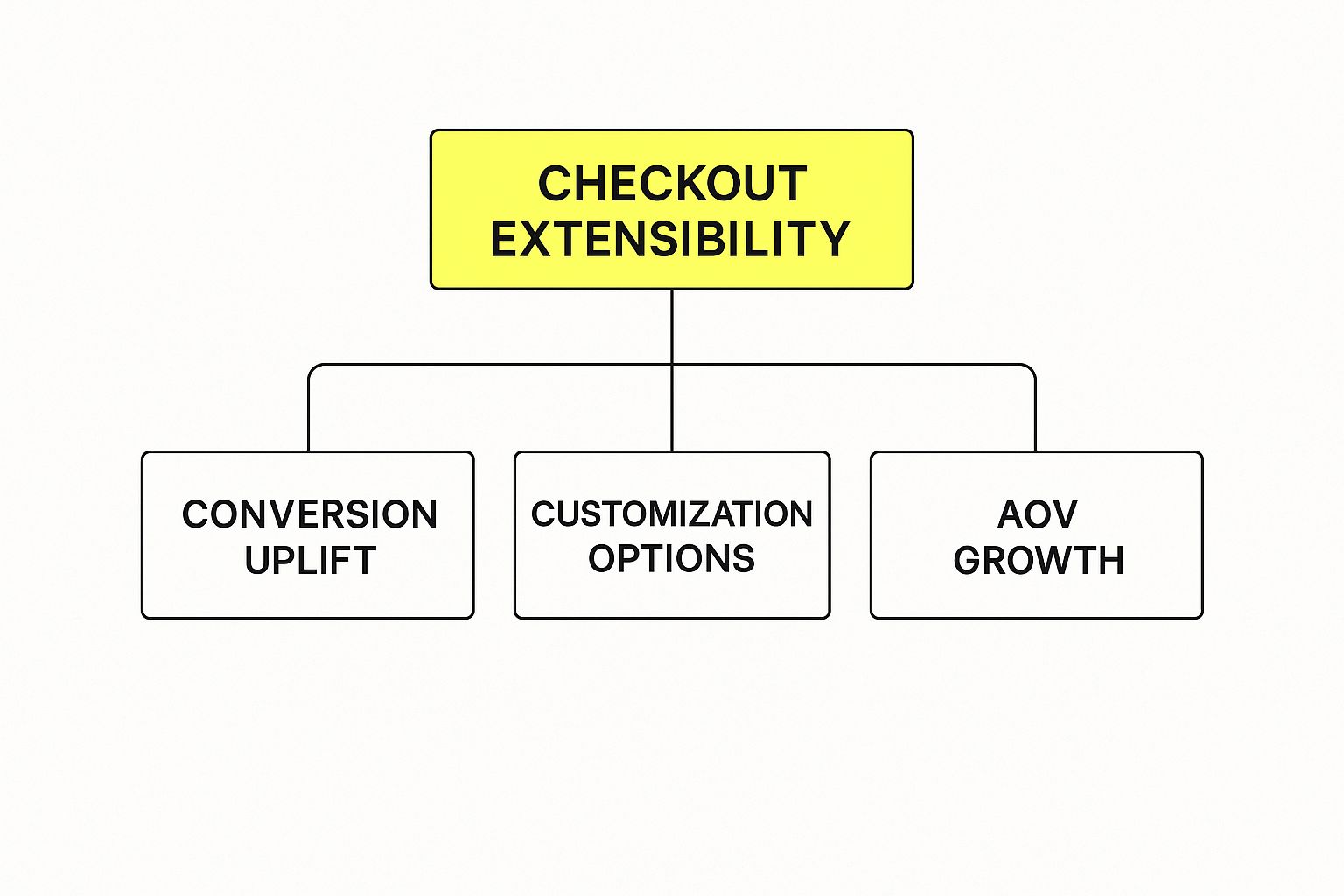
As you can see, a smart extensibility strategy connects the technical bits and pieces to real, measurable growth for your store.
Checkout UI Extensions: The Visual Layer
Checkout UI Extensions are all about what your customer sees and interacts with. They are the front-end components that let you add new features and information directly onto the checkout page. Unlike the old checkout.liquid method, these extensions fit into designated spots, so they won’t break the layout or mess with Shopify’s core functions.
Say you want to add a small checkbox for customers to opt into carbon-neutral shipping for a small fee. A UI Extension is the perfect tool for that. It lets you drop that visual element—the checkbox and its text—right into the shipping section.
Here are a few practical examples of what you can build:
- Gift Messaging Fields: Let customers add a personal note for gifts. Simple, but it makes for a much better buying experience.
- Delivery Date Pickers: Allow shoppers to choose a specific delivery date, which is a huge win for gift and grocery stores.
- Custom Banners: Display trust badges, promo messages, or key shipping info to cut down on abandoned carts.
- Upsell and Cross-sell Offers: Suggest a complementary product right in the checkout, like offering batteries with an electronic toy.
These extensions are built with modern web tech and rendered by Shopify, making them fast, secure, and automatically mobile-friendly.
Shopify Functions: The Logic Engine
While UI Extensions handle what you see, Shopify Functions manage what happens behind the scenes. They are small, single-purpose bits of back-end code that run on Shopify's servers, letting you create custom business logic that tweaks discounts, shipping, and payment options.
Think of a Shopify Function as a smart rule-enforcer for your checkout. It runs lightning-fast and doesn't slow things down for the user because the logic executes on Shopify's powerful infrastructure, not in the customer's browser.
Shopify Functions are your backstage crew, working silently to make sure the right rules are applied at the right time. Your customer never sees the code, but they benefit from the personalized, smooth experience it creates.
For instance, you could create a function that automatically applies a 15% discount to any order with three or more items from a specific collection. Or maybe you want to hide certain payment methods for specific products. To get the most out of this, a solid grasp of concepts like payment gateways is key, and understanding Payment Gateway SaaS can give you some valuable background.
Common use cases for Shopify Functions include:
- Custom Discount Logic: Create complex "Buy X, Get Y" deals or tiered discounts based on order value.
- Dynamic Shipping Rates: Rename, hide, or reorder shipping options based on what's in the cart or on customer tags.
- Payment Method Control: Restrict certain payment gateways for specific products or order totals.
Branding API: The Style Guide
Finally, the Branding API makes sure every custom element you add looks and feels like it belongs in your store. This is the tool that controls the visual styling of your checkout, from fonts and colors to logos and button shapes.
The Branding API acts as your brand's digital style guide. It automatically applies your design choices to all checkout components, including any new UI Extensions you add. This guarantees a consistent and professional look, which is absolutely critical for building customer trust as they're about to pay.
For example, when you add a custom banner with a UI Extension, the Branding API ensures the banner's font matches your brand’s typography and its button colors align with your store's color scheme. You set the rules once, and Shopify applies them everywhere for a polished, cohesive look that reinforces your brand and boosts confidence.
Shopify Checkout Extensibility vs Checkout Liquid
For years, checkout.liquid was the only way to customize the Shopify checkout. While powerful, it was also fragile and difficult to maintain. Checkout Extensibility is the modern, more secure successor.
The table below breaks down the key differences between the two approaches.
| Feature | Checkout Extensibility | Checkout Liquid |
|---|---|---|
| Customization Method | App-based extensions and APIs | Direct theme file editing |
| Security | High; sandboxed environment prevents conflicts | Low; code can break checkout or expose data |
| Upgrade Safety | Safe; extensions are decoupled from checkout | Risky; Shopify updates can break customizations |
| Performance | Fast; code runs on Shopify's servers | Slower; relies on client-side rendering |
| Maintenance | Low; managed by app developers & Shopify | High; requires constant manual updates |
| Shopify Plus | Available on all plans | Shopify Plus exclusive |
As you can see, Checkout Extensibility offers a far more robust, secure, and future-proof way to build the exact checkout experience you want. It's a fundamental shift from direct code manipulation to a safer, app-based ecosystem.
Why Adopting Extensibility Is a Game Changer

Moving from checkout.liquid to Shopify Checkout Extensibility is much more than a simple technical update—it's a massive strategic upgrade for your business. This new approach completely rethinks how customizations work. Instead of risky, direct code edits, you’re now using a stable, secure, and blazing-fast model.
The benefits here aren't just theoretical; they directly impact your revenue, build customer trust, and honestly, just make your life easier. For store owners, this change solves the biggest headaches of the old system while opening the door to new features that were once too difficult or dangerous to build.
Guaranteed Upgrade Safety
Picture this: It's the middle of your Black Friday sale, and your checkout suddenly stops working. Why? Because a routine Shopify platform update clashed with your custom checkout.liquid script. This was the nightmare scenario every merchant lived with, where every platform update felt like a ticking time bomb.
Shopify Checkout Extensibility puts an end to that chaos. Your customizations are now self-contained apps that exist separately from the core checkout code.
This separation is key. It means Shopify can push out security patches, performance boosts, and new features without ever touching your custom functionality. Your checkout just keeps working, giving you total peace of mind during your most important sales events. You can finally stop worrying about platform updates breaking your store.
Bulletproof Security and Compliance
With the old checkout.liquid file, every custom script you added was a potential security liability. One bad line of code could create a vulnerability, exposing customer data and putting your store's PCI compliance at risk. The burden of security was almost entirely on you.
The new framework is a whole different ballgame. It runs all customizations inside a secure sandbox, which means your apps have zero access to sensitive payment details or Shopify's core security functions.
Think of the sandbox as a protective bubble around your checkout. It lets apps add cool features without ever being able to touch the critical systems that process payments and customer data.
This design keeps your store and your shoppers safe, makes maintaining PCI compliance far easier, and builds trust right when it matters most—the moment of purchase.
A Faster Checkout That Converts
Nothing kills conversions like a slow checkout. We know that even a one-second delay can cause sales to drop off a cliff. The old checkout.liquid method was notorious for this, as heavy scripts running in the customer's browser would create a clunky, frustrating experience.
Shopify Checkout Extensibility was built from the ground up for speed. The heavy lifting is done by Shopify Functions, which run on Shopify's powerful servers, not on your customer's device. This server-side approach delivers a lightning-fast checkout that keeps shoppers moving forward.
The framework also plays nicely with accelerated checkouts like Shop Pay, which can boost checkout speed by up to four times. A faster checkout means fewer abandoned carts and more revenue in your pocket. This performance edge is a big reason many stores are looking at advanced architectures. You can learn more about this by exploring the advantages of headless commerce.
Ultimately, this is about creating a better final step in the buying journey. And when you combine a great checkout with powerful customer engagement strategies, you have a recipe for serious growth.
Powerful Customizations You Can Build Today
Now that we have the building blocks down, let's get to the good stuff—what can you actually build with Shopify Checkout Extensibility? This isn't just theory. We're talking about practical, money-making features that can completely transform your checkout.
The goal here is to make the checkout process so smooth and smart that it actively prevents customers from leaving and even encourages them to spend more. Think of it as turning a generic, one-size-fits-all checkout into a personalized concierge service for every single shopper. This isn't just about making things look pretty; it's about building a smarter sales engine right where it counts the most.
Many of these customizations are direct solutions for the biggest revenue killer: cart abandonment. By implementing proven strategies to reduce cart abandonment, you can optimize these final steps and see a real impact on your bottom line.
Add Product Personalization and Gift Options
One of the easiest wins with extensibility is adding product personalization options right inside the checkout. In the past, this was a huge headache, often requiring clunky apps or, even worse, sending customers back to a product page. That's a recipe for lost sales.
Now, you can just use a Checkout UI Extension to add custom fields exactly where your customer needs them.
Let's say a customer is buying a necklace. You can pop in a simple text box for an engraving message or add a dropdown to select gift wrapping. It’s a small touch that adds a ton of value and can easily bump up your average order value. This is a perfect example of how you can customize your Shopify checkout to fit what you're actually selling.
Example Use Case: Engraving Text Field
- Business Goal: Boost AOV and make gift-buying a breeze.
- Tool Used: Checkout UI Extension to add a text input field on the checkout summary page.
- How it Works: The customer types their message, and it gets saved as a line item property. Your fulfillment team sees it right on the order, no extra steps needed.
Implement Smart Post-Purchase Upsells
The sale isn't over when the customer clicks "Pay Now." The thank you page is prime real estate for a second sale, and Shopify Checkout Extensibility makes these offers more powerful than ever.
You can now build dynamic post-purchase offers that are tailored to what the customer just bought. This is miles better than a generic "You might also like…" banner that everyone ignores.
By pairing a UI Extension with a Shopify Function, you can create a simple rule: "If a customer buys a coffee machine, offer them a 20% discount on our best-selling coffee beans right on the post-purchase page."
This creates a super relevant, one-click upsell that feels more like a helpful tip than a hard sell. When the offer is this targeted, the conversion rate goes way up.
Create Loyalty-Based Shipping Discounts
Want to make your best customers feel special? Extensibility lets you automate rewards right in the checkout. With a Shopify Function, you can write custom logic that looks for specific customer tags.
For example, you can set up a function that spots customers with a "VIP" tag and automatically shows them an option for free two-day shipping.
Because this logic runs on Shopify’s servers, it's lightning-fast and completely seamless. The VIP customer sees their exclusive shipping option appear without having to hunt for a discount code. It makes them feel seen and valued.
Example Use Case: VIP Shipping Tiers
- Business Goal: Improve customer loyalty and reward repeat buyers.
- Tools Used: A Shopify Function to check for customer tags and a UI Extension to show the special shipping option.
- How it Works: The function confirms the customer's "VIP" status and passes back a special shipping rate. The UI Extension then presents it as an exclusive choice during the shipping step.
Display Dynamic Trust Badges and Delivery Estimates
Building trust is absolutely crucial, especially for first-time buyers who are on the fence. Using UI Extensions, you can now add dynamic content to give shoppers that last little nudge of confidence.
For instance, you can display a delivery estimate that updates in real-time based on the customer’s shipping address. Seeing "Get it by Friday!" is so much more powerful than a vague "Ships in 3-5 business days." You can also display trust badges, security seals, or satisfaction guarantees to calm any last-minute jitters.
These little additions create transparency and build confidence, tackling common reasons for cart abandonment head-on and helping you push more sales across the finish line.
Your Action Plan for a Smooth Transition

Moving from checkout.liquid to Shopify Checkout Extensibility can feel like a huge undertaking, but it’s completely manageable when you break it down into a clear plan. A structured approach means you can avoid a last-minute scramble and make the switch without hurting your sales or disrupting your customer experience.
I've put together a simple roadmap specifically for Shopify Plus merchants to follow. Think of it as turning a complex technical shift into a simple, step-by-step process. By working through these phases, you can confidently move to the new framework, recreate your most important customizations, and start taking advantage of everything the new system offers.
Phase 1: Conduct a Thorough Checkout Audit
Before you can build anything new, you have to know exactly what you're working with. The very first step is to do a detailed audit of your current checkout.liquid file and any other scripts you have running. Don't just make a list of your customizations—document why they exist.
Create a simple inventory. For every modification, ask yourself: What business goal does this help me achieve? Is it there to reduce friction, boost AOV, or build trust with my customers?
Your audit should cover these key areas:
- Visual Customizations: Make a note of any branding elements, custom fonts, banners, or layout tweaks.
- Functional Add-ons: Identify things like custom fields, gift-wrapping options, delivery date pickers, or loyalty program tie-ins.
- Third-Party Scripts: List every tracking pixel, analytics tool, and marketing tag currently injected into your checkout.
This audit becomes your blueprint. It gives you a clear picture of what functionality you need to replicate using modern Shopify Checkout Extensibility tools, making sure no critical feature gets left behind.
Phase 2: Find and Vet Modern Replacement Apps
With your audit in hand, it’s time to go shopping for replacements. The Shopify App Store is your best friend here, as it’s full of apps built specifically for this new framework. These apps are safer, faster, and guaranteed to be upgrade-safe.
Start by searching for apps that solve the problems you identified in your audit. Keep an eye out for "Checkout Extensibility compatible" badges or mentions in their descriptions.
When you're checking out potential apps, focus on those with great reviews, recent updates, and responsive developer support. A good app is more than just its features; it’s about reliability and knowing there’s a solid team behind it.
Read what other merchants are saying. And don't be shy about reaching out to the app developers with questions about your specific needs. This little bit of upfront work can save you from major headaches and compatibility issues down the road.
Phase 3: Install, Configure, and Test Extensively
Once you've picked your new apps and extensions, it's time to get them working—but in a safe environment. Never, ever test new checkout features on your live store. Use a development or staging store to install and configure everything first.
This is your sandbox. It's where you get to fine-tune the settings and make sure every piece of the puzzle works as you expect. The testing process needs to be tough and cover all the angles. For merchants who need an expert eye, bringing in dedicated Shopify website managers during this phase can be a smart move to ensure a perfect setup.
Follow this simple testing checklist:
- Process Test Orders: Run through the entire checkout with different products, discount codes, and customer details.
- Verify Functionality: Make sure custom fields save data correctly and that logic-based rules, like shipping discounts, fire when they should.
- Check for Conflicts: Ensure multiple extensions can play nicely together without causing errors or weird behavior.
- Review on Mobile: Test the whole experience on different phones and tablets to confirm it's 100% responsive.
Phase 4: Schedule the Launch and Monitor Performance
After you’ve tested everything and are confident it’s all working perfectly, you're ready for the final step: go-live. It’s best to schedule your launch during a slow period, like late at night or on a weekday morning, to minimize any potential impact on shoppers.
On launch day, have your team ready to watch the checkout like a hawk. Keep a close eye on your analytics for any strange drops in your conversion rate or sudden spikes in abandoned carts.
Even after a successful launch, your job isn't quite done. Continue to monitor performance and listen to customer feedback. The move to Shopify Checkout Extensibility isn't just a one-time migration; it's your chance to build a faster, more secure, and higher-converting checkout for years to come.
Common Questions About Checkout Extensibility
Moving over to Shopify Checkout Extensibility is a big step, so it’s totally normal to have questions. You're probably wondering what you might lose, what it's going to cost, and what skills you’ll need to pull it off.
We've rounded up the questions we hear most often to give you clear, straightforward answers. Let’s get into what this change really means for your store.
What Can I Do Less of with Extensibility?
While Checkout Extensibility opens up a ton of new, safer ways to customize, it does put up some guardrails compared to the old "wild west" of checkout.liquid. The big trade-off? You're swapping total control over the checkout's code for much better security, speed, and reliability.
Before, you could literally rewrite the entire HTML of your checkout. That kind of access is gone now, and for good reason—it prevents stores from accidentally breaking their checkout or opening up security holes.
So, you can no longer:
- Directly mess with the DOM: You can't just inject custom JavaScript to change the layout or fiddle with how core checkout elements work anymore.
- Use global JavaScript objects: Passing data around using global variables is now restricted to keep things clean and prevent conflicts.
- Freely edit the core checkout flow: The main steps—information, shipping, payment—are locked in. This ensures a consistent and high-converting experience that Shopify has tested extensively.
This might sound limiting, but it's a huge win for stability. It means your checkout will always be fast, secure, and ready for future Shopify updates, so you don't have to worry about it failing during a flash sale.
Do I Need a Developer to Customize My Checkout?
Not always! One of the best things about this new framework is how accessible it is. A massive number of customizations can now be done with zero code, all thanks to the growing library of apps on the Shopify App Store.
For most common requests—like adding a gift message field, putting up a promotional banner, or offering a post-purchase upsell—you can probably find an app for that. Just install it, configure a few settings, and you're good to go.
But if you need something truly unique, that’s when a developer becomes essential. For custom business logic, a pixel-perfect branded UI, or an integration with a private, in-house system, you'll want an expert to build a custom app just for you.
A good way to think about it is this: apps solve common problems that many stores have. Custom development is for creating a unique competitive edge that no off-the-shelf app can give you.
Will This Migration Hurt My Store's SEO?
This is a really common fear, but the short answer is no. Moving to Shopify Checkout Extensibility won't have a negative effect on your store's SEO.
Search engines like Google spend their time crawling your product pages, collections, and blog posts—the content that actually brings people to your site. The checkout itself is pretty much invisible to them and doesn't factor into your rankings.
If anything, the move can indirectly help. By making your checkout faster and more reliable, you’ll likely improve your conversion rate. A better user experience and more sales are great signals for your business overall, even if they don't directly boost your keyword rankings.
What’s the Typical Cost of Implementation?
This is a classic "it depends" question. The cost to implement customizations can be anything from free to a major investment. It all comes down to what you need and how you decide to get it done.
Here’s a rough breakdown of what you can expect:
- Free and Low-Cost Apps: Many simple tweaks can be done with apps that have free plans or cost very little, usually in the $10-$50/month range.
- Premium Apps: For more advanced tools, like complex upsell funnels or subscription integrations, you’re looking at premium apps that often run from $50-$200+/month.
- Custom Development: If you hire a developer or an agency for a custom-built solution, a small project might start at a few thousand dollars, while a complex, deeply integrated checkout experience could cost $10,000+.
Our advice? Always start by browsing the Shopify App Store. You might find a perfect, budget-friendly solution already exists.
At E-commerce Dev Group, we specialize in creating powerful, custom checkout experiences that drive conversions and enhance your brand. Whether you need help migrating or want to build a unique feature from scratch, our team of Shopify experts is here to guide you. Reach out to us today to scale your Shopify store.
