

Connecting Shopify and Salesforce gives you a complete, unified picture of your customer’s journey, from the very first click on an ad to their tenth purchase. This isn’t just about syncing data; it’s about merging your powerful ecommerce engine with a world-class CRM so your teams are all working from the same playbook. The result? Sharper marketing, more responsive customer service, and a much smoother sales process.
Why Bother Integrating Shopify and Salesforce?
Before we get into the nuts and bolts, let's talk about why a Shopify and Salesforce integration is such a game-changer. Simply put, it tears down the walls between your sales, marketing, and ecommerce departments. Everyone gets a crystal-clear view of every single customer interaction.
Without this connection, you’re flying blind. Your customer service reps have no idea a frustrated caller just spent $500 an hour ago. Your marketing team can't tell which leads from their latest campaign actually turned into loyal customers. You're leaving money and opportunities on the table.
Think about it: a support agent pulls up a customer's Salesforce profile and instantly sees their entire Shopify order history. They can solve problems faster, spot a chance to upsell, and provide a personal touch that builds real loyalty. That’s the magic here—turning scattered data points into real business intelligence.
Finally Get a True 360-Degree Customer View
The biggest win is creating a single, exhaustive customer profile. When information flows seamlessly between the two platforms, everything you need to know is in one spot.
- Full Purchase History: See every order, return, and even abandoned carts to truly understand a customer's buying behavior.
- Marketing Touchpoints: Connect the dots between a Salesforce campaign and a Shopify purchase.
- Customer Service Logs: Every support ticket and chat transcript lives right alongside their order history, giving your team immediate context.
This stops critical information from getting stuck in silos. Instead of your sales team guessing a customer's potential value, they can see their lifetime spend with a single click. Your marketing crew can build incredibly specific segments, maybe targeting repeat VIPs with an exclusive offer or trying to win back customers who only ever bought once. It's a world away from generic, spray-and-pray campaigns.
Streamline How Your Sales and Service Teams Work
Let's be honest, manual data entry is a productivity vampire. An integrated system automates the soul-crushing work of updating customer records and logging sales orders. When a first-time buyer checks out on Shopify, a new contact or lead is automatically created in Salesforce, populated with all their order details. No copy-pasting required.
This automation has a direct impact on your bottom line. Sales reps can focus on building relationships and closing deals instead of doing administrative busywork. To get the most out of this, a deep understanding of Mastering Salesforce Relationship Management is essential, as it helps teams turn all this newly synced data into action.
Key Takeaway: This isn't just about connecting two apps. It's about building real operational efficiency. When you get rid of manual data syncs, you drastically cut down on human error, which keeps your data clean and saves hundreds of hours.
Make Smarter Decisions Backed by Real Data
When all your ecommerce and customer data lives in Salesforce, your reporting capabilities get a massive upgrade. You can build dashboards that show the entire customer lifecycle, from lead to loyal advocate. This allows you to answer the tough questions with confidence. For merchants also juggling backend systems, it’s useful to see how this differs from a Shopify integration with an ERP, which solves a different set of operational puzzles.
This unified data helps you:
- Calculate accurate customer lifetime value (CLV).
- Figure out which marketing channels are actually making you money.
- Spot trends in product returns or common customer complaints.
- Forecast future sales with a much higher degree of accuracy.
At the end of the day, connecting Shopify and Salesforce is more than a tech project. It’s a strategic move that helps every single person in your company work smarter and deliver an experience that keeps customers coming back.
Choosing Your Integration Method
Alright, this is where the rubber meets the road. Deciding how you're going to connect Shopify and Salesforce is probably the single most important decision you'll make in this whole process. It's a choice that directly shapes your budget, your timeline, and how well this integration will grow with you down the line.
There’s no magic bullet here. The right path depends entirely on your business—your size, your team's technical skills, and what you actually need to accomplish.
You're essentially looking at three main routes: using a simple app connector, bringing in a more powerful middleware platform, or building a completely custom solution from scratch with APIs. Each has its pros and cons when it comes to cost, complexity, and how much control you get.
For example, a startup just getting its feet wet can probably get by with a simple connector. But if you're a scaling business with multiple sales channels, you'll likely need the kind of robust automation that middleware offers. And for the big players with truly unique data needs, only a custom build will do.
This image really helps visualize how a typical e-commerce manager would think through these options to get that smooth, two-way data flow they're after.
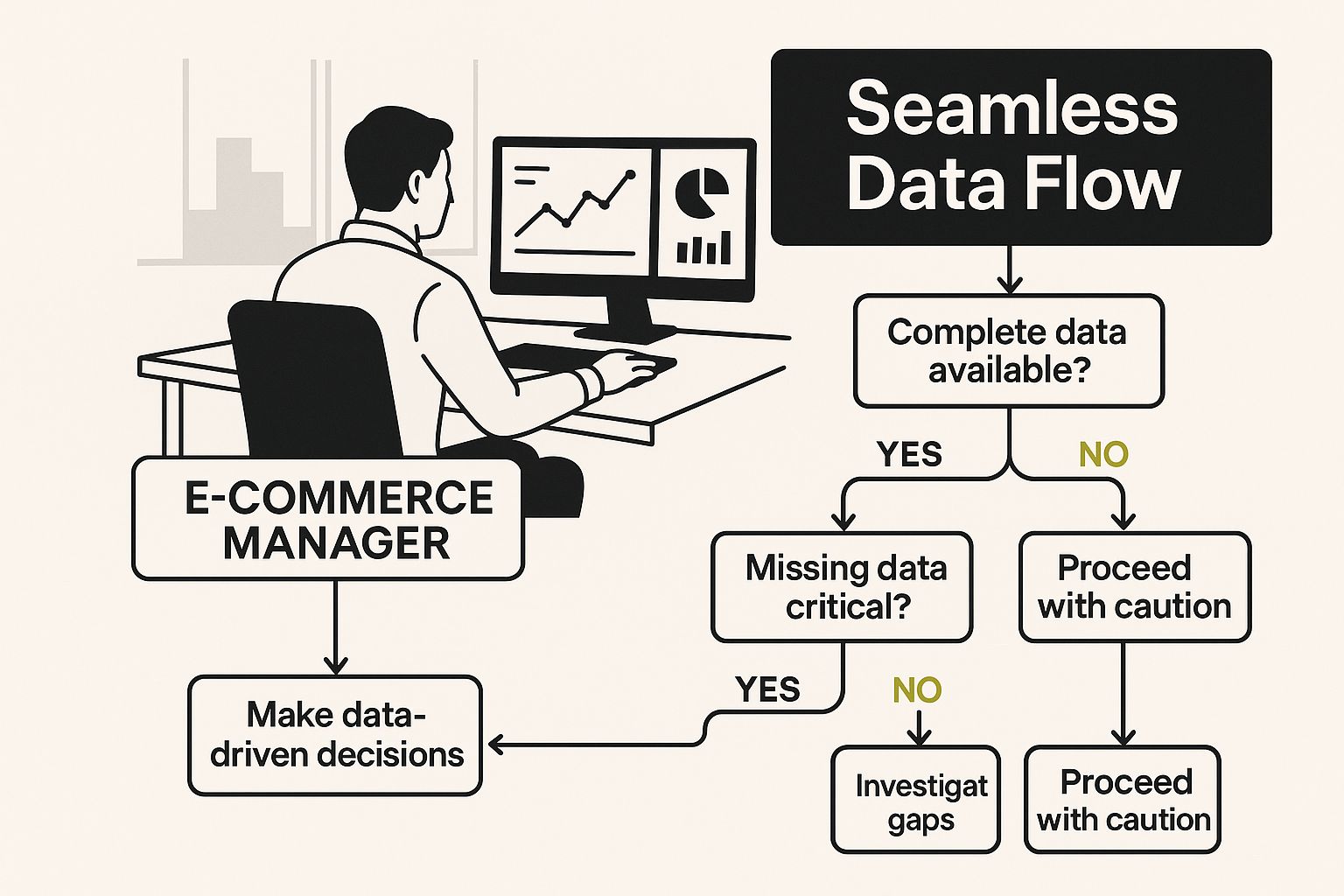
As you can see, it’s all about finding that perfect balance between what you need right now, what you can afford, and where you see your business heading.
To help you sort through this, let's break down the primary methods for connecting Shopify and Salesforce. This table gives you a quick look at the key differences in cost, complexity, and scalability, so you can start to figure out what's the right fit for your team.
Comparing Shopify and Salesforce Integration Methods
| Integration Method | Best For | Pros | Cons | Typical Cost |
|---|---|---|---|---|
| App Connectors | Startups & SMBs with standard needs. | Easy setup, low cost, no code required. | Limited customization, may not handle custom fields, can be outgrown. | $50 – $250 / month |
| Middleware (iPaaS) | Growing businesses with complex workflows. | Highly flexible, can connect multiple apps, powerful automation. | Steeper learning curve, higher cost, can be overkill for simple needs. | $500 – $5,000+ / month |
| Custom API Build | Enterprises with unique, complex requirements. | Total control, tailored to exact specifications, limitless scalability. | Very expensive, long development time, requires ongoing maintenance. | $25,000 – $100,000+ upfront |
Ultimately, the goal is to pick a solution that solves today's problems without creating new ones tomorrow. Now, let's dive deeper into what each of these options actually looks like in practice.
Pre-Built Connectors from App Marketplaces
The quickest way to get started is with a pre-built connector. These are the apps you'll find on the Shopify App Store or the Salesforce AppExchange. Think of them as the "plug-and-play" option, designed for the most common integration scenarios.
These connectors are brilliant for businesses that just need to sync the basics—customers, products, and orders—without a ton of fuss. Installation is often a simple, a-few-clicks affair, and they walk you through a pretty user-friendly mapping process.
Who are these for?
- Small to medium-sized businesses with straightforward data needs.
- Teams that don't have developers on staff or a big IT budget to play with.
- Anyone looking for a fast, out-of-the-box solution to get data flowing immediately.
The biggest trade-off here is flexibility. If you've got custom fields from a product personalizer app in Shopify or unique objects in Salesforce, a basic connector will likely fall short. You're pretty much stuck with the features the developer decided to build.
Third-Party Middleware Platforms
Middleware, or Integration Platform as a Service (iPaaS), is a major step up in both power and flexibility. Tools like Zapier, Celigo, or Boomi serve as a central hub connecting Shopify, Salesforce, and hundreds of other apps you might be using.
These platforms are built for the messy, real-world scenarios. They let you build complex, multi-step workflows with conditional logic. For instance, you could set up a rule that says, "if an order is over $500, then create a high-priority task in Salesforce for a sales rep to follow up." That's something a simple connector just can't do.
My take: For most growing e-commerce businesses, middleware is the sweet spot. It's scalable enough to handle your needs as you grow, but it doesn't require the massive investment of a full custom build. It’s the perfect middle ground.
The catch? These tools have a steeper learning curve and a higher price tag. You’ll need someone on your team who’s comfortable mapping out workflows and managing a more technical setup, though you still won't need to write a line of code.
Custom API Development
Finally, for the ultimate level of control, there's the custom route. This means hiring developers to build an integration from the ground up using the official Shopify and Salesforce APIs. It’s a solution tailored to your exact business processes.
You’d go down this road if your requirements are so specific that no off-the-shelf tool can meet them. Maybe you need to sync unique data objects, enforce proprietary business logic, or tie into a legacy ERP system. With a custom build, the only real limit is your imagination (and your budget).
This is, by a long shot, the most expensive and time-consuming path. A custom project can take months and requires a significant upfront investment, not to mention the ongoing costs for maintenance, updates, and bug fixes. It's an incredibly powerful option, but one that's typically reserved for enterprise-level companies that have the resources and complexity to justify it.
Preparing Your Data for a Smooth Sync
I can't stress this enough: jumping straight into connecting Shopify and Salesforce without prepping your data is a recipe for disaster. It's easily the most common reason I've seen these integrations go sideways, leading to a tangled mess of mismatched records and errors that are a nightmare to fix.
A little groundwork now saves you from massive headaches down the road. Think of it this way—your data is the lifeblood of this connection. If it’s messy, duplicated, or inconsistent, the integration will just pour gasoline on the fire. A solid sync starts with clean, organized information.

This prep phase is more than just a technical chore; it's a strategic move. It forces you to get real about what information actually matters to your business and how it should move between your sales and e-commerce platforms.
Perform a Thorough Data Audit
Before you even think about syncing a single record, you need a clear picture of what you're working with. A data audit is your chance to hunt down and fix the little inconsistencies that will absolutely break your integration. It’s not about achieving perfection, but about setting a consistent standard.
Start by digging into the usual suspects:
- Duplicate Customer Profiles: You'd be surprised how often this happens. Does "John Smith" in Shopify match "J. Smith" in Salesforce? Find and merge these duplicates now. This creates that all-important single source of truth for each customer.
- Inconsistent Naming: Are your product names a free-for-all? "Blue T-Shirt – Large" in one system and "T-Shirt, Blue, L" in another will create chaos during mapping. Standardize your naming conventions before you connect anything.
- Missing or Incomplete Data: Look for customer records missing an email address or orders without shipping details. You need to decide how you'll handle these incomplete records before they start flowing into the other system.
Define Your Data Flow Strategy
Once your data is in decent shape, it’s time to decide how it's going to move between systems. Don't fall into the trap of thinking everything needs to sync. A clear strategy ensures you’re only moving valuable information, which keeps the integration running smoothly and your data meaningful.
Crucial Tip: Get this out of your head and onto a whiteboard or even a simple spreadsheet. Physically map out your data flow before you touch any settings. Decide which system is the "master" for certain data. For example, Shopify is the master for order data, while Salesforce is the master for customer contact information.
Think through the direction and frequency of your syncs. Should a new Shopify customer create a Contact in Salesforce, an Account, or both? How often does inventory need to update? Answering these questions now is critical. For businesses looking at more advanced setups, this fundamental understanding of data flow is a core principle, much like in concepts such as what is headless commerce.
Confirm Your Administrative Access
Finally, let’s talk about the administrative basics. This sounds obvious, but it’s a frequent stumbling block. You absolutely must have the right user permissions in both platforms to access the APIs and configure the integration.
This is a big deal in Salesforce, where permissions can be incredibly specific. Double-check that your user profile has API Enabled permissions. You also need the ability to create and edit the specific objects you plan to sync, like Accounts, Contacts, and Opportunities. Getting this right is the final piece of the puzzle to build a reliable and accurate bridge between your systems.
Getting Your Data Field Mapping Right
Data mapping is where the magic really happens in a Shopify-Salesforce integration. This is the step where you tell your systems how to talk to each other, drawing invisible lines between a field in Shopify and its proper home in Salesforce.
If you get the mapping right, data flows seamlessly. Get it wrong, and you're staring down the barrel of a jumbled mess of mismatched information. It’s a lot like translating a conversation. You’re essentially teaching Salesforce that when Shopify says customer_email, it should understand that as Contact.Email. While it gets a bit technical, this is where you build the logic that makes the entire integration worthwhile.
I’ve seen it time and time again: businesses rush through mapping just to "get it done." Honestly, that's a huge mistake. A poorly planned map is the #1 cause of sync errors, duplicate records, and frustrating data problems that will haunt you for months.
Start with a Pre-Integration Mapping Document
Before you even think about touching a setting in your integration tool, do yourself a favor and open a spreadsheet. This simple, upfront effort will save you countless hours of headaches later. Think of this document as your blueprint—it defines every single data connection before you start building.
Your document only needs a few columns to be effective:
- Shopify Field: The starting data point from your store (e.g.,
Order Number). - Salesforce Object: Where the data will live in Salesforce (e.g.,
Opportunity). - Salesforce Field: The specific field it's going into (e.g.,
Order_Number__c). - Notes/Logic: Any special rules or changes needed (e.g., "Prefix all order numbers with 'SHO-'").
Creating this document first forces everyone on your team to think through each connection. It helps you spot potential gaps and agree on a single source of truth for all your customer and order data before you’re knee-deep in configuration screens.
Mapping the Standard Fields Correctly
Let's begin with the easy wins. Some fields have obvious one-to-one relationships, and these will form the foundation of your integration. They’re the straightforward connections that will handle the bulk of your data sync.
You'll almost certainly need to map these common ones:
- Customer to Contact: This is a classic. Shopify's
customer.first_nameandcustomer.last_namemap directly toContact.FirstNameandContact.LastNamein Salesforce. The same goes for syncingcustomer.emailtoContact.Email. - Order to Opportunity: In most setups, a Shopify
Orderis best represented as a SalesforceOpportunity. Theorder.total_pricecan map straight to theOpportunity.Amountfield, which gives your sales team an instant view of transaction values. - Product to Product Object: Your Shopify
product.titlebecomes theProduct2.Namein Salesforce, and theproduct.skuneatly maps toProduct2.ProductCode.
Expert Tip: Don't just think about what to map—think about the direction of the sync. Customer information might need to flow both ways, but order data should almost always be a one-way street from Shopify to Salesforce. Shopify is the system of record for sales, period.
Tackling More Complex Mapping Scenarios
The real power of a well-planned integration shines when you start handling custom data. Your business is unique, and your data map should reflect that. This is where you have to move beyond those simple one-to-one connections.
Take product variants, for example. A "T-Shirt" in Shopify might come in different colors and sizes. You can't just map all of that to a single Product record in Salesforce. A much better approach is to map the main product to a Product2 record and then use PriceBookEntry records to manage each specific variant, like "T-Shirt-Blue-Large."
Or what about custom fields you collect at checkout? If you ask for a "gift message," you'll need to create a custom field in Salesforce to hold it. This might be a new field on the Opportunity object called Gift_Message__c.
Below is a quick look at the Salesforce interface. It gives you a clean, structured way to see and manage these kinds of custom objects and fields once they're all synced up.
This clean layout is exactly what you're aiming for. You want a single, organized view where your custom Shopify data feels right at home next to standard Salesforce information. Your hard work in the mapping stage is what makes this unified view possible.
How to Test Your Integration Before Launch
You’d never push a new website live without kicking the tires first, and the same logic absolutely applies to your Shopify and Salesforce integration. Skipping a thorough testing phase is a recipe for disaster. You could end up scrambling to fix corrupted data, dealing with frustrated teams, and delivering a terrible customer experience right from the start. Think of this pre-launch check as your final line of defense against post-launch chaos.
The secret to doing this safely is the Salesforce Sandbox. If you haven't used one before, it's a brilliant feature—an isolated copy of your entire Salesforce environment. It gives you a safe playground to sync real Shopify data without touching the clean, live information your sales and service teams rely on.

By connecting your Shopify store to this Sandbox, you can mimic the entire data flow. Go ahead and place test orders, create fake customers, or update product info. You get to see exactly how everything behaves in Salesforce before it ever gets near your real customer database.
Create Your Pre-Launch Testing Checklist
The best testing is structured, not random. Don't just click around and hope for the best. Put together a solid checklist that covers every critical scenario you mapped out earlier. This ensures every piece of data and every workflow is firing just as you planned.
Your list should follow the customer’s journey from start to finish.
- New Customer Creation: Create a test customer in Shopify. Does a corresponding
ContactorAccountpop up in the Salesforce Sandbox? Double-check that all the fields you care about—name, email, and any custom fields—mapped over perfectly. - Test Order Placement: Place an order using a dummy credit card in Shopify. Now, hop over to Salesforce. Is there a new
Opportunity? Does it have the correct order total, the right products, and is it linked to the correct customer record? - Order Status Updates: Head back to Shopify and mark that test order as fulfilled. Did the
Opportunitystage in Salesforce automatically update to "Closed Won" (or whatever your equivalent is)? This is a great way to confirm your automation rules are working. - Customer Data Updates: Try editing a test customer's shipping address in Shopify. Did that change sync back to the
Contactrecord in Salesforce? This is key for verifying that your data flows in the right direction.
Verify Data Integrity and Check for Errors
It’s not enough to see that data arrived. You need to confirm it’s correct. Is the data accurate, complete, and formatted properly? Are currency fields showing the right symbols and decimal places? Do dates look right? Small formatting issues here can create massive reporting headaches down the line.
Pro Tip: Your integration tool almost certainly has an error log or dashboard. During testing, this screen should be your new best friend. Actively hunt for failed syncs and API errors. These logs are gold—they’ll point you directly to a broken field map or a faulty workflow rule so you can fix it before anyone in your company even notices.
This step-by-step testing process might feel a bit tedious, but trust me, it’s a crucial investment. The time you spend validating the connection in a Sandbox will save you from countless hours of stressful cleanup work after you’ve gone live.
Getting your Shopify and Salesforce integration live is a huge win, but the real work starts now. This connection isn't something you can just set and forget; it's a living, breathing part of your operations that needs regular attention to keep running smoothly.
A little proactive maintenance goes a long way. It ensures your data stays accurate, your workflows are efficient, and the whole system can keep up as you grow. If you let it slide, you risk "silent failures"—when data stops syncing and you don't find out until a customer is upset or a sales report is way off.
The best approach is to build a few simple, repeatable habits for monitoring and tuning the integration. This will help you catch problems early and make sure this powerful connection scales right along with your business.
Set Up Proactive Monitoring and Alerts
You can’t fix what you don’t know is broken. Don't wait for someone on your team to manually spot an error. Your first line of defense should be automated alerts that tell you the second something goes wrong.
Most integration tools or middleware platforms have this built-in. Here’s what you should set up immediately:
- Error Notifications: Have the system send an email or a Slack message for any failed data sync. This way, you’ll know instantly when a Shopify order doesn't create its corresponding Opportunity in Salesforce.
- API Usage Monitoring: Both Shopify and Salesforce have API call limits. It’s crucial to watch your usage, so you don’t get throttled during a flash sale or a holiday rush.
A well-maintained integration is a reliable one. Automated alerts mean you’re the first to know when something breaks, letting you jump on a fix before it ever impacts a customer or a sales report.
Establish a Clear Change Management Process
Your business is always changing, and your data needs will change with it. Maybe you need to add a new custom field to your Shopify product pages or tweak how you segment customers in Salesforce. Just jumping in and making those changes without a plan is asking for trouble.
Create a straightforward process for any adjustments. It doesn't have to be complicated—just document the proposed change, test it thoroughly in your Salesforce Sandbox, and let every team know what's happening. This simple step prevents a small tweak in one department from causing a massive headache for another. Larger businesses often find that established processes are key to managing complex systems, which is a common theme among users exploring advanced Shopify Plus solutions.
Leverage Your Data for Powerful Reporting
Let's be honest, the whole point of integrating Shopify and Salesforce is to get a single, unified view of your business. Now that your data is flowing, it's time to put it to work.
Dive into Salesforce's reporting and dashboard features to build a true command center for your e-commerce performance. The potential here is massive. During the 2024 Black Friday/Cyber Monday weekend alone, Shopify merchants raked in an incredible $11.5 billion in sales. Imagine piping that rich transactional data directly into Salesforce.
You can finally analyze lifetime value, spot buying trends, and build sophisticated reports that just weren't possible before. To get a better sense of the platform's scale, you can learn more about how Shopify's market growth impacts e-commerce businesses. This kind of ongoing analysis is what turns a simple data connector into a genuine business intelligence engine.
Your Top Shopify and Salesforce Integration Questions Answered
Even with a perfect plan laid out, a few big questions always come up before pulling the trigger on a Shopify and Salesforce integration. Let's tackle these head-on so you know exactly what you're getting into, both in terms of time and money.
What’s the Real Cost of Integration?
There's no one-size-fits-all answer here. The price tag really boils down to the path you choose.
- Simple App Connectors: This is your most budget-friendly route, often starting under $100 per month. They're perfect for straightforward, out-of-the-box data syncing.
- Middleware Platforms: When you need more control and flexibility, these tools are the next step up. Expect a monthly cost anywhere from a few hundred to several thousand dollars, mostly depending on how much data you're moving and how complex your workflows are.
- Custom API Development: Building a solution from scratch is a significant one-time investment. A custom project can run anywhere from $10,000 to over $50,000, depending on the unique needs of your business.
How Long Will This Actually Take?
Just like the cost, the timeline can vary wildly. A simple app connector can often be up and running in a matter of hours. Seriously.
For a more typical middleware setup, you should budget a few days to a week. That gives you enough time to get the field mapping right, configure your workflows, and run some solid tests. If you go the custom development route, you're looking at a much bigger project—usually between 4 and 12 weeks from the initial discovery call to a successful launch.
Will My Data Sync Instantly?
This is a huge one, and the honest answer is: it depends entirely on the tool you pick. Some solutions offer true real-time or near-real-time syncing, which is absolutely critical for things like inventory levels where every second counts.
Here's the crucial part: Many tools sync on a schedule—every 5, 15, or even 60 minutes. Before you sign on the dotted line, you have to confirm that the sync speed meets your business needs. Getting this wrong can lead to some major operational headaches down the road.
Ready to build a powerful, scalable Shopify store that grows with your business? The team at E-commerce Dev Group specializes in custom development and seamless integrations. Let's build your success story together.
