


Before you can uncover any real insights, you need data you can trust. It all starts with setting up your analytics properly, and for most of us, that means getting comfortable with a powerhouse like Google Analytics 4 (GA4). A solid configuration from the get-go ensures every bit of data you collect is clean, accurate, and ready to tell you a story.
Setting Up Your Analytics Foundation
You can't analyze what you don't track. It sounds obvious, but you'd be surprised how many people miss this first, crucial step: correctly installing an analytics tool. Whether you're just starting out or have been at this for years, knowing how to use Google Analytics is non-negotiable for building a solid foundation to track your website traffic. This isn't just about slapping a tracking code on your site; it's about making sure it’s on every single page.
Once the code is in place, you need to make sure it's actually working. Don't just assume it is. The easiest way to check is by using the "Real-time" report in your analytics tool. Just open your own website in another browser tab and watch for your visit to pop up. If you see yourself there, you’re good to go.
This whole process is about turning raw numbers into real-world improvements for your site.
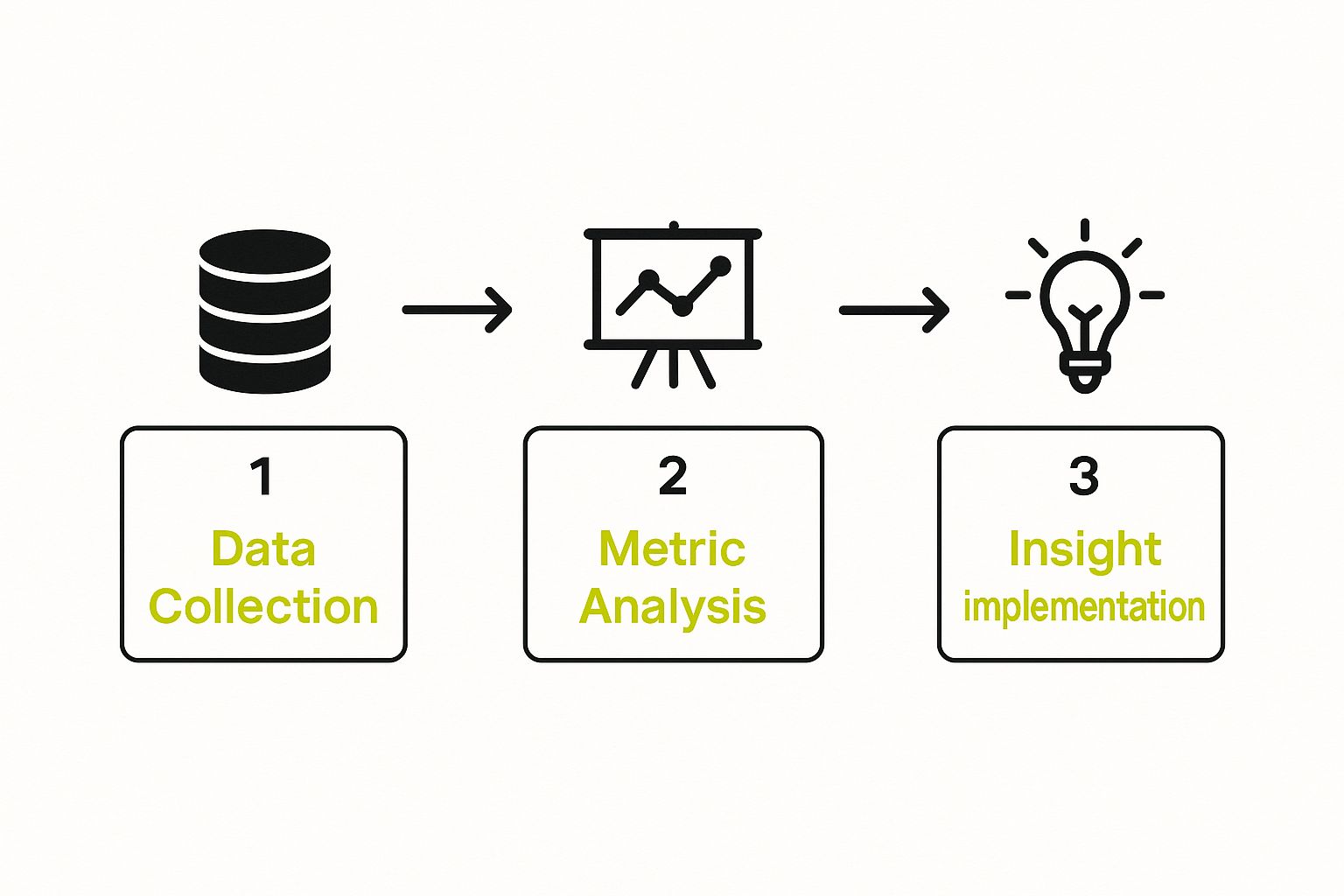
As you can see, gathering data is just the beginning. The real magic happens when you move into analysis and then start implementing changes based on what you find.
Configuring Essential Settings
With your tracking code live, it's time to fine-tune things. Remember, a clean dataset is a reliable one. The very first thing I always do is filter out internal traffic. You don’t want your team's daily visits messing with important metrics like session duration or user counts. In Google Analytics, this is as simple as creating a filter to exclude traffic coming from your office IP addresses.
Next, you need to define what success actually means for your website by setting up conversion goals or events. A conversion isn't always a sale. It can be any action that brings a user closer to becoming a customer.
Think about things like:
- A user filling out your contact form.
- Someone subscribing to your newsletter.
- A visitor downloading a free guide or PDF.
Setting up these goals transforms your analytics from a simple visitor counter into a powerful tool that measures how well your site is actually doing its job. This foundation is absolutely essential for any meaningful traffic analysis you'll do down the road.
For e-commerce stores, this setup gets even more specific. If you're selling online, you need to be living in your e-commerce platform's analytics. For anyone using Shopify, our guide to the https://scaleshopify.com/2025/06/10/shopify-analytics-dashboard/ is a great resource for getting a handle on the sales and customer metrics available right inside the platform. Trust me, getting this foundation right from day one will save you a world of headaches later on.
Decoding Key Website Traffic Metrics

Alright, your analytics tool is fired up and collecting data. Now for the fun part: learning what it all means. Opening your dashboard for the first time can feel like looking at a wall of numbers, but don't worry. To truly analyze your website traffic, you just need to understand the story these numbers are trying to tell. Each metric is a piece of the puzzle.
Let’s start with the basics you'll see everywhere: Users and Sessions. It's easy to confuse them, but the difference is simple. A User is a unique person visiting your site. A Session is what they do during a single visit (within a 30-minute window).
Here’s a real-world parallel: think of a coffee shop. One person (the User) might pop in for their morning latte on Monday and come back for an iced coffee on Friday. That’s one user, but two separate visits (Sessions). This is a critical distinction. It helps you see if you're attracting new people or if your existing audience keeps coming back for more.
The sheer volume some sites handle is staggering. For perspective, Google sees around 105.4 billion monthly visits, while YouTube gets about 47.04 billion. A single user can create dozens of sessions over time, which shows why you need to track both metrics to get the full picture of your traffic.
From Visits to Value
Just getting people to your site isn't the goal. You need to know if they’re actually engaging with what they find. This is where you move from just counting heads to measuring the quality of your traffic. A million visitors don't mean much if they all leave in two seconds.
This is where you'll want to start digging into a few essential metrics that tell you what people are doing once they arrive.
Essential Website Traffic Metrics Explained
Before we get deeper, let's break down the core traffic metrics you'll be looking at every day. Understanding these is fundamental to making sense of your analytics reports and turning that data into action.
| Metric | What It Measures | Why It Matters |
|---|---|---|
| Pageviews | The total number of pages viewed on your site. | Shows how deeply visitors explore your site beyond the landing page. High pageviews per session can indicate strong interest. |
| Engagement Rate | The percentage of sessions that were engaged (lasted >10s, had a conversion, or had 2+ pageviews). | This GA4 metric is a fantastic indicator of traffic quality. It tells you if your content is capturing attention. |
| Average Session Duration | The average length of time a user spends on your site in a single session. | Longer durations often mean your content is compelling and holds visitor interest, which is a great sign. |
These three metrics, when viewed together, paint a clear picture of how compelling your website is to the people you're attracting.
Key Takeaway: A high engagement rate is one of the best signals you can get. It proves that when people show up, they find your content valuable enough to stick around, click through, or even convert. That's the difference between simply having an audience and truly captivating one.
The Importance of Context
Here’s something I’ve learned over the years: numbers on their own are meaningless. Context is everything.
For example, a high exit rate on a "Thank You" page after a purchase? Totally normal and expected. But a high exit rate on the very first step of your checkout process? That's a huge red flag screaming that something is broken or confusing.
Think about an ecommerce store. A low average session duration could be worrying because it suggests people aren't browsing products. But for a blog, a visitor might find the perfect answer in a single article and leave completely satisfied—that’s a win!
And if you're running an online store, there's a whole other layer of KPIs you need to monitor. For a deeper dive, check out this guide on the Top 10 Ecommerce Metrics to Track for Growth. Looking at your data through the right lens is what separates basic reporting from powerful analysis.
Where Is Your Traffic Actually Coming From?

Before you can even begin to analyze your website traffic, you need to answer a simple but crucial question: where are your visitors coming from? This isn’t just for fun; it's the foundation for understanding what’s working in your marketing and where you should be investing your time and money.
Think of your website as a physical shop. Some people wander in because they saw your sign on the main street (that’s your organic search traffic). Others were told about you by a friend and came straight to your door (that's direct traffic). Knowing which entrances are busiest—and which ones bring in the best customers—is what this is all about.
The Main Traffic Channels Explained
In your analytics, you'll see traffic neatly bucketed into a few key channels. Each one tells a different story about how people find you. Getting to know them is the first real step toward building a smarter marketing strategy.
-
Organic Search: This is the good stuff. These are people who typed a search term into Google or Bing and clicked on your site in the unpaid results. High organic traffic is a direct sign that your SEO is paying off.
-
Direct: These folks know you already. They typed your URL directly into their browser or clicked a bookmark. This channel is often full of your most loyal customers and people who've heard about your brand offline.
-
Referral: Someone else sent them your way. A visitor is counted as a referral when they click a link on another website—like a partner’s blog, a business directory, or an article that mentioned you.
-
Paid Search: Just as it sounds, this is traffic you paid for through platforms like Google Ads. It's the most direct way to measure the return on your ad spend.
-
Social: Any visitor who clicks through from a social media platform falls into this category. This includes links from your company profiles on LinkedIn, Facebook, or X (formerly Twitter), as well as links people share.
The real magic happens when you start comparing these channels. It's easy to get excited about a big spike in social traffic, but the data might show that visitors from organic search stick around longer, view more pages, and ultimately buy more. That's the kind of insight that helps you focus your efforts.
Digging Deeper Into Your Source Data
Once you’ve got a handle on the basic channels, it's time to look at the trends. Is your organic traffic climbing steadily month over month? Can you see a clear spike in paid traffic right after you launched that new campaign? This is where the story of your marketing efforts comes to life.
It's also important to keep the broader market in perspective. While you should track all search engines, let's be realistic about where most of your attention should be. As of May 2023, Google held a staggering 87.65% of the global desktop search market, and its dominance on mobile is even more pronounced. For a closer look at these trends, it's always worth checking the latest website traffic statistics. This context helps explain why refining your Google strategy is so critical.
My Practical Tip: Don't get caught up in vanity metrics. The channel that sends the most traffic isn't always the best traffic. Jump into your analytics, create a segment for each traffic source, and compare their conversion rates head-to-head. I've worked with clients who discovered their small email newsletter list converted at twice the rate of their massive social media following. That’s a powerful, actionable insight you can use right away.
Figuring Out What Your Visitors Do (And Why)
Getting people to land on your website is one thing, but that's just the start of the story. The real magic happens when you understand what they do after they arrive. This is where we dig into user behavior to find those golden nuggets that lead to real, measurable improvements.
Think of your website like a physical shop. It’s nice to know 500 people walked through the door. But it's far more valuable to know which aisles they browsed, what products they picked up, and where they seemed to get confused or just gave up. That’s exactly what we’re doing with your site—mapping out the customer journey to build a better experience.
Find Out What Content People Actually Care About
First things first: what are people looking at? Your analytics tool, whether it's Google Analytics or something else, will have a report for your most popular pages. It's often called a "Pages" or "Content" report, and it's a goldmine.
Check out your top 10 or 20 pages. Are they what you expected? It’s common to find an old blog post you wrote years ago is still pulling in a ton of traffic. That’s not a fluke; it's a clear signal from your audience telling you exactly what they want to see.
I once worked with an e-commerce client who was shocked to find their "About Us" page was their third most-visited page. It turns out, their brand story and the people behind it were huge trust-builders for shoppers. We took that insight and started weaving their story into more parts of the site, which really helped.
Once you know which pages are popular, you know what topics connect with your audience. You can create more content around those themes or double down on what’s already working. Maybe that popular blog post could be updated with a new video or a downloadable guide.
Map the Journey and Pinpoint Where People Get Stuck
Looking at individual pages is great, but you also need to see how people move between them. Most analytics platforms have "flow reports" or "path exploration" tools that create a visual map of the common routes people take on your site.
Do visitors coming from a Google search usually land on a blog post, then click over to a product page? Or do people clicking an ad go to a landing page and then immediately leave? These maps show you what’s working and, more importantly, where the dead ends are.
For instance, you might notice that a lot of visitors go from a product page to your FAQ page, then back to the product page before finally buying. That's a huge clue! It probably means your product descriptions are missing critical information. Adding that info directly onto the product page could smooth out that journey and boost your sales. This kind of detective work is at the heart of effective Shopify conversion rate optimization.
Slice Up Your Audience for a Clearer Picture
Your visitors aren't a monolith. Treating them all as one big group will hide the most interesting insights. This is where segmentation comes in—it’s the practice of dividing your audience into smaller, distinct groups to see how their behavior differs. Honestly, it’s one of the most powerful things you can do in analytics.
You can create segments based on almost anything, but here are a few classics to start with:
- Device Type: How do mobile visitors behave compared to desktop users? Their needs are often very different.
- Traffic Source: Are visitors from your email list more engaged than people who find you on Facebook?
- Geography: Do customers from the United States convert at a higher rate than those from Canada?
Drilling down into device behavior is non-negotiable these days. As of July 2025, a whopping 64.35% of all web traffic worldwide came from mobile devices. Think about that—it was just 0.72% back in 2009. This massive shift means you absolutely have to analyze your mobile and desktop traffic separately to get an accurate read on how people are interacting with your site.
Turning Traffic Analysis Into Actionable Growth

Let's be honest—staring at analytics reports without a clear plan is a waste of time. It's like having a map but refusing to leave your driveway. The numbers might look interesting, but they don't mean a thing until you use them to make real, tangible changes.
This is where the magic happens. You start building a feedback loop where data doesn't just report on the past; it actively shapes your future. You move from "what happened last month?" to "what are we going to make happen next month?"
Finding Growth Opportunities in Your Data
Your analytics reports are packed with clues, pointing you straight toward your next big win. The trick is simply knowing where to look. When you start connecting the dots between different metrics, you'll uncover specific parts of your website that are practically begging for improvement.
Think of yourself as a detective. You're searching for symptoms in the data that reveal an underlying problem you can solve. This shift from passively reading reports to actively hunting for opportunities is what separates stagnant sites from growing ones.
Here are a few classic scenarios I see all the time and what to do about them:
-
The Underperforming Blog Post: You have an article that ranks well for some great keywords, but people bail almost immediately (a high exit rate). Action: This is your cue to give that content a facelift. Refresh the information, embed a new video, add better internal links, and sharpen your call-to-action.
-
The Mobile Conversion Gap: You see that a massive 60% of your traffic comes from mobile, but the conversion rate on phones is depressingly low—maybe half of your desktop rate. Action: Drop everything and fix your mobile experience. Go through the checkout process on your own phone. Is it clunky? Are the forms too long? Is it slow to load? Simplify and speed things up.
-
The Leaky Checkout Funnel: Your data shows a huge number of people abandoning their carts right when they get to the shipping page. Action: You've hit a major roadblock. Are you surprising them with high shipping costs? Is the form a nightmare to fill out? Try offering a flat shipping rate or a guest checkout option to smooth things over.
These examples show you how to go from a simple observation ("Lots of mobile traffic") to a specific, testable plan ("Our mobile checkout is confusing and needs to be simplified").
Building a Framework for Continuous Improvement
To make this a habit, you need a simple, repeatable system. Don’t overcomplicate it. The best approach is a cycle: find a problem, brainstorm a fix, implement the change, and measure what happens.
Key Insight: The most successful online businesses don't just look at their analytics; they build a process around them. They have a system that turns an observation in Google Analytics into a task in their project management software.
This could be as simple as a weekly meeting where you review key reports and ask one question: "What's one thing we can improve this week based on what we're seeing?" This discipline keeps valuable insights from falling through the cracks.
For e-commerce stores, this often involves taking a hard look at your product pages and organic search health. Running regular e-commerce SEO audits is the perfect way to turn analysis into a structured growth plan. After all, the whole point of digging into your traffic data is to find these weak spots and apply the right fix. You can learn more about specific SEO strategies for increased traffic to turn those insights into real results.
Frequently Asked Questions About Website Traffic
https://www.youtube.com/embed/weRrxWnjjwE
Once you start digging into your website's traffic data, you're going to have questions. It happens to everyone. Moving from just collecting numbers to actually knowing what they mean for your business is a huge step, and it's natural to hit a few confusing spots along the way. Let's clear up some of the most common questions I hear all the time.
One of the first hurdles for many is getting a handle on bounce rate versus exit rate. They sound similar, but they tell you very different stories. An exit rate is simple: it’s the percentage of people who left your entire website from a particular page. Every single page has an exit rate.
A bounce rate is more specific. It only applies to the first page someone lands on (the landing page) and measures the percentage of visitors who saw that one page and then left without clicking anywhere else. A high bounce rate often means your landing page didn't give visitors a good reason to stick around.
A Quick Word of Advice: Don't lose sleep over a high bounce rate on a blog post. If someone Googled a question, found your article, got their answer, and left—your page did its job perfectly. A high bounce rate on a key product or service page, however? That's a five-alarm fire you need to put out immediately.
How Often Should I Be Checking My Analytics?
This is a classic balancing act. You want to stay on top of things, but you don't want to get lost in the data and overreact to every little dip and spike. For most businesses, I’ve found that sitting down for a proper deep dive once a week is the sweet spot. This gives you enough time for real trends to emerge, so you’re not just chasing ghosts.
Of course, there are times when you'll want to peek more often. I recommend quick, daily check-ins if you've just:
- Kicked off a new marketing campaign and want to see the initial traction.
- Pushed a major website update or redesign live (to make sure you didn't break anything!).
- Launched a big sale or promotion and need to monitor performance in real-time.
Getting into a regular rhythm turns analytics into a productive habit, not a constant distraction. It helps you focus on the bigger picture, which is what truly matters for long-term growth.
What’s Considered a "Good" Session Duration?
Ah, the "it depends" question. But the answer is actually pretty straightforward. A "good" average session duration is whatever makes sense for your content.
If you’ve written a deep, 3,000-word guide, you’d probably hope to see people sticking around for 5-10 minutes. On the other hand, if you posted a quick news update, 1-2 minutes could be a fantastic result.
Instead of comparing yourself to some vague industry average, benchmark against yourself. Find your best-performing pages and see what their session duration looks like. That is your gold standard. If your most critical pages are falling way short of that number, it’s a clear sign they need some work to better capture and hold your visitors' attention.
Ready to turn these insights into a high-performing Shopify store? The experts at E-commerce Dev Group specialize in design, development, and optimization to help you build a site that not only attracts traffic but converts it. Learn how we can help you grow.
