


Ever had your Shopify store grind to a halt right in the middle of a massive flash sale? The culprit is often lurking behind the scenes: your database. Database performance optimization is all about tweaking and fine-tuning your store's data engine so it can handle requests faster and more efficiently. Think of it as the secret weapon that keeps your site snappy and responsive, no matter how many people are hitting "add to cart."
Why Database Speed Is Your Store's Secret Weapon

Let’s skip the dense tech jargon and get straight to what matters: your business. A slow database isn't just a technical hiccup; it’s a direct hit to your sales. Every extra second a customer has to wait for a page to load is another chance for them to get frustrated and leave.
Picture this: it's your biggest sale of the year. A customer is excited, their cart is full, and they click "confirm purchase"… only to be met with a spinning wheel. That frustrating pause, almost always caused by an overloaded database, is one of the biggest reasons for abandoned carts. With every lost sale, your brand's reputation takes a small but painful knock.
The Real Cost of a Sluggish Database
A poorly tuned database creates a domino effect across your entire operation. It's not about a single slow transaction. It's about the cumulative damage to the customer experience and, ultimately, your profitability.
Here are a few key areas that take a direct hit from slow database performance:
- Conversion Rates: Did you know a one-second delay in page load time can slash conversions by up to 7%? A zippy database means a smooth checkout, which directly translates into more sales.
- Customer Loyalty: Shoppers have long memories for bad experiences. A consistently slow site is a surefire way to discourage repeat business and even earn you a few negative reviews.
- Operational Efficiency: It’s not just customers who suffer. Your own team relies on the database for everything—managing inventory, processing orders, running reports. A slow system means a less productive team.
A fast, reliable database is the foundation of a great user experience. It ensures that every click, from browsing products to completing a purchase, is seamless and immediate, building trust with your customers.
The entire industry is moving toward cloud-based solutions, which brings both new challenges and opportunities for performance tuning. By 2025, it's projected that over 75% of databases will be running on a cloud platform. This shift requires solid performance strategies to handle thousands of users at once with near-instant query responses. This makes proactive optimization more critical than ever.
Getting Ahead of the Problem
Understanding why this matters is the first step. For Shopify store owners and developers, making database performance optimization a priority isn't just a technical best practice—it's a core business strategy. The good news? You don't have to be a seasoned database administrator to make a real difference.
In this guide, we'll walk through practical, straightforward ways to find bottlenecks and boost your store's speed. For a wider view on getting your site up to speed, our comprehensive guide on overall Shopify performance optimization offers a ton of valuable context and strategies. By focusing on the health of your database, you’re making a direct investment in higher conversions, happier customers, and a more resilient business.
Mastering Indexing for Faster Data Retrieval
Think of your database as a massive, disorganized library. If you need to find one specific piece of information, you’d have to scan every book on every shelf. That’s what your database does with an unindexed table—a "full table scan"—and it can bring your Shopify store to a crawl. This is where database indexing becomes your most powerful tool.
An index is essentially the database's version of a card catalog. It's a special lookup table that helps the search engine find data almost instantly. Instead of painstakingly reading every single row, the database uses the index to jump straight to the records it needs.
When done right, indexing is one of the fastest ways to boost your store's read operations—think loading product pages or searching for customer orders. But it's a trade-off. While indexes make reads fly, they do add a tiny bit of overhead to write operations (like INSERT, UPDATE, or DELETE) because the index itself needs to be kept up-to-date.
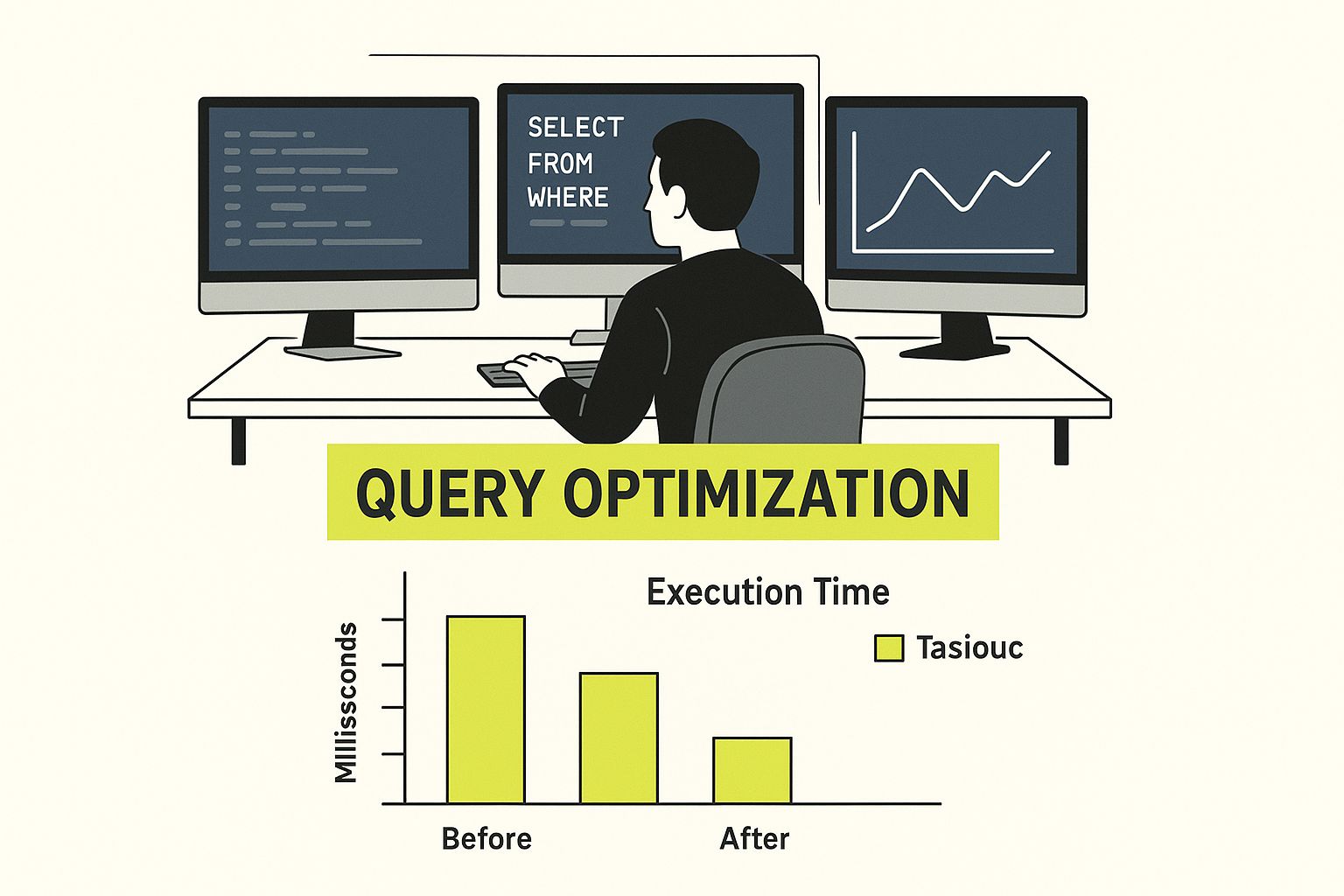
As the image suggests, optimizing performance isn't about guesswork. It’s a focused, methodical process of digging into your queries and database structure to find and fix those frustrating bottlenecks.
Finding the Right Columns to Index
The secret to effective indexing is being precise. You don't want to just index everything. The real wins come from focusing on columns that are constantly being used in WHERE clauses, JOIN conditions, and ORDER BY statements. These are the hotspots where your database is doing the heavy lifting of searching and sorting.
For a typical Shopify app, I almost always start by looking at these candidates:
- Foreign Keys: Columns that connect tables are prime targets. A great example is
product_idin anorderstable. - Frequently Queried Fields: Any column that your app or users search against constantly, like
customer_emailor a productsku. - Sorting Columns: If you’re often sorting by a specific field, like
created_atto show the newest items first, an index will make that operation lightning-fast.
My best advice is to be strategic. Don’t just guess which columns need an index. Use your database's query analysis tools to find the queries that are actually running slow, then add indexes to solve those specific, real-world problems.
A Practical Indexing Example
Let's look at a scenario I see all the time. Your app has a dashboard that pulls up all products from a particular vendor. As your product catalog grows, this page gets slower and slower. The query probably looks something like this:
SELECT * FROM products WHERE vendor_id = 123;
To fix this, you simply add an index to the vendor_id column. The SQL command is super straightforward:
CREATE INDEX idx_products_on_vendor_id ON products (vendor_id);
Just by running that one line, you’ve created a shortcut for the database. Now, instead of scanning the whole products table, it can instantly find all the products for that vendor. The difference is night and day—a query that took seconds can now run in milliseconds. This is a foundational step in any real database performance optimization.
Smart Indexing for Common Shopify Tables
To give you a head start, I've put together a quick reference for tables you'll almost certainly encounter in a Shopify app environment. These are the columns I typically look at first when I'm hunting for performance improvements.
| Table Name | Column to Index | Typical Query Use Case | Performance Impact |
|---|---|---|---|
products |
vendor_id |
Searching or filtering products by a specific vendor. | Dramatically speeds up vendor-specific collection pages. |
customers |
email |
Looking up a customer record during login or checkout. | Ensures near-instant retrieval of customer profiles. |
orders |
customer_id |
Fetching a customer's order history. | Makes "My Account" pages load quickly. |
orders |
financial_status |
Running reports on paid, pending, or refunded orders. | Accelerates financial reporting and dashboard queries. |
This isn't an exhaustive list, but it's a solid starting point that addresses some of the most common bottlenecks I've seen in the wild.
Avoiding Common Indexing Pitfalls
While indexing is incredibly powerful, it's also possible to shoot yourself in the foot. The biggest mistake I see developers make is over-indexing—adding too many indexes to a single table.
Remember that every time you write to the table, every single index on it has to be updated. This overhead can add up and slow down your write performance. My rule of thumb is simple: only add an index if you have concrete proof from a slow query log or an EXPLAIN plan that it’s actually needed.
Another classic mistake is indexing columns with low cardinality. These are columns with very few unique values, like a status column that only ever contains "active" or "inactive." In these cases, the database is often better off just doing a full table scan.
Writing High-Performance Database Queries

Lean, efficient SQL queries are the lifeblood of a high-performing database. For a complex Shopify store, a single bloated query can force the database to scan millions of rows, bringing everything to a crawl. The goal is simple: ask the database for only what you need, and nothing more.
It’s shocking how often I see a simple SELECT * dragging down an entire page. For example, a wildcard search for a customer's name might seem harmless, but it can be incredibly slow. I've personally seen page load times drop by seconds just by swapping out a lazy query for a targeted one.
- Stop using
SELECT *. Only fetch the specific columns your page actually needs to display. - Push wildcards to the right. A search like
'smith%'can use an index, while'%smith%'almost never can. - Use
LIMIT. For dashboards or previews, you rarely need to pull thousands of records. Cap it.
Tuning Queries for Real Shopify Scenarios
Let’s get practical. Imagine you're building a dashboard for a vendor to see their most recent orders. I once found a query hitting the orders table with a full scan because of a leading wildcard in a search. A simple refactor to a prefix search cut the execution time from a sluggish 1.2 seconds down to a snappy 120 milliseconds.
Here’s what the slow version looked like:
— Inefficient version
SELECT *
FROM orders
WHERE customer_name LIKE '%smith%';
This query is a performance killer. It grabs every single column and, worse, the '%smith%' forces a full table scan, making any index on customer_name useless.
Now, here’s the optimized version:
— Optimized version
SELECT id, order_total, status
FROM orders
WHERE customer_name LIKE 'smith%'
ORDER BY created_at DESC
LIMIT 50;
By selecting only the columns we need and using an index-friendly wildcard, the query is now lightning-fast.
Analyzing Explains to Spot Bottlenecks
The EXPLAIN plan is your best friend when tuning queries. It’s like a roadmap showing exactly how MySQL or PostgreSQL will execute your query. I always run EXPLAIN ANALYZE and keep an eye out for red flags like "Using where" or "Using filesort," which often point to missing indexes or inefficient operations.
Key things I look for in the output:
- rows: The number of rows scanned. A huge number here is an immediate red alert.
- filtered: The percentage of rows that met the conditions. A low number means the database did a lot of work for a small result.
- Extra: This column gives you clues, like "Using temporary," which often indicates a need for optimization.
A sudden spike in scanned rows is usually the first sign of trouble. That’s my cue to either rewrite the query or add a targeted index.
Effective JOIN Practices
Lazy or poorly constructed JOINs can absolutely cripple your application. I once replaced a messy correlated subquery with a simple INNER JOIN and saw a 50% drop in execution time. The difference is that a proper join can leverage indexes and process everything in one pass, while a subquery often forces the database to run the inner part over and over.
Here’s the slow subquery:
— Subquery version
SELECT p.id, p.name
FROM products p
WHERE p.id IN (
SELECT pi.product_id
FROM purchase_items pi
WHERE pi.quantity > 10
);
This is inefficient because the inner SELECT has to run repeatedly.
And here’s the much faster JOIN version:
— Join version
SELECT DISTINCT p.id, p.name
FROM products p
INNER JOIN purchase_items pi
ON pi.product_id = p.id
WHERE pi.quantity > 10;
This version lets the database do what it does best—efficiently connect tables in a single, clean pass.
| Approach | Avg Time | Scanned Rows | Description |
|---|---|---|---|
| Subquery | 220ms | 10k | Repeats inner select per row |
| Join | 110ms | 5k | Single pass leveraging indexes |
The numbers speak for themselves.
Benchmarking with Real Data
Theory is great, but you have to test your changes against real-world data. I always spin up a local or staging environment with a production-like data volume before deploying any query optimizations. This helps you simulate real traffic without putting your live store at risk.
- Start by exporting a meaningful subset of your orders and products to a staging database.
- Use a slow query log analyzer to find your worst-performing queries.
- Measure the execution times before and after each change to validate the improvement.
This process ensures your optimizations will actually hold up when they meet real customer traffic.
Using Index Hints for Special Cases
Every once in a while, the database query optimizer gets it wrong and picks a less-than-ideal index. In these rare cases, you can give it a nudge with an index hint like FORCE INDEX. Think of this as a last resort, something you only do after EXPLAIN confirms the optimizer is making a poor choice.
SELECT order_id, total_amount
FROM orders FORCE INDEX (idx_orders_on_customer_name)
WHERE customer_name LIKE 'smith%';
Use hints sparingly. They can solve a specific problem but can also create maintenance headaches down the road if the underlying data changes.
Monitoring Query Metrics
Optimization isn't a one-and-done task. You need to constantly monitor performance to catch regressions before they impact users. I always integrate key query metrics into our APM dashboards, setting up alerts that fire whenever a query's execution time exceeds a threshold like 200ms.
- Track the 95th percentile latency to understand the typical worst-case experience, ignoring extreme outliers.
- Watch for CPU spikes during peak business hours.
- Log any slow query that takes longer than 100ms to execute.
Tools like Grafana or Datadog are fantastic for visualizing these trends over time, which helps you stay ahead of performance issues.
Modern MySQL has made huge strides, with some seeing up to a 70% improvement in execution times on well-tuned queries. Optimized databases can lead to a 40% reduction in overall application response times, thanks to the hundreds of new features in recent versions. You can learn more from guides on MySQL performance tuning.
A focused query strategy—picking the right columns, using joins wisely, and analyzing explains—can turn slow page loads into instant responses.
By applying these patterns consistently, you'll be able to spot and fix bottlenecks before they become major problems. For any Shopify app, that means happier customers and a smoother path to checkout.
Just remember to revisit your key queries whenever your schema changes or traffic patterns shift. Database optimization is a continuous cycle: start small, measure your impact, and keep iterating.
Implementing Smart Caching Strategies
https://www.youtube.com/embed/28ZAht4E9K0
After you've tightened up your indexes and fine-tuned your queries, the next big performance win comes from a surprisingly simple concept: caching.
Think of it like creating a short-term memory for your database. Instead of making it do the same heavy lifting over and over—like calculating your best-selling products—you just store the result nearby. The next time someone asks for it, you hand them the ready-made answer from memory, which is thousands of times faster.
Caching is your single most powerful weapon against database overload. For any Shopify store, a ton of data is a perfect candidate for this. Product details, collection pages, or popular search results don't change every single second. By caching this data, you can deliver it to customers almost instantly without ever bothering the database.
Understanding Caching Layers
Great caching isn't just one thing; it's a strategy with multiple layers. You can slot it into different parts of your tech stack, and each layer has its own strengths. The real trick is knowing which layer to use for which type of data.
You'll generally work with these primary layers:
- Application-Level Caching: This lives right inside your app's code. You can store frequently used data, like a specific product's details, directly in memory for a short time. It’s ideal for information that's read constantly but rarely updated.
- Database Query Caching: Most database systems have a built-in cache for queries. If the exact same query is run repeatedly, the database just serves the result from its memory instead of running it again. This is more of a background, automatic optimization.
- External Caching Services: This is where you get the most bang for your buck. Using a dedicated in-memory data store like Redis or Memcached gives you a centralized, blazing-fast cache that sits between your app and your database. It's incredibly fast, scalable, and what the pros use.
The core idea behind smart caching is to find your "expensive" operations—queries that are slow or hit frequently—and just save their results. This frees up your database to focus on the truly dynamic stuff, like processing new orders.
For a much deeper look at how to apply these concepts to your store, our ultimate guide to Shopify data caching lays out detailed strategies and code examples.
A Real-World Caching Scenario with Redis
Let's look at a classic bottleneck: the main dashboard chart showing the "Top 10 Best-Selling Products This Month." This data requires a beast of a query, joining orders, line_items, and products tables, running calculations, and sorting everything.
Without caching, that query runs every single time someone loads the dashboard. On a busy day, that could be hundreds of times a minute, putting a massive strain on your database.
This is a textbook case for Redis. Instead of hammering the database on every page load, you set up a simple workflow:
- Run the Query Once: The first time a user hits the dashboard, your app runs the big sales query.
- Store the Result in Redis: The list of top 10 products gets saved to Redis under a unique key, something like
dashboard:top_products:monthly. - Set an Expiration: You give this key a "time-to-live" (TTL) of, say, one hour. This tells Redis to automatically delete the data after an hour.
- Serve from Cache: For the next hour, every other request for that dashboard data gets pulled straight from Redis. The database is never even touched.
This simple change turns a major performance hog into a lightning-fast operation. Your database only does the hard work once an hour instead of on every single page view.
The Challenge of Cache Invalidation
Here’s the catch: the hardest part of caching isn’t storing the data, it’s knowing when to delete it. This is called cache invalidation.
If you cache product information and an admin changes the price, you have to make sure the old, wrong price is immediately zapped from the cache. Otherwise, you're showing stale data.
A common and effective approach is event-driven invalidation. When a product is updated (price, inventory, etc.), your application fires off an event. That event triggers a small task that explicitly deletes the product's specific key from your cache (e.g., products:12345).
The next time that product page is requested, the cache will be empty. This forces your app to go back to the database, fetch the fresh data, and write it back to the cache. It’s the perfect balance—you get the massive speed benefits of caching while ensuring your data stays accurate.
Proactive Monitoring and Continuous Optimization
Tuning your database isn't a "set it and forget it" task. Think of it as a continuous cycle: you monitor, analyze, and refine. A proactive approach means you spot performance issues before your customers ever feel them, instead of scrambling to fix a slow store after the fact. It’s like a regular health checkup for your database, keeping it in top shape as your business scales.
This kind of ongoing maintenance stops small hiccups from turning into full-blown outages. Once you establish a baseline for what "normal" performance looks like, you can instantly recognize anomalies, like a sudden jump in query time, that signal a deeper problem.
Establishing Your Monitoring Toolkit
To get ahead of problems, you need visibility. A solid monitoring setup is non-negotiable for understanding how your database actually behaves under the pressure of real-world traffic. Choosing the right IT infrastructure monitoring tools is the first step toward building a reliable system. These tools are what turn a flood of raw data into insights you can actually use.
The whole point is to shift from guesswork to a data-driven strategy. Without data, you're just shooting in the dark.
Here are the essential metrics I always have my eyes on:
- Query Latency: How long does a query take to execute and return a result? I always track the 95th percentile latency because it gives a much clearer picture of the worst-case experience for the majority of users, not just an average.
- CPU Usage: Consistently high CPU is a classic sign of inefficient queries or missing indexes. Spikes during a flash sale are expected, but a sustained 80% load during normal hours is a big red flag.
- Memory Consumption: You need to make sure your database has enough RAM for its cache and active operations. If it runs out, it starts swapping to much slower disk storage, and performance plummets.
- Active Connections: Seeing a sudden, unexpected spike in database connections? This often points to a connection leak in your application code, which can quickly drain your resources and bring things to a halt.
For a deep dive into different platforms, check out our guide on the top 9 Shopify performance monitoring tools. It’ll help you pick the right solution for your specific needs.
This Grafana dashboard, for instance, gives you a time-series view of crucial metrics like CPU and memory usage.
Visualizations like this are invaluable. They let you spot trends and connect performance dips to specific events, like a recent code deployment or the launch of a big marketing campaign.
The Future Is Automated AI-Powered Tuning
The world of database optimization is getting smarter, and a lot of that is thanks to AI. We're seeing AI make a real impact on SQL query optimization, moving way beyond the old-school methods.
New tools are using machine learning models to analyze past query performance. This allows them to predict the best execution path with incredible accuracy, especially for complex queries running on messy, real-world data. Some systems can even re-optimize a long-running query on the fly, adjusting its execution plan in real-time.
Continuous monitoring isn't just about finding problems; it's about understanding the rhythm of your system. When you know what 'normal' looks like, 'abnormal' becomes impossible to miss. This proactive stance is the key to maintaining a fast and reliable store.
By combining a sharp monitoring strategy with an eye on these emerging AI tools, you can build a genuinely resilient system. This approach ensures your Shopify store stays fast and dependable, giving your customers a great experience and providing a solid foundation for growth. The cycle is simple: monitor, identify, optimize, and repeat.
Got Questions About Database Optimization? We've Got Answers.
When you start digging into database performance, a lot of questions pop up. You get the theory behind indexing and caching, but what does it actually look like day-to-day? Here are some straight answers to the questions we hear all the time from store owners trying to keep their sites running fast.
Think of this as your practical FAQ for keeping your Shopify store's database in top shape. We'll cover common pitfalls, the "hardware vs. software" debate, and how to make sure your hard work actually pays off.
How Often Should I Be Reviewing My Database Indexes?
Setting up indexes and then walking away is a classic mistake that will come back to bite you. You really need to make this a regular part of your maintenance routine. A good rule of thumb is to do a full index review at least once a quarter. This simple check-in helps you clear out old, unused indexes that are just creating drag on your database.
But sometimes, you need to jump on it sooner. Certain events should be an immediate trigger for an index review:
- After a big app update: Rolling out new features almost always means new ways of querying data. Your old indexes might not cut it anymore, or worse, they might be completely obsolete.
- When you get a major traffic spike: That killer marketing campaign you just launched? It can totally change how customers use your site, putting new kinds of stress on the database.
- If a specific page starts to feel sluggish: When your best-selling collection page or search results start to lag, a bad or missing index is usually the prime suspect.
Your monitoring tools are your best friend here. If you see an index that hasn't been used in a month, it's probably just slowing down your writes (INSERT and UPDATE operations). Time to get rid of it.
Can't I Just Throw More Hardware at a Slow Database?
Ah, the old "just upgrade the server" trick. It's easily one of the most common—and expensive—mistakes you can make. Sure, boosting your CPU or adding more RAM might give you a short-term speed bump, but it almost never fixes the real problem.
It's like putting a bigger engine in a car that has four flat tires. You're not actually fixing what's causing the friction.
Inefficient queries, a lack of caching, or missing indexes are software issues. Hardware can't fix them. You'll just hit another performance wall sooner or later, but this time with a much heftier hosting bill. Real, lasting performance gains come from making your code and database structure more efficient.
Always start by looking at your software. Tune your queries, be strategic with indexes, and get smart about caching. Only after you've squeezed all the performance you can from the code should you even consider a hardware upgrade.
What's the Single Biggest Mistake People Make?
Hands down, the biggest mistake is optimizing based on a gut feeling instead of actual data. It's called premature optimization, and it's a massive waste of time that can actually make things worse. A perfect example is "over-indexing," where a developer slaps an index on every single column they think might show up in a WHERE clause one day.
This completely backfires. Every index you add creates overhead for write operations. A table with ten indexes is going to be way slower to update than one with two or three thoughtfully chosen ones.
The right way to do this is methodical and always driven by data:
- Find the Pain: Use a monitoring tool to pinpoint your slowest queries. Don't guess which ones are the problem.
- Analyze Why: Run an
EXPLAINplan on the problem query. This tells you exactly how the database is running it. Look for red flags like full table scans. - Implement a Targeted Fix: Add one specific index or rewrite a small part of the query to fix the bottleneck you identified.
- Measure the Results: Run the query again. Did it get faster? Great. If not, undo the change and go back to step two.
This data-first approach ensures every change you make results in a real, measurable improvement without accidentally slowing something else down.
Ready to stop worrying about database bottlenecks and focus on growing your business? The expert team at E-commerce Dev Group specializes in comprehensive Shopify performance optimization. We dig deep into your store's architecture to build fast, scalable, and reliable e-commerce experiences. Let's build a faster store together.
