


In the fast-paced world of e-commerce, a single security breach can shatter customer trust and cripple your business overnight. While platforms like Shopify provide a robust foundation, the ultimate responsibility for securing your digital storefront rests on your shoulders. Many merchants operate under a false sense of security, believing the platform handles everything, but this oversight can be costly. The truth is, how you manage your apps, data, and user access plays a critical role in your store's overall protection.
This guide cuts through the noise. We will provide a comprehensive list of actionable website security best practices specifically tailored for Shopify store owners. We're moving beyond generic advice to give you the exact strategies, tools, and implementation steps needed to fortify your defenses.
You will learn how to:
- Implement advanced authentication methods to prevent unauthorized access.
- Configure security settings to protect sensitive customer data.
- Utilize specific tools and policies to guard against common cyber threats.
- Establish a robust backup and recovery plan to ensure business continuity.
By following these steps, you can proactively protect your customer data, maintain brand integrity, and ensure your business remains a trusted destination. This isn't just about ticking boxes; it's about building a resilient and secure online business prepared for the threats of today and tomorrow. Let's start building your fortress.
1. HTTPS Implementation and SSL/TLS Certificates
The most fundamental of all website security best practices is enabling HTTPS on your Shopify store. HTTPS (Hypertext Transfer Protocol Secure) is the encrypted version of the standard HTTP protocol. It creates a secure, private channel between a customer's web browser and your website's server, protecting sensitive data like login credentials and payment information from being intercepted.
This security is powered by SSL/TLS (Secure Sockets Layer/Transport Layer Security) certificates. To understand the foundation of secure connections, begin by learning what an SSL certificate is. In essence, it’s a digital file that verifies your store's identity and enables the encrypted connection. For Shopify merchants, this is non-negotiable; customers expect to see the padlock icon in their browser, a universal sign of trust and security.

Why It's a Core Security Practice
Without HTTPS, all data exchanged between a user and your site is sent in plain text, making it vulnerable to man-in-the-middle attacks. An attacker on the same Wi-Fi network could easily capture credit card numbers or passwords. HTTPS encryption scrambles this data, rendering it unreadable to anyone without the decryption key. Furthermore, Google uses HTTPS as a ranking signal, meaning a secure site is more likely to appear higher in search results.
How to Implement and Maintain HTTPS on Shopify
Fortunately, Shopify simplifies this process significantly. Here are the key steps to ensure your store is always secure:
- Automatic SSL Activation: When you add a custom domain to your Shopify store, Shopify automatically issues a free SSL certificate for that domain. This process can take up to 48 hours. You can verify its status by going to Settings > Domains. A "Connected" status with a padlock icon confirms it's active.
- Enforce HTTPS Redirection: Ensure all traffic is securely funneled through HTTPS. Shopify handles this automatically for your primary domain, but it's good practice to confirm. When a customer types
http://www.yourstore.com, they should be immediately redirected tohttps://www.yourstore.com. - Monitor for Mixed Content Warnings: "Mixed content" occurs when an HTTPS page loads insecure (HTTP) resources like images, scripts, or stylesheets. This weakens security and can cause browser warnings. Use your browser's developer tools (usually F12) to check the "Console" tab for any mixed content errors and update those assets to use HTTPS links.
2. Regular Software Updates and Patch Management
Beyond the initial setup, maintaining your website's security is an ongoing process. A critical component of this is regular software updating and patch management. This practice involves systematically updating all software components, from your Shopify apps and themes to any third-party integrations you use. These updates often contain crucial security patches that fix vulnerabilities discovered by developers, which, if left unpatched, could be exploited by attackers.
Why It's a Core Security Practice
Outdated software is one of the most common entry points for cyberattacks. Hackers actively scan for websites running older versions of apps, themes, or platforms with known security flaws. By delaying updates, you are essentially leaving a known backdoor open. For Shopify merchants, this risk extends to third-party apps from the App Store; an outdated app could potentially expose customer data or compromise your storefront. Keeping everything current is a fundamental layer in your defense strategy and a key element of modern website security best practices.
How to Implement and Maintain a Patch Management Strategy
While Shopify manages updates for its core platform, you are responsible for the apps and themes you install. Here’s how to stay on top of it:
- Review Your Apps and Themes Regularly: Set a recurring calendar reminder (monthly or quarterly) to audit your installed apps and themes. Visit the Shopify App Store and Theme Store pages for each one to check for available updates. Developers will list version changes and security enhancements in their release notes.
- Enable Automatic Updates When Possible: Some app developers offer an automatic update feature. If available, enabling this ensures you receive critical security patches as soon as they are released without manual intervention. Always check the developer's documentation first.
- Test Updates in a Staging Environment: Before applying a major theme or app update to your live store, test it on a duplicate or "staging" version of your site. This allows you to check for any compatibility issues or conflicts that could break your store's functionality, ensuring a smooth transition.
- Remove Unused Apps and Themes: Every app or theme installed on your store is a potential security risk. If you are no longer using a piece of software, uninstall it completely. This reduces your store's "attack surface" and simplifies your update management process.
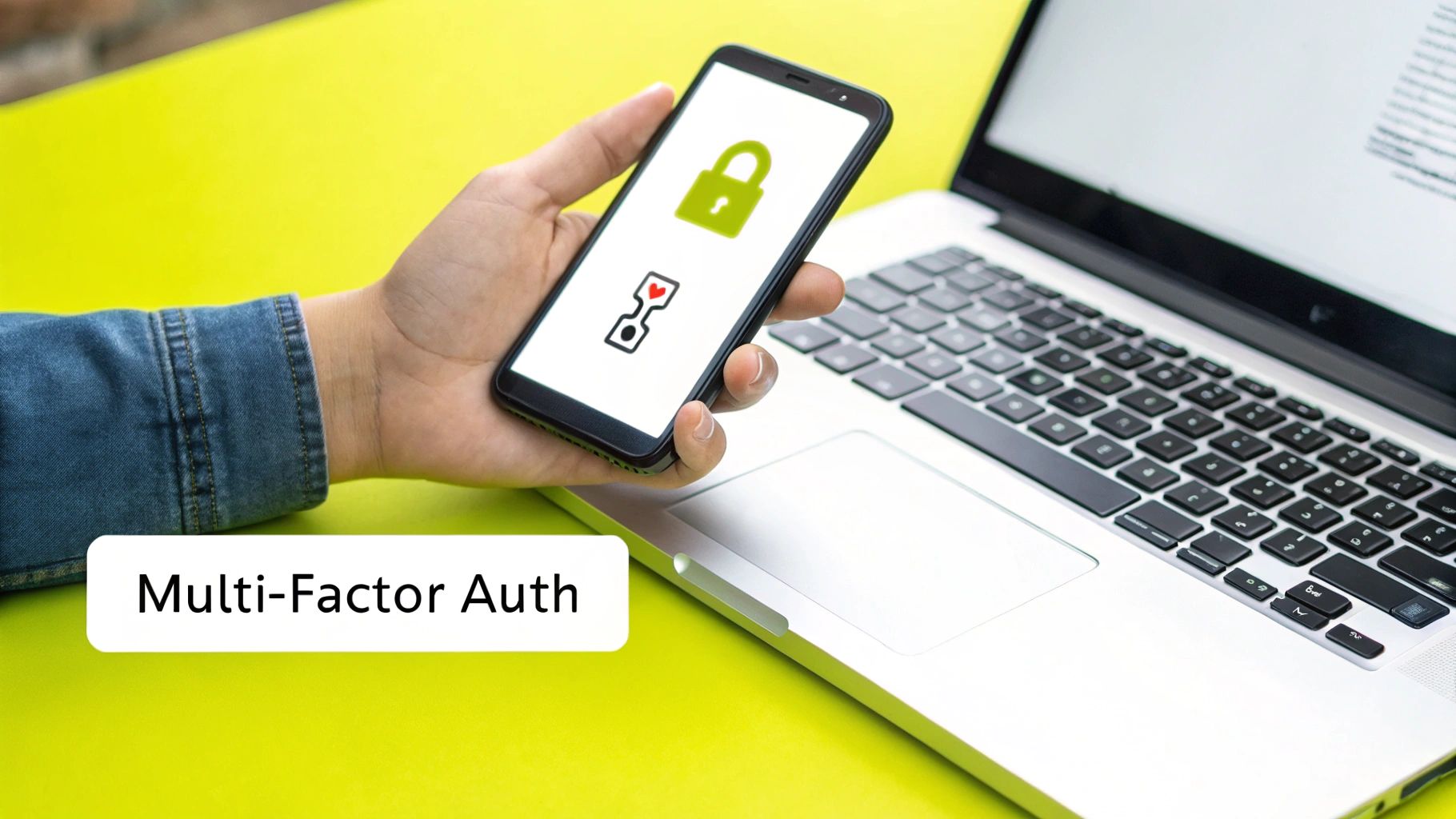
3. Strong Authentication and Multi-Factor Authentication (MFA)
Beyond securing the connection, the next critical layer of defense is securing access itself. Strong authentication ensures that only authorized individuals can access sensitive areas, like your Shopify admin panel. This goes beyond a simple username and password, incorporating methods that are significantly harder for attackers to compromise.
The gold standard here is Multi-Factor Authentication (MFA), which requires a user to provide two or more verification factors to gain access. To truly bolster your website's defenses, it's crucial for users and administrators alike to embrace robust authentication methods, including understanding the importance of two-factor authentication (2FA). This simple step can block the vast majority of automated and targeted attacks aimed at stealing credentials.

Why It's a Core Security Practice
Stolen or weak passwords are the leading cause of security breaches. An attacker who obtains an administrator's password can gain complete control over your store, accessing customer data, financial information, and business operations. MFA acts as a powerful barrier; even if a password is stolen, the attacker cannot log in without the second factor, such as a code from your phone or a physical security key. This practice is a cornerstone of modern website security best practices.
How to Implement and Maintain Strong Authentication on Shopify
Shopify has integrated strong authentication tools directly into its platform, making it easy to protect your admin accounts. Here’s how to enable and manage it effectively:
- Activate Two-Step Authentication: In your Shopify admin, go to your account settings by clicking your store name and then Manage account. Navigate to the Security section and set up two-step authentication. You will be given several options for your second factor.
- Prioritize Authenticator Apps: When prompted, choose an authenticator app like Google Authenticator or Authy. These Time-based One-Time Password (TOTP) apps are more secure than SMS-based codes, which can be vulnerable to SIM-swapping attacks.
- Store Backup Codes Securely: Shopify will provide you with a set of one-time-use backup codes. Download these immediately and store them in a secure, offline location like a password manager or a physical safe. These are your lifeline if you lose access to your primary authentication device.
- Enforce Strong Password Policies: Encourage all staff members to use long, complex, and unique passwords for their Shopify accounts. A password manager is an excellent tool for generating and storing these credentials securely.
4. Input Validation and Sanitization
A critical website security best practice involves systematically validating and sanitizing all data submitted by users. This process ensures that any input, from contact forms to search queries, conforms to expected formats before it's processed or stored. It acts as a primary defense against common and dangerous attacks like SQL injection and cross-site scripting (XSS), where malicious code is disguised as legitimate user data.
For Shopify merchants, this means treating every input field as a potential entry point for threats. While Shopify’s core platform handles much of this securely, any custom apps, themes, or third-party integrations you use must also follow these rigorous standards. Proper input validation ensures that a user entering "123 Main Street" cannot instead inject a script that steals other customers' session data.

Why It's a Core Security Practice
Failing to validate user input is like leaving your front door unlocked. Without it, attackers can submit specially crafted data to manipulate your database, execute unauthorized commands on your server, or run malicious scripts in the browsers of your other visitors. This can lead to data breaches, website defacement, and a complete loss of customer trust. The Open Web Application Security Project (OWASP) consistently lists injection vulnerabilities as one of the most severe web application security risks.
How to Implement and Maintain Input Validation
While Shopify manages this for its native features, you must be vigilant with any custom code or apps. Here are key principles to follow:
- Validate on Both Sides: Always perform validation on the server side, as client-side (browser) validation can be easily bypassed. Use client-side validation for a better user experience, but never rely on it for security.
- Use Whitelist Validation: Instead of trying to block known bad inputs (blacklisting), only accept known good inputs (whitelisting). For example, if a field expects a 5-digit zip code, your rule should only allow five numeric characters, rejecting everything else.
- Sanitize Data for Display: Before displaying user-generated content back on a page (like product reviews or forum posts), sanitize it to neutralize any embedded HTML or scripts. This prevents XSS attacks where one user's post could execute code in another user's browser.
- Utilize Parameterized Queries: When interacting with a database, always use parameterized queries (also known as prepared statements). This practice separates the database command from the user-supplied data, making it impossible for an attacker to alter the query's intent.
To dive deeper into how these attacks work and why validation is so crucial, the following video provides a clear, technical explanation.
5. Web Application Firewall (WAF) Implementation
Think of a Web Application Firewall (WAF) as a protective shield standing between your Shopify store and the internet. It acts as a security guard, inspecting all incoming HTTP/HTTPS traffic before it reaches your site. By filtering, monitoring, and blocking malicious requests based on a set of security rules, a WAF is a critical layer in your website security best practices, defending against common exploits like SQL injection and cross-site scripting (XSS).
While Shopify's own infrastructure includes robust security, a dedicated WAF, such as the one provided by Cloudflare, offers an additional, configurable layer of defense. It analyzes traffic patterns to identify and neutralize threats in real time, preventing attacks from ever reaching your application and compromising customer data. This proactive defense is essential for stores handling significant traffic and sensitive information.
Why It's a Core Security Practice
A WAF is your first line of defense against automated bots, vulnerability scanners, and targeted application-layer attacks. These threats are designed to exploit weaknesses in web applications that standard network firewalls often miss. By deploying a WAF, you effectively block a wide range of malicious activities, from scrapers stealing your product pricing to attackers attempting to gain unauthorized access. For a deeper understanding of how this protective layer functions, you can explore Cloudflare's explanation of what a WAF is. This makes your store a much harder target for cybercriminals.
How to Implement and Maintain a WAF
For Shopify merchants, integrating a WAF is most commonly done through services like Cloudflare, which sits in front of your store as a reverse proxy. Here are the key steps for effective implementation:
- Choose a WAF Provider: Services like Cloudflare or Sucuri are popular choices that integrate well with Shopify. Their platforms are designed to be user-friendly for merchants without deep technical expertise.
- Start with Managed Rulesets: Begin by activating pre-configured rules, such as the OWASP Top 10 Core Rule Set. These rulesets are maintained by security experts to protect against the most common and critical web application vulnerabilities.
- Use Monitoring Mode First: Before actively blocking traffic, run the WAF in "logging" or "monitoring" mode. This allows you to see what the WAF would have blocked without affecting real users. Review the logs to ensure legitimate customer traffic isn't being flagged (false positives).
- Gradually Enforce Rules: Once you are confident that the rules are not blocking legitimate users, switch from monitoring to "blocking" mode. Continue to monitor logs regularly to fine-tune rules and adapt to new threats.
- Leverage Geolocation Blocking: If your business only serves specific countries, use the WAF to block traffic from regions where you do not operate. This is a simple and effective way to reduce the surface area for attacks originating from high-risk locations.
6. Regular Security Audits and Penetration Testing
Beyond day-to-day security measures, proactively hunting for weaknesses is a critical website security best practice. Regular security audits and penetration testing involve systematically examining your web applications, infrastructure, and third-party integrations to find vulnerabilities before attackers do. This process moves you from a defensive posture to an offensive one, actively trying to "break" your own store to uncover and fix security gaps.
These assessments are essential for identifying complex vulnerabilities that automated tools might miss, such as logic flaws in your checkout process or insecure API endpoints. For merchants handling significant transaction volumes or those subject to compliance standards like PCI DSS, penetration testing is not just a best practice, it's often a requirement. It provides documented proof that you are taking security seriously and actively managing your risk profile.
Why It's a Core Security Practice
A static defense is a fragile one. New threats and vulnerabilities emerge daily, and your store's code, apps, and configurations are constantly changing. A security audit acts as a regular health check-up, while penetration testing simulates a real-world attack. This combination provides a comprehensive view of your security posture, revealing how a skilled attacker could potentially breach your defenses and access sensitive customer or business data.
How to Implement and Maintain Security Testing
While Shopify secures the core platform, your theme customizations, apps, and internal processes create a unique attack surface. A holistic approach to testing is key.
- Combine Automated and Manual Testing: Use automated tools like OWASP ZAP or commercial vulnerability scanners for broad, continuous scanning. Complement this with manual penetration testing from a reputable cybersecurity firm, which can identify nuanced business logic flaws that automated tools cannot detect.
- Define a Clear Scope: Your testing scope should include all critical components of your e-commerce ecosystem. This includes your storefront, any custom applications, third-party Shopify apps, and crucial API endpoints that connect to your inventory or fulfillment systems.
- Test Authenticated and Unauthenticated Scenarios: A comprehensive test should evaluate what an anonymous visitor (unauthenticated) can do versus what a logged-in customer or admin (authenticated) can access. This helps uncover potential privilege escalation vulnerabilities.
- Document and Remediate: The goal of testing is not just to find flaws but to fix them. Meticulously document all findings, prioritize them based on risk, and create a clear plan for remediation. Always retest after a fix is deployed to ensure the vulnerability is truly gone. If you want to dive deeper into this topic, you can learn more about how to conduct thorough and effective Shopify store audits.
7. Secure Data Storage and Encryption
While HTTPS secures data in transit, protecting information stored on your servers, known as "data at rest," is an equally critical website security best practice. Secure data storage involves encrypting sensitive information before it's saved to a database or file system. This ensures that even if a malicious actor gains unauthorized access to your server, the data they find, such as customer records or order history, remains unreadable and useless without the proper decryption keys.
The core principle is to apply strong cryptographic algorithms to transform readable data into a secure, jumbled code. To fully grasp how this process safeguards your assets, a deeper dive into understanding file encryption and its mechanisms is essential. For Shopify merchants, while Shopify's infrastructure handles much of the core database encryption, understanding this concept is crucial for managing app data, backups, and custom integrations securely.
Why It's a Core Security Practice
Storing sensitive customer data like names, addresses, or order details in plain text is a significant liability. A single database breach could expose this information, leading to severe financial penalties, reputational damage, and a complete loss of customer trust. Encrypting data at rest acts as a last line of defense. It compartmentalizes the risk, ensuring that a server breach does not automatically become a catastrophic data breach. This practice is also a key requirement for compliance with data protection regulations like GDPR and CCPA.
How to Implement and Maintain Secure Data Storage
While Shopify secures its own databases according to PCI standards, your responsibility extends to any data you manage or store through third-party apps or custom solutions.
- Use Strong Password Hashing: If you manage any user accounts outside of Shopify's native system (e.g., for a custom portal), never store passwords in plain text. Use strong, salted hashing algorithms like bcrypt or Argon2 to make them computationally difficult to crack.
- Encrypt Backups: Any backups of your store data that you create and store externally must be encrypted. Services like AWS S3 or Azure Blob Storage offer server-side encryption options that can be enabled with a simple setting.
- Vet Third-Party Apps: Carefully review the security policies of any third-party apps you install. Ensure they follow best practices for data encryption and specify how they store your customers' information. Look for apps that are transparent about their security measures.
- Implement Key Management Policies: For any custom encryption you implement, establish a formal key rotation policy. Regularly changing encryption keys limits the potential damage if a key is ever compromised. Tools like AWS Key Management Service (KMS) or Azure Key Vault can manage this process securely.
8. Comprehensive Backup and Disaster Recovery Planning
While Shopify's robust infrastructure handles server-side backups, a comprehensive backup and disaster recovery plan for your store-specific data is a critical layer of defense. This practice involves regularly saving copies of essential information, such as your theme files, product data, customer lists, and order history, to a secure, separate location. It ensures that in the event of a data loss incident caused by a malicious app, human error, or a major platform issue, you can restore your store to a known good state with minimal downtime.
For Shopify merchants, this goes beyond the platform’s own disaster recovery. It's about protecting the specific configurations, customizations, and data that make your store unique. Think of it as your business's insurance policy against digital catastrophes, allowing for swift recovery and ensuring business continuity.
Why It's a Core Security Practice
Data loss can be devastating for an e-commerce business, leading to lost revenue, damaged customer trust, and operational chaos. A successful cyberattack, a buggy third-party app integration, or even an accidental deletion by a team member could wipe out critical information. A well-tested backup and recovery strategy is one of the most vital website security best practices because it provides a reliable fallback, transforming a potential disaster into a manageable inconvenience. It's your ultimate safety net when other security measures fail.
How to Implement and Maintain a Backup Plan on Shopify
Implementing a robust backup strategy on Shopify requires a mix of manual diligence and automated tools. Here’s how to protect your store's data:
- Utilize Third-Party Backup Apps: The Shopify App Store offers powerful solutions like Rewind or UpdraftPlus specifically designed for automated backups. These apps can automatically save daily copies of your products, collections, themes, customer data, and more, offering a simple one-click restoration process.
- Follow the 3-2-1 Backup Rule: A best-practice principle is to have three copies of your data on two different types of media, with at least one copy stored offsite. Your live store is one copy, a backup app provides the second, and a periodic manual CSV export saved to a separate cloud storage like Google Drive or Dropbox can serve as your third.
- Regularly Test Your Backups: A backup is only useful if it works. At least quarterly, perform a test restoration on a development or staging version of your store to ensure the data is complete and can be restored correctly.
- Document Your Recovery Process: Create a clear, step-by-step guide for restoring your store from a backup. This documentation is invaluable during a high-stress incident. For a detailed guide on what to include, you can start with a Shopify migration and backup checklist to ensure no critical data is missed.
9. Security Headers and Content Security Policy (CSP)
Beyond server-side defenses, another of the most impactful website security best practices involves instructing the user's browser on how to behave securely. This is achieved through HTTP security headers, which are responses your server sends to a visitor's browser. They act as a set of rules that can prevent common attacks like cross-site scripting (XSS), clickjacking, and code injection before they even have a chance to execute.
The most powerful of these is the Content Security Policy (CSP). A CSP allows you to define a strict whitelist of sources from which the browser is permitted to load content, such as scripts, styles, and images. For a Shopify store, this means you can block malicious scripts from unapproved third-party domains, providing a robust defense against attacks that exploit browser trust. This proactive approach is a hallmark of modern web security.
Why It's a Core Security Practice
Without security headers, your website implicitly trusts the browser's default, often permissive, security settings. This leaves it vulnerable to attacks where malicious code is injected into your pages, potentially stealing customer data or defacing your site. For example, the X-Frame-Options header can prevent your store from being loaded inside an invisible iframe on an attacker's site, a technique used in clickjacking attacks to trick users into clicking hidden buttons. A well-configured CSP acts as a critical last line of defense, mitigating vulnerabilities that might exist in your theme or third-party apps.
How to Implement and Maintain Security Headers
While Shopify manages many server configurations, you can implement and customize security headers through your theme's code or by using a proxy service like Cloudflare.
- Audit Your Current Headers: Use a free online tool like SecurityHeaders.com to scan your domain. This will give you a baseline report card, showing which headers are missing or misconfigured.
- Implement a Content Security Policy (CSP): This is the most complex but effective header. Start in "report-only" mode (
Content-Security-Policy-Report-Only). This allows the browser to report violations to a specified URL without actually blocking the content, letting you safely build a policy that doesn't break your site's functionality. Your policy should whitelist Shopify's domains, your own domain, and any trusted third-party app or service domains. - Add Other Key Security Headers:
- HTTP Strict Transport Security (HSTS): Enforces the use of HTTPS across your entire site, including subdomains. Shopify sets a base HSTS policy, but you can strengthen it.
- X-Frame-Options: Set this to
DENYorSAMEORIGINto prevent clickjacking. - X-Content-Type-Options: Set to
nosniffto prevent browsers from trying to guess content types, which can be an attack vector.
10. Access Control and the Principle of Least Privilege
One of the most effective website security best practices is to strictly manage who can access your store’s backend and what they can do once they are there. This is achieved through strong access control, guided by the Principle of Least Privilege (PoLP). This foundational security concept dictates that a user, application, or system should only have the minimum levels of access, or permissions, necessary to perform its specific, required functions.
Adopting this principle drastically reduces your store's attack surface. If a staff member's account is compromised, a hacker's access is confined only to what that specific role allowed, preventing them from accessing sensitive customer data, financial information, or critical store settings. It moves your security model from "trust everyone" to "trust no one by default," a core tenet of modern cybersecurity frameworks like Zero Trust.
Why It's a Core Security Practice
Without defined access controls, every staff account becomes a potential super-administrator. A single compromised password could grant an attacker complete control over your business. The Principle of Least Privilege mitigates this risk by compartmentalizing access. For example, a marketing team member responsible for blog posts does not need permission to view sales analytics or process refunds. By restricting their access to only content management, you neutralize the threat that their account poses to other parts of your store.
How to Implement and Maintain Access Control on Shopify
Properly configuring user roles and permissions is a critical administrative task. Here’s how to apply this principle to your Shopify store:
- Utilize Shopify’s Built-in Staff Permissions: Shopify allows you to create staff accounts with specific, limited permissions. When adding a new staff member, carefully uncheck permissions they do not need. For instance, a staff member who manages inventory does not need access to Discounts, Themes, or Apps.
- Implement Role-Based Access Control (RBAC): Instead of assigning permissions one by one, create roles for common job functions (e.g., "Content Manager," "Order Fulfillment," "Customer Support"). Assign these pre-defined roles to new staff members to ensure consistency and avoid accidentally granting excessive permissions.
- Regularly Audit Permissions and Accounts: Schedule quarterly reviews of all staff and app accounts. Remove accounts for former employees immediately. Scrutinize the permissions of existing accounts to ensure they still align with current job responsibilities. If a role has expanded, grant new permissions consciously, don't just give them full access.
- Leverage Shopify Plus for Granular Control: For larger businesses, Shopify Plus offers more advanced permission settings. You can create highly specific roles and even restrict access to certain types of data. For a deeper understanding of these advanced capabilities, explore this Shopify Plus permissions and features guide.
Website Security Best Practices Comparison
| Security Strategy | Implementation Complexity 🔄 | Resource Requirements ⚡ | Expected Outcomes 📊 | Ideal Use Cases | Key Advantages ⭐💡 |
|---|---|---|---|---|---|
| HTTPS Implementation and SSL/TLS Certificates | Medium – requires certificate management and configuration | Moderate – requires SSL certificates and renewal management | Strong data encryption and integrity; builds user trust | All websites, especially e-commerce, finance, and government | Protects sensitive data; improves SEO; prevents man-in-the-middle attacks; trusted by browsers |
| Regular Software Updates and Patch Management | Medium to High – needs testing and staging | Moderate – testing environments and skilled staff | Reduces vulnerabilities and exploits; improves stability | All software-dependent systems | Closes security holes; maintains compatibility; reduces risk of exploitation |
| Strong Authentication and Multi-Factor Authentication (MFA) | High – involves infrastructure and integration | High – requires infrastructure and user support | Significantly reduces unauthorized access | Sensitive admin panels, enterprise apps | Enhances security with multiple factors; regulatory compliance; audit trails |
| Input Validation and Sanitization | Medium to High – requires thorough and ongoing implementation | Moderate – development effort and maintenance | Prevents injection attacks and improves data quality | Web apps handling user input | Prevents SQL/XSS injection; improves data integrity; built into many frameworks |
| Web Application Firewall (WAF) Implementation | Medium – needs tuning and maintenance | Moderate to High – cloud/on-prem resources | Blocks common attacks; filters malicious traffic | Public-facing web apps and APIs | Immediate protection without code changes; reduces server load; DDoS mitigation |
| Regular Security Audits and Penetration Testing | High – requires skilled professionals and time | High – expensive tools and expert consultants | Identifies vulnerabilities; improves security posture | Compliance-sensitive and high-risk apps | Proactive vulnerability discovery; compliance documentation; enhances team expertise |
| Secure Data Storage and Encryption | Medium to High – requires cryptographic expertise | Moderate – key management infrastructure | Protects data at rest; maintains confidentiality | Databases, backups, sensitive data storage | Defends against data compromise; meets compliance standards; ensures data confidentiality |
| Comprehensive Backup and Disaster Recovery Planning | Medium – requires comprehensive setup and testing | Moderate to High – storage and maintenance | Enables quick recovery from data loss or attacks | All critical systems | Ensures business continuity; supports rollback; reduces downtime during incidents |
| Security Headers and Content Security Policy (CSP) | Low to Medium – mainly configuration and testing | Low – minimal additional resources | Prevents XSS and clickjacking; improves browser security | All websites, especially complex front-ends | Easy to implement; defense in depth; reduces info leakage |
| Access Control and Principle of Least Privilege | High – complex design and ongoing management | Moderate to High – administrative overhead | Limits scope of breaches; improves compliance | Enterprise systems and multi-user apps | Minimizes damage from compromised accounts; enforces security policies |
From Vulnerable to Victorious: Your Next Steps in Shopify Security
Navigating the landscape of e-commerce security can feel like a monumental task, but you have successfully taken the first, most crucial step: gaining knowledge. We have journeyed through ten foundational pillars of Shopify security, moving beyond generic advice to provide a clear, actionable roadmap. You now understand that securing your digital storefront is not about a single magic bullet, but a layered, strategic commitment to building a resilient business.
From the non-negotiable foundation of HTTPS and SSL/TLS certificates to the advanced protection offered by a Web Application Firewall (WAF) and rigorous Content Security Policies, each practice we've discussed contributes to a stronger, more trustworthy brand. You've learned the immense value of proactive measures, such as regular software updates, security audits, and implementing strong authentication with MFA. These are not just technical tasks; they are powerful business decisions that protect your revenue, your reputation, and most importantly, your customer relationships.
Synthesizing Your Security Strategy
The core message woven through each of these website security best practices is one of proactive defense. Waiting for a security incident to occur is a strategy destined for failure. A proactive approach means you are always preparing, always improving, and always one step ahead.
Let’s recap the most critical takeaways to guide your immediate actions:
- The Human Element is Key: Strong passwords, Multi-Factor Authentication, and the Principle of Least Privilege are your first line of defense. These practices mitigate the most common attack vector, human error, by making unauthorized access significantly more difficult.
- Trust, but Verify: Never assume your apps, themes, or custom code are secure. Regular security audits, penetration testing, and diligent patch management are how you verify the integrity of your entire Shopify ecosystem. This continuous verification process turns potential vulnerabilities into fortified strengths.
- Data is Your Crown Jewel: Treat customer data with the utmost respect through robust encryption, both in transit and at rest. Complement this with a comprehensive backup and disaster recovery plan. In a worst-case scenario, your ability to quickly restore operations will be the single most important factor in your business's survival.
- Control Your Environment: Implementing security headers and a WAF gives you granular control over how browsers interact with your site and what traffic is allowed through. This shifts you from a passive participant to an active gatekeeper of your digital domain.
Turning Knowledge into Action
The true value of this guide lies not in reading it, but in implementing it. The journey from a vulnerable position to a victorious one begins with small, consistent steps. Don't feel overwhelmed by the need to implement everything at once. Start by identifying your most significant risks.
Perhaps you begin by enforcing MFA for all staff accounts this week. Next, you could schedule a consultation for a professional security audit. The following month, you might work with a developer to implement stricter security headers. By breaking down these website security best practices into manageable tasks, you build momentum and create a culture of security within your organization.
Ultimately, mastering these concepts transforms security from a burdensome expense into a powerful competitive advantage. A secure store builds unwavering customer trust, fosters loyalty, and empowers you to scale your business with confidence. You are no longer just reacting to threats; you are building a fortress that enables growth, innovation, and long-term success. Your commitment to security is a direct investment in the future of your brand.
Ready to transform your security posture from a checklist item to a competitive advantage? The expert developers at E-commerce Dev Group specialize in hardening Shopify stores through comprehensive security audits, custom code reviews, and precise implementation of these advanced practices. Secure your Shopify store and protect your growth with E-commerce Dev Group today.
