


In the competitive world of e-commerce, a beautiful Shopify store isn't enough; it needs to be a high-performance sales engine. Effective web design is the bedrock of a successful online business, directly influencing everything from user engagement and search engine rankings to your bottom line. A great-looking site that fails to convert visitors into customers is just a digital billboard. This is why understanding and implementing the best practices for web design is not just an option, it's a fundamental requirement for growth.
Many merchants struggle to translate design concepts into tangible results. This guide cuts through the noise, providing a definitive roundup of actionable strategies specifically tailored for Shopify. We’ll move beyond generic advice to give you a clear blueprint for creating a visually stunning, user-friendly, and conversion-optimized storefront. The principles covered here are deeply intertwined with user-centric thinking. For a comprehensive understanding of foundational design principles that contribute to a high-performing site, dive into these essential ecommerce user experience best practices to see how every element works together to guide the customer journey.
Whether you're launching a new store or refining an existing one, this listicle will equip you with the essential knowledge to build a powerful e-commerce presence. We will cover critical areas including mobile-first design, intuitive navigation, performance optimization, and accessibility. By focusing on these core pillars, you can create an experience that not only delights users but also drives significant business growth. Let's dive into the blueprint you need to thrive.
1. Mobile-First Responsive Design: Win on Every Screen
In today's e-commerce landscape, more than half of all web traffic originates from mobile devices. This makes a mobile-first approach one of the most critical best practices for web design. Instead of designing a complex desktop site and then trying to shrink it down, this strategy flips the process. You start by designing for the smallest screen first and then progressively enhance the design for larger devices like tablets and desktops.
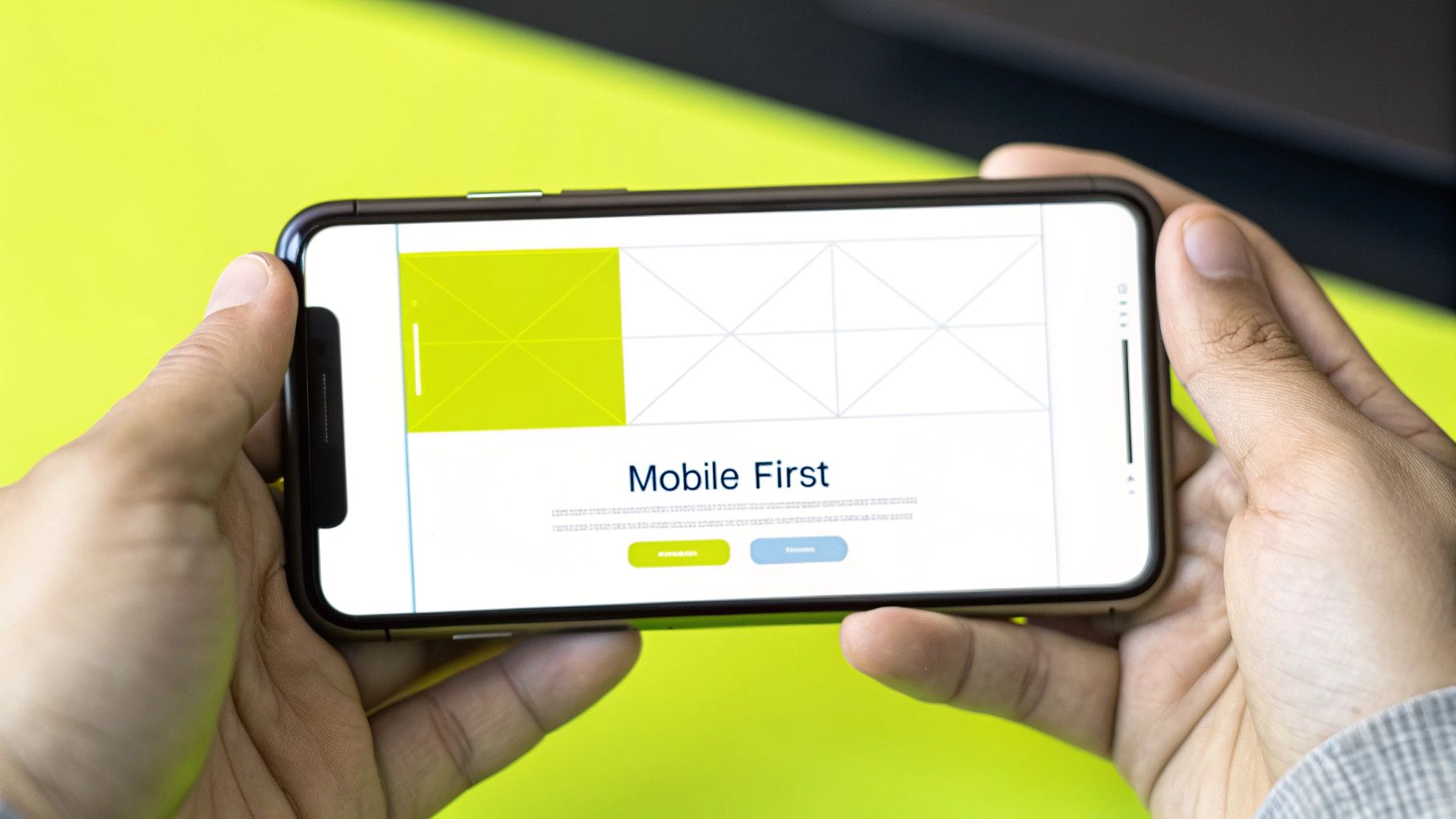
This methodology forces you to prioritize what truly matters. By focusing on essential content and functionality for mobile users, you create a cleaner, faster, and more intuitive experience for everyone. For Shopify merchants, a superior mobile experience translates directly into sales, allowing customers to browse and purchase effortlessly, no matter their device. This approach also aligns with Google's mobile-first indexing, which can improve your search engine rankings.
How to Implement a Mobile-First Strategy
Adopting a mobile-first mindset requires a strategic shift in your design and development process. Rather than simply testing for mobile compatibility, you build with mobile as the foundation.
Consider the seamless mobile ordering system from Starbucks or Airbnb’s intuitive mobile booking flow. These platforms excel because they were built with the on-the-go user in mind, prioritizing core actions and removing friction.
Here are actionable steps to implement this for your Shopify store:
- Start with a 320px Viewport: Begin your design process with the smallest common smartphone screen width (like an older iPhone SE). This constraint ensures your core content and navigation are accessible on even the most limited displays.
- Prioritize Content Hierarchy: On a small screen, you can't show everything at once. Decide what is most important for a user to see first, such as key product images, price, and a clear "Add to Cart" button. Relegate secondary information to other sections or expandable menus.
- Use Relative Units: Instead of fixed pixel values (px), use relative units like
remfor font sizes and percentages (%) for container widths. This allows your layout elements to scale fluidly across different screen sizes. - Design for Touch: Ensure all buttons, links, and interactive elements have a touch target of at least 44×44 pixels. This prevents frustrating mis-taps and improves usability for customers using their thumbs to navigate.
2. Intuitive Navigation Architecture: Guide Users Effortlessly
If users can't find what they're looking for, they can't buy it. An intuitive navigation architecture is one of the most fundamental best practices for web design because it acts as a clear roadmap for your customers. It’s the strategic organization of menus, categories, and links that allows users to find information and complete tasks with minimal effort, a concept heavily influenced by usability experts like Steve Krug.
This practice is all about reducing cognitive load. When navigation is logical and predictable, customers feel confident and in control, leading to a better user experience and higher conversion rates. For a Shopify store with a large product catalog, clear navigation prevents user frustration and cart abandonment, guiding shoppers smoothly from discovery to checkout. A well-structured site also helps search engines understand and index your content more effectively.
How to Implement Intuitive Navigation
Building an intuitive navigation system means thinking like your customer. Your goal is to make the journey so seamless that users don't even have to think about how to get around your site.
Consider Apple’s minimalist top navigation. It presents a handful of clear, high-level product categories, making it instantly understandable. For a more complex inventory, Amazon's mega-menu effectively organizes thousands of products into logical sub-categories, allowing users to drill down without feeling overwhelmed.
Here are actionable steps to implement this for your Shopify store:
- Keep It Simple (7±2 Rule): Aim to have between five and nine main items in your primary navigation menu. This psychological principle suggests that most people can only hold about seven items in their short-term memory, which helps prevent choice paralysis.
- Establish a Clear Hierarchy: Use typography, spacing, and visual cues to distinguish between primary, secondary, and tertiary navigation elements. Main categories should be prominent, while sub-categories are visually subordinate.
- Implement a Prominent Search Bar: For stores with many products or extensive content, a highly visible and effective search bar is non-negotiable. Ensure it's easy to find on every page, especially on mobile.
- Maintain Consistency: Your navigation menu should appear in the same place with the same options on every page of your site. This consistency builds familiarity and makes your website predictable and easy to use.
- Use Descriptive Labels: Avoid vague or clever labels. Use clear, common terms that your customers would use. For example, use "Men's Shoes" instead of a more abstract term like "Footwear Journeys."
3. Fast Loading Performance: Speed Sells
In e-commerce, every second counts. A slow-loading website is one of the fastest ways to lose a customer, as studies consistently show a direct link between page speed and conversion rates. Fast loading performance is a foundational element of the best practices for web design, ensuring your site delivers a snappy and responsive experience to users, regardless of their device or connection speed. This involves a set of technical and design strategies aimed at making your pages load as quickly as possible.

For a Shopify store, superior performance translates directly to a better user experience and increased revenue. When pages load instantly, customers are more likely to stay engaged, browse more products, and complete their purchases. Beyond conversions, site speed is a known ranking factor for Google, meaning a faster site can also lead to improved visibility in search results. Slow pages can also contribute to layout shifts during loading, which negatively impacts user experience. For more information, you can explore ways to reduce Cumulative Layout Shift (CLS) in Shopify stores.
How to Implement a Fast Loading Strategy
Achieving top-tier performance requires a conscious effort to optimize every asset and process on your site. It’s not a one-time fix but an ongoing commitment to efficiency.
Consider how major retailers like Walmart discovered that a one-second improvement in load time resulted in a 2% increase in conversions. Similarly, Pinterest reduced perceived wait times by 40%, which increased search engine traffic and sign-ups by 15%. These results highlight the immense value of prioritizing speed.
Here are actionable steps to improve your Shopify store’s performance:
- Aim for Under 3 Seconds: Set a clear goal for your page load times. The industry standard is to have your key pages fully interactive in under three seconds. Use tools like Google PageSpeed Insights to measure and track your performance.
- Optimize Your Images: Large images are a primary cause of slow load times. Compress your images before uploading them and use modern formats like WebP, which offers superior compression compared to JPEG and PNG. Shopify often handles this automatically, but manual optimization provides more control.
- Minimize HTTP Requests: Every script, stylesheet, and image on your page requires a separate request to the server. Reduce these requests by combining CSS and JavaScript files where possible. Review your installed Shopify apps, as each one can add extra requests.
- Leverage Browser Caching: Caching stores parts of your site on a visitor's device, so they don’t have to be re-downloaded on subsequent visits. This dramatically speeds up the experience for returning customers. Shopify's infrastructure handles much of this, but ensure your theme is built to take full advantage.
4. Accessible Design for All Users: Creating a Welcoming Store for Everyone
An inclusive online store is a successful online store. Accessibility is one of the most fundamental best practices for web design, ensuring that your website is usable by people with a wide range of abilities and disabilities. This means designing for individuals who may use screen readers, rely on keyboard navigation, or require high-contrast visuals. Embracing accessibility doesn't just expand your audience; it builds brand loyalty and mitigates legal risks.

For Shopify merchants, an accessible site is a more profitable one. By removing barriers, you ensure every potential customer can browse products, understand descriptions, and complete a purchase without friction. This commitment to inclusivity reflects positively on your brand and aligns with the best practices championed by industry leaders like Microsoft and the BBC, who have integrated accessibility into their core design principles. To dive deeper, you can explore our comprehensive guide to Shopify accessibility compliance.
How to Implement Accessible Design
Implementing accessibility involves a proactive approach, integrating checks and best practices throughout your design and development workflow. It's about more than just checking boxes; it's about fostering an inclusive mindset.
Consider the UK's government website, Gov.uk, which is globally recognized for its simple, clear, and highly accessible interface. Its success stems from a dedicated focus on user needs, ensuring that critical services are available to all citizens, regardless of their technical skills or physical abilities.
Here are actionable steps to make your Shopify store more accessible:
- Ensure High Color Contrast: Text and interactive elements should have a color contrast ratio of at least 4.5:1 against their background. This helps users with low vision or color blindness read your content easily.
- Prioritize Keyboard Navigation: Unplug your mouse and try to navigate your entire store using only the Tab, Enter, and arrow keys. Every interactive element, from the menu to the "Add to Cart" button, must be reachable and usable.
- Provide Descriptive Alt Text: All meaningful images, especially product photos, need descriptive alternative text. This "alt text" is read aloud by screen readers, allowing visually impaired users to understand the visual content on your page.
- Use Clear and Semantic HTML: Use proper HTML tags like
<nav>,<main>, and<button>to define the structure of your page. This provides context for assistive technologies, making it easier for users to understand and navigate your layout.
5. Clean Visual Hierarchy: Guiding Users Intuitively
A powerful website doesn't just present information; it guides the user's eye. A clean visual hierarchy is one of the most fundamental best practices for web design, as it involves strategically arranging elements to signal importance. By using size, color, spacing, and typography, you create a clear path for users to follow, helping them find what they need without confusion.
This principle transforms a cluttered page into an intuitive experience. For Shopify merchants, a strong hierarchy means customers can instantly distinguish between a headline, a product description, and a call-to-action button. This reduces cognitive load, builds trust, and directs attention towards the most critical action: making a purchase. When done right, visual hierarchy feels invisible yet makes navigation effortless.
How to Implement a Clean Visual Hierarchy
Building an effective hierarchy requires a deliberate and systematic approach to design. It’s not about making things look pretty; it's about making them work effectively for the user.
Consider Apple’s product pages, where a large, bold headline and a hero image immediately capture attention. The price and "Buy" button are prominent, while technical specifications are smaller and less conspicuous. This intentional structure guides the user from awareness to action seamlessly.
Here are actionable steps to implement this for your Shopify store:
- Establish a Typographic Scale: Don't choose font sizes randomly. Use a consistent mathematical ratio, like the "Major Third" (1.250x), to define your headings (H1, H2, H3) and paragraph text. This creates a natural and harmonious reading order.
- Use an 8-Point Grid System: Apply a consistent spacing system for all elements. Using multiples of 8 pixels (8px, 16px, 24px, 32px) for margins and padding creates a visually balanced and organized layout that is pleasing to the eye.
- Leverage Color and Contrast: Use a primary color for key interactive elements like "Add to Cart" buttons to make them stand out. Ensure there is sufficient contrast between text and its background to meet accessibility standards and improve readability.
- Test with the "Squint Test": Zoom out or squint your eyes while looking at your page. The most important elements, like your main call-to-action, should still be identifiable and draw your focus. This simple test quickly reveals if your hierarchy is effective.
6. User-Centered Design Process: Design for Your Actual Customers
Too many web design decisions are based on assumptions or personal taste. A user-centered design (UCD) process flips this on its head, making your actual customers the focal point of every choice. This methodology is one of the most powerful best practices for web design because it roots your Shopify store's evolution in real data, not guesswork. It involves continuous research, testing, and iteration to ensure the final product truly meets user needs and behaviors.
Adopting a UCD approach means you aren't just building a store; you are creating an experience tailored to your target audience. This leads to higher engagement, better conversion rates, and increased customer loyalty. By systematically understanding who your users are, what they need, and how they shop, you can eliminate friction points and build a site that feels intuitive and helpful, directly impacting your bottom line.
How to Implement a User-Centered Design Process
Implementing UCD means shifting from "I think" to "the data shows." It’s a commitment to empathy and evidence-based decision-making.
Look at how platforms like Airbnb used deep user research to redesign their booking experience, making it seamless for travelers and hosts alike. They didn't just guess what users wanted; they observed, interviewed, and tested their way to a solution that solved real problems.
Here are actionable steps to integrate UCD into your Shopify workflow:
- Create Detailed User Personas: Go beyond basic demographics. Use analytics, surveys, and customer interviews to build detailed personas representing your key customer segments. Document their goals, motivations, and pain points when shopping online.
- Conduct Regular Usability Tests: You don't need a massive budget. As usability expert Jakob Nielsen suggests, testing with just 5-8 users can uncover the majority of usability issues. Have them perform key tasks like finding a product or completing a checkout and observe where they struggle.
- Use A/B Testing for Design Decisions: When you have a hypothesis for an improvement, like changing a button color or a page layout, use A/B testing to validate it. Let real user behavior tell you which version performs better for conversions or engagement.
- Implement User Feedback Loops: Make it easy for customers to provide feedback. Use post-purchase surveys, simple feedback forms, or even heat mapping tools to gather continuous input. More importantly, have a process to analyze and act on this feedback.
7. Consistent Design System: Build a Cohesive Brand Experience
A consistent design system is a foundational element in professional web design, serving as a single source of truth for your entire digital presence. It's a comprehensive library of reusable components, standards, and guidelines that dictate how your brand looks, feels, and behaves online. This system ensures every button, color, font, and spacing choice is applied uniformly, creating a predictable and trustworthy user experience.
For a growing Shopify store, a design system is not just a nice-to-have; it's a strategic asset. It accelerates the design and development process, reduces inconsistencies, and strengthens brand recognition. When customers see a cohesive visual identity across your homepage, product pages, and checkout, it builds confidence and makes your store feel more professional and reliable. Adopting this is one of the most impactful best practices for web design you can implement for long-term growth and scalability.
How to Implement a Consistent Design System
Building a design system requires a structured approach to cataloging your brand's visual and interactive elements. The goal is to create a toolkit that designers and developers can use to build new pages and features quickly without reinventing the wheel.
Consider industry-leading examples like Google's Material Design or Shopify's own Polaris system. These frameworks provide clear rules for everything from typography to component states, ensuring a unified experience across vast digital ecosystems.
Here are actionable steps to build a design system for your store:
- Start with Atomic Principles: Begin by defining your smallest UI elements, or "atoms," like colors, fonts, and icons. Then, combine them into "molecules" (e.g., a search bar with a button) and "organisms" (e.g., a product card). This bottom-up approach, popularized by Brad Frost, ensures foundational consistency.
- Document Usage Guidelines: Your design system is only effective if people know how to use it. For each component, provide clear documentation with "do's and don'ts" examples. Specify when to use a primary versus a secondary button or the correct spacing between elements. Learn more about how you can maintain visual consistency in your Shopify store.
- Maintain a Single Source of Truth: Use a centralized platform like Figma, Sketch, or a dedicated tool like Storybook to house your design system. This ensures that everyone on your team is working from the same set of updated components and guidelines, preventing fragmentation.
- Audit and Update Regularly: A design system is a living document. Schedule regular audits to review its components, identify gaps, and incorporate new patterns based on user feedback and evolving brand needs. This keeps the system relevant and effective over time.
8. Security Best Practices: Building an Online Fortress
In an era where data breaches are common, robust security is not an optional feature; it's a foundational element of trustworthy web design. Implementing security best practices means proactively protecting your website and, more importantly, your customers' data from vulnerabilities, attacks, and theft. For Shopify merchants, where financial transactions are the lifeblood of the business, demonstrating this commitment to security builds essential customer confidence and protects your brand reputation.
This approach involves secure coding, data encryption, strong authentication systems, and regular security audits. While Shopify handles much of the core infrastructure security, including PCI DSS compliance for payments, your theme, apps, and administrative practices remain your responsibility. A proactive security posture prevents disruptions, safeguards sensitive information, and ensures you are a reliable partner for your customers.
How to Implement Security Best Practices
Integrating security is an ongoing process, not a one-time setup. It requires vigilance and adherence to established standards to create multiple layers of defense around your e-commerce store.
Look at how Stripe handles payments with its rigorous, developer-first security or how 1Password builds its entire service on a zero-knowledge security model, meaning even they cannot access user data. These companies succeed because security is embedded in their DNA, a principle every Shopify store should adopt.
Here are actionable steps to enhance your store's security:
- Install an SSL/TLS Certificate: Ensure your entire site operates on HTTPS. Shopify provides free SSL certificates, but you must ensure it's active for your custom domain. This encrypts the data exchanged between your customers and your store, securing logins and payment details.
- Enforce Strong Password Policies: For any customer accounts and especially for admin users, require complex passwords and enable two-factor authentication (2FA). This adds a critical layer of protection against unauthorized access, even if a password is compromised.
- Keep Apps and Themes Updated: Outdated software is a primary entry point for attackers. Regularly update your Shopify theme and any third-party apps you have installed. Vet new apps carefully by checking reviews and developer credibility before installation.
- Follow OWASP Guidelines: The Open Web Application Security Project (OWASP) provides a Top 10 list of the most critical web application security risks. Familiarizing yourself with these principles, such as preventing injection flaws and broken access control, helps you make smarter decisions about your store's configuration and customizations.
9. SEO-Friendly Structure: Build for Visibility
An exceptional design is ineffective if no one can find it. An SEO-friendly structure is one of the most fundamental best practices for web design, ensuring that search engines can efficiently crawl, index, and understand your website's content. This involves using clean, semantic HTML, strategic keyword placement, optimized URLs, and technical elements that signal relevance and authority to search engines like Google.
For a Shopify store, a strong SEO foundation means your products and collections appear higher in search results, driving organic traffic that converts. By structuring your site with both users and search engine bots in mind, you create a seamless pathway from search query to purchase. This technical approach complements your visual design, transforming your store into a powerful customer acquisition tool.
How to Implement an SEO-Friendly Structure
Building an SEO-friendly site means thinking about search visibility from the very first line of code. It’s not just about adding keywords; it’s about creating a logical architecture that search engines can easily navigate. To truly optimize your site, having a foundational understanding of search engine indexing is essential, as it clarifies how your content gets discovered and ranked.
Content-rich platforms like HubSpot and technical SEO leaders like Backlinko excel because they meticulously structure their content with clear hierarchies, descriptive URLs, and rich metadata. This allows search engines to grasp the context and importance of each page.
Here are actionable steps to implement this for your Shopify store:
- Use Semantic HTML: Structure your content with proper heading tags (
<h1>for the main title,<h2>for subheadings, etc.) and other semantic elements like<nav>,<article>, and<footer>. This helps search engines understand the layout and importance of your content. - Optimize URLs and Meta Tags: Keep your URLs short, descriptive, and keyword-rich (e.g.,
yourstore.com/products/leather-messenger-bag). Write unique and compelling meta titles and descriptions for every page, as these are your first impression in search results. - Implement Schema Markup: Add structured data (schema markup) to your product pages. This helps generate "rich snippets" in search results, showing details like price, availability, and star ratings, which can significantly boost click-through rates.
- Focus on Core Web Vitals: Ensure your site loads quickly, is interactive, and remains visually stable. Google uses these metrics as a ranking factor, rewarding sites that provide a superior user experience. Use tools like Google PageSpeed Insights to measure and improve your scores.
Best Practices Comparison Matrix
| Aspect | Mobile-First Responsive Design | Intuitive Navigation Architecture | Fast Loading Performance | Accessible Design for All Users | Clean Visual Hierarchy | User-Centered Design Process | Consistent Design System | Security Best Practices | SEO-Friendly Structure |
|---|---|---|---|---|---|---|---|---|---|
| Implementation Complexity 🔄 | Medium to High: managing breakpoints & progressive enhancement | Medium: requires user testing and balancing simplicity | Medium to High: ongoing optimization & technical details | High: comprehensive WCAG compliance & testing | Medium: iterative balance, sometimes subjective | High: extensive research & iterative feedback | High: initial setup + ongoing maintenance | High: complex security measures & maintenance | Medium: ongoing optimization & adapting to algorithms |
| Resource Requirements ⚡ | Moderate: initial time investment, testing on devices | Moderate: user testing and design iteration needed | Moderate to High: developer time plus monitoring tools | High: accessibility expertise, testing tools & training | Moderate: design expertise and user testing | High: dedicated UX research, testing participants | High: design & developer collaboration, tooling | High: security experts, tools, regular audits | Moderate: SEO tools, content team, monitoring |
| Expected Outcomes 📊 | ⭐⭐⭐⭐ Better mobile UX, SEO boost, future-proof design | ⭐⭐⭐⭐ Reduced frustration, higher task completion, SEO gains | ⭐⭐⭐⭐ Faster load times, better SEO, higher conversions | ⭐⭐⭐⭐ Legal compliance, wider reach, SEO boost | ⭐⭐⭐⭐ Improved scanability, retention, polished UI | ⭐⭐⭐⭐ Higher satisfaction, reduced cost, better fit | ⭐⭐⭐⭐ Consistent UX, faster dev, team alignment | ⭐⭐⭐⭐ Data protection, trust, SEO boost | ⭐⭐⭐⭐ Increased organic traffic, UX, long-term gains |
| Ideal Use Cases 💡 | Mobile-first websites, multi-device products | Content-rich sites, large sectioned platforms | All websites needing speed optimization | Sites serving diverse/differently-abled users | Content-heavy sites, info-driven layouts | Projects needing user validation & iterative design | Large-scale products needing consistency | Any site handling sensitive data or user info | Sites aiming for organic search growth |
| Key Advantages ⭐ | Future-proof, mobile prioritized, better SEO | Clear, logical menus, reduced cognitive load | Enhanced user retention, server cost saving | Inclusive & legal, SEO friendly, brand reputation | Easy navigation & scanning, reduced cognitive load | Data-driven decisions, improved satisfaction | Scalability, consistency, reduced maintenance overhead | Trust, compliance, reduced breach risks | Better rankings, traffic, user-friendly structure |
Bringing It All Together: Your Path to E-commerce Excellence
Navigating the landscape of e-commerce can feel complex, but the journey to a high-performing Shopify store is built on a foundation of proven principles. The detailed list of best practices for web design we've explored is more than a simple checklist; it's a strategic framework for creating exceptional online experiences. From the foundational necessity of mobile-first responsiveness to the critical details of intuitive navigation and lightning-fast performance, each element works in concert with the others.
These principles are deeply interconnected. A clean visual hierarchy, for example, directly supports an accessible design for all users. Similarly, a well-planned, SEO-friendly structure often contributes to faster loading times and a more intuitive user journey. This synergy creates a powerful flywheel effect: improvements in one area amplify the benefits in another, leading to a superior user experience that builds brand loyalty and drives sustainable growth. Embracing a user-centered design process ensures that every decision, from layout to functionality, is made with your customer's needs at the forefront.
From Theory to Action: Your Next Steps
The path to mastering these concepts is iterative, not instantaneous. Trying to overhaul your entire site at once can be overwhelming. Instead, focus on progressive enhancement by identifying the areas with the most significant potential for impact on your store.
Start with a simple audit:
- Performance First: Use Google PageSpeed Insights to get a baseline score. Are large, unoptimized images slowing you down? This is often a quick win.
- Navigation Clarity: Ask a friend or colleague who is unfamiliar with your store to find a specific product. Their journey will reveal any friction points or confusing pathways in your navigation architecture.
- Accessibility Check: Use a free accessibility checker tool online to identify immediate issues, like poor color contrast or missing alt text on images, that you can fix right away.
As you build and refine your online presence, remember that a technically sound and visually appealing website also needs to build trust. One of the most powerful ways to achieve this is by showcasing authentic social proof. To elevate your Shopify store to true e-commerce excellence, incorporating effective website testimonials is crucial for building trust and boosting conversions. This social validation reassures new visitors, turning them from skeptical browsers into confident buyers.
A Continuous Journey Toward Excellence
Ultimately, adhering to the best practices for web design is an ongoing commitment to your customers and your brand. It’s about creating a secure, accessible, and enjoyable digital environment where users feel understood and valued. It requires a consistent design system to maintain brand coherence and a relentless focus on security to protect your customers' data and your business's reputation.
While the principles remain constant, the tools and customer expectations will continue to evolve. The most successful Shopify merchants are those who treat their website not as a static brochure, but as a dynamic, living asset. By continuously testing, learning, and refining your approach, you position your brand for long-term success in the competitive e-commerce arena. This dedication is what transforms a good online store into an unforgettable one.
Ready to implement these best practices with expert precision and take your Shopify store to the next level? The team at E-commerce Dev Group specializes in turning high-level design principles into tangible, high-conversion realities through rock-solid development. Partner with E-commerce Dev Group to build a powerful, scalable storefront that not only looks great but performs flawlessly.
