


Think of your e-commerce platform as the heart of your business. Now, imagine all your other essential tools—your inventory system, accounting software, marketing platform, and shipping provider—are like the other vital organs. E-commerce platform integration is the circulatory system that connects them all, ensuring data flows freely and instantly between them.
Instead of manual data entry and guesswork, integration creates a unified system where every part of your business communicates automatically. It's the technical backbone that lets you scale efficiently and give your customers a truly seamless experience.
What Is E-commerce Integration and Why Does It Matter?
Let's use an analogy. Picture a restaurant where the front-of-house staff takes an order but has to run back to the kitchen to tell the chefs, then sprint to the stockroom to see if ingredients are available, and finally jog over to the billing desk to process the payment. It would be chaotic, slow, and full of potential errors. This is what running a business with disconnected systems feels like.
E-commerce platform integration is what builds the bridges between these separate "departments." When a customer clicks "buy," that single action instantly updates your inventory, alerts your warehouse, creates an invoice in your accounting software, and adds the customer to your marketing list. It’s not just a technical upgrade; it's a fundamental business strategy that turns disconnected processes into a smooth, automated machine.
Breaking Down Data Silos
The biggest problem that integration solves is the "data silo." When your software doesn't talk, you end up with pockets of isolated information, which causes massive headaches. You might sell an item that just went out of stock, leading to a canceled order and a frustrated customer. Or your marketing team might send a promotion to someone who just returned a product.
These aren't small issues. It's estimated that most businesses can only access about 25% of their data for decision-making. That means a whopping 75% of valuable information is often locked away in systems that don't communicate. This problem is especially common in smaller businesses; while 81% of large enterprises use centralized ERP systems, only 33% of small businesses do.
Integration turns scattered data from a liability into your greatest strategic asset. It creates a single source of truth, empowering every team to make smarter, faster decisions with information that's always accurate and up-to-date.
The Strategic Advantage of a Connected Store
A fully integrated online store isn't just more efficient—it gives you a serious competitive advantage. Tedious, manual tasks like re-typing order details or updating spreadsheets disappear, freeing up your team to focus on what really matters: growing the business. To get a better sense of what's possible, it's helpful to explore different types of e-commerce integrations and see how they solve specific problems.
Let's look at how core business functions are completely changed by proper integration.
Core Business Functions Transformed by Integration
| Business Function | Before Integration (Manual & Siloed) | After Integration (Automated & Connected) |
|---|---|---|
| Inventory Management | Manually updating stock levels across channels, risking overselling. | Stock levels sync automatically after every sale, everywhere you sell. |
| Order Fulfillment | Copying and pasting order details into shipping software. | Orders flow directly to the warehouse or 3PL for immediate processing. |
| Customer Service | Reps lack real-time order status or customer history. | A unified customer view with full order history and shipping status. |
| Accounting | Manually reconciling sales data and entering invoices. | Sales and tax data are automatically posted to accounting software. |
| Marketing | Generic campaigns based on incomplete customer data. | Personalized marketing based on real-time purchase behavior. |
As the table shows, the "after" state is where you want to be. The benefits also flow directly to your customers, resulting in:
- Accurate Inventory Levels: Customers only see what’s actually in stock, which builds trust.
- Faster Fulfillment: Automated order processing means packages go out the door quicker.
- Personalized Experiences: A complete customer profile allows for relevant recommendations and support.
For anyone running on a platform like Shopify, connecting different apps is a common way to build this integrated ecosystem. If you want to dive deeper into that specifically, our guide on Shopify app integration breaks down the process. At the end of the day, integration is the foundation of any modern, scalable, and customer-focused e-commerce business.
Your Most Important Integrations: A Practical Guide

While every online store is different, a few core integrations are the bedrock of any serious e-commerce operation. Think of them less as add-ons and more as essential bridges connecting your most critical business tools.
They don't just shuttle data back and forth; they create a single, powerful engine that drives your entire business forward. Getting a handle on these key types will help you figure out where to focus your energy for the biggest impact.
Let’s break down the “big three” that nearly every growing e-commerce brand needs.
ERP Integration: The Central Command Center
If your business had a brain, it would be your Enterprise Resource Planning (ERP) software. It’s the system that handles the heavy lifting: finance, inventory, supply chain, and sometimes even HR. Integrating your e-commerce platform with your ERP connects your storefront directly to this operational command center.
When these two systems talk, every sale on your website instantly updates your core business records. This simple connection means your financial reports are always spot-on, inventory levels are updated in real-time (goodbye, overselling!), and your supply chain gets the data it needs to keep up with demand. It’s the end of tedious, error-prone manual data entry. For those using specific platforms, seeing how a Shopify shopping cart integration works in the real world can offer some great, practical ideas.
An ERP integration makes your online store a true part of your core business. It ensures your data is consistent from the moment a customer clicks “buy” all the way to the final line item in your accounting books.
This isn't just a "nice-to-have" anymore. With e-commerce sales expected to jump from $4.98 trillion in 2021 to over $8 trillion by 2027, you need systems that can keep up. That kind of growth is only possible if your tech stack can handle huge amounts of data without a hiccup.
CRM Integration: Your Customer Relationship Hub
If the ERP is the brain, your Customer Relationship Management (CRM) system is the heart of your business. A CRM is where you keep a record of every single touchpoint with your customers—from their first visit to their last purchase and every support email in between.
Integrating your CRM with your e-commerce platform gives you a complete, 360-degree view of every person who buys from you. This is where the magic happens. You can finally move past generic, one-size-fits-all marketing and start creating experiences that feel personal.
For instance, you can:
- Create smarter segments: Send a special offer to customers who bought a specific product six months ago.
- Level up your support: Give your service team instant access to a customer's full order history so they can solve problems in minutes, not hours.
- Build real loyalty: Automatically flag your top spenders and enroll them in a VIP program.
Without this integration, your customer data is scattered. Marketing doesn't know what sales knows, and customer service is flying blind. A CRM integration pulls it all together, making every customer interaction smarter and more meaningful.
PIM Integration: The Single Source of Product Truth
Last but not least, a Product Information Management (PIM) system is your definitive source for all things product-related. It's the one place that holds all your SKUs, descriptions, prices, images, videos, and spec sheets. If you sell on your website, a mobile app, and various online marketplaces, a PIM isn't just helpful—it's essential.
Imagine trying to manually update a product price across five different channels. It’s a recipe for mistakes and headaches. A PIM integration solves this by creating a single source of truth.
When you update a product detail in the PIM, that change automatically pushes out everywhere. This guarantees your customers see the same, correct information whether they're on your site or Amazon, building trust and preventing costly returns due to bad data.
The Real-World Benefits of a Connected Store

While it's easy to get lost in the technical weeds of APIs and data mapping, the true value of e-commerce integration shows up in real, tangible business results. It’s all about how these connections change your day-to-day work, your customer relationships, and your confidence in the decisions you make.
When your tech stack finally starts talking to itself, the ripple effects are felt everywhere. Let's get past the theory and look at the practical, game-changing benefits of building a truly connected store.
Radically Improve Your Operational Efficiency
Think about the mountain of small, manual tasks your team tackles every day. Copying and pasting order details into a shipping tool. Manually updating inventory counts in a spreadsheet. Punching sales figures into your accounting software. Each one seems minor, but they add up, draining hours and opening the door for costly mistakes.
An e-commerce platform integration is your automation workhorse, taking over these mind-numbing jobs. A sale happens, and the information instantly flows where it needs to go—no delays, no typos. This doesn’t just give you back time; it prevents errors like shipping the wrong product or overselling an item. Suddenly, your team is free to focus on what really matters: talking to customers, marketing your products, and growing the business.
Create a Superior Customer Experience
Modern shoppers expect a lot. They want to know if an item is in stock before they buy it, they expect their order to ship fast, and they appreciate service that feels like it’s just for them. A disconnected set of tools makes it almost impossible to deliver this consistently.
Integration is the engine that powers a great customer journey. When your storefront syncs with your inventory in real-time, customers see accurate stock levels. This simple thing prevents the frustration of having an order canceled because an item was actually sold out. It’s a huge trust signal, especially when studies show nearly 60% of shoppers say fast, reliable delivery is a top priority—something you can't guarantee without solid inventory data.
A connected store turns customer data into a tool for building loyalty. Instead of treating each purchase as a one-off transaction, integration builds a unified customer history that powers truly personalized service and marketing.
Imagine a support agent pulling up a customer's entire order history with a single click. Or a marketing campaign that automatically sends a thank-you offer to a repeat buyer. This is how you build lasting relationships, not just process transactions. A snappy, reliable website is also part of that experience; our guide on Shopify performance optimization has some great tips for improving site speed.
Make Smarter Business Decisions with Clear Data
Are your best-selling products actually your most profitable? Which marketing channels bring in customers who come back again and again? It's tough to answer these questions when your data is locked away in separate systems that don’t communicate.
A proper e-commerce integration fixes this by creating a single source of truth. It pulls together data from your sales channels, marketing platforms, inventory system, and financial software into one clear picture. All at once, you have reliable reports that tell you exactly what’s working and what’s not.
This clarity allows you to make confident, data-backed decisions that fuel real growth. You can:
- Optimize Your Product Mix: See which items are gathering dust and clear them out to make room for winners.
- Refine Your Marketing Spend: Double down on the campaigns that deliver the best return on investment.
- Forecast with Confidence: Use accurate historical data to predict future demand and avoid stockouts or overstocking.
This strategic insight is arguably the most powerful benefit of all. You stop guessing and start steering your business with a clear map based on solid, real-time information.
How to Build Your Integration Strategy

Jumping from a collection of disconnected tools to a truly unified system is a big undertaking. But it doesn't have to be a headache. Building a solid strategy first is like drawing a map before a big road trip—it gives you a clear destination, a planned route, and a list of what you'll need. This simple act of planning helps you avoid costly detours and nasty surprises.
A smart ecommerce platform integration strategy breaks the entire project into smaller, more manageable phases. By following a clear blueprint, you can transform a daunting technical challenge into a logical sequence of steps, making sure your investment actually pays off with the growth and efficiency you're after.
Define Your Goals and Audit Your Tech
Before you even think about writing code or signing a contract, you have to get crystal clear on what you're trying to accomplish. What specific pain points are you trying to fix? Vague goals like "improving efficiency" are just not good enough. You need to get specific.
Are you trying to stop overselling by syncing your inventory in real time? Do you want to slash your order processing time by 25%? Maybe the main goal is to give your customer service team a single, complete view of every shopper. These kinds of concrete objectives become your North Star, guiding every decision you make.
Next, it's time to take a hard look at your current tech stack. List out every single piece of software you use, from your e-commerce platform and accounting software to your email marketing tool. Pinpoint exactly where the data bottlenecks are and which manual tasks are causing the most headaches. This audit creates a "before" snapshot, making it obvious what needs to be connected and why.
Choose the Right Integration Method
Once you know where you're going (your goals) and where you're starting from (your current tech), it's time to pick your vehicle. There are a few different ways to get your systems talking to each other, and each one has different implications for your budget, flexibility, and ongoing maintenance.
Generally, you'll be looking at these options:
- Point-to-Point (Direct API) Integration: This is like building a dedicated bridge between two apps. It can be quick and cheap for a simple, one-off connection, but it quickly turns into a tangled mess of "spaghetti code" if you need to connect a bunch of different systems.
- Middleware (iPaaS) Platforms: Think of an Integration Platform as a Service (iPaaS) as a central traffic circle for your data. You connect each app to the hub, and it manages the flow of information between them all. This method is incredibly scalable and much easier to manage as you grow.
- Custom Integration: This is the build-it-from-scratch approach. It gives you ultimate flexibility to meet very specific needs but is by far the most expensive and time-consuming option. It’s usually reserved for large companies with truly unique requirements.
For most businesses that are scaling up, an iPaaS solution offers the best blend of power and sanity. But the right choice really comes down to your unique goals, budget, and the tech skills you have in-house.
Select Partners and Launch Your Project
With a clear plan in your back pocket, you can now confidently choose your technology and any partners you need to bring on. Whether you’re picking an iPaaS provider or hiring a development agency, your detailed strategy makes it easy to ask the right questions and properly vet their skills. Look for partners who not only have the technical chops but also genuinely understand the ins and outs of e-commerce.
Don’t rush the final steps. A successful ecommerce platform integration relies on meticulous testing to ensure data flows correctly and business processes run smoothly without disrupting the customer experience.
The last leg of the journey involves serious testing and a carefully orchestrated launch.
- Develop and Configure: This is where you (or your partner) build the actual connections according to your plan.
- Test in a Staging Environment: Before anything touches your live site, run mock transactions and test every single workflow in a safe sandbox environment. Make sure order data, customer info, and inventory levels are all syncing flawlessly.
- Train Your Team: Get everyone who will be using the new, connected system up to speed. They need to understand how their daily tasks might change and how the new tools work.
- Go Live: Push the button and launch the integration. It's best to do this during a slow period, like late at night, to minimize any potential impact on your customers.
- Monitor and Optimize: An integration is never really "finished." After launch, keep a close watch on performance and data accuracy. As your business grows and changes, you'll need to tweak and refine your integrations to keep everything running smoothly.
Choosing the Right Integration Method
Deciding how to connect all your different software systems is a huge deal. This isn't just some tech-heavy choice for the IT department; it's a core business decision that will directly affect your budget, how easily you can grow, and how much work is needed to keep things running down the line. You've got a few ways to go about it—direct connections, middleware platforms, or a completely custom build. Understanding the pros and cons of each will help you make a smart call that fits your goals and resources.
Think of it like setting up a delivery network for your business's data. You could build a single, direct road between two warehouses (two systems). Or, you could build a central distribution hub where all packages arrive before being sent to their final destinations. You could even design a brand-new, hyper-efficient transit system from the ground up. Each approach gets the job done, but in very different ways.
A solid integration strategy has a real, measurable impact on your bottom line. Just look at the key metrics that get a boost from a well-oiled system.
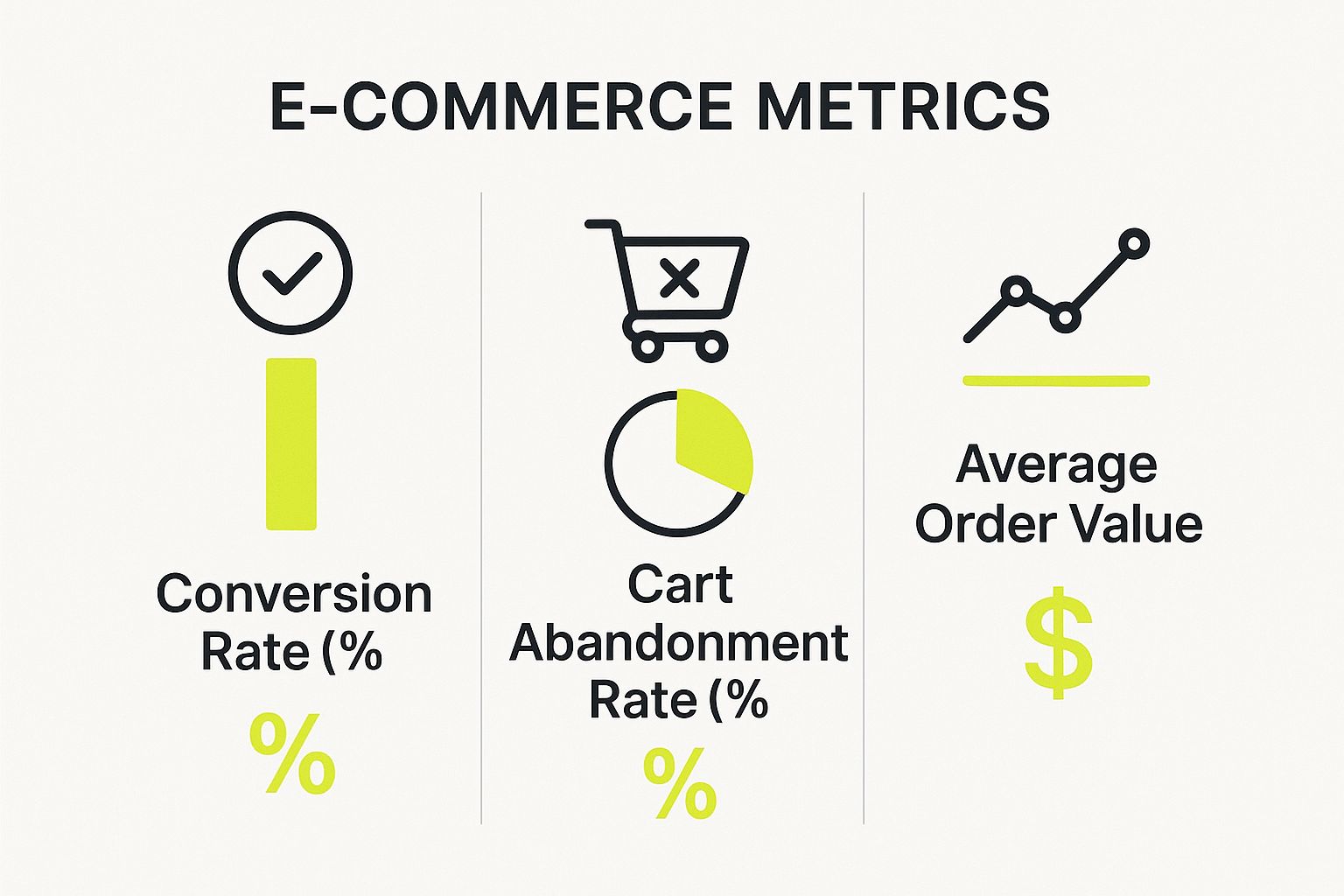
When data flows smoothly between your platforms, you can see a direct positive effect on things like conversion rates and average order value, while simultaneously cutting down on frustrating cart abandonment.
Three Main Paths to Integration
So, what are the actual methods for making these connections? It really boils down to three main approaches, each with its own set of strengths and weaknesses.
1. Direct API Connections
A direct API connection is the most straightforward route. It’s like building a dedicated, point-to-point bridge between two specific software tools—say, your Shopify store and your Mailchimp account. For a simple setup with only a couple of systems, this can be a quick and relatively cheap solution.
The problem? It doesn't scale well. As your business grows and you start adding more software—a CRM, an inventory system, a customer support tool—you have to build a brand new "bridge" for every single connection. Before you know it, you're left with a tangled mess of individual connections that's incredibly difficult to manage. It's often called "spaghetti code" for a reason. If you're curious about the mechanics, you can learn more about how APIs facilitate integration.
2. Middleware and iPaaS Solutions
A much more scalable and organized method is using middleware, which these days usually means an Integration Platform as a Service (iPaaS). Think of an iPaaS as that central distribution hub we talked about. Instead of connecting every app directly to every other app, you connect each one to the central iPaaS. The platform then takes care of routing all the information correctly.
This "hub-and-spoke" model has some serious perks:
- It's built for growth. Adding a new app is easy—you just plug it into the hub, not into every other system you use.
- Centralized control. You get a single dashboard to monitor and manage all your data flows, which makes troubleshooting a breeze.
- Faster setup. Most iPaaS providers offer pre-built connectors for popular software, which drastically cuts down on development time.
For most growing ecommerce businesses, an iPaaS hits that sweet spot, offering the best mix of power, flexibility, and long-term manageability.
3. Fully Custom Integrations
Finally, there's the fully custom integration. This is the most hands-on approach, where you build a solution from scratch, designed perfectly for your unique business processes. It gives you ultimate control and can solve very specific problems that off-the-shelf tools just can't handle.
The catch is that this path is also the most expensive and time-consuming. It demands a significant investment in development resources and requires ongoing maintenance to keep it running. This option is typically best for large enterprises with complex legacy systems or highly specialized operational needs.
If you're already thinking about a major platform shift, like a Shopify store migration, it’s the perfect time to think about your integration strategy. Getting this right from the start ensures your new platform can actually deliver on its promises.
Comparison of Ecommerce Integration Methods
To make the choice clearer, here’s a quick side-by-side look at how these methods stack up against each other.
| Method | Best For | Pros | Cons |
|---|---|---|---|
| Direct API Connection | Businesses with very few systems (2-3) that need simple, one-to-one connections. | Quick to set up for simple pairs; cost-effective for initial, limited needs. | Becomes messy and hard to maintain as you add more apps ("spaghetti code"); poor scalability. |
| Middleware (iPaaS) | Most growing businesses that need to connect multiple apps and want a scalable, manageable solution. | Highly scalable; centralized management and monitoring; often has pre-built connectors. | Can have a recurring subscription cost; might have limitations on very niche customizations. |
| Fully Custom Integration | Large enterprises with unique workflows, complex legacy systems, and significant development budgets. | Maximum control and flexibility; tailored exactly to your business needs. | Most expensive option; requires significant time and development resources; high ongoing maintenance. |
Ultimately, the best method isn't a one-size-fits-all answer. It's about honestly assessing your current needs, your budget, and, most importantly, where you see your business heading in the next few years.
Common Integration Mistakes to Avoid
Getting an ecommerce platform integration right is as much about sidestepping common traps as it is about following a good plan. It’s easy to get derailed, and a few wrong moves can lead to blown budgets, missed deadlines, and a lot of headaches.
The good news is that these mistakes are surprisingly common, which means they’re also predictable and preventable. By knowing what to look out for from the start, you can save yourself a world of trouble. Let’s walk through the biggest missteps we see businesses make.
Vague Goals and Unchecked Scope Creep
Kicking off an integration project with unclear goals is a surefire way to fail. A target like "we need to connect our systems" isn’t a strategy; it’s a vague wish. When you don't have specific, measurable goals, you're inviting scope creep to the party.
This is the classic project-killer. What began as a simple sync between your e-commerce store and inventory software slowly balloons into a massive project that also ropes in your CRM, accounting tools, and marketing platforms—all without a clear plan or budget.
To prevent this:
- Define precise outcomes. Don't just "improve efficiency." Instead, aim to "cut order processing time by 15%."
- Write it all down. Create a project scope document that clearly states what the integration will do and, just as importantly, what it won't do.
- Create a change process. When new ideas pop up, have a formal system to review them. Evaluate how they affect the timeline and budget before you say yes.
Overlooking Data Security and Compliance
In the race to get systems connected, security often gets pushed to the back burner. This is a huge mistake. You're moving sensitive customer data, payment details, and order histories between different applications. One vulnerability can expose your business and your customers to significant risk.
On top of that, you have to follow data privacy laws like GDPR and CCPA. A compliance failure can lead to massive fines and completely shatter the trust your customers have in you. Security isn't something you can add on later; it has to be part of the plan from day one.
An integration is only as strong as its weakest security point. Treat data security not as a feature, but as a fundamental requirement for any ecommerce platform integration project you undertake.
Ignoring Long-Term Maintenance and Scalability
It’s tempting to focus only on getting the integration launched, but what about six months from now? Or next year? Your business will grow, software gets updated, and your needs will evolve. Choosing an inflexible solution or having no plan for maintenance is setting yourself up for a future crisis.
A common pitfall is choosing a cheap, custom-coded connection that breaks every time one of the platforms pushes an update. Likewise, an integration that can’t handle a surge in orders will cripple your operations right when you’re hitting a growth spurt.
Always ask yourself: Will this solution grow with us? You need to factor in the cost and effort of ongoing maintenance and future adjustments from the very beginning.
Common Questions We Hear About E-commerce Integration
Even with a solid plan, diving into an e-commerce platform integration project always brings up some practical questions. Getting these answers upfront helps set clear expectations, budget your resources wisely, and walk into the project feeling confident. Let's tackle a few of the most common ones we get from businesses.
How Long Does an Integration Project Usually Take?
This is the classic "how long is a piece of string?" question. Honestly, the timeline completely depends on how complex the project is. A simple connection using a pre-built app might be up and running in a few days or weeks.
But if you're looking at a more involved integration—say, connecting your e-commerce platform to an ERP, CRM, and PIM all at once—you're looking at a longer timeline. These projects can easily take anywhere from two to six months, and sometimes even more. The main things that will affect your schedule are:
- The number of systems you're connecting.
- How good the API documentation is for each piece of software.
- The amount of custom code needed to make everything talk.
- How deeply you plan to test everything before going live.
What’s the Difference Between an App and an Integration?
This is a really important distinction to understand. Think of an app as a self-contained add-on that gives your store a specific feature, like a tool for creating pop-ups or a widget for customer reviews. It usually does its one job and that's it.
A true integration, on the other hand, is the digital bridge that connects two separate, powerful systems so they can share data and operate as a single unit. For example, connecting your Shopify store to your NetSuite ERP is an integration. It's what makes sure your sales orders, customer info, and inventory levels flow smoothly between your website and your main business software.
An app adds a function; an integration creates a unified workflow. While you can use apps as part of an integration strategy, the two aren't the same thing.
Can I Connect Custom Software to My E-commerce Platform?
Yes, absolutely—it just takes a bit more technical know-how. Platforms like Shopify and BigCommerce offer robust APIs (Application Programming Interfaces), which are basically a set of rules and tools that let other software communicate with them.
If your business runs on a custom-built inventory system or a proprietary CRM, your developers can use the platform's API to build a direct connection. This lets your unique software send and receive data just as if it were a standard, off-the-shelf tool. It definitely requires development skills, but it's the best way to make sure your e-commerce platform integration is built around how your business actually works.
Ready to build a powerful, seamlessly integrated Shopify store that drives growth? The experts at E-commerce Dev Group specialize in custom app development and complex integrations that make your entire tech stack work as one. Contact us today to build a store that scales with your ambitions.
