


Why Lightning Speed Actually Matters For Your Bottom Line
A fast-loading Shopify store isn't just a nice-to-have; it's crucial for success. It directly impacts revenue, customer satisfaction, and search engine rankings. Every second a customer waits for your page to load is another second they could be spending with a competitor.
The Psychology of Waiting
No one likes to wait. In online shopping, even a few seconds can feel like forever. This isn't just an opinion; it's a fact. Studies show slow loading times lead to higher bounce rates. This means potential customers leave your site before even seeing your products. The result? Lost sales and revenue. Frustrated customers are also less likely to return, hurting your brand reputation.
Mobile Matters Even More
Mobile users are especially sensitive to speed. They're often on the go, with less patience and sometimes unreliable internet. A slow mobile experience can easily turn customers away. Google research shows reducing page load times by just one second can increase mobile conversion rates by up to 20%. This highlights how important optimizing Shopify speed is for today's mobile-first shoppers.
Shopify Speed Advantage
Shopify continues to outperform competitors in site speed. Its average load time is 1.2 seconds, compared to 2.17 seconds for other platforms. This is largely thanks to Shopify's infrastructure, including Google Cloud servers and the Cloudflare CDN. These provide fast content delivery worldwide. Optimizing your Shopify store can significantly improve SEO rankings and customer satisfaction. Page speed is a key factor in search engine algorithms. For more detailed statistics, check out this resource: UXify – How to Speed Up Shopify Website
Search Engines Take Notice
Besides user experience, search engines also prioritize site speed. Google, for example, rewards fast-loading websites with higher search rankings. A faster Shopify store is more likely to be found by potential customers. A slow site can be penalized, making it harder for customers to find you organically. Optimizing your site speed is essential for SEO.
Realistic Speed Goals and Budget
While aiming for the fastest possible load times is great, it's important to set realistic goals. Your store's size, complexity, and budget all influence achievable speed improvements. First, identify your current speed. Then focus on making incremental improvements. Even small changes can positively impact your bottom line. Optimizing your Shopify speed is an ongoing process, not a one-time fix.
Making Sense Of Performance Metrics That Actually Count

So, you've run some speed tests on your Shopify store and now you’re overwhelmed with data. Which numbers really matter? Let's cut through the noise and focus on the metrics directly linked to improving your profits. It's not about achieving perfect scores, but about understanding what changes will have the biggest positive impact.
Beyond the Buzzwords: Core Web Vitals and Google Lighthouse
You've probably heard the terms Core Web Vitals and Google Lighthouse. But how do they relate to your bottom line? Google Lighthouse gives you a complete overview of your site's performance, accessibility, SEO, and adherence to best practices. Consider it a comprehensive website report card. Within that report, Core Web Vitals are the key performance indicators specifically focused on user experience.
These vitals include Largest Contentful Paint (LCP) which measures loading speed, First Input Delay (FID) which quantifies interactivity, and Cumulative Layout Shift (CLS) which assesses visual stability. A low LCP score, for example, means your main content is slow to load, a potential source of frustration for your visitors. A high CLS score might indicate that elements shift around during loading, making it difficult for users to click buttons or read text.
Shopify-Specific Metrics: What Predicts Conversion Success
In addition to general performance metrics, Shopify offers valuable insights into your store's specific performance. The Shopify Speed Score, based on Lighthouse audits, provides a helpful benchmark. Tracking your conversion rate alongside any speed improvements you implement can reveal powerful connections. You might discover that even small speed boosts translate into significantly more sales.
This data-driven approach is essential for making smart optimization decisions. Optimizing Shopify speed has a demonstrable impact on overall business performance. Out of the 4.8 million Shopify stores globally, only 5% to 10% achieve significant success, highlighting the competitive nature of the platform. Maintaining high-speed performance is a key factor in that success. For a deeper dive into Shopify speed, check out this resource: The Ultimate 2025 Guide To Shopify Load Speed Performance.
Lab Data vs. Real-World Performance: Bridging the Gap
Understanding the difference between lab data (from tools like Lighthouse) and real-world performance is critical. Lab tests offer a controlled environment, but don't necessarily reflect the varied conditions your users experience. That's where real user monitoring (RUM) comes in. RUM tools gather data from actual user interactions, providing a more accurate view of your store's performance out in the real world. For more on Shopify performance optimization, take a look at this guide: Shopify Performance Optimization. Combining lab data and RUM offers a holistic perspective on your store's speed.
Prioritizing for Impact: Where to Start
Feeling a bit lost? Start by concentrating on the metrics with the biggest impact on user experience, like LCP and FID. Even small improvements in these areas can noticeably boost your store's performance. Also, consider your specific business needs. If most of your sales come from mobile users, prioritize mobile optimization. This guide might also be helpful: How to Master Shopify Speed Optimization. By focusing on a strategic approach, you can achieve significant speed gains without being overwhelmed by data.
Image Optimization Strategies That Won't Ruin Your Visuals
High-quality product photography is essential for any successful Shopify store. However, large image files can significantly slow down your page load times. This negatively impacts user experience and SEO. Finding the right balance between stunning visuals and optimized Shopify speed is key. This section will explore how to maintain beautiful images without sacrificing performance.
Choosing the Right Image Format
Selecting the appropriate image format is the first step in image optimization. JPEGs are a common choice, but often result in larger file sizes. PNGs offer better quality for graphics with sharp lines and text, but can also be quite large. The newer WebP format provides superior compression and quality compared to both JPEG and PNG, resulting in smaller file sizes without noticeable quality loss. However, consider offering JPEG or PNG fallbacks, as some browsers don't fully support WebP yet.
To help you decide, here's a table summarizing the pros and cons of each format:
Image Format Comparison for Shopify Optimization: Comparison of different image formats showing file sizes, browser support, and recommended use cases
| Format | Average File Size | Browser Support | Best Use Case | Quality Rating |
|---|---|---|---|---|
| JPEG | Medium | Universal | Photographs | Good |
| PNG | Large | Universal | Graphics, Logos | Excellent |
| WebP | Small | Mostly Universal | Both Photos and Graphics | Excellent |
As you can see, WebP offers the best balance of size and quality, but ensuring fallback options for other formats guarantees all customers can view your images.
Compressing Your Images Without Sacrificing Quality
Even with the optimal format, further compression is crucial for optimizing your Shopify speed. Tools like TinyPNG and ShortPixel can significantly reduce file sizes without dramatically affecting image quality. These tools remove unnecessary data from the image file, making it smaller and easier for your store to load.
Implementing Lazy Loading: Show Images Only When Needed
Lazy loading defers the loading of images until they are visible in the user's browser. Images "below the fold" aren't loaded until the user scrolls down to see them. This dramatically improves initial page load times, especially on image-heavy pages.
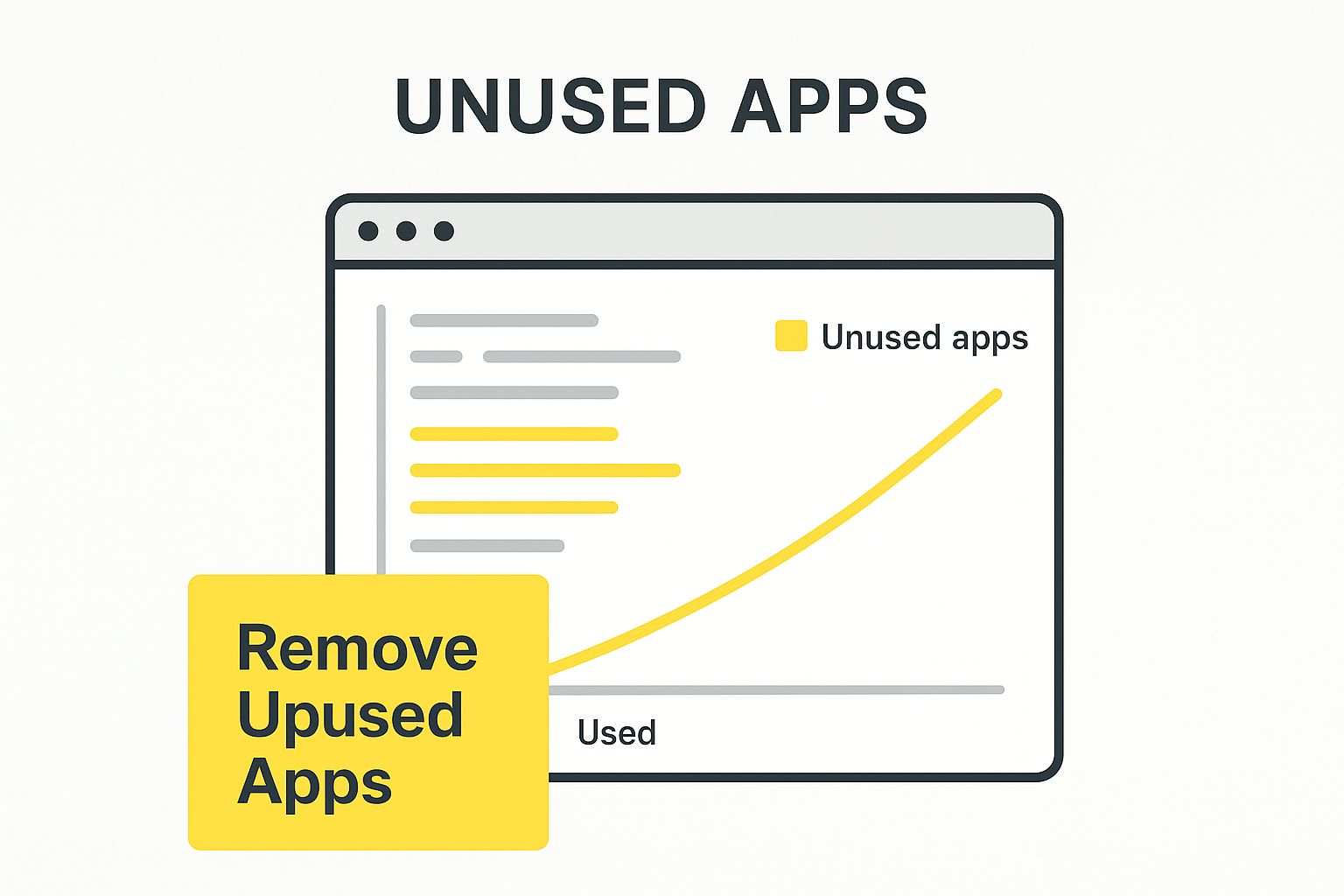
This infographic demonstrates the benefit of removing unused elements. Much like optimizing images, removing unnecessary code also improves overall performance.
Responsive Images: The Right Size for Every Device
Serving large images to mobile users is inefficient. Responsive images ensure appropriately sized images are delivered based on the user's device and screen size. This improves load times for mobile users by preventing them from downloading unnecessarily large images.
Optimizing Alt Text for Accessibility and SEO
Alt text, while not related to file size, is crucial for image optimization. It describes the image to search engines and screen readers, improving both SEO and accessibility. Good alt text also improves user experience if an image fails to load. By implementing these strategies, you create a visually appealing and fast Shopify store that converts visitors into customers.
Choosing And Customizing Themes Without Killing Performance
Your Shopify theme forms the base of your store's design and how it works. It has a big impact on your store's speed. Picking the right theme and customizing it well are key for a fast Shopify store. This means understanding what makes a store slow, and how to avoid it.
Evaluating Themes for Speed
Not all Shopify themes are the same regarding performance. Some are quick and stylish, while others have messy code that slows everything down. When checking out themes, don't just look at how they appear – consider the code underneath. A pretty theme is no good if it takes ages to load.
-
Code Bloat: Too much code, or poorly written code, can really slow down your store. Look for themes with clean, well-organized code.
-
Features vs. Performance: Many themes have lots of features, but you might not need them all. Figure out what you actually need and avoid themes packed with extras. Each added feature can increase loading time.
-
Mobile Responsiveness: Make sure the theme works perfectly on phones and tablets. Mobile users are especially impatient with slow loading times.
Customizing Your Theme Without Compromising Speed
After choosing a fast theme, careful customization is important to keep things running smoothly. Similar to how good research methods can improve efficiency – systematic note-taking saves 40% of time spent on literature reviews and results in 35% more relevant sources being cited – a well-structured approach to theme customization has big performance benefits. Learn more about literature review efficiency. Don't add customizations you don't need; they can slow your store down.
-
Streamlined Code: Keep your code clean and efficient. Get rid of any unused code or repeated scripts.
-
Image Optimization: Make sure all your theme images are the right size and file type. Large images can significantly slow down your store.
-
App Integration: Be careful which apps you add to your theme. Some apps can hurt performance. Choose wisely and only install what you really need.
Working with Developers: A Performance-Focused Approach
If developers are customizing your theme, make sure they know about performance optimization. A developer focused on speed can greatly improve your store's loading times. You might be interested in: How to master Shopify Theme Customization. Tell them your performance goals and make sure they keep those in mind.
Balancing Visual Appeal and Loading Times
The best approach combines great design with fast loading. A visually appealing store attracts customers, but slow loading times will push them away. Prioritize speed without sacrificing good looks. Focus on the key design elements and avoid unnecessary clutter. By picking and customizing your theme well, you can create a Shopify store that looks great and loads quickly.
Smart App Management Without Sacrificing Functionality
Shopify apps can add a lot of great features to your online store. But if you're not careful, they can also slow things down. This section will show you how to build a smart app ecosystem that helps your business without hurting your Shopify speed. Think of it like building a house: you wouldn't add extra rooms you don't need, and you shouldn't add apps that don't serve a purpose.
Auditing Your App Stack: Identifying Performance Culprits
The first step to smart app management is taking stock of what you already have. Do a thorough audit of all your current apps. Ask yourself these important questions:
- What is the purpose of each app? Is it crucial for your day-to-day operations, or is it just a nice extra?
- When was each app last used? If you haven't used an app recently, get rid of it.
- Do any apps have overlapping features? Combining similar apps can reduce bloat and improve performance.
Just like decluttering your home, removing unnecessary apps streamlines your store and optimizes your Shopify speed.
Finding Lightweight Alternatives and Smart Loading Strategies
After identifying unnecessary apps, look for lighter alternatives. For example, instead of using three separate apps for email marketing, pop-ups, and customer support, consider an all-in-one platform like Klaviyo. This reduces the number of external scripts running on your store.
For the apps you absolutely need, use smart loading strategies. This means loading scripts only when they're necessary. For example, only load your chat app when a customer clicks the chat icon. This keeps your initial page load fast and improves the overall user experience.
Tracking Codes and Consolidation Techniques: Keeping Things Tidy
Tracking codes like those from Google Analytics are vital for understanding your store's performance, but they can also contribute to slowdowns. Using Google Tag Manager lets you combine all your tracking codes into a single request, which improves your Shopify speed. Think of it like combining multiple small deliveries into one efficient shipment.
Consolidation is a good strategy overall. Look for ways to combine the functionality of multiple apps into fewer apps. This reduces the load on your store and makes it faster. Imagine your store's code as a highway: fewer cars (scripts) mean smoother, faster traffic (page load).
Custom Development vs. Multiple Apps: A Strategic Decision
Sometimes, custom development is a smarter choice than relying on several apps. It might cost more upfront, but custom solutions are often more efficient and perfectly suited to your specific needs. Plus, you'll have more control over performance optimization.
If you work with developers, make sure they prioritize performance. Clearly communicate your speed goals and ensure they use efficient coding practices. This is crucial for a fast and scalable Shopify store.
To illustrate the impact of different app categories on your site’s speed, take a look at the table below. It provides a comparison of common Shopify app categories and offers tips for minimizing their impact.
Essential Shopify Apps Speed Impact Analysis: Performance impact comparison of popular Shopify app categories with optimization recommendations
| App Category | Average Speed Impact | Essential Features | Optimization Tips | Lightweight Alternatives |
|---|---|---|---|---|
| Email Marketing | Medium | List building, automation | Use API integrations | Integrated email platforms |
| Reviews | Low | Social proof, SEO | Lazy load reviews | Theme-integrated review systems |
| Chat Support | Medium | Real-time customer service | Load on demand | Integrated messaging solutions |
By using these strategies, you can keep all the functionality you need without slowing down your Shopify store. This lets you focus on what matters most: a great user experience and more sales.
Keeping Your Store Fast As It Grows
Optimizing your Shopify store's speed isn't a one-time fix. It's an ongoing process, much like tending a garden. As your store grows with more products, customers, and apps, maintaining performance requires consistent effort. This section provides a practical guide to keeping your Shopify store running quickly, even as it expands.
Monitoring Performance Without Obsessing Over Metrics
Tracking metrics is important, but don't get lost in the details. Focus on the key performance indicators (KPIs) that directly impact your bottom line: conversion rate, bounce rate, and page load times. Regularly checking these KPIs provides valuable insights into your store's health and highlights areas for improvement.
- Establish a Baseline: Measure your current performance to create a starting point for tracking progress.
- Regular Checks: Schedule regular checks, weekly or monthly, depending on your store's activity.
- Automated Tools: Consider using website monitoring tools like Pingdom to automate data collection and receive alerts about performance drops.
These practices help you identify potential problems before they affect your sales.
Maintenance Schedules for Busy Store Owners
Regular maintenance is essential for sustained speed. Create a realistic schedule you can follow. This could include weekly image optimization, monthly app reviews, or quarterly theme audits.
- Image Optimization: Compress and optimize new product images regularly. Tools like TinyPNG can help.
- App Audits: Review your installed apps monthly. Remove unused apps and explore lighter alternatives.
- Theme Updates: Keep your theme updated and address any performance problems promptly.
Just like a car needs regular tune-ups, your Shopify store needs ongoing maintenance. Consider this especially important when making significant changes. You might also find this article helpful: How to master Shopify store migrations.
Proactive Strategies to Prevent Speed Degradation
Preventing problems is always better than fixing them. Use these strategies to avoid performance issues as your store grows.
- Plan for Growth: Anticipate traffic increases during sales and holidays. Ensure your server infrastructure can handle the demand.
- Optimize Product Catalogs: As your product catalog expands, continue optimizing images and ensure efficient collection organization.
- Monitor App Installations: Be mindful of new app installations and their potential impact on load times. Always test thoroughly before adding apps to your live store.
By being proactive, you can maintain a fast store and a positive customer experience.
Handling Traffic Spikes and Scaling Your Store
Growth is great, but it also brings challenges. Handling traffic spikes requires planning. Scaling your product catalog without impacting speed is also crucial.
- Load Testing: Simulate high traffic scenarios to identify potential bottlenecks and ensure your server can manage the load. Tools like LoadView can be useful for this.
- Content Delivery Network (CDN): A CDN distributes your store's content globally, improving load times for users in different locations.
- Caching: Implement caching to store frequently accessed data, reducing server load and improving page speed.
These techniques can help ensure your store remains responsive, even during high-traffic periods. For more information on managing growth and change, see our guide on How to master Shopify store migrations.
When to Invest in Professional Optimization
While you can handle many optimization tasks yourself, sometimes professional help is the best option. If you have persistent performance issues or lack the technical expertise, consider hiring a Shopify expert. Their specialized knowledge can dramatically improve your store's speed.
Conclusion: Sustaining Speed for Long-Term Success
A fast Shopify store requires consistent work. By using smart monitoring, regular maintenance, and proactive strategies, you can ensure your store remains fast and competitive. Remember, speed is a crucial investment in your business’s future.
