


Why Smart Store Owners Convert WooCommerce to Shopify

Running an online store should be about growing your business, not getting bogged down in technical details. Many store owners find they're spending too much time troubleshooting their WooCommerce setup. This takes away from crucial tasks like marketing and customer service. It's a big reason why so many businesses are converting WooCommerce to Shopify. They're looking for simpler operations and better opportunities for growth.
Simplicity and Scalability: Two Key Drivers
One of Shopify's biggest advantages is its simplicity. WooCommerce requires a decent understanding of website hosting, security, and updates. Shopify, on the other hand, handles all the technical aspects for you. This lets store owners concentrate on what matters most: selling. Think of it as renting a fully furnished apartment versus owning a house. Shopify is the apartment; the "utilities" of web hosting, security, and maintenance are included. You're free to decorate (customize your store) and live comfortably. With WooCommerce, you’re responsible for all the house upkeep yourself.
Shopify also offers built-in scalability. As your business expands, Shopify can handle the increasing traffic and orders. This provides peace of mind, knowing your platform can grow with your success. While WooCommerce is technically scalable, it often requires significant developer time and resources to manage growth. This adds complexity and cost. For instance, handling a sudden influx of holiday traffic can be a major undertaking with WooCommerce, requiring server upgrades and optimization. Shopify handles these surges automatically.
Reduced Technical Overhead and Streamlined Management
Maintaining a WooCommerce store often involves managing many different plugins, extensions, and themes. This can lead to compatibility problems, security vulnerabilities, and a general feeling of being overwhelmed. Shopify brings all the essential features together in one platform. This simplifies management and lowers the risk of technical issues.
This integrated approach not only saves time but also reduces ongoing costs. Instead of using separate plugins for email marketing, shipping, and payments, you have integrated solutions within Shopify. This keeps everything running smoothly.
A primary reason for migrating to Shopify is improved security. Shopify has strong security measures and automatic updates. These protect your store from vulnerabilities and ensure compliance with industry standards like PCI DSS. Achieving this level of security with a self-hosted WooCommerce store can be difficult and time-consuming. This enhanced security lets business owners focus on growth, not worrying about data breaches.
To illustrate the market shift, let's look at current market share. As of 2024, Shopify holds approximately 22% of the global eCommerce market, while WooCommerce holds about 19%. This difference reflects Shopify's user-friendly design and streamlined functionality. It's a great choice for beginners and experienced eCommerce owners alike. You can learn more about migrating from WooCommerce to Shopify here. Ultimately, Shopify empowers store owners to save time, reduce technical hassles, and focus on what truly matters: growing their business.
Let's look at a comparison of these two popular platforms:
To better understand the key differences between WooCommerce and Shopify, the following table summarizes the key aspects of market share, advantages, and target users.
WooCommerce vs Shopify Market Share Comparison: Current market share data and growth trends for both platforms
| Platform | Market Share | Primary Advantages | Target Users |
|---|---|---|---|
| WooCommerce | 19% | Open-source flexibility, customization options, cost-effective for smaller stores | Tech-savvy users, developers, businesses seeking extensive control over their online store |
| Shopify | 22% | Ease of use, built-in scalability, robust security, comprehensive support | Beginners, growing businesses, users prioritizing simplicity and convenience |
This table highlights Shopify's growing dominance in the eCommerce market, primarily due to its ease of use and scalability. While WooCommerce offers greater control, it requires more technical expertise. This makes Shopify an appealing option for businesses seeking a streamlined and secure platform.
Building Your Migration Strategy That Actually Works
Successful migrations from WooCommerce to Shopify aren't accidental. They require careful planning, realistic expectations, and a solid strategy. This means understanding your current website setup, anticipating potential problems, and setting a timeline that works for your business.
Auditing Your Current WooCommerce Setup
Before transferring any data, take stock of your existing WooCommerce store. This audit involves cataloging everything: your product count, customer database size, current theme, plugins, and any custom code. Knowing the scope of your migration helps estimate the required time and resources. A store with 50 products and a basic theme will migrate much faster than one with thousands of products, complex variations, and heavy customization.
Identifying Potential Roadblocks and Dependencies
After understanding your WooCommerce store, identify potential challenges. These could include custom functionalities, integrations with third-party services, or dependencies on certain plugins. Addressing these before migrating will save you time and frustration.
Creating a Realistic Timeline
A successful migration needs a realistic timeline. Break the process into smaller, manageable steps, and estimate completion times for each. Be honest about potentially lengthy tasks and include buffer time for unexpected issues. This helps avoid disrupting your business.
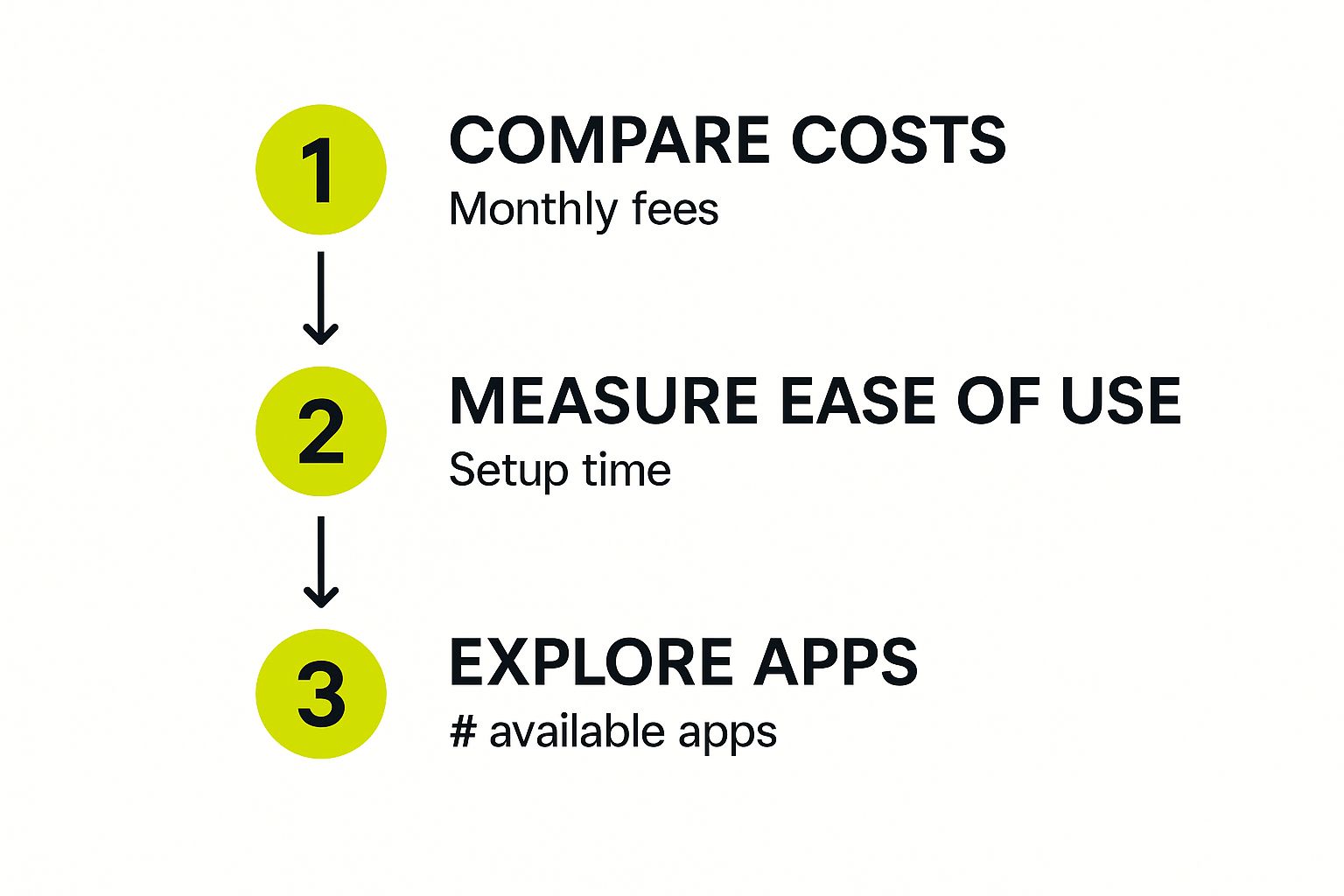
The infographic above highlights three pre-migration steps: comparing platform costs, evaluating ease of use (setup time), and exploring available apps. These factors are key to your migration strategy. Considering costs, ease of use, and app availability helps you choose the right platform for your business.
Organizing Data and Preparing Your Team
Organized data is essential. Ensure your product information, customer data, and order history are clean and well-structured. This simplifies the transfer and reduces data errors. Also, prepare your team for the changes. Clear communication and training ensure everyone understands their roles during and after the migration. You might be interested in: How to Master Shopify Plus.
Before we delve into setting up systems, let's review a pre-migration checklist. This table outlines essential tasks and considerations.
Pre-Migration Checklist
Essential tasks and considerations before starting your migration
| Task Category | Specific Actions | Priority Level | Estimated Time |
|---|---|---|---|
| Auditing Existing Setup | Catalog products, customers, themes, plugins, custom code | High | 4-8 hours |
| Identifying Roadblocks | Analyze custom functionalities, integrations, dependencies | High | 2-4 hours |
| Timeline Creation | Break down migration steps, assign estimated times, include buffer | High | 2-4 hours |
| Data Organization | Clean and structure product info, customer data, order history | High | 4-8 hours |
| Team Preparation | Communicate changes, provide training | High | 2-4 hours |
| System Setup | Establish tracking, management, and communication systems | High | 2-4 hours |
This checklist helps organize the initial stages and prioritize crucial tasks. Completing these steps ensures a smoother, more efficient migration process.
Setting Up Systems for a Smooth Transition
Establish systems for tracking progress, managing tasks, and communicating updates. This might involve using project management software, regular team meetings, or a dedicated communication channel. These systems help you stay organized, address issues quickly, and ensure a smooth transition to your new Shopify store. This sets the stage for a successful, minimally disruptive migration, maximizing your chances of a positive outcome.
Choosing Your Migration Approach: DIY vs. Professional Help
Migrating your store from WooCommerce to Shopify requires careful planning. You have three main options: doing it yourself, using automated tools, or hiring professionals. Each option has its own set of advantages and disadvantages. Understanding these will help you make the right choice.
The Do-It-Yourself (DIY) Approach
The DIY approach gives you the most control and is the most cost-effective option initially. It involves manually exporting data from WooCommerce and importing it into Shopify. This means working with CSV files, understanding how data maps between the two platforms, and potentially fixing any formatting issues. This approach is best for smaller stores with simple setups and owners who are comfortable with technical tasks. A successful DIY migration requires organization, attention to detail, and a significant time investment.
Using Automated Migration Tools
Several apps and tools can simplify the migration process. They automate many of the manual steps involved in a DIY migration. These tools often handle data mapping and transfer more efficiently, reducing errors and saving you time. While these tools usually have a cost, they offer a balance between affordability and convenience. This makes them suitable for mid-sized stores with moderately sized product catalogs and customer databases. It's essential to research different tools and choose one that fits your needs and budget.
Hiring Shopify Professionals
For larger businesses or those lacking technical expertise, hiring Shopify experts is often the most efficient and least stressful option. Professionals bring specialized knowledge and experience, ensuring a smooth and accurate data transfer. They can also manage complex migrations involving custom functionalities, large datasets, and complicated integrations. While professional services have the highest upfront cost, they minimize disruptions to your business and provide peace of mind. This is often the best choice for larger stores with complex setups, extensive product variations, or tight deadlines.
When deciding on your migration path, consider factors like your technical skills, your store's complexity, your budget, and your available time. Each migration option has different costs and time commitments.

Manual migration is free but slow and might require some coding. Using third-party apps can speed things up, usually costing $20 to $50. Hiring an expert, the fastest option, typically costs between $300 and $1,000 but significantly reduces the time you'll spend on the migration. Learn more about WooCommerce to Shopify migrations here. Understanding these trade-offs will help you make the best decision for your business.
Comparing Migration Approaches
The table below summarizes the different approaches:
| Approach | Cost | Time Required | Technical Expertise | Best For |
|---|---|---|---|---|
| DIY | Free | High | High | Small stores, technically proficient owners |
| Automated Tools | Low to Moderate | Moderate | Moderate | Mid-sized stores, some technical comfort |
| Professional Help | High | Low | Low | Large stores, complex setups, limited time |
By carefully evaluating your resources and requirements, you can choose the migration approach that best positions your business for success on Shopify. The next step is understanding the specific processes involved in each approach, which we'll discuss in the following sections.
The Step-by-Step Migration Process That Preserves Everything
Migrating your store from WooCommerce to Shopify can feel daunting. You need to transfer all your vital data—products, customers, orders—without interrupting your business. This guide breaks down the process into manageable phases, ensuring a smooth transition and protecting your valuable data.
Phase 1: Data Preparation and Backup
Before you begin the transfer, thorough preparation is key. Start by backing up your entire WooCommerce store. This backup acts as a safety net if any unexpected problems occur during migration. For more details, check out this article on How to master Shopify Store Migration. After backing up, carefully organize your WooCommerce data. This includes cleaning up product information, verifying customer details, and confirming order history. This meticulous preparation minimizes errors and ensures a clean data transfer to Shopify.
Phase 2: Choosing Your Migration Method
You have several options for migrating from WooCommerce to Shopify:
-
Manual Transfer: This involves exporting data from WooCommerce and importing it into Shopify. This method requires technical expertise and a considerable time investment.
-
Automated Migration Tools: These tools simplify the process by handling data mapping and transfer efficiently. However, they come with varying costs.
-
Professional Assistance: Hiring Shopify experts ensures a smooth, hassle-free transition, especially for complex setups. This option typically represents a higher upfront cost.
Phase 3: Product Migration: Handling Variations and Details
Product migration is often the most complex part of the process. The steps involved depend on your chosen method:
-
Manual Migration: You'll export product data from WooCommerce as a CSV file. Then, carefully map WooCommerce data fields to the corresponding Shopify fields, taking into account product variations, images, and descriptions.
-
Automated Tools: These streamline the process but still require verification to ensure accuracy.
-
Professional Service: Professionals handle the entire process, ensuring data accuracy and consistency.
Phase 4: Customer and Order Data Transfer
Migrating customer and order data follows a similar structure. Export customer information from WooCommerce, map the data to Shopify’s format, and import it. Order history migration, due to its complexity, often requires automated tools or professional help. Accurate transfer of customer data—names, email addresses, billing information—is essential. For order history, correctly migrating transaction details, dates, and customer associations is crucial for maintaining accurate records.
Phase 5: Post-Migration Testing and Optimization
After transferring all data, thoroughly test every aspect of your new Shopify store.
-
Verification: Verify product details, customer accounts, and order information. Check navigation, checkout processes, and any integrations with other platforms. Address any discrepancies immediately.
-
Optimization: Leverage Shopify’s features to enhance performance, improve SEO, and streamline your operations. This includes configuring shipping settings, setting up payment gateways, and installing any necessary apps.
By following these steps, you can efficiently migrate from WooCommerce to Shopify while preserving your valuable data and minimizing disruptions. This structured approach lets you focus on what matters most: growing your business on your new platform.
Protecting Your SEO Rankings During the Switch
Moving your online store to a new platform like Shopify is a big decision. You've worked hard to build your search engine rankings, and you don't want to lose them in the process. Thankfully, with a bit of planning, you can protect your SEO during a WooCommerce to Shopify migration. This means focusing on elements like redirects, URL structure, and utilizing Shopify’s built-in SEO tools.
Implementing Proper Redirects: The Foundation of SEO Preservation
When you move a website, you need to tell search engines and users where your content has gone. This is where redirects come in. They're like forwarding addresses for your web pages. The most important type is a 301 redirect, which signifies a permanent move. Set up 301 redirects from your old WooCommerce URLs to the corresponding pages on your new Shopify site. This ensures a smooth transition and preserves your valuable link equity, preventing a drop in search rankings.
Setting up redirects correctly is fundamental to maintaining your SEO during a website migration. Without them, visitors and search engines will hit dead ends, leading to frustration and lost traffic.
Preserving URL Structures: Maintaining Consistency for Search Engines
Ideally, you want to keep your URL structure the same when moving to Shopify. For example, if a product page was at yourstore.com/product/blue-widget on WooCommerce, try to keep it at the same address on Shopify. Consistent URLs make the transition easier for search engines, helping them recognize and index your migrated content.
However, platform differences sometimes make identical URL structures impossible. If changes are unavoidable, focus on keeping the URLs for your most important pages—like product and category pages—consistent. This minimizes disruptions and helps maintain your SEO performance.
Leveraging Shopify’s SEO Advantages: Built-In Tools for Enhanced Visibility
Shopify comes with a variety of SEO features designed to improve your search visibility. These include customizable title tags and meta descriptions, automatic sitemaps, and a mobile-friendly design. Make sure you use these tools to optimize your new store. You can even use Shopify plugins to further enhance your SEO processes.
Beyond protecting your current rankings, Shopify can also help you improve them. For example, Shopify's built-in blog is a great way to create SEO-friendly content and attract organic traffic.
Consider the success of LaEnviro, which experienced a 150% increase in SEO efficiency and a 200% boost in sales just three months after migrating to Shopify. This was largely due to Shopify’s improved page speed and user experience. Learn more about WooCommerce to Shopify migrations here.
Monitoring and Recovery: Staying Proactive After the Switch
After your migration, keep a close eye on your search rankings. Some minor fluctuations are expected, but any significant drops should be investigated. Use tools like Google Search Console to find and fix any crawling errors or indexing problems.
Proactive monitoring and quick action are essential for a smooth transition. Our guide on Shopify SEO best practices offers more detailed advice. By staying vigilant, you can maintain your SEO momentum and reap the full rewards of your new Shopify store.
Optimizing Your New Shopify Store for Peak Performance

Migrating from WooCommerce to Shopify is a big step. But moving your data is just the beginning. To truly unlock your store's potential, you need to optimize it for peak performance. This means taking advantage of Shopify's features, ensuring your store is mobile-friendly, and continually refining your checkout process and overall site performance.
Leveraging Shopify’s Built-in Performance Advantages
Shopify comes with several built-in features designed for high performance. Its content delivery network (CDN), for instance, ensures fast loading speeds for customers worldwide. This is a key advantage over self-hosted platforms like WooCommerce, where setting up a CDN can be complex and expensive. With Shopify, it's handled automatically.
Shopify is also optimized for mobile commerce. With so many people shopping on their phones, a mobile-friendly store is a must. Shopify’s themes are responsive, adapting seamlessly to any screen size. This creates a smooth user experience and can boost your conversion rates.
Streamlining Your Checkout Process for Better Conversions
A simple and efficient checkout is essential for turning browsers into buyers. Shopify's streamlined checkout minimizes hassle and encourages purchases. Features like one-click checkout and integrations with multiple payment gateways make buying easy and flexible.
You can also customize your checkout with Shopify apps. Offer upsells and cross-sells to maximize the value of every order, making a real impact on your profits.
Essential Testing Procedures: Ensuring a Flawless Experience
After optimizing your store, thorough testing is crucial. Test your website on various devices and browsers – desktops, laptops, tablets, and smartphones – to ensure a consistent experience. Make sure everything works correctly: links, forms, and the entire checkout process.
Testing your site’s speed is also essential. Tools like Google’s PageSpeed Insights can pinpoint areas for improvement, helping you refine your store’s performance and user experience.
Performance Monitoring Tools: Staying Ahead of Potential Issues
Continuous monitoring is key after launch. Use Shopify's analytics dashboard and other tools to track vital metrics. Monitor page load times, conversion rates, and bounce rates. This data will reveal how your store is performing and where you can improve.
For example, a high bounce rate on a product page might signal a problem with the description or images. Fixing these issues can significantly increase sales.
Ongoing Maintenance and Continuous Improvement
Optimizing your Shopify store isn't a one-time project; it's an ongoing process. Regularly analyze your data, experiment with new features, and stay up-to-date on best practices. Shopify's app store and resources offer countless ways to enhance your store. Explore apps for SEO, marketing automation, and advanced analytics. This constant optimization will keep your store competitive and help it thrive.
By focusing on these key areas, you can transform your migrated store into a high-performing Shopify powerhouse, surpassing your previous WooCommerce setup. This lays the foundation for sustainable growth and long-term success. Remember, optimizing your Shopify store is an ongoing journey. Contact E-commerce Dev Group for expert advice on optimizing your Shopify presence. We can help you maximize Shopify’s features and reach your eCommerce goals.
Key Takeaways
Migrating an e-commerce store from WooCommerce to Shopify is a big project, but done right, it can open up significant opportunities for growth. This section highlights the key takeaways from our comprehensive guide to converting WooCommerce to Shopify, providing a practical roadmap for your migration success.
Planning and Preparation Are Paramount
A successful migration depends on thorough planning. Before transferring any data, audit your current WooCommerce setup. This involves cataloging products, customers, themes, plugins, and any custom code. This audit helps you accurately scope the migration and anticipate potential challenges. Next, create a realistic timeline. Break the migration process into smaller, manageable stages, assigning estimated completion times for each. Don't forget to include buffer time for unexpected delays.
Choosing the Right Migration Approach
You have three main migration options: DIY, automated tools, or professional assistance. The DIY approach gives you maximum control, but requires significant technical expertise and time. Automated tools offer a balance of affordability and convenience, streamlining the data transfer. Professional help, although the most expensive option, minimizes disruption and provides peace of mind for complex migrations. The best approach depends on factors like store size, technical skills, budget, and timeline.
Data Integrity and SEO Preservation
Maintaining data integrity and protecting your SEO rankings is critical. During the migration, concentrate on accurately transferring product data, including variations, images, and descriptions. It's equally important to ensure the correct transfer of customer information and order history. Implement 301 redirects from your old WooCommerce URLs to the corresponding Shopify pages. This preserves your SEO equity and sends visitors to the correct pages. Maintain your URL structure whenever possible to remain consistent with search engines.
Optimization and Ongoing Improvement
After completing the migration, focus on optimizing your new Shopify store. Take advantage of Shopify’s built-in performance features, like its CDN and mobile-friendly design. Streamline your checkout process to improve conversions. Continuously monitor key metrics, such as page load times and bounce rates, to identify areas for improvement. Remember, optimization is an ongoing process. Regularly analyze data, experiment with new features, and adapt to best practices.
Measuring Success Beyond the Technical
Success isn't just about completing the technical migration. True success comes from achieving your business goals on the new platform. This might include increased sales, better conversion rates, lower operational costs, or greater customer satisfaction. Define your success metrics beforehand and track your progress after migration.
By focusing on these key takeaways, you can ensure a smooth, efficient, and successful transition to Shopify. Moving to a more streamlined and powerful platform allows you to concentrate on what matters most: growing your business. Ready to transform your online store? Contact E-commerce Dev Group today for expert Shopify migration services and unlock your e-commerce business’s full potential.
