


Why Your Shopify Migration Success Depends On Smart Planning
Migrating your online store to Shopify is a big move. Think of it like relocating a physical business. You're not just moving files, you're strategically shifting your entire operation. The goal? Minimize disruption and maximize your future potential. This means protecting your brand, your customers, and your hard-earned online presence. We've spoken to many store owners, and the difference between those who planned carefully and those who rushed is striking.
The Hidden Costs of Rushed Migrations
Rushed migrations often come with hidden costs that can seriously hurt your business. Lost customer data, for instance, can damage trust and make personalized marketing much harder. Imagine a customer logging in after a migration, only to find their account gone. That's a frustrating experience that can lead to lost sales. Ignoring SEO during the migration can also tank your search rankings. This drastically reduces organic traffic and revenue. It's like moving your physical store to a back alley and not updating your online address – customers simply won't be able to find you.
The Power of Thorough Planning: Real-World Examples
Thorough planning, on the other hand, can save you thousands in potential lost revenue. Think about a business that carefully mapped its URLs before migrating, creating seamless redirects. This smart move protected their search rankings and kept organic traffic flowing. Another business strategically timed their migration for a slow period. This minimized customer disruption and made for a much smoother transition. These real-world examples show a well-defined Shopify migration checklist isn't just a good idea; it's a critical investment.
Shopify's popularity highlights the need for careful planning. As of 2023, there were nearly 5.1 million Shopify stores in 175 countries. This shows the platform's global reach and the sheer number of migrations happening. It also emphasizes the competitive landscape and the importance of a seamless transition. For more statistics: Discover more insights about Shopify statistics.

Planning as Your Business Insurance Policy
A comprehensive Shopify migration checklist is more than a to-do list; it's a strategic roadmap. It guides you through each step of the process, helping you identify potential problems, reduce risks, and ensure a smooth move. This includes everything from backing up your data and mapping URLs to testing your new store and monitoring its performance after launch. Just like insurance protects you from the unexpected, a well-executed migration plan safeguards your online presence. It sets the stage for future growth on Shopify by minimizing downtime, keeping your customers happy, and maximizing your chances of a successful transition.
Building Your Pre-Migration Foundation For Success
Before migrating your Shopify store, establishing a solid foundation is essential for a smooth transition. This preparation phase, often overlooked, sets the stage for either success or a multitude of potential problems. A comprehensive audit of your existing store is the first step, allowing you to identify possible roadblocks before they derail your migration. This involves a systematic approach to taking stock of your apps, assessing theme compatibility, and meticulously documenting existing workflows.
Auditing Your Current Shopify Setup
Begin by carefully examining your current store's performance. Analyze traffic patterns, conversion rates, and key performance indicators (KPIs). This creates a baseline for measuring the success of your migration after it's complete. Next, create a detailed inventory of all the apps you're currently using. Categorize them by their function and prioritize the ones critical to your daily operations. Assess whether your current theme is compatible with the new Shopify environment. Perhaps this article will be helpful: How to master migrating your Shopify theme. Lastly, document your current workflows. This ensures a smooth transition and helps train your team on the new setup.
Strategic Timing and Team Coordination
Timing your migration strategically is essential. Consider peak seasons, sales events, and your inventory cycles. Migrating during a slower period minimizes disruptions to your business. For instance, migrating during a low-traffic month allows for thorough testing and troubleshooting with minimal impact on your customers' experience. Effective team coordination is also vital. Set up clear communication channels and assign responsibilities clearly to each team member. This will prevent miscommunication and potential delays.
Creating a Realistic Timeline and Checklist
Develop a realistic timeline for your migration. Account for unexpected delays and allow plenty of time for testing and making necessary adjustments. Break the migration process down into smaller, manageable tasks, and assign deadlines to each. A detailed Shopify migration checklist guarantees you won't overlook any critical steps.
This checklist should include items like:
- Data backup
- URL mapping
- Theme setup
- App integration
- Testing
Building in buffer time for potential setbacks is also wise. This provides flexibility and prevents the migration from feeling rushed.
Utilizing Templates and Resources
Take advantage of available templates and resources to streamline your planning process. Downloadable checklists, migration guides, and project management tools can help you stay organized and on track. These resources often provide valuable best practices and expert tips for a successful migration. Consider seeking professional advice from a Shopify expert if needed. They can offer valuable insights and tailored guidance specific to your business needs. This investment can save you time and resources in the long run by avoiding costly mistakes. By following these pre-migration steps, you'll build a strong foundation for a successful Shopify migration, setting your business up for continued growth and success.
Protecting Your Most Valuable Business Assets During Data Migration
Migrating your business to Shopify is a significant undertaking. It's more than just moving files; it's about safeguarding your most valuable assets: your customer data, order history, and product information. These represent years of hard work, and their loss or corruption during a migration can be devastating. This section explores the critical technical and strategic considerations beyond basic file transfers to ensure your business-critical data remains safe and secure.
Maintaining Data Integrity During Shopify Migration
Data integrity is paramount. Imagine losing customer login credentials during the transfer. This leads to frustrated customers and potentially lost sales. Similarly, preserving detailed order histories is crucial for warranties, returns, and effective customer service. This requires careful handling of potentially large databases to prevent timeouts and data corruption. Think of it like moving a library – meticulous organization is key to maintaining accessibility.
Avoiding Common Data Migration Pitfalls
Even seasoned developers can encounter common pitfalls during data migration. Incorrect database mapping can lead to mismatched information, while inadequate testing can leave errors undetected until they impact customers. Implementing robust validation procedures catches these errors before they affect your live store, safeguarding your reputation and maintaining customer trust.
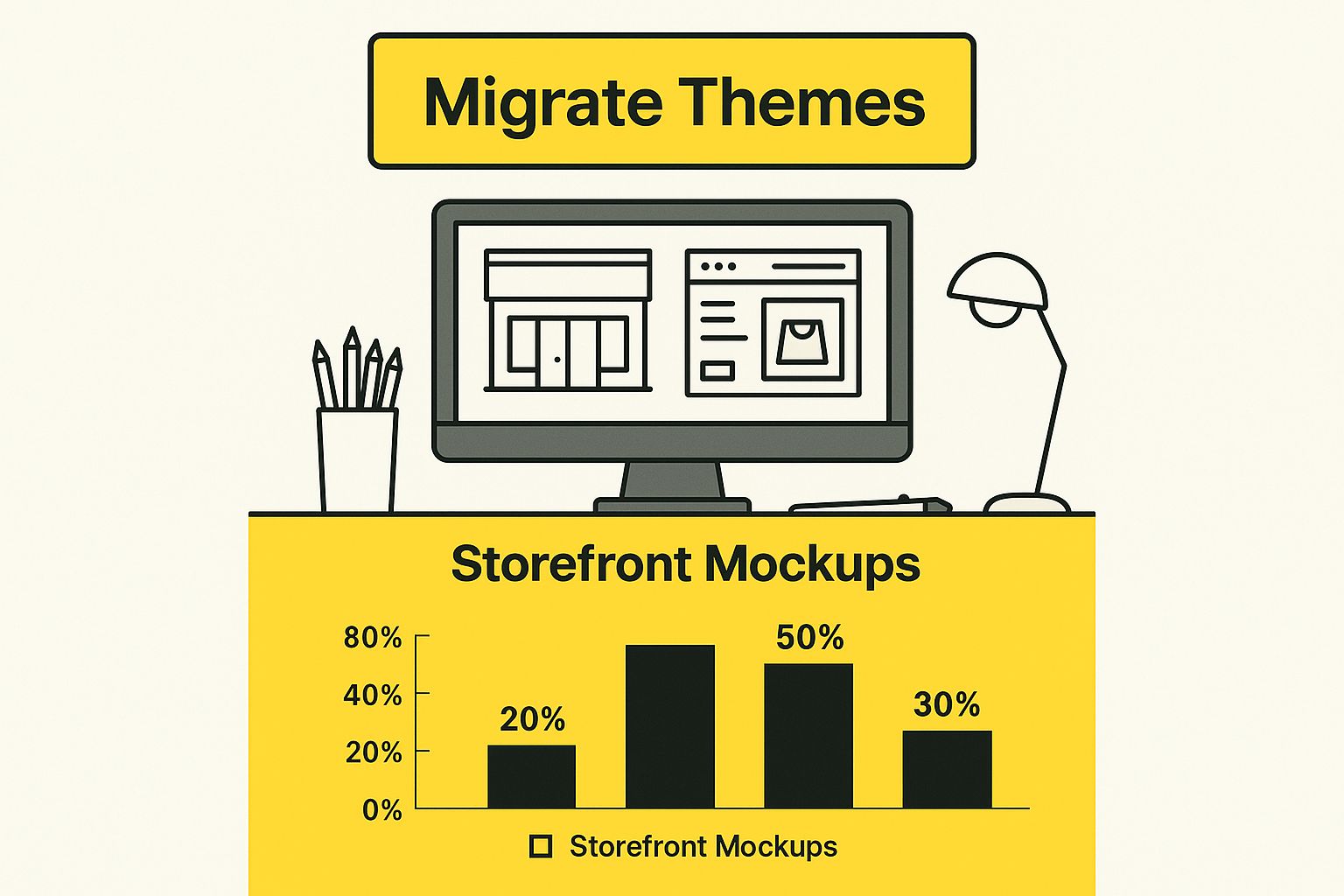
The infographic above illustrates a key step in the Shopify migration process: migrating themes. This visual emphasizes the importance of theme migration within the broader data migration strategy to maintain brand consistency and user experience during the platform shift. For further guidance on order data migration, you can refer to this resource: How to master order data migration in Shopify.
Handling GDPR Compliance and Data Recovery
If your migration involves international data transfer, GDPR compliance is essential. This regulation dictates how you collect, store, and process personal data, and non-compliance can result in significant fines. A robust data recovery plan is equally crucial. Despite the best planning, issues can arise. A well-defined recovery procedure allows you to quickly restore your data, minimizing downtime and customer disruption.
To help understand the complexities of data migration, the following table provides a breakdown of data types, their priority levels, and recommended transfer methods:
Data Migration Priority Matrix: A comprehensive breakdown of data types, migration difficulty levels, and recommended transfer methods
| Data Type | Priority Level | Migration Method | Validation Required | Rollback Difficulty |
|---|---|---|---|---|
| Customer Data | High | API Integration | Extensive | High |
| Order History | High | Automated Script | Thorough | Medium |
| Product Information | High | CSV Import/Export | Moderate | Low |
| Blog Posts | Medium | Manual Transfer | Basic | Low |
| Theme Files | Low | Direct Upload | Visual Inspection | Low |
This table highlights the critical nature of customer and order data, emphasizing the need for robust migration methods and thorough validation. Less critical data, like blog posts and theme files, can be handled with simpler methods.
Communicating With Customers Throughout Migration
Finally, open communication with your customers throughout the migration is vital. Inform them about the upcoming changes and any potential downtime. This transparency builds trust and manages expectations. A well-crafted email explaining the migration process can reassure customers and prevent confusion. This proactive communication can significantly enhance customer satisfaction and minimize anxiety during the transition.
Safeguarding Your SEO Rankings Throughout Migration
Migrating your Shopify store requires careful planning, much like moving a delicate ecosystem. A crucial aspect of this plan is protecting your current SEO rankings. Losing these rankings can significantly impact your organic traffic and revenue. We've witnessed businesses lose substantial organic traffic overnight due to preventable migration errors. This section offers proven strategies to maintain and even improve your SEO during the migration process.
URL Mapping: Preserving Your Link Equity
One of the initial steps is URL mapping. This process creates a direct link between your old store's URLs and the new ones on your Shopify site. It's similar to forwarding your mail after moving. This ensures search engines, and users clicking on search results, can find the right pages. Comprehensive URL mapping protects the link equity you've accumulated. This "equity" is the value assigned to your site by search engines, based on backlinks and internal linking. Preserving it is essential for maintaining your rankings.
Implementing Redirects: Guiding Search Engines
After mapping your URLs, implement 301 redirects. These redirects inform search engines that a page has permanently moved. They act like signposts, directing search engine crawlers and users to the correct pages. This ensures a smooth transition and prevents users from encountering 404 error pages, which negatively affect both user experience and SEO. Understanding redirect implementation helps search engines comprehend your new site structure and index your content correctly.
Handling Site Architecture Changes: Avoiding Confusion
Migration frequently involves site architecture changes. If you're restructuring your site significantly, proceed with caution. Avoid drastic changes to your URL structure without proper redirects. This can confuse search engines and result in lower rankings. For example, if you're modifying your category structure, redirect old category URLs to the most relevant new categories. This avoids broken links and maintains topical relevance for search engines.
Auditing Your SEO Assets: A Systematic Approach
Before migrating, conduct a thorough audit of your current SEO assets. This includes meta descriptions, title tags, alt text for images, and schema markup. Ensure these elements transfer accurately to your new Shopify store. For example, losing optimized meta descriptions can negatively impact click-through rates from search results. Preserving this information is vital for visibility. Likewise, correctly implemented schema markup on your new Shopify store can enhance rich snippets in search results, giving users valuable context.
Furthermore, mobile responsiveness is crucial. Research indicates that roughly 60% of Shopify stores are SEO-optimized, and those employing advanced SEO and mobile strategies can boost conversion rates by up to 250%. Find more detailed statistics here. This highlights the importance of a thorough Shopify migration checklist that includes mobile optimization, SEO redirects, and data security.
Post-Migration Monitoring: Catching Issues Early
Finally, post-migration monitoring is essential. Utilize tools like Google Search Console and Google Analytics to monitor your website's performance after launch. This lets you quickly identify and fix ranking drops or traffic fluctuations. Setting up alerts for 404 errors, for instance, helps you quickly find and fix broken links missed during migration. Promptly addressing these issues minimizes any negative SEO impact and ensures a successful transition to your new Shopify platform.
Preserving Brand Identity While Enhancing User Experience
Your brand identity and user experience are essential for building customer trust, especially during a Shopify migration. Balancing these two requires careful planning. This section explores how to maintain your brand while improving your store's performance and conversion rates on Shopify.
Theme Compatibility and Customization Preservation
One common migration challenge is theme compatibility. Your current theme may not transfer seamlessly to Shopify, requiring adjustments or a new theme. When choosing a new theme, make sure it reflects your brand's look and allows for necessary changes. Your theme is like your online storefront; it needs to attract your target audience.
Maintaining custom design elements can also be tricky. Complex features from your old platform might need special solutions on Shopify. Carefully document your current customizations and find Shopify equivalents. For instance, if you have a unique product filtering system, you'll need to replicate it on Shopify for a consistent experience.
Responsive Design and Mobile Optimization
Responsive design means your store adapts to different screen sizes. This is a must-have for ecommerce. Shopify themes are usually responsive, but test your new store on various devices. This ensures a consistent brand experience and optimal usability for desktop, tablet, and smartphone users.
Mobile optimization is also vital. It impacts both user experience and search rankings. Migrations can affect SEO; safeguard your rankings by following best practices. Google prioritizes mobile versions of websites, making mobile optimization critical. Ensure your store loads quickly and offers a smooth mobile browsing experience.
Accessibility Compliance and A/B Testing
Accessibility compliance means everyone, including people with disabilities, can use your store. This is not only ethical but also a legal requirement in many places. Shopify provides accessibility tools, but ensuring your store meets standards is your responsibility. This includes using alternative text for images, keyboard navigation, and proper color contrast.
Refine your store's design and functionality with A/B testing after migrating. Test different versions of elements like calls to action, product displays, and menus. Analyze user behavior to identify design changes that boost conversions and enhance the user experience. This data-driven approach helps optimize your store based on customer interactions.
Customer Feedback and Conversion Rate Optimization
Gather customer feedback throughout the migration. Use surveys, user testing, and social media monitoring. This valuable input helps you identify problems and improve design and functionality based on real user needs. Make the migration a collaborative effort with your customers.
Finally, see the Shopify migration as a chance for conversion rate optimization. Instead of just copying your old store, improve key metrics like average order value and customer lifetime value. Analyze customer data and find areas to improve in your sales funnel, product offerings, and customer service. Turn the migration into a strategic growth opportunity, positioning your business for long-term success on Shopify.
Managing App Integrations and Third-Party Functionality
Migrating to Shopify is more than just moving products and customer data. It's about carefully handling your app ecosystem. Your apps and integrations are vital, and compatibility problems can derail even the most planned Shopify migration. This section focuses on evaluating, migrating, and testing your apps for a smooth transition without losing key functions.
Auditing Your Current App Ecosystem
Begin by auditing your current app setup. List every app you use, categorized by function (marketing, shipping, customer service, etc.). Prioritize them based on importance to your core business. Separate mission-critical apps, essential for daily operations, from nice-to-have apps with supplementary features. This prioritization guides your migration, focusing on the most important integrations first. For example, an email marketing app is likely more critical than a social media scheduling tool.
Finding Shopify-Compatible Replacements
After identifying key apps, check their Shopify compatibility. Many popular apps have Shopify versions or integrations, simplifying migration. Some apps may not be compatible. For these, research replacements in the Shopify App Store. Look for similar functionality and positive reviews. This proactive approach minimizes functionality gaps. It's like substituting ingredients in a recipe—find substitutes that maintain the dish's flavor.
API Considerations and Custom Integrations
Consider API limitations and data synchronization. Some apps use APIs to communicate with your store. Ensure your Shopify apps have compatible APIs for seamless data transfer. Custom integrations require special attention. Work with developers or a Shopify expert to assess migration options and compatibility challenges. Custom integrations can be complex, possibly needing rewriting or adaptation for Shopify. It's similar to translating a document—requiring careful attention to detail.
Comprehensive Testing and Rollback Procedures
Testing is crucial for verifying app functionality post-migration. Test each integrated app rigorously, focusing on data synchronization, workflows, and user experience. Establish testing protocols simulating real-world scenarios to identify potential issues before customers do. Also, develop rollback procedures if an app malfunctions post-migration. A backup plan minimizes downtime, letting you revert quickly if needed. It's like having a safety net.
Vendor Communication and Timeline Management
For complex integrations involving multiple vendors, create a clear communication plan. Inform vendors of your migration timeline and discuss potential compatibility issues. This collaboration streamlines integration and avoids surprises. Managing timelines is crucial, especially with multiple parties involved. A defined timeline with milestones and responsibilities keeps everyone on track. Shopify holds approximately 10.32% of the global e-commerce market and 29% in the United States. Learn more about Shopify's market share. This makes a thorough Shopify migration checklist crucial, encompassing app integration, domain transfer, payment setup, and comprehensive testing.
Minimizing Functionality Gaps During Transition
Minimize functionality gaps during the transition. If a replacement app isn't ready, consider temporary workarounds. This might involve manual processes or alternatives maintaining essential functionality until the desired integration is complete. This ensures business continuity and prevents customer experience disruptions. By addressing these app integration aspects, you ensure a smoother transition to Shopify, maximizing its potential.

Post-Launch Monitoring And Optimization Strategies
After migrating to Shopify, your work isn't over. In fact, it's just beginning. This post-launch period is crucial for long-term success. Think of launching your online store like opening a new physical store. You wouldn't just unlock the doors and walk away. You'd monitor foot traffic, customer feedback, and sales to see what’s working. Similarly, you need to actively monitor your Shopify store’s performance, validate the customer experience, and track conversions.
Comprehensive Performance Monitoring Strategies
Setting up robust monitoring is key. These systems should track key performance indicators (KPIs). Some examples include page load speed, uptime, and error rates. Automated alerts are essential. These catch problems before they impact your revenue. For instance, if your site goes down, an alert can notify you immediately, minimizing disruption.
Customer Experience Validation Techniques
Customer feedback provides early warning signs of potential issues. Encourage customer reviews and run surveys. Also, monitor social media mentions. This can reveal issues customers might not directly report, like site navigation difficulties.
You might be interested in: Pre-launch checklist for Shopify
Conversion Rate Tracking and Analysis
Monitoring conversion rates helps you understand your migration’s impact on your bottom line. Track metrics like average order value, cart abandonment rate, and checkout completion rate. This data reveals how customer behavior changes and highlights areas for improvement. A drop in conversions could indicate a usability issue on your new site.
Post-Migration Optimization Opportunities
Post-migration often presents new optimization opportunities. These can include performance enhancements and new Shopify features. You might integrate a new app to improve customer service or streamline fulfillment. For app integrations, explore resources on: Shopify Izstrade.
Ongoing Maintenance and ROI Measurement
Ongoing maintenance keeps your Shopify store running smoothly. This includes security updates, theme updates, and app maintenance. Regular maintenance prevents future issues and optimizes performance. Finally, establish frameworks to measure your migration's long-term ROI. This involves tracking revenue growth, customer acquisition cost, and other financial metrics.
To get a clearer picture of ongoing performance monitoring, let's take a look at the table below:
Post-Migration Performance Metrics: Key performance indicators to monitor after migration with acceptable ranges and warning thresholds
| Metric | Pre-Migration Baseline | Acceptable Range | Warning Threshold | Monitoring Frequency |
|---|---|---|---|---|
| Page Load Speed | 3 seconds | 2-4 seconds | >5 seconds | Daily |
| Uptime | 99.9% | 99.5%-99.99% | <99.5% | Hourly |
| Conversion Rate | 2% | 1.8%-2.2% | <1.5% | Daily |
| Bounce Rate | 40% | 35%-45% | >50% | Weekly |
| Average Order Value | $50 | $45-$55 | <$40 | Daily |
This table summarizes important performance metrics. It allows you to quickly identify deviations from your baseline and take corrective action.
Ready to take your Shopify store to the next level? E-commerce Dev Group offers comprehensive Shopify design, development, and support services. From store migrations and performance optimization to ongoing maintenance, we've got you covered. Visit E-commerce Dev Group to learn more and request a consultation.
