


Understanding The Shopify Theme Ecosystem
Creating a Shopify theme goes beyond mere design. It's about grasping the underlying architecture that powers a successful online store. This ecosystem blends several key elements to deliver a dynamic and engaging shopping experience. A vital component is the Liquid templating language, the foundation of Shopify themes. Liquid lets you build dynamic, responsive experiences, pulling data from your store and displaying it beautifully on the front end. Think of it as the bridge between your store's data and what your customers see.
Exploring Liquid and Theme Structure
This dynamic functionality is further enhanced by a Shopify theme's structured organization. The folder structure is crucial for how efficiently your theme performs and scales. Like a well-organized library, a well-structured theme allows quick access and modification of different components. This organization simplifies theme creation. For instance, separating templates for product pages, collections, and blog posts creates a clean and efficient codebase.
Knowing which components are essential versus optional also streamlines development. Some files, like the theme.liquid layout file, are mandatory for a functioning theme. Others, like specific snippet files, might be optional depending on your design's complexity and features. This allows you to prioritize the most critical aspects of your theme build. Creating Shopify themes is increasingly vital for the platform's growth. Shopify merchants are expected to reach over 700 million customers by 2025, making attractive storefronts a necessity.
Shopify offers extensive customization with 11 free and 107 paid themes, and supports up to 20 languages for global reach. This emphasizes the importance of themes for engaging a diverse customer base. You can find more detailed statistics here: Learn more about Shopify statistics.
Learning From The Professionals
Studying experienced Shopify theme developers offers valuable insights into best practices. They understand how to structure projects for maximum efficiency, using version control systems like Git and collaborative workflows. This expertise results in themes that not only look great but are also built on a solid, scalable foundation. This sets the stage for creating a Shopify theme that is both beautiful and robust, ready to handle the demands of a growing online business.
Setting Up Your Development Workspace For Success
A well-organized workspace is essential for efficient Shopify theme creation. It's like a chef's mise en place—having all your tools and ingredients ready before you start makes the whole process smoother and more enjoyable. This allows you to focus on crafting a high-quality theme instead of struggling with your tools. This section will guide you through setting up a development environment optimized for building Shopify themes.
Essential Tools and Configurations
First, install the Shopify CLI (Command Line Interface). This tool accelerates theme development workflows by providing commands for creating, previewing, and deploying themes. Shopify CLI allows you to quickly generate a new theme with a starter template, saving you valuable setup time. Additionally, set up version control using Git. This is crucial for tracking changes, collaborating with others, and easily reverting to previous versions if needed. Think of it as an undo button for your entire project.
Next, choose a code editor with extensions that boost productivity. Many developers prefer VS Code with extensions like Shopify Liquid, which provides syntax highlighting and code completion. This speeds up development and reduces errors. You might also find resources like this helpful: How to master…
Organizing Your Workspace Like a Pro
Successful theme agencies often employ specific workspace configurations that enhance collaboration and efficiency. One common practice is organizing files logically by type and function. For instance, group all template files in a templates directory and all asset files in an assets directory. This clear organization makes it easier for multiple developers to work on the same theme simultaneously. It's like having a well-organized kitchen where everyone knows where everything is.

Streamlining Your Workflow
Finally, establish a local-to-live testing pipeline. This involves developing your theme locally and then pushing changes to a development store for testing. This helps catch issues early, before they impact your customers. Think of this as a dress rehearsal before opening night. This streamlined workflow is essential for both individual developers and teams. By implementing these strategies, you can transform your development workspace into a powerful theme-building machine, setting yourself up for success in creating high-quality Shopify themes.
Building Your First Theme: Hands-On Approach
Let's put our knowledge into action. This section provides a practical guide to creating a Shopify theme, starting with the basics. We'll break down the essential elements of a successful online store and give you real-world code examples to use. This foundation will help you build themes that are both visually appealing and highly functional.
Creating Essential Store Components
Building a Shopify theme involves creating several key components that work together harmoniously. First, you'll build product templates to showcase products and encourage sales. Think of these templates as the digital display cases in your store.
Next, you'll design collection layouts to organize your products logically and visually. This enhances the browsing experience for your customers. It's similar to organizing the aisles and departments of a physical store.
Finally, you need a seamless cart experience that minimizes abandoned carts. This involves a clear and simple checkout process, along with helpful features like order summaries and shipping calculators. By focusing on these core elements, you create a smooth customer journey that boosts sales and builds loyalty.
Harnessing the Power of Liquid
Experienced developers use Liquid, Shopify's templating language, to create dynamic content. Liquid makes your theme adaptable to different store needs.
For instance, you can use Liquid to display specific content based on a customer's location. You can also personalize product recommendations based on their browsing history. This flexibility helps create a tailored and engaging shopping experience.
Liquid also lets you build responsive designs. These designs automatically adjust to look good on any device, from desktops to smartphones. This is especially important since many people shop on their phones. Responsive design provides a consistent and user-friendly experience across all devices.
The cost of a Shopify theme typically ranges from $120 to $200. This makes it an affordable alternative to hiring a custom developer. This affordability, combined with easy installation and customization, drives high demand for Shopify themes. Themes even contribute significantly to Shopify’s traffic, making up roughly 0.64% of its organic traffic. Find more detailed statistics here.
Practical Examples and Best Practices
Working with real-world examples builds practical skills and confidence. We’ll examine code snippets and techniques that professional theme developers use. You can then apply these methods to your own projects. This hands-on approach will solidify your understanding of Shopify theme creation.
Essential Files in a Shopify Theme
The following table outlines the essential files and directories you'll encounter when building a Shopify theme. Understanding their roles is key to creating a functional and well-structured theme.
| File/Directory | Purpose | Required? |
|---|---|---|
theme.liquid |
Main layout file | Yes |
templates/ |
Product, collection, and other template files | Yes |
sections/ |
Reusable blocks of content | Yes |
snippets/ |
Small chunks of reusable code | No |
assets/ |
Images, stylesheets, and JavaScript files | Yes |
config/ |
Theme settings schema | Yes |
locales/ |
Translation files | No |
As you can see, some files are essential for your theme to function, while others provide optional enhancements like reusable code snippets or translation capabilities. This structure helps organize your theme's code for easier management and customization.
This practical experience equips you to build high-quality themes. Merchants will value these themes, and customers will enjoy using them. You'll be able to create themes that not only meet a store’s functional needs but also create a positive brand experience.
Crafting Customizable Themes That Merchants Love
Building a functional Shopify theme is a good start. But creating one that merchants truly love requires going the extra mile with customization options. This means empowering merchants to tailor their online stores to their specific brand and business needs, without writing code. This approach lets store owners shape their online presence while keeping the ease and efficiency of a pre-built theme.
The Power of Section Schemas and Dynamic Blocks
Top-selling theme developers understand the importance of flexibility. They achieve this by meticulously crafting section schemas. These schemas define the customizable elements within a theme. This allows merchants to modify content, layouts, and settings directly through the Shopify theme editor.
For example, a section schema might control:
- The number of products displayed in a featured collection
- The color of a call-to-action button
- The placement of a promotional banner
Building dynamic blocks further enhances customization. These modular components transform static pages into engaging experiences. Merchants can add, remove, and rearrange these blocks to create unique page layouts, without needing to understand complex coding. Think of these blocks as building blocks, enabling merchants to construct their ideal storefront piece by piece. When building your first theme, consider referring to comprehensive guides on Shopify Custom Theme Development.
Global Settings and Metafields for Enhanced Control
Implementing global settings ensures brand consistency across the entire store. These settings might define the store’s:
- Primary color palette
- Typography
- Logo placement
Changing a global setting updates these elements throughout the theme. This simplifies brand management and creates a unified customer experience. This centralized control ensures a consistent visual identity throughout the entire store.
Metafields provide another layer of customization, especially for product displays. Metafields allow merchants to add custom data to their products beyond the standard fields, such as title, description, and price. This allows for richer product descriptions, more targeted marketing campaigns, and a more personalized shopping experience. For example, a clothing store might use metafields to specify the material composition of a garment, or suggest matching accessories.
Balancing Customization and Usability
One emerging trend in Shopify theme development is the integration of AI-powered personalization. This involves using AI to offer product suggestions based on customer behavior and preferences. Additionally, AI chatbots and predictive analytics are being incorporated to further enhance the shopping experience. Mobile-first design, emphasizing fast loading and responsive layouts, is another key trend, catering to the rise of mobile shopping. Furthermore, sustainable and minimalist design is gaining popularity, benefiting both consumer values and site performance. Explore this topic further: Learn more about Shopify theme trends.

Successful developers strike a balance between offering extensive customization options and maintaining usability. Too many options can overwhelm merchants, while too few can limit their creative freedom. The key is to provide a curated set of customizable features that address common merchant needs without sacrificing ease of use. This balance empowers merchants to personalize their stores efficiently and effectively. This allows merchants to create truly unique online stores that resonate with their customers and effectively represent their brand. By mastering these techniques, developers can create Shopify themes that are not only visually appealing and functional, but also highly customizable, adaptable, and ultimately, loved by merchants.
Optimizing Themes for Speed, Search, and Sales
A visually appealing Shopify theme is a great start, but it's not enough. To build a truly successful online store, your theme needs to be optimized for speed, search engine visibility, and ultimately, sales conversions. This section explores the key strategies expert theme developers use to create high-performing storefronts. These techniques can transform a good-looking theme into a powerful business asset.
Maximizing Theme Speed for Enhanced User Experience
Speed is critical in e-commerce. Slow loading times lead to higher bounce rates and fewer sales. Research indicates a one-second delay in page load time can decrease conversions by 7%. Optimizing image delivery is crucial. This includes using modern image formats like WebP, compressing images without compromising quality, and using lazy loading. Lazy loading only loads images when they are visible on the screen, greatly improving initial page load time.
Efficient JavaScript loading is also important. This means using as few external scripts as possible, combining and minimizing JavaScript files to reduce file sizes, and delaying the loading of non-essential scripts. These strategies create a smooth, responsive user experience, keeping customers engaged and encouraging them to browse your products.
Boosting Search Visibility Through SEO Best Practices
Optimizing your theme for search engines is crucial for attracting organic traffic. Start by using structured data. Structured data helps search engines like Google understand your product page content, resulting in enhanced search results. These often include extra details like product ratings, prices, and availability, making your listings stand out and increasing click-through rates.
Another key element of SEO is writing dynamic meta tags. These tags allow you to customize the title tags and meta descriptions for each page, accurately reflecting the page's content and using relevant keywords. This improves your store's search ranking and attracts more qualified visitors. For more SEO advice, check out this guide on How to master sitemaps.
The Impact of Accessibility on Reach and Conversions
Making your theme accessible not only expands your market reach but also fulfills important legal obligations. Ensuring your theme is accessible to users with disabilities, such as those who use screen readers or keyboard navigation, opens your store to a wider audience. This includes using alternative text for images, using semantic HTML, and having enough color contrast.
Beyond ethical and legal reasons, accessibility improvements can also increase conversions. Making your theme easy for everyone to use creates a more inclusive and positive experience, encouraging customers to complete their purchases. This shows a commitment to inclusivity and can strengthen your brand image.
Measuring Optimization Success with Data
The following data chart displays the effects of various optimization techniques on key performance indicators. It compares load time improvements, SEO impact, and implementation difficulty for each technique.
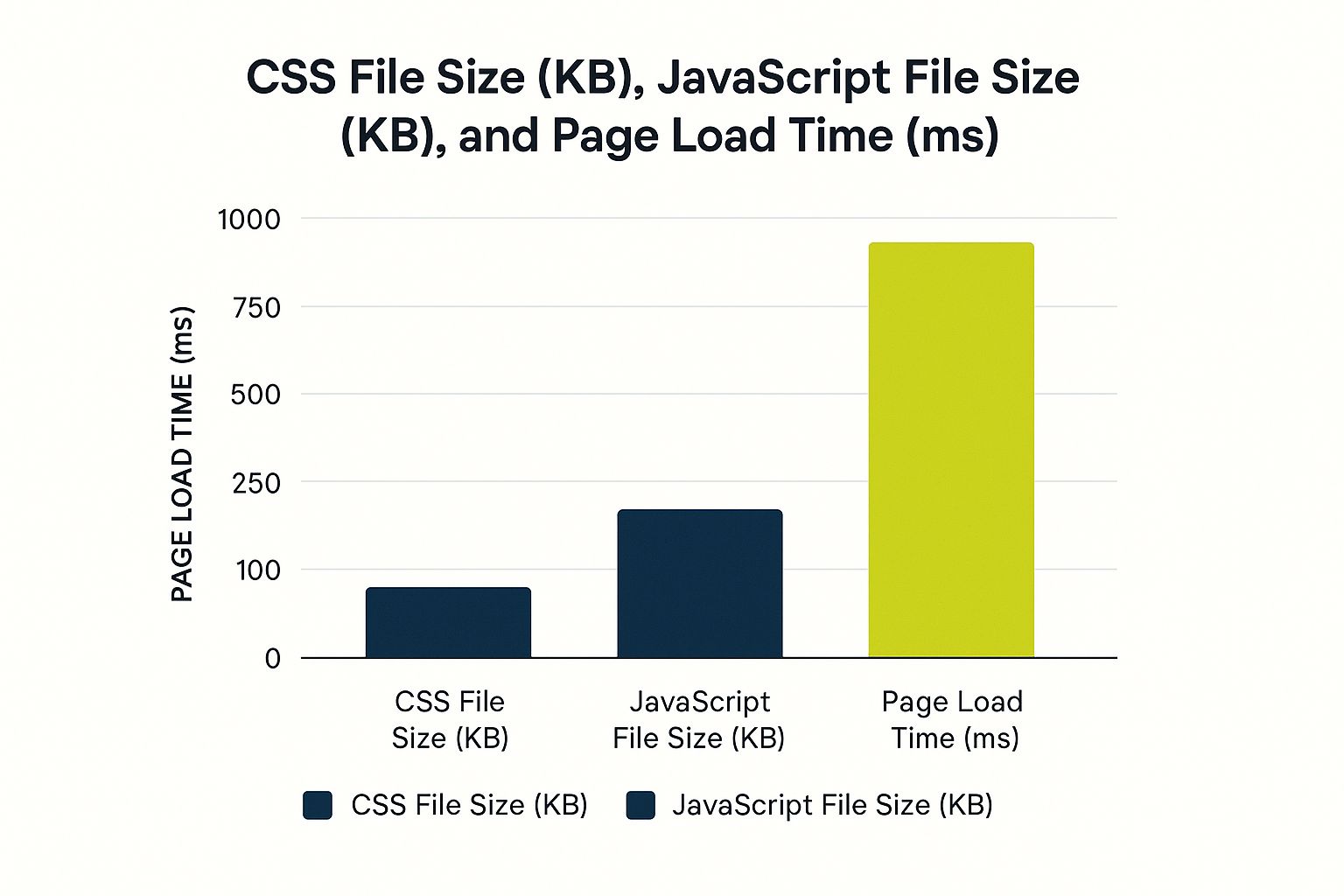
As shown in the chart, optimizing images and using efficient JavaScript loading offer the most significant load time improvements, while structured data has the greatest impact on SEO.
To further analyze these optimization strategies, let's look at the table below. This table, "Shopify Theme Performance Metrics Comparison", compares various techniques and their impact on theme performance.
| Optimization Technique | Load Time Improvement | SEO Impact | Implementation Difficulty |
|---|---|---|---|
| Optimize Images | 20-30% | Medium | Easy |
| Efficient JavaScript Loading | 10-15% | Low | Medium |
| Implement Structured Data | 5-10% | High | Medium |
| Minify HTML/CSS | 2-5% | Low | Easy |
| Defer Offscreen Images (Lazy Load) | 15-25% | Low | Medium |
This comparison underscores the importance of prioritizing your optimization efforts for maximum impact. Focusing on the most effective techniques will significantly improve speed, search visibility, and ultimately, sales. This data-driven approach targets your optimization efforts, leading to a high-performing Shopify theme.
Testing and Launching Your Theme With Confidence
After investing your time and effort into creating your Shopify theme, thorough testing is essential. This turns pre-launch jitters into the confidence of a smooth rollout. This section outlines the testing procedures professional theme developers use, ensuring your theme works flawlessly across various devices and browsers, providing a positive experience for every customer.
Essential Testing Protocols for a Flawless Theme
Professional theme developers adhere to strict testing protocols to guarantee a high-quality product. This involves testing across different browsers, such as Chrome, Firefox, Safari, and Edge. Cross-browser compatibility testing is critical because each browser renders code differently. This ensures your theme looks and functions correctly for everyone.
Testing on different devices—desktops, tablets, and smartphones—is equally important. This provides a consistent user experience, no matter how customers access your store. Responsive design is key, ensuring your theme adapts seamlessly to different screen sizes. This responsiveness is vital for reaching customers on the go.
Debugging Techniques Specific to Shopify
Identifying and resolving issues quickly is paramount in theme development. This is where debugging comes into play. Mastering debugging techniques specific to Shopify can save you valuable time and prevent frustration. Learn how to use your browser's developer tools to find HTML, CSS, and JavaScript errors. These tools allow you to inspect the code, identify conflicts, and test solutions live.
Additionally, familiarize yourself with Shopify's Theme Inspector. This invaluable tool checks your code against Shopify's standards, helping you find and fix potential problems before they affect your store. Think of it as a built-in quality control measure for your theme.
Preparing for Launch: Documentation and Submission
Thorough documentation is essential for both merchants and developers who might work on the theme later. Well-documented code is easier to understand, maintain, and update. This simplifies troubleshooting and future development. You might be interested in: How to master sitemaps
If you're planning to sell your theme on the Shopify Theme Store, learn about the theme submission process. This includes meeting specific guidelines and undergoing a review process. Advice from successful theme developers can be extremely helpful here. To ensure optimal theme performance, consider the importance of website speed in Google Rankings.
Launch Checklist for a Successful Debut
Finally, prepare a detailed launch checklist. This checklist ensures you've addressed every step before your theme goes live. This might include:
- Final cross-browser and cross-device testing
- Performance optimization checks
- Validation with the Theme Inspector
- Completion of all documentation
- Preparation of marketing materials (if selling the theme)
This structured approach minimizes the chances of unexpected problems after launch. It gives you confidence in your theme's quality and readiness. A well-planned launch process turns a potentially stressful event into a smooth, successful one.

From Developer To Theme Business: Next Steps
Creating a Shopify theme is a rewarding accomplishment. But your journey doesn't have to end with a single project. This section explores how developers can build thriving businesses around their Shopify expertise, turning technical skills into lasting professional success.
Building a Sustainable Shopify Career
The Shopify ecosystem offers a variety of career paths for skilled theme developers. You could establish a theme business, selling your creations on the Shopify Theme Store or directly to merchants. Or, you could join an agency, lending your expertise to a collaborative team of developers and designers. You could also offer freelance services, working on individual projects for a range of clients. Each path has unique benefits and drawbacks, accommodating diverse work styles and career aspirations.
Pricing Strategies and Marketing Your Themes
Understanding competitive pricing is key to a successful theme business. Researching your competitors gives you a benchmark. However, factor in the distinct value your theme provides. Consider its features, functionality, and the level of support offered. A well-defined pricing strategy ensures a reasonable return on your investment.
Effective marketing will attract the right clients. A robust online presence, including a portfolio website and active social media, showcases your work and builds credibility. Networking within the Shopify community can connect you with potential clients and partners. Targeted marketing, like featuring your themes on relevant blogs and forums, reaches your ideal customer base.
Providing Excellent Customer Support
Customer satisfaction is crucial for sustained success. Prompt and effective support builds trust and fosters repeat business. Comprehensive documentation and FAQs empower clients to resolve common issues themselves. Personalized support via email or live chat demonstrates your commitment to their success. This ongoing support strengthens client relationships and generates positive word-of-mouth referrals.
Staying Ahead of the Curve With Shopify Resources
Shopify is constantly evolving. Keeping pace with platform updates is essential for staying competitive. Shopify’s developer programs and community resources offer invaluable support and information. Engaging with the Shopify developer community through forums and events keeps you informed about new features, best practices, and industry trends. Continuous learning ensures your skills stay relevant and sought-after.
Turning Your Skills Into a Thriving Business
Whether your goal is to build a theme empire, join a top agency, or flourish as a freelance expert, the Shopify ecosystem is full of opportunity. By focusing on sound business practices, effective marketing, and continuous learning, you can transform your theme development skills into a prosperous and fulfilling career. You won't just be building themes – you'll be building a thriving business around your passion for Shopify.
Ready to scale your Shopify business? E-commerce Dev Group provides expert Shopify design, development, and support services. From custom theme creation and app integration to performance optimization and ongoing maintenance, we help businesses flourish in the competitive e-commerce environment. Visit E-commerce Dev Group to learn more and take your Shopify store to the next level.
